
Document Management (SI, B/L, D/O)
Guide information
Required modules
Document management is the bridge between booking and delivery. The Shipping Instruction (SI) tells the carrier how to issue the Bill of Lading; the House Bill of Lading (HBL) is the forwarder's contract of carriage with the shipper; the Master Bill of Lading (MBL) is the carrier's contract with the forwarder; the Delivery Order (D/O) releases cargo to the consignee at destination. Missing or incorrect information in any of these documents can delay clearance by 1–3 days and trigger amendment fees of USD 25–50 per correction.
Export scenario (SHP/202505/00042): Documentation Officer manages the SI, HBL and MBL for Viet Nam Textile JSC — 2 × 40HC, VNHPH → CNSHA, carrier COSCO, vessel COSCO SHIPPING UNIVERSE, voyage 025E, ETD 15/05/2025, SI Cutoff 10/05/2025 14:00.
Import scenario (SHP/202505/00018): Documentation Officer manages the D/O and Arrival Notice for an incoming shipment arriving at VNSGN (Ho Chi Minh City), carrier Maersk, ETA 28/05/2025.
Xem thêm
Freight terminology (SI, HBL, MBL, D/O, Telex Release, Arrival Notice): Industry Glossary.
When to use this guide
Use this guide after the carrier booking is confirmed and before the vessel departs (for export), and from vessel arrival through cargo pickup (for import).
Role |
Task in this guide |
What to verify |
|---|---|---|
Documentation Officer (Export) |
Fill SI fields, submit SI to carrier before cutoff, record HBL and MBL numbers. |
SI submitted before SI Cutoff; HBL and MBL numbers match the carrier-issued documents. |
Documentation Officer (Import) |
Record D/O number, log Arrival Notice event, coordinate cargo pickup. |
D/O number recorded; Arrival Notice marked in system; consignee has been notified. |
Operations Staff |
Confirm data accuracy (weight, container count, cargo description). |
No discrepancy between what is in the system and what is on the physical documents. |
Part A: Export document workflow
Step A1: Fill in the Shipping Instruction fields
The SI is the instruction you send to the carrier telling them exactly how to issue the MBL. It must be sent before the SI Cutoff (10/05/2025 14:00 for SHP/202505/00042). If the SI arrives after the cutoff, the carrier cannot issue the MBL in time and the vessel may depart without a clean B/L — triggering a B/L amendment (USD 25–50) and possible cargo hold.
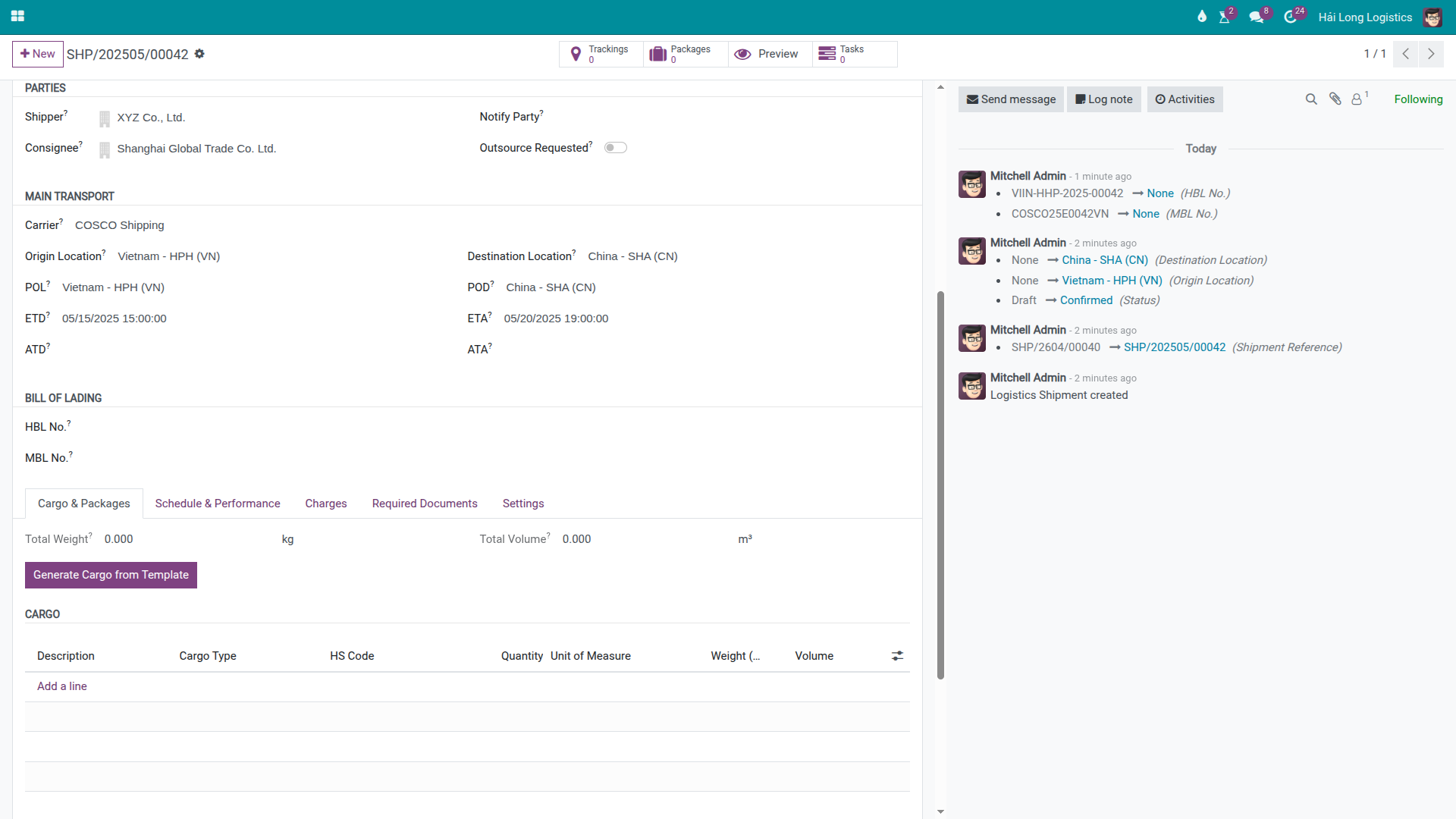
On the shipment form, open the Parties section and verify:
Shipper: Viet Nam Textile JSC — the exporter named on the B/L.
Consignee: the import entity at destination (fill from the customer's packing list or commercial invoice).
Notify Party: party to be notified at destination (often the consignee or their customs broker).
In the Main Transport section, verify:
Carrier: COSCO
Main Vessel (Feeder Name): COSCO SHIPPING UNIVERSE
Main Voyage: 025E
POL: VNHPH
POD: CNSHA
ETD: 15/05/2025
In the Bill of Lading section, fill in:
Place of Receipt: e.g., Hai Phong, Vietnam
Place of Delivery: e.g., Shanghai, China
Cargo Description: as agreed with the shipper — this text appears on the MBL verbatim. Do not abbreviate; carriers use this for customs.
Freight Payment: Prepaid or Collect (check the commercial contract with the shipper).
Number of Originals: typically 3 (standard set).
Cảnh báo
SI Cutoff is 10/05/2025 14:00 — submit at least 2 hours before.
A late SI submission to COSCO means the MBL cannot be issued before the vessel sails. In that case, the forwarder must request an urgent amendment (USD 25–50 per correction), and if the vessel has already sailed, the B/L may need to be issued as a Telex Release with additional coordination. For a 2-container shipment, the total delay cost including demurrage and customer penalties can reach USD 200–500.
Step A2: Record the HBL number after issuing the House Bill of Lading
The House Bill of Lading (HBL) is the forwarder's own contract of carriage with the shipper (Viet Nam Textile JSC). You issue it separately — either from a template in your in-house system or via the Print HBL server action in Viindoo.
To print the HBL in Viindoo, open the shipment form and go to:
This opens the Print HBL wizard. Fill in:
Exchange Rate: the VND/USD rate for the freight amount (required for VND-invoiced customers).
Prepaid at: port or location where prepaid charges are collected.
Payable at: port or location where collect charges are paid.
Total Prepaid (National Currency): total prepaid amount in VND.
Number of Originals: default is 3; adjust if the shipper requests otherwise.
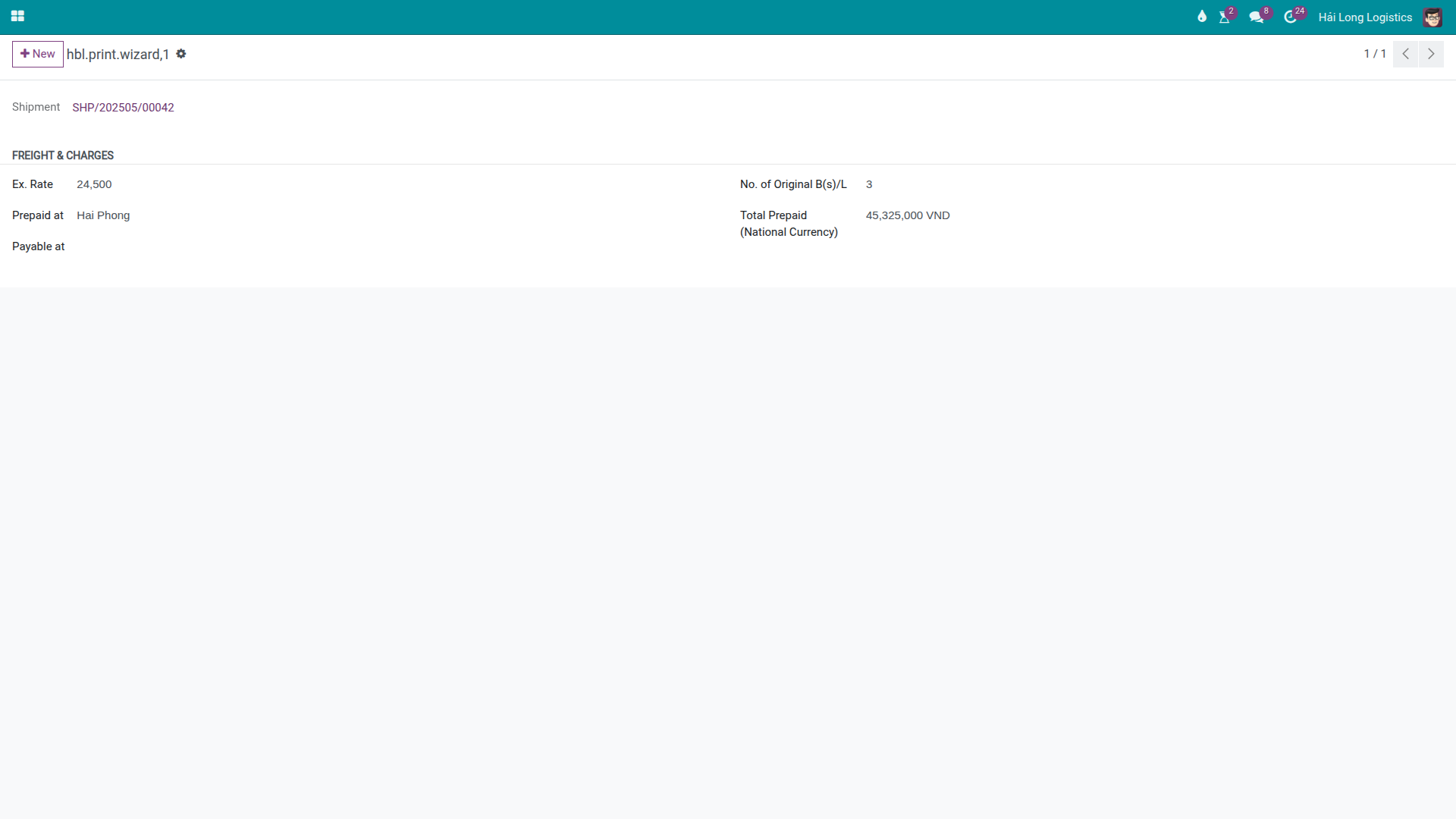
Click Print to generate the HBL PDF report.
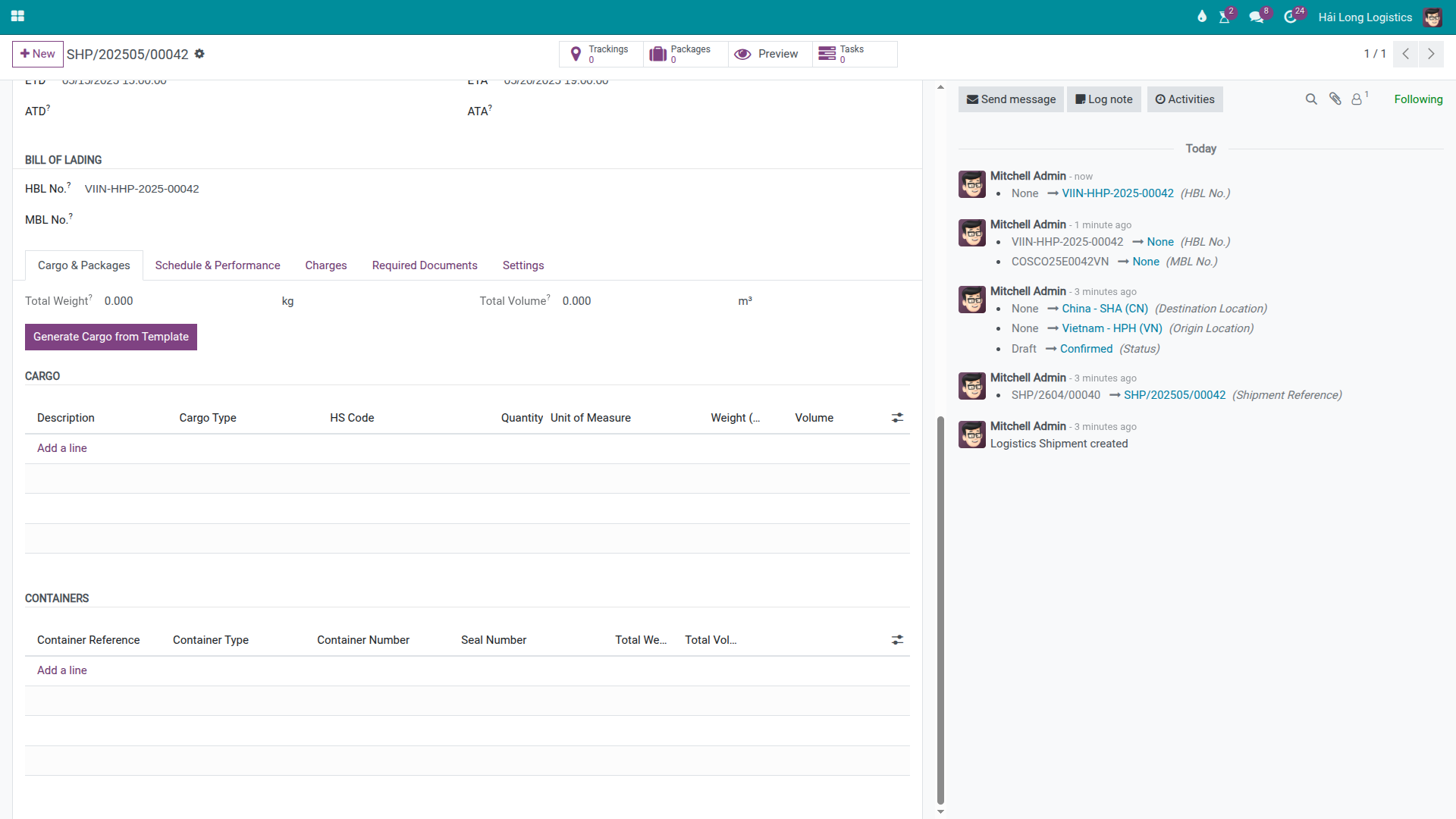
After issuing the HBL (from Viindoo or from an external template), record the number in the Bill of Lading section of the shipment:
HBL No.: the HBL number you issued to the shipper (e.g., HBL/202505/00042).
The system tracks changes to this field in the Chatter — this is the version history. If you need to keep a copy of the previous HBL before modifying the number, print the PDF first. Viindoo does not have a formal Draft/Final state for HBL — the Chatter tracking is the only revision log.
Mẹo
Step A2 complete when:
HBL No. is filled in and matches the HBL document issued to the shipper.
Chatter shows a tracking event recording the HBL number entry.
The HBL PDF has been sent to the shipper (via email, outside Viindoo).
Step A3: Record the MBL number when the carrier issues it
The Master Bill of Lading (MBL) is issued by COSCO after the vessel departs and the SI has been processed. COSCO will send the MBL via email or their portal. Record the MBL number in the system as soon as it arrives — this number is required for import customs clearance at CNSHA.
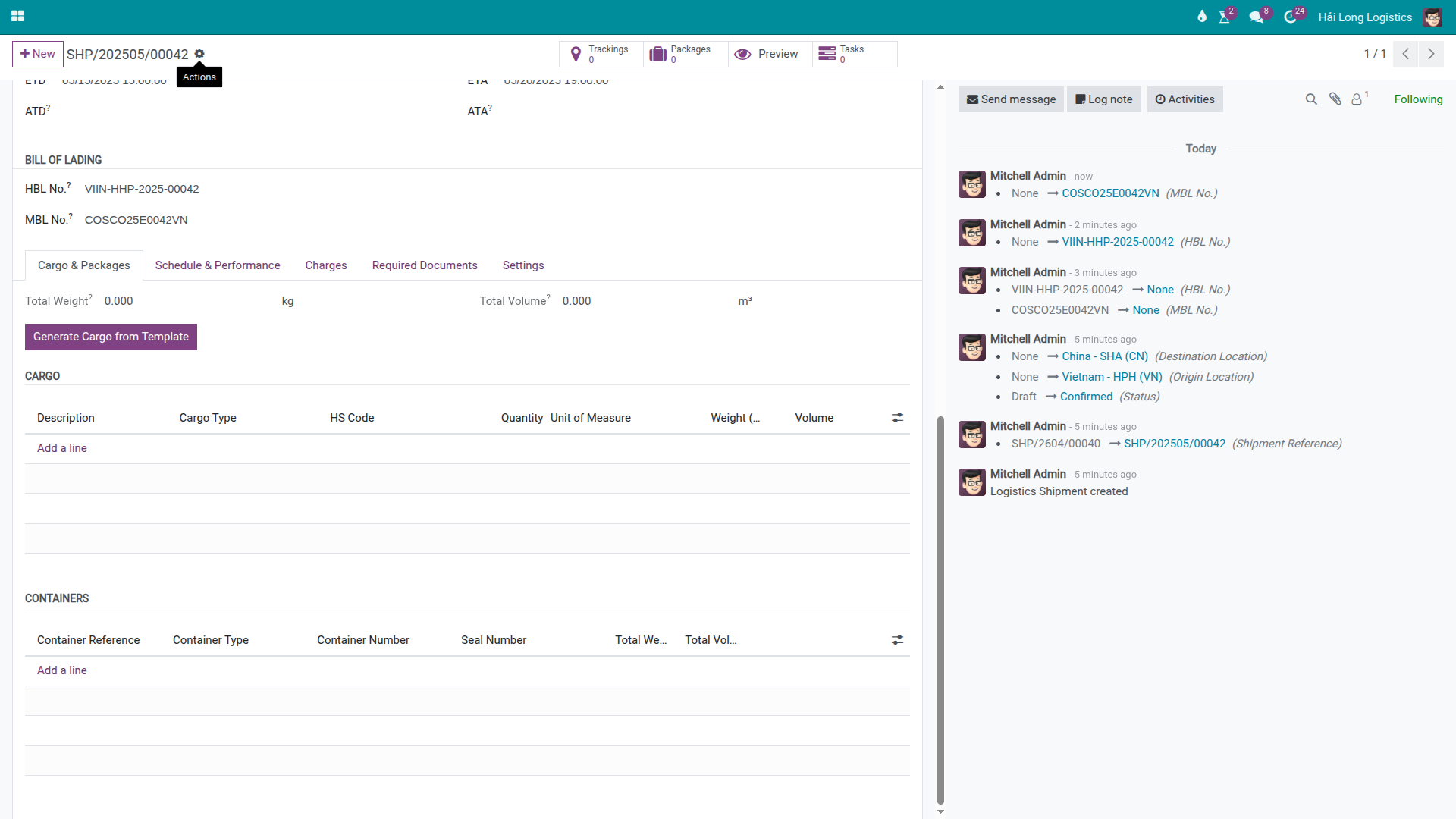
In the Bill of Lading section:
MBL No.: enter the COSCO-issued MBL number (e.g., COSCO025E00042).
If COSCO issues a Telex Release (electronic release without original B/L), note this in the shipment chatter: "MBL issued as Telex Release — consignee can collect without originals." The Telex Release flag avoids confusion at the destination when the consignee arrives without original documents.
Mẹo
Step A3 complete when:
Both HBL No. and MBL No. are recorded on the shipment.
If Telex Release applies, a Chatter note confirms this explicitly.
The consignee (or their customs broker at CNSHA) has received the MBL details or the Telex Release instruction.
Part B: Import document workflow
Step B1: Record the Delivery Order number
The Delivery Order (D/O) is the document that authorizes the consignee to collect cargo from the terminal at destination. For import shipment SHP/202505/00018 arriving VNSGN, the forwarder receives the D/O from the carrier (Maersk) after the customer presents the original B/L or Telex Release authorization.
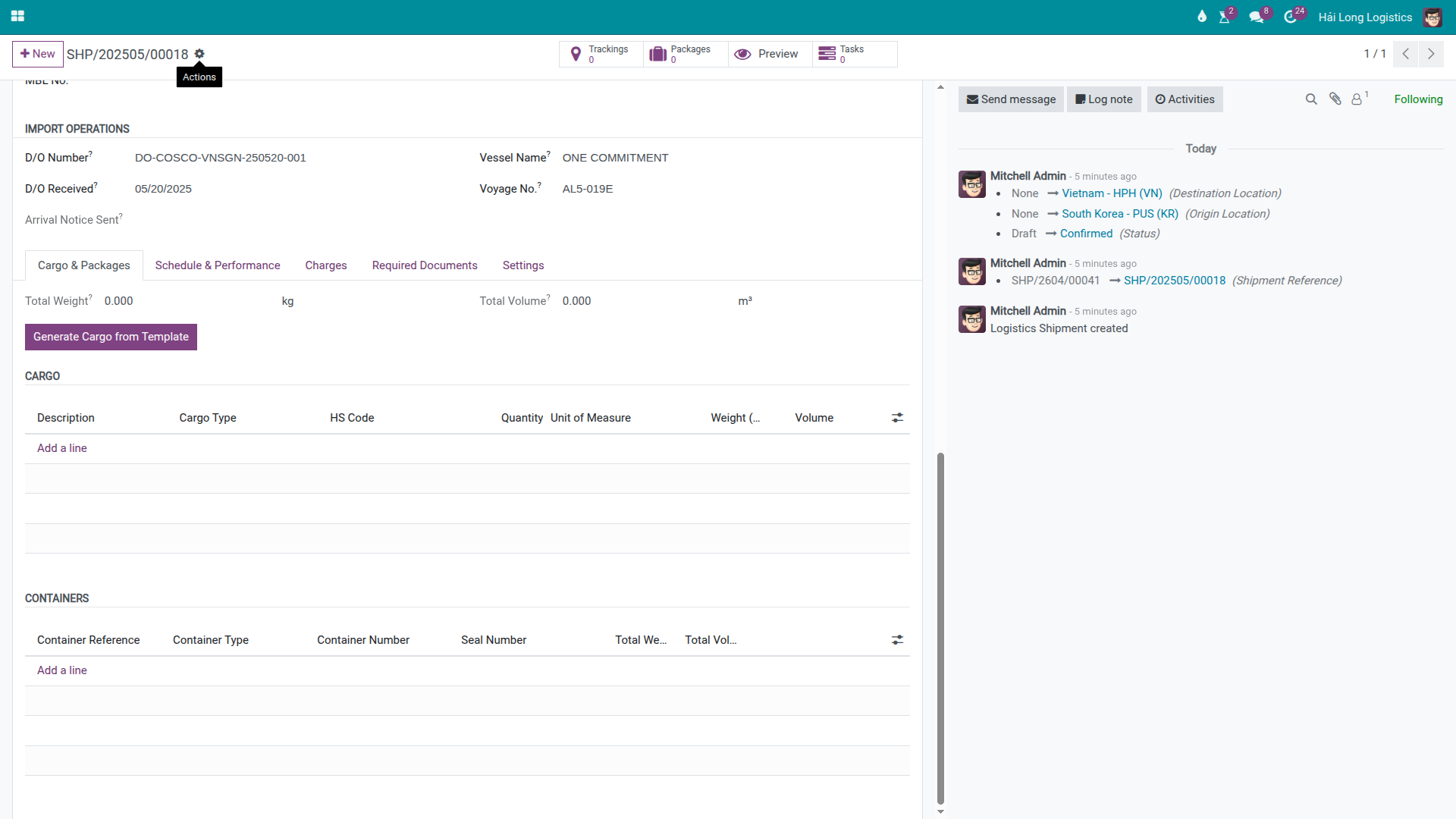
In the Import Operations section of the import shipment form, fill in:
D/O Number: the D/O reference issued by Maersk (e.g., DO/HCM/202505/18).
D/O Received At: the date and time the D/O was received by the forwarder.
Cảnh báo
Free time starts from ATA (Actual Time of Arrival) — not from when the D/O is received.
For most carriers at Cat Lai port (VNSGN), free time is 5–7 days from ATA. If the D/O is delayed (e.g., original B/L takes 5 days to arrive), the consignee may already be in demurrage before the D/O is issued. Demurrage at Cat Lai: approximately USD 30–60/container/day. A 2–3 day delay = USD 90–180/container. Notify the consignee of ATA and free time expiry immediately upon vessel arrival, not when the D/O is ready.
Step B2: Mark the Arrival Notice as sent
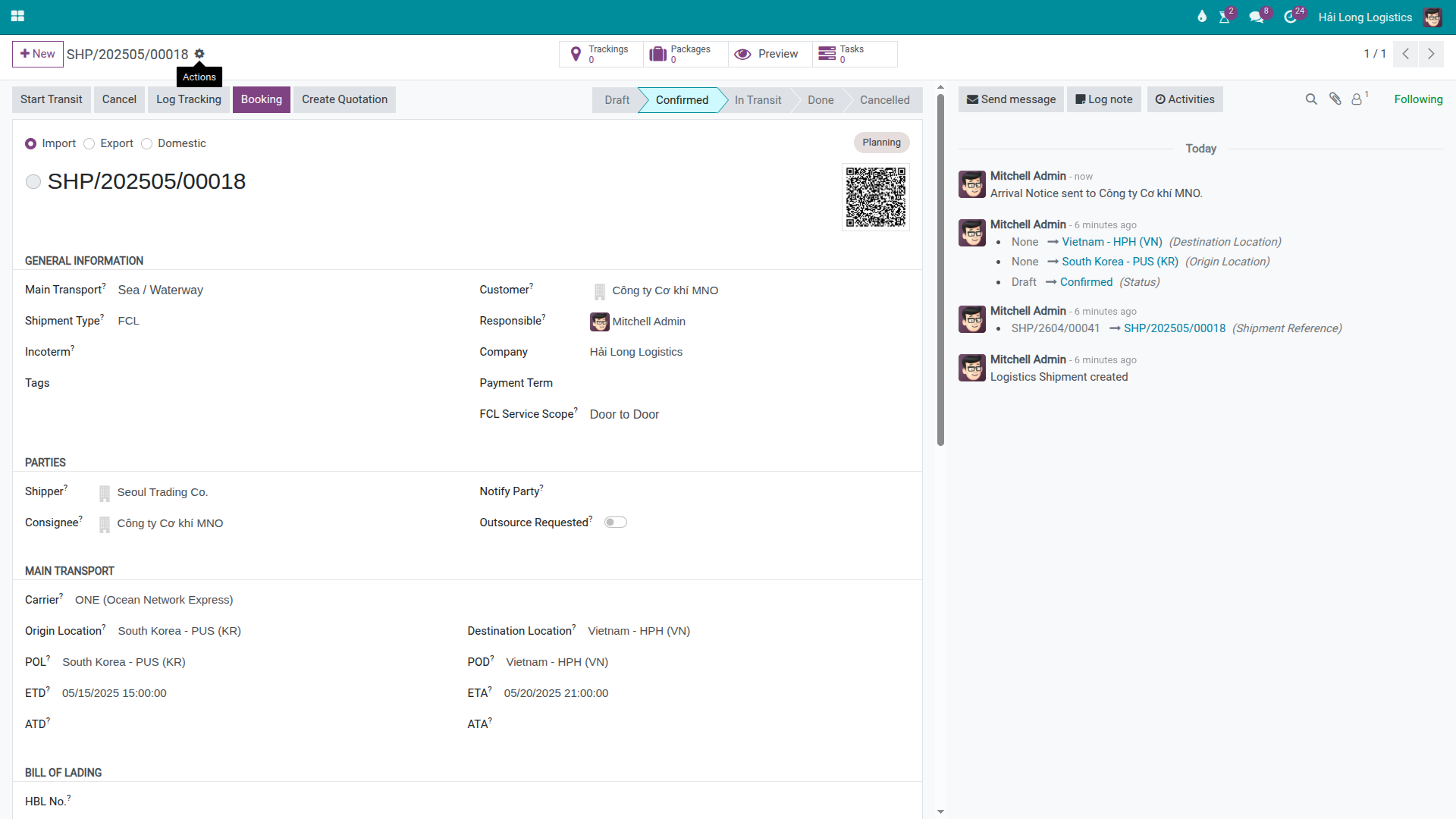
The Arrival Notice is the notification to the consignee that the cargo has arrived and is ready for clearance. In Viindoo, this is a manual milestone marker — it records the timestamp when your Documentation Officer notified the consignee. It does not send an email automatically.
Click Send Arrival Notice on the shipment header.
After clicking:
The Arrival Notice Sent At field is stamped with the current date and time (read-only).
A Chatter message is posted: "Arrival Notice logged at [timestamp]."
The Send Arrival Notice button disappears — it can only be triggered once per shipment.
Quan trọng
The Arrival Notice button does NOT send an email to the consignee.
After clicking the button, you must still notify the consignee through a separate channel:
Use the Chatter Send message function to email the consignee directly from the shipment.
Or use your external email client.
The button only records the timestamp in the system — it is an audit marker, not a communication tool.
Mẹo
Step B2 complete when:
Arrival Notice Sent At shows the correct timestamp.
The Documentation Officer has confirmed (via Chatter or email) that the consignee received the notification through a direct channel.
The Send Arrival Notice button is no longer visible on the header.
Version control and document history
Viindoo does not have a formal Draft/Final workflow for HBL or MBL — there is no "Revise HBL" button and no revision snapshots. The change history is captured through Chatter field tracking.
If you need to preserve an earlier version of the HBL before making changes:
Print the HBL PDF and save it externally (shared drive or email) before editing.
Update the HBL No. field.
Post a Chatter note explaining the reason for the change: "HBL amended from HBL/202505/00042-A to HBL/202505/00042-B — shipper requested weight correction."
This manual workflow is the only revision control available in the current version.
Troubleshooting
SI submitted late — carrier cannot issue B/L before vessel departure
Symptom: SI was submitted after the cutoff; carrier confirms they cannot process it for this sailing.
Resolution:
Request an urgent SI processing from COSCO — some carriers accept late SIs for a fee.
If the vessel has already departed, arrange a Telex Release for a future sailing or coordinate a Switch B/L.
Record the incident in the Chatter with timestamps for the audit trail.
Notify the shipper (Viet Nam Textile JSC) and the consignee of the revised schedule.
HBL number needs to be corrected after it was sent to the shipper
Symptom: The HBL was issued with an incorrect number or data error; the shipper has already received it.
Resolution:
Print the current HBL PDF and save externally (version history).
Update the HBL No. field with the corrected number.
Re-issue the HBL document to the shipper with a written explanation.
Post a Chatter note explaining the change.
If the MBL has already been issued by the carrier, a B/L amendment request to COSCO may also be required (USD 25–50 fee).
Arrival Notice already sent — second notification needed
Symptom: The Send Arrival Notice button has been clicked and the timestamp is already set. The consignee needs a follow-up notification.
Cause: The button can only be triggered once — it is a one-time audit marker, not a repeatable send function.
Resolution: Use the Chatter Send message button to compose and send a follow-up notification to the consignee directly. The system will record this message in the Chatter as an additional audit entry.
D/O not received from carrier — free time expiring
Symptom: The vessel has arrived (ATA recorded) but the D/O from the carrier has not been received. Free time is running.
Resolution:
Contact the carrier (Maersk import desk) to expedite D/O issuance.
Confirm whether the original B/L has been surrendered by the shipper.
If using Telex Release — confirm the release has been authorized in the carrier system.
Post a Chatter note with each follow-up attempt and timestamp for the audit trail.
If demurrage is incurred, record it as a separate cost charge on the shipment.
Xem thêm
Carrier Booking (Sea) — Carrier booking that precedes document preparation
Charges and Profitability — Recording THC, D/O fees and other charges on the shipment
VGM Entry (Verified Gross Mass) — VGM submission before SI cutoff
AI Document Parsing — Auto-filling shipment fields from uploaded PDF documents