
Air Freight Import (Direct)
Guide information
Required modules
Freight Accounting (optional — for invoicing and profitability)
Air Direct import tracks an incoming shipment from the moment it departs the origin airport through delivery to the importer. Unlike sea import, there is no container cycle — the cargo is in cartons, pallets or ULDs that go directly from the aircraft to the warehouse. Free time at the airline warehouse is shorter (typically 2–3 days) and demurrage at air cargo terminals is higher per day than at sea ports.
Scenario used throughout this guide: Hai Long Logistics handles inbound shipment SHP/202505/00081 — electronic components shipped from ICN (Seoul, Korea) to VNSGN (Ho Chi Minh City), airline Korean Air, flight KE682, MAWB 180-77665544, ETA 23/05/2025. The importer is Viet Tech Electronics Co., Ltd.
Xem thêm
Freight terminology (MAWB, HAWB, Chargeable Weight, Cargo Cutoff): Industry Glossary
Air Direct export workflow: Air Freight Export (Direct)
Step 1: Set up the import shipment from the booking or master record
When a shipment arrives from a partner agent or directly from an airline, the forwarder often receives the MAWB and booking details by email or via a pre-advice before the flight lands. Create or update the shipment record as soon as the pre-advice arrives — do not wait until the cargo is on the ground.
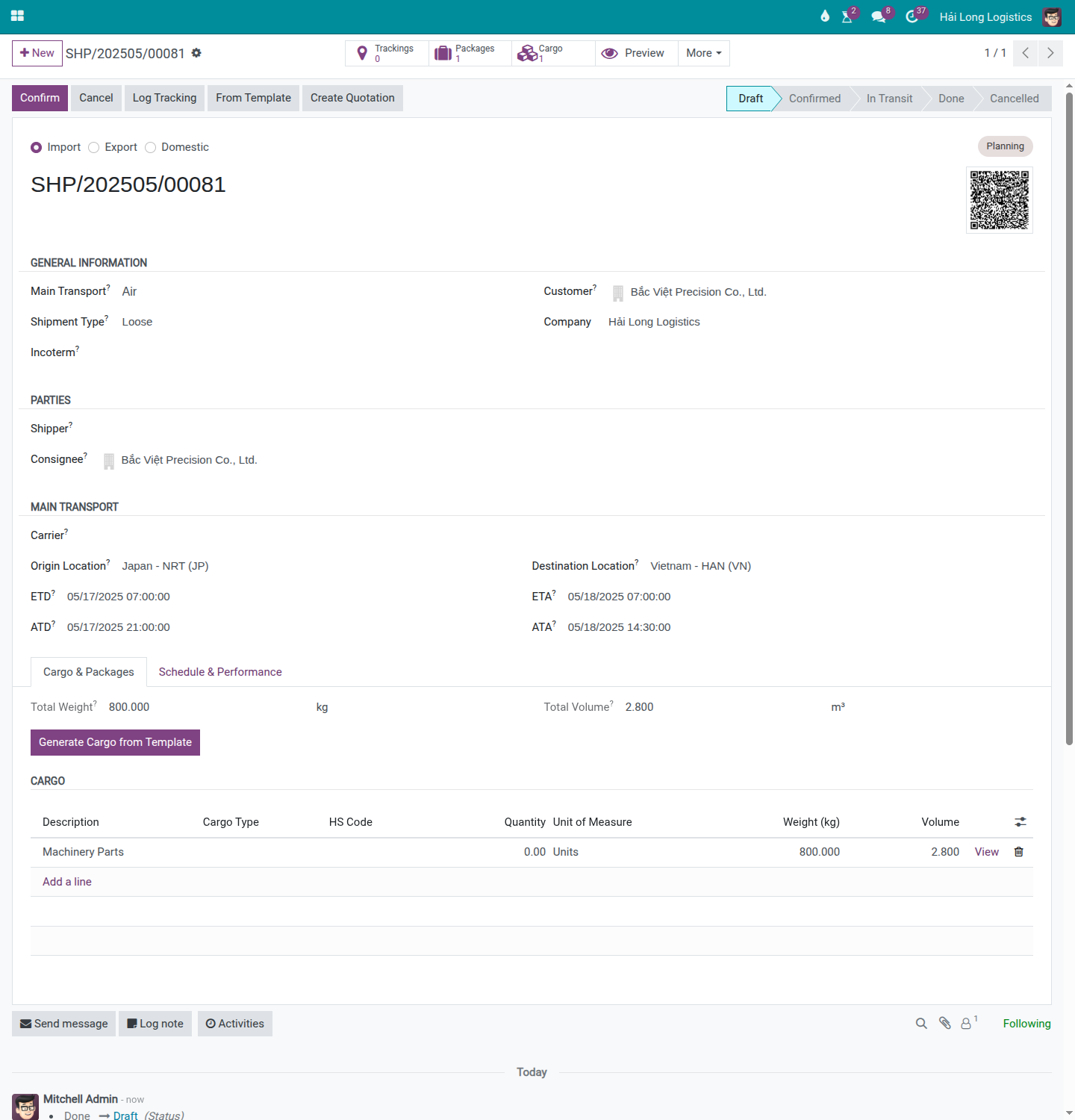
Go to and create or locate shipment SHP/202505/00081.
Fill in the key fields:
Shipment Type: Air Direct Import
Customer (Consignee): Viet Tech Electronics Co., Ltd.
POL: KRSEL (ICN)
POD: VNSGN (SGN)
ETD: 22/05/2025
ETA: 23/05/2025
MAWB No.: 180-77665544 (from the MAWB pre-advice or airline notification).
HAWB No.: HAWB/202505/00081 (if Hai Long issues a house airway bill to the importer).
In the Cargo & Packages tab, record the cargo from the MAWB:
Pieces: 5
Gross Weight (kg): 420
Volume (CBM): 1.80
Chargeable Weight calculation:
Volumetric Weight: 1.80 × 167 = 301 kg
CW = max(420, 301) = 420 kg (gross weight dominates)
Click Confirm to lock the shipment.
Mẹo
Step 1 complete when:
Shipment SHP/202505/00081 is Confirmed.
MAWB No. = 180-77665544 is recorded.
CW = 420 kg matches what the airline will bill on the freight invoice.
Customer field is filled — required for generating the customer invoice from charges.
Step 2: Record the actual arrival (ATA)
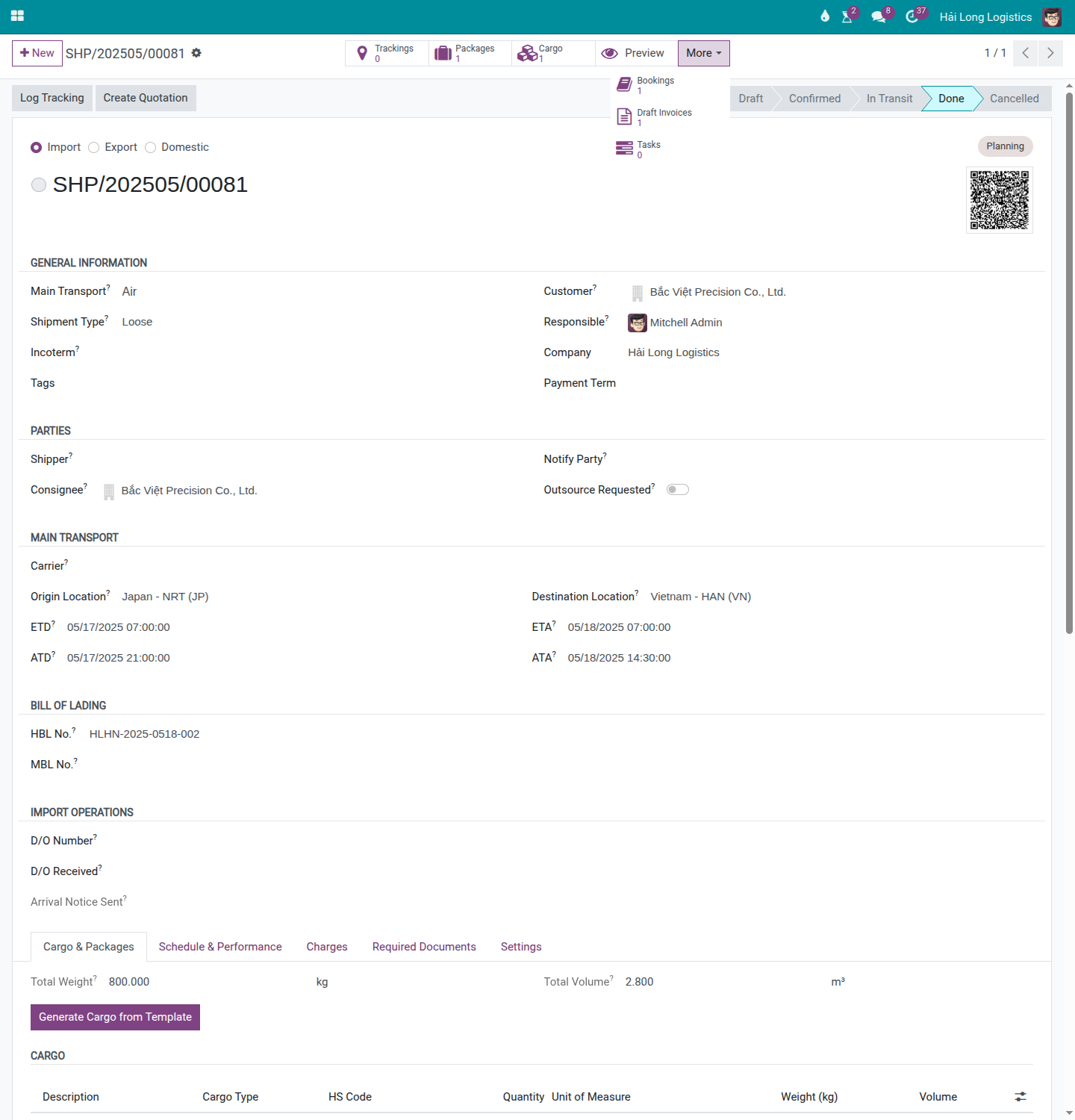
When Korean Air confirms that KE682 has landed at SGN on 23/05/2025, record the Actual Time of Arrival (ATA) on the shipment. This is important: at air cargo terminals, free time at the warehouse typically starts from ATA (or from when the airline notifies availability), not from your record entry time.
On the shipment form, find the ATA field in the Transport section and fill in: 23/05/2025 07:45 (the actual landing time).
Cảnh báo
Air cargo warehouse free time is much shorter than sea port free time.
At SGN Tan Son Nhat cargo terminal, most airlines provide only 2–3 days of free storage after availability notification. After that, storage charges of approximately USD 0.05–0.15/kg/day apply. For 420 kg, this is USD 21–63/day. If the consignee's customs clearance is delayed by 3 days beyond free time, expect USD 63–190 in warehouse charges. Notify Viet Tech Electronics of the ATA and storage deadline immediately.
Step 3: Notify the consignee and coordinate pickup
After recording ATA, the forwarder's Documentation Officer must notify the importer that the cargo has arrived and is ready for customs filing. In Viindoo, the Send Arrival Notice button records this event as a timestamp in the system — it does NOT send an email automatically.
Click Send Arrival Notice on the shipment header.
After clicking:
Arrival Notice Sent At is stamped with the current time (read-only — cannot be clicked again).
A Chatter message is posted as an audit record.
The button disappears — it is a one-time milestone marker.
After clicking the button, send the actual notification through a separate channel:
Use the Chatter Send message function to email Viet Tech Electronics directly from the shipment.
Or use your external email client, attaching the MAWB and arrival details.
The notification to the consignee should include:
Flight KE682, ATA 23/05/2025.
MAWB 180-77665544 and HAWB HAWB/202505/00081.
Free time deadline (e.g., 26/05/2025 if 3 days free).
Required documents for customs filing.
Step 4: Track customs clearance
Once Viet Tech Electronics or their customs broker files the import declaration, track the clearance milestones on the shipment. For air import, there is no container state machine — milestones are tracked through the shipment-level fields and Chatter notes.
Record the following in the Import Operations section or via Chatter notes:
Customs Filing Date: when the import declaration was submitted to customs.
Customs Cleared Date: when customs issued clearance.
Any customs queries or holds — post these as Chatter notes with timestamps.
Ghi chú
Unlike sea FCL import (which has a per-container customs clearance state), air import tracks clearance at the shipment level. If multiple individual packages need separate customs entries, track each entry in the Chatter rather than per-package fields.
Step 5: Verify air freight charges and reconcile with the airline invoice
After the airline sends the actual freight invoice, reconcile the charges on the shipment. Air freight invoices frequently differ from the initial estimate due to weight corrections (the airline re-weighs at check-in), surcharge adjustments, or waiting time charges.
On the Charges tab, verify or update:
Air Freight (Korean Air): expected cost USD 3.80/kg × 420 CW = USD 1,596. Check against the actual Korean Air invoice.
Fuel Surcharge (FSC): verify against the invoice.
Security Surcharge (SSC): verify against the invoice.
If the airline invoice shows a different CW than 420 kg (e.g., they re-weighed at 435 kg):
Update the Chargeable Weight field on the shipment.
Update the Cost Price on the Air Freight charge line: USD 3.80 × 435 = USD 1,653.
Decide whether to pass the difference to the customer (update sell price) or absorb it.
Post a Chatter note explaining the weight correction.
For the full charge recording and invoice generation workflow, see Charges and Profitability.
Troubleshooting
MAWB not received before the flight lands
Symptom: The cargo has arrived at SGN but no MAWB pre-advice was received from the origin agent.
Resolution:
Contact the origin agent or Korean Air directly to obtain the MAWB number.
Create the shipment in Draft status with all known details (flight, ETA, consignee).
Fill in the MAWB No. as soon as it is received — do not use a placeholder.
Confirm the shipment and proceed with ATA recording.
Airline invoice shows different weight than recorded
Symptom: Korean Air's invoice shows CW = 435 kg; the shipment records CW = 420 kg.
Cause: The airline re-weighed the cargo at check-in or found a volume discrepancy.
Resolution:
Obtain the airline's weight certificate or re-weighing record.
Update the CW on the shipment and the Cost Price on the Air Freight charge.
Decide whether to adjust the sell price to recover the difference.
If the discrepancy is large (> 5%), request a formal weight dispute with Korean Air.
Consignee delays customs filing — warehouse charges accruing
Symptom: Viet Tech Electronics has not filed the customs declaration; free time at the cargo terminal is expiring.
Resolution:
Contact Viet Tech Electronics immediately with the free time deadline.
If the consignee cannot file in time, request a temporary customs bond or storage extension from the airline (not available at all terminals).
Record accrued warehouse storage charges as a cost line on the shipment.
Post all follow-up attempts in the Chatter with timestamps.
Xem thêm
Air Freight Export (Direct) — Air Direct export workflow (outbound)
LCL Air Freight Consolidation (LCAF) — Air consolidation for multiple importers
Charges and Profitability — Recording and reconciling air freight charges