
Guideline to analyze employees’ effective hours
Requirements
This tutorial requires the installation of the following module:
A project manager needs to analyze team members’ effective working hours to manage tasks and keep track of projects.
When the Timesheet app is installed, it will be integrated with Project.
Then you can check and analyze employees’ effective hours at the Project app with the timesheet feature.
First, go to Project ‣ Reporting ‣ Tasks Analysis, and change into Pivot view.
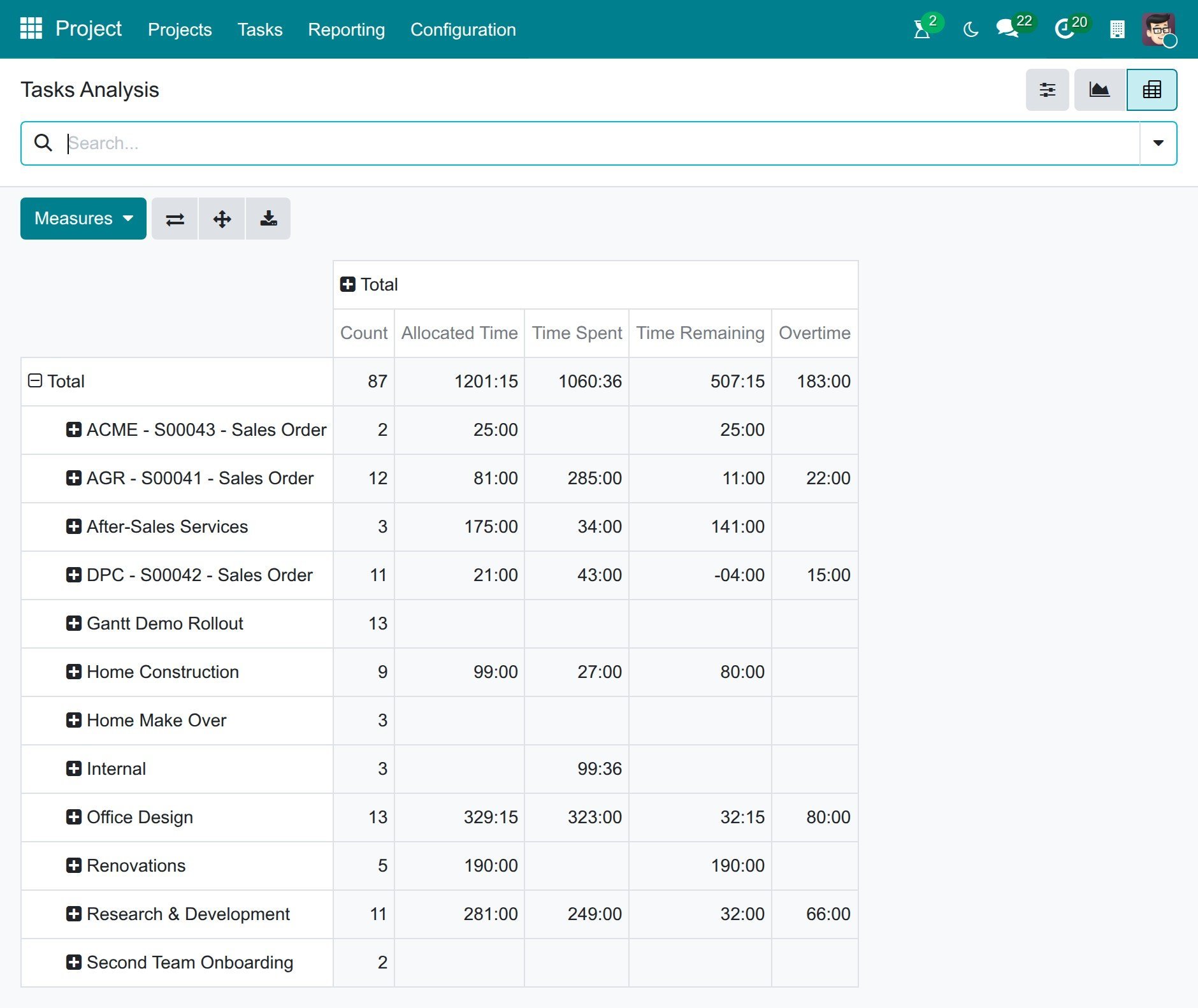
Click on Measures and tick the fields as shown below. The pivot table will show data with these measurements. You could also see the report in different view like graph view.
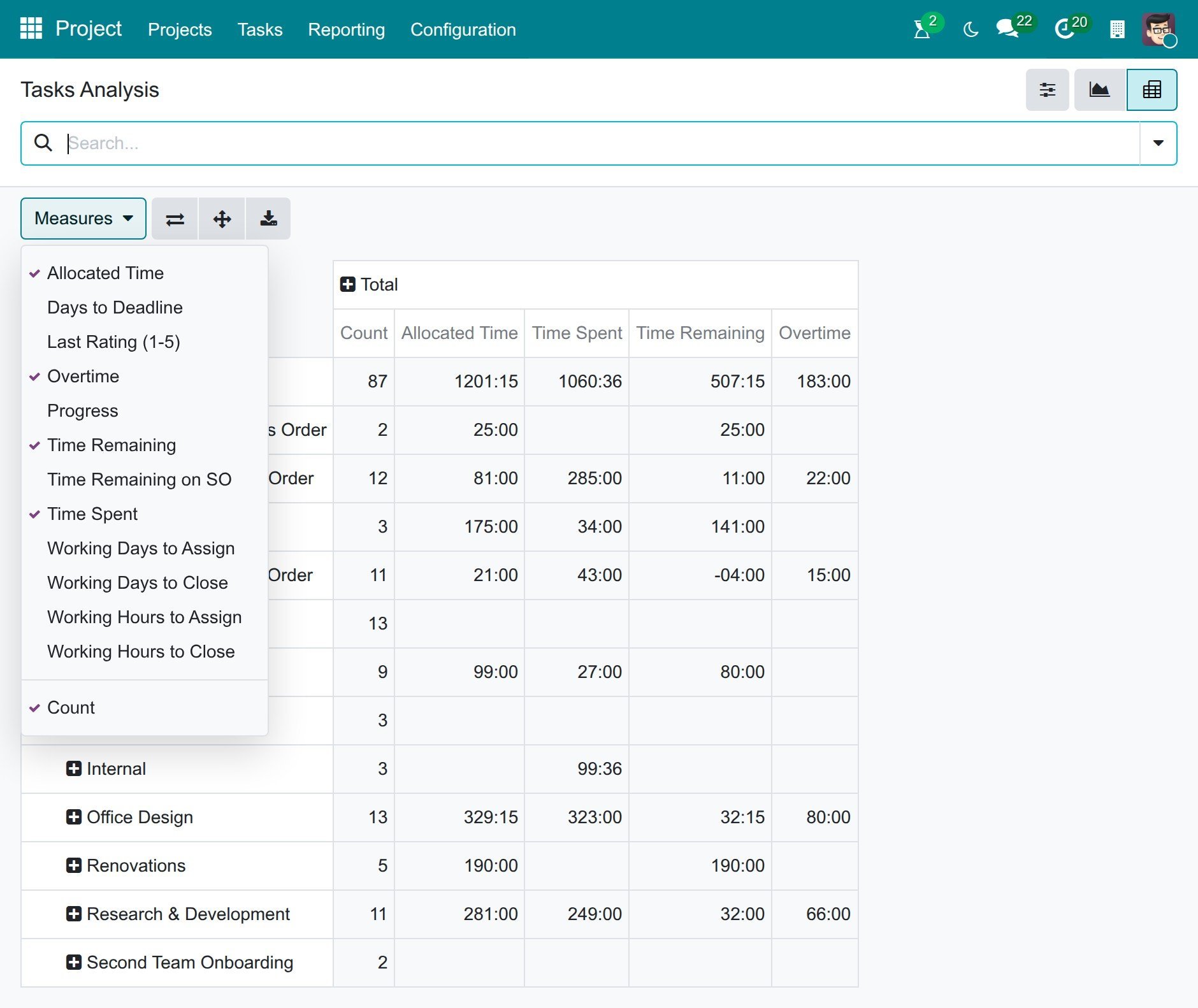
In details:
Allocated Time: The project manager will input the hours planned to finish each task at field Allocated Time.
Time Spent: The total time that all the employees spent to do the task (Without sub-tasks).
Overtime: The time you have overused compared to the allocated time, calculated by Time Spent + Time Spent on Sub-tasks - Allocated Time (it is 0 when the task is still within the allocated time).
Time Remaining: This is the remaining time, calculated by Allocated Time - Time Spent - Time Spent on Sub-tasks. It turns negative when the task has used more time than allocated.
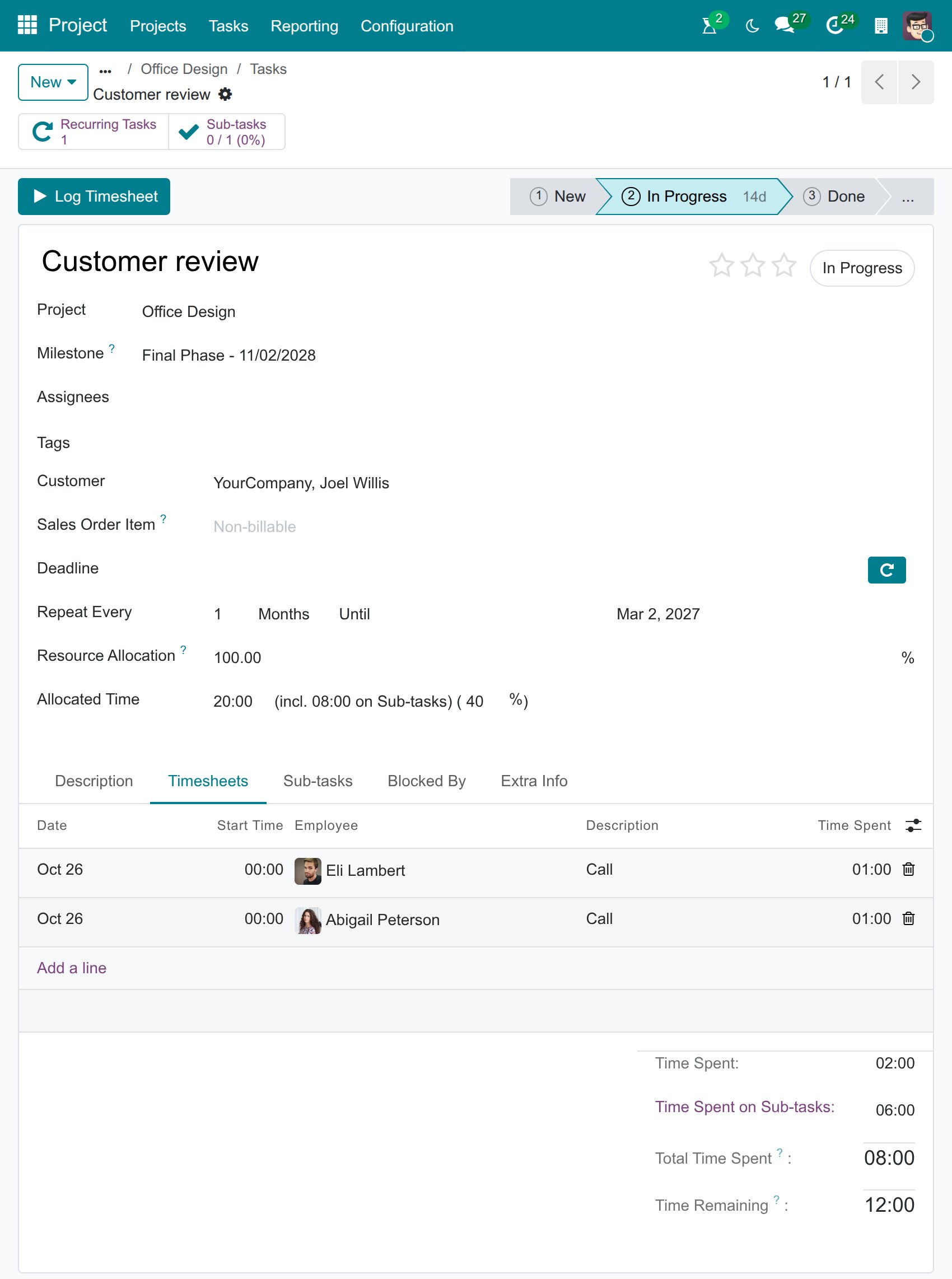
Time Spent on Sub-tasks (the total time that all the employees spent on the sub-tasks of the task and on their own sub-tasks) and Total Time Spent are shown on the task itself, as described below.
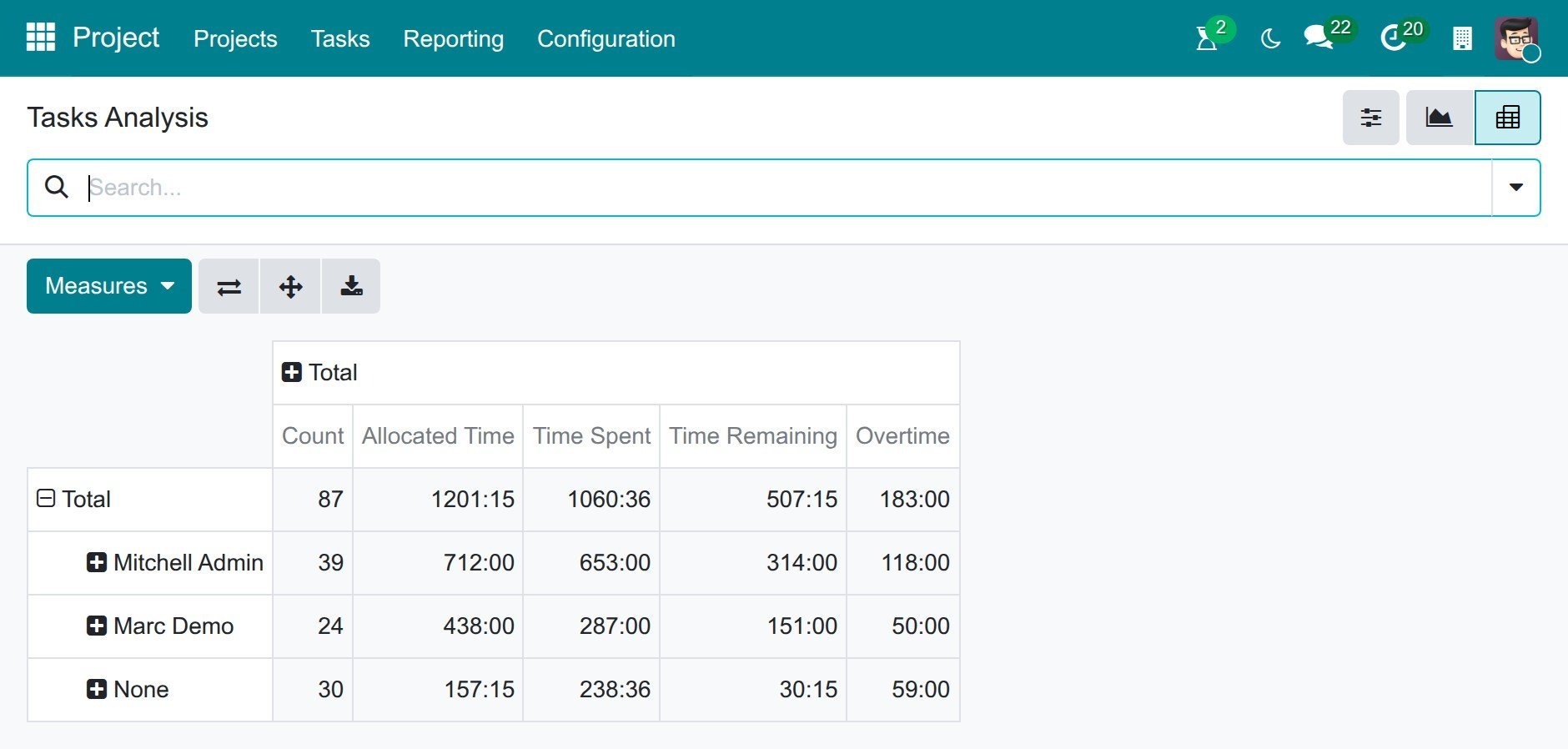
In addition, you can break the data down by assignee: click on the Total row heading and select Assignees to group the data by the users who are assigned to the tasks.
Note
The Assignees grouping splits the time by the users assigned to each task. To see the time that each employee actually logged, regardless of who the task is assigned to, use Timesheets ‣ Reporting ‣ Timesheets ‣ By Employee.
In the Task view, you will also see those fields. The Allocated Time field is at the top of the task, next to the percentage of time already used and, when the task has sub-tasks, the time spent on them.
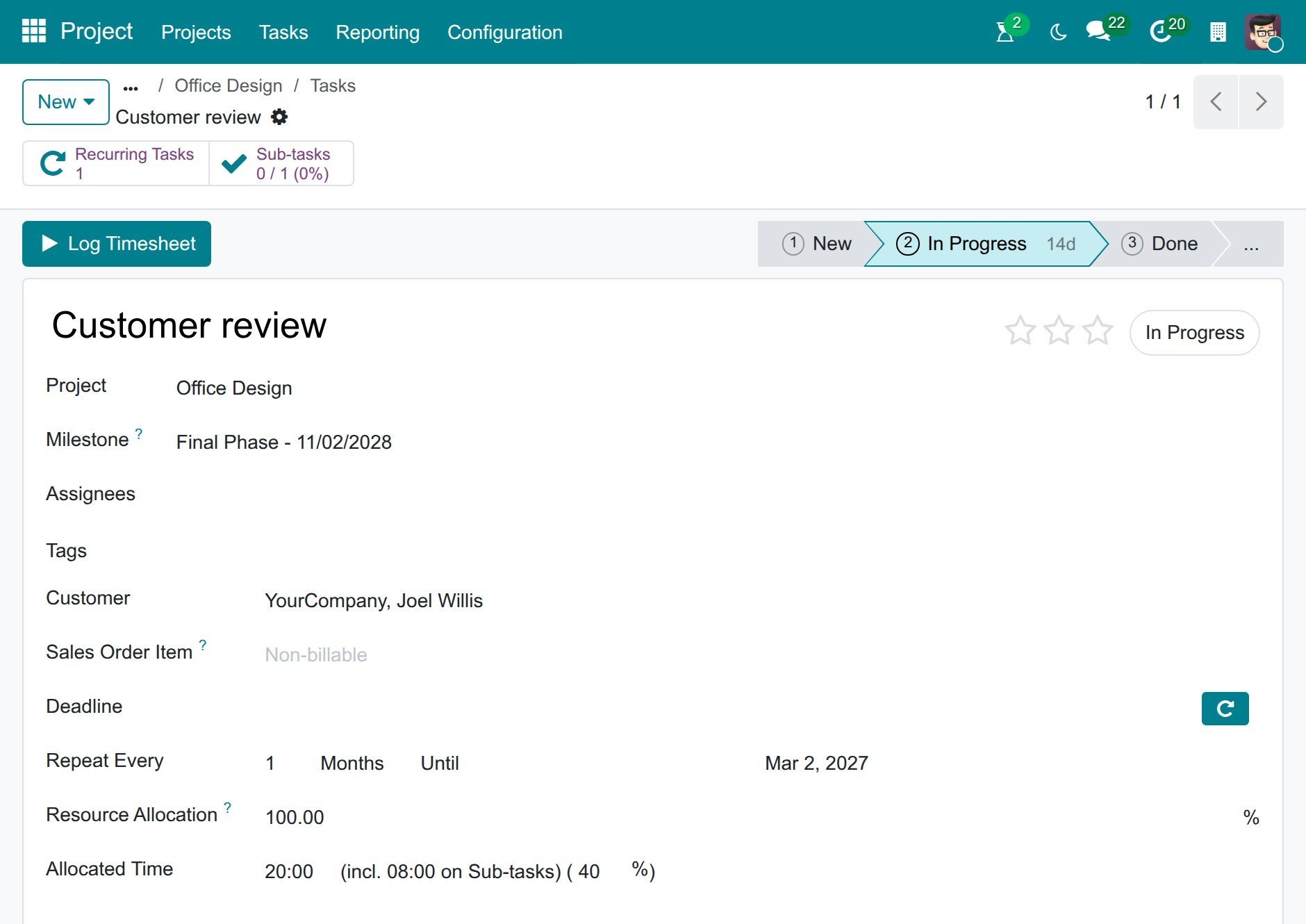
In the Timesheets tab, Time Spent, Time Spent on Sub-tasks, Total Time Spent and Time Remaining are shown below the timesheet lines.
See also
Related articles:
Optional modules: