
How to plan receipts, deliveries and production with lead times
Viindoo computes the dates of your transfers from lead times. Set the Customer Lead Time on the product for deliveries, the Delivery Lead Time of each vendor for receipts, and the Manufacturing Lead Time on the bill of materials for production, then add the safety margins in the settings of each app. Viindoo then proposes the expected delivery date of a sales order, the scheduled date of the delivery and the latest start date of a manufacturing order.
Who |
Inventory Administrators set the lead times. Sales, purchase and production users read the dates. |
App |
Inventory, Sales, Purchase, Manufacturing |
Before you start
Install Inventory, plus Sales, Purchase and Manufacturing for the lead times you use. The lead times of an app only appear when the app is installed.
The products track inventory (see How to create a new product).
What lead times does Viindoo use?
Lead time |
Set in |
Effect on the dates |
|---|---|---|
Delivery Lead Time (vendor) |
Purchase tab of the product, vendor line |
Scheduled date of the purchase order line = order date + delivery lead time. The receipt is scheduled on that date. |
Security Lead Time for Purchase |
Purchase settings |
A purchase order created by a replenishment is scheduled this many days earlier, to cope with vendor delays. |
Customer Lead Time |
Inventory tab of the product |
Expected delivery date of a sales order = order date + customer lead time. |
Security Lead Time for Sales (Sales Safety Days) |
Inventory settings |
The delivery is scheduled this many days before the promised date: scheduled date of the delivery = expected (or chosen) delivery date - safety days. The deadline stays the promised date. |
Manufacturing Lead Time |
Bill of materials |
Time needed to manufacture the product, whatever the quantity. |
Security Lead Time (manufacturing) |
Manufacturing settings |
Extra days before each manufacturing order. Start date of the order = scheduled delivery date - manufacturing lead time - security lead time. |
How do I plan the receipt of goods from a vendor?
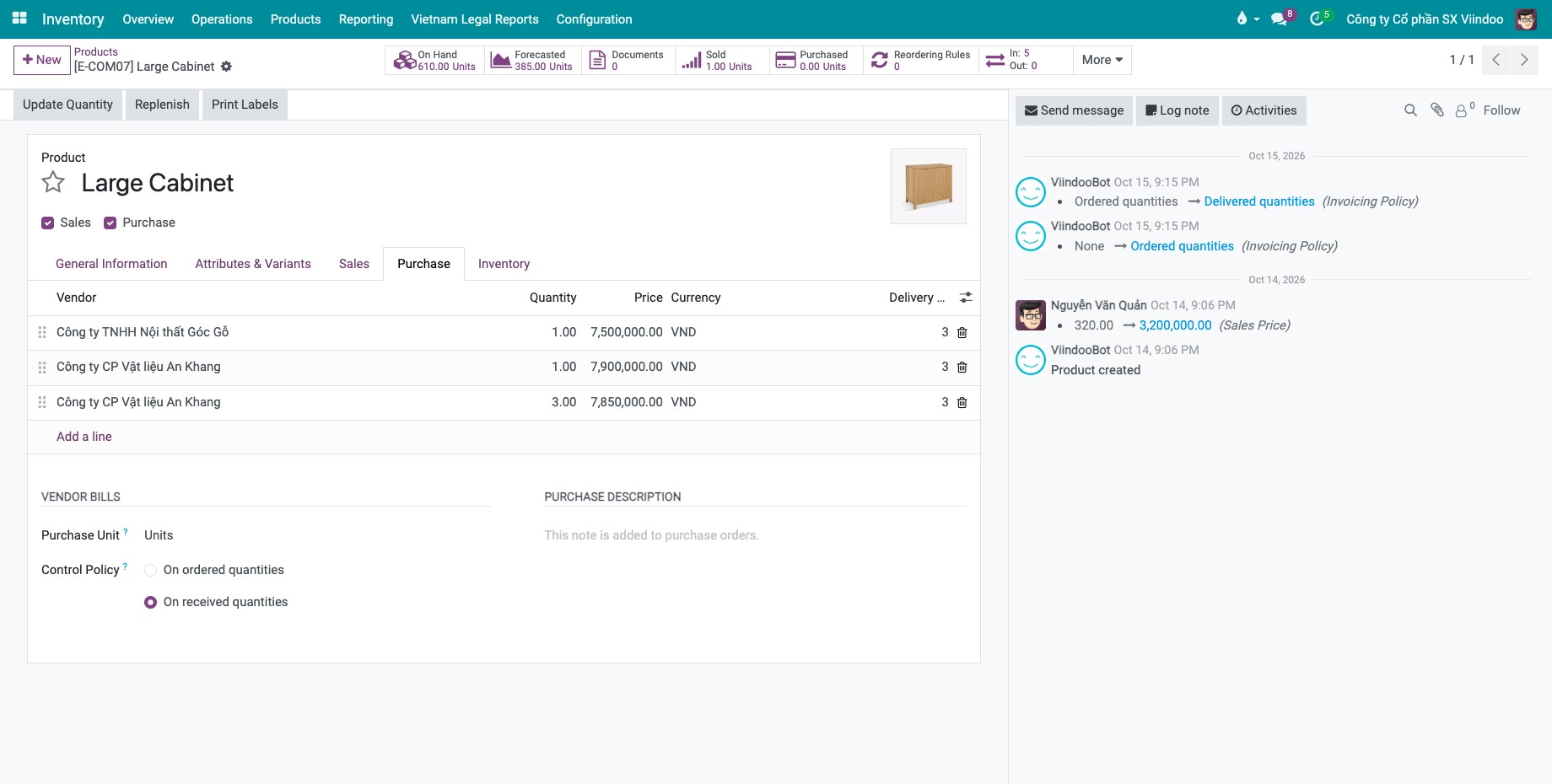
Go to , open the product and go to the Purchase tab.
Click Add a line, choose the Vendor and enter the Delivery Lead Time in days.
![Vendor line on the Purchase tab of a product with the delivery lead time in days]()
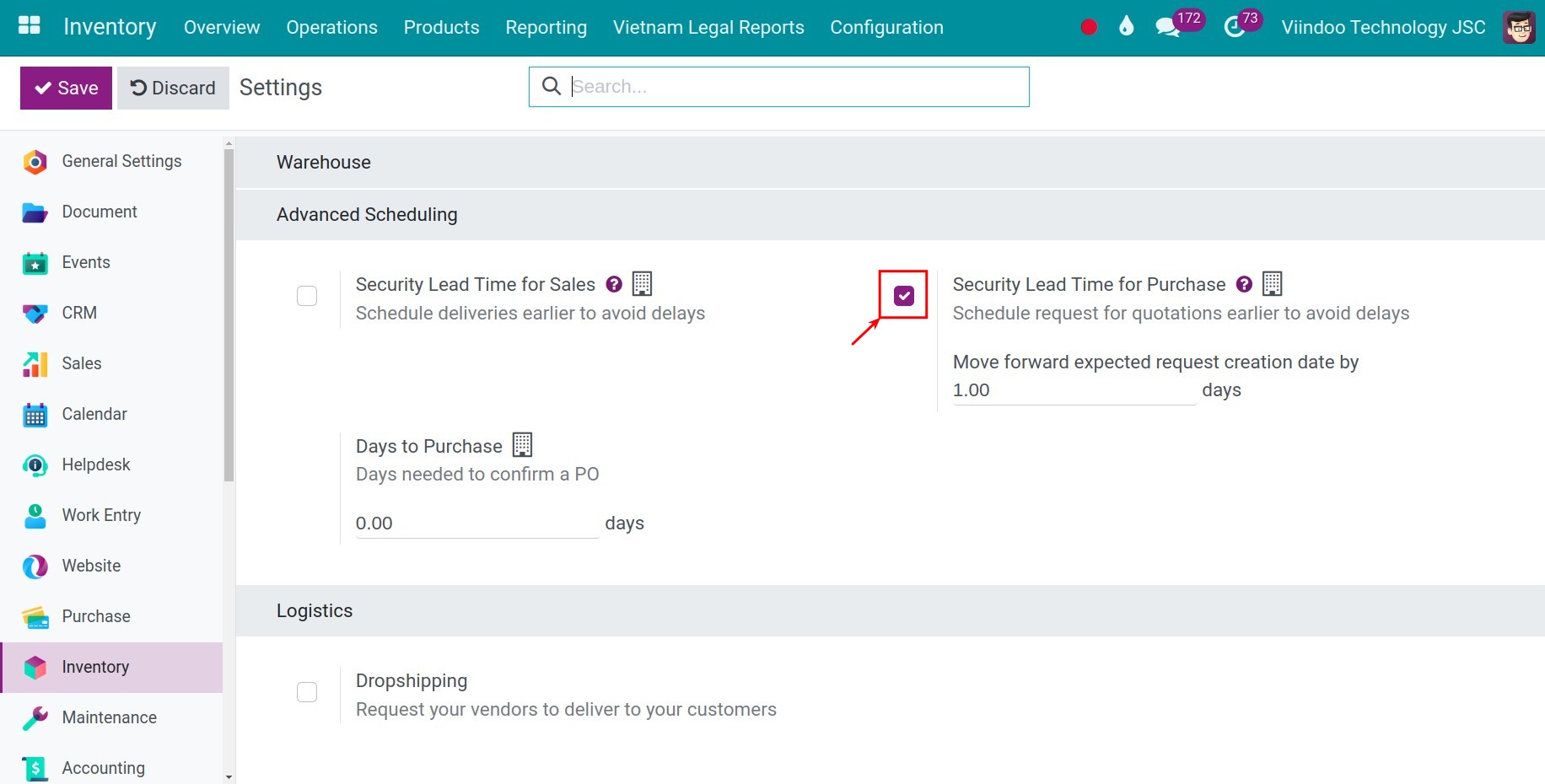
To add a safety margin, go to , tick Security Lead Time for Purchase, enter the days and click Save.
![Security Lead Time for Purchase turned on in the Purchase settings]()
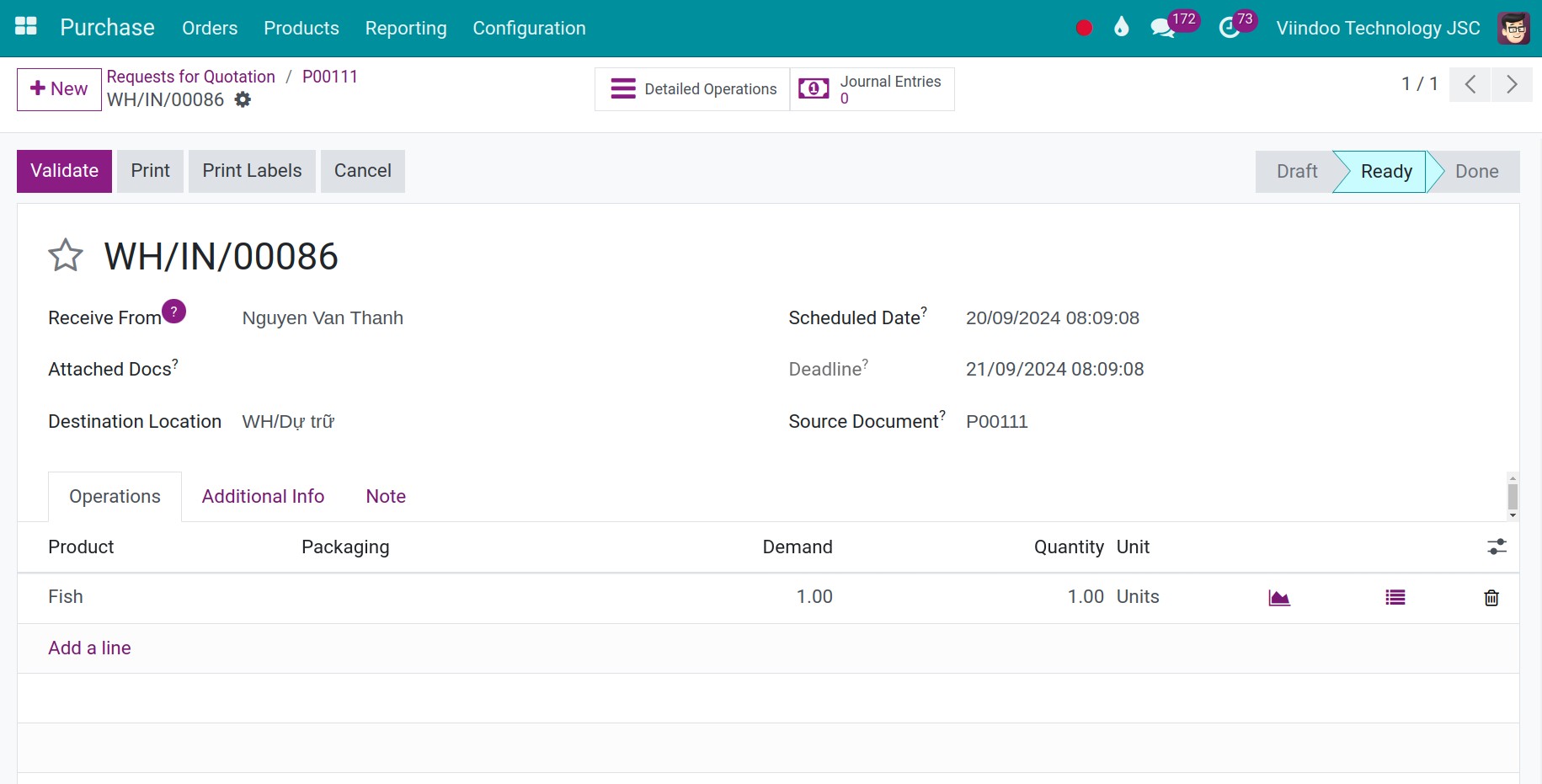
Example: a vendor delivers in 2 days and you order on 18 October. The purchase order line is scheduled on 20 October, and so is the receipt created when you confirm the order.
When a product has several vendor lines, Viindoo uses the line that matches the quantity and the date first, then the line that comes first in the list.
How do I plan the delivery to a customer?
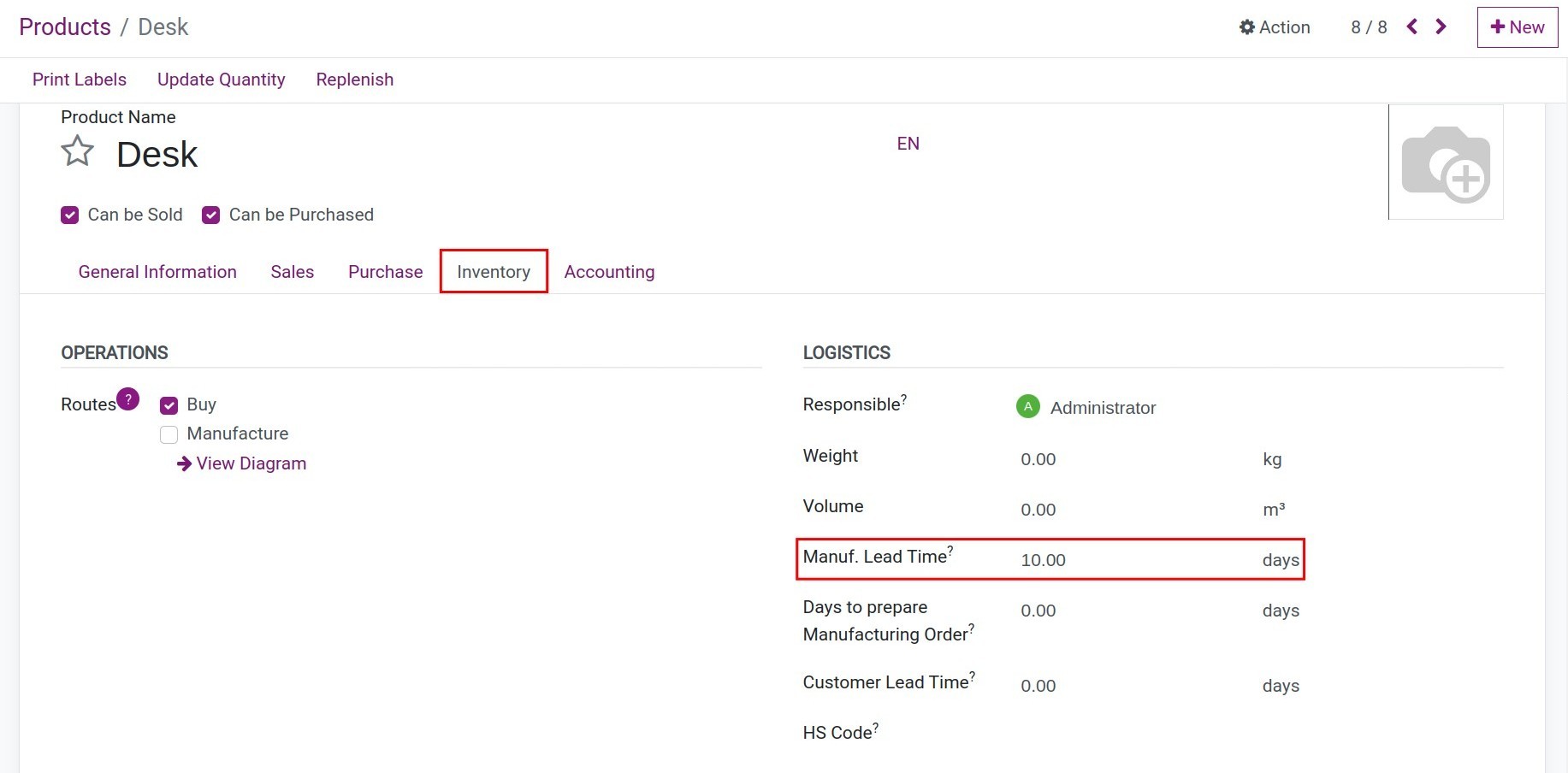
Open the product, go to the Inventory tab and enter the Customer Lead Time.
![Customer Lead Time on the Inventory tab of a product]()
To add a safety margin, go to , tick Security Lead Time for Sales, enter the days and click Save.
![Security Lead Time for Sales turned on in the Inventory settings]()
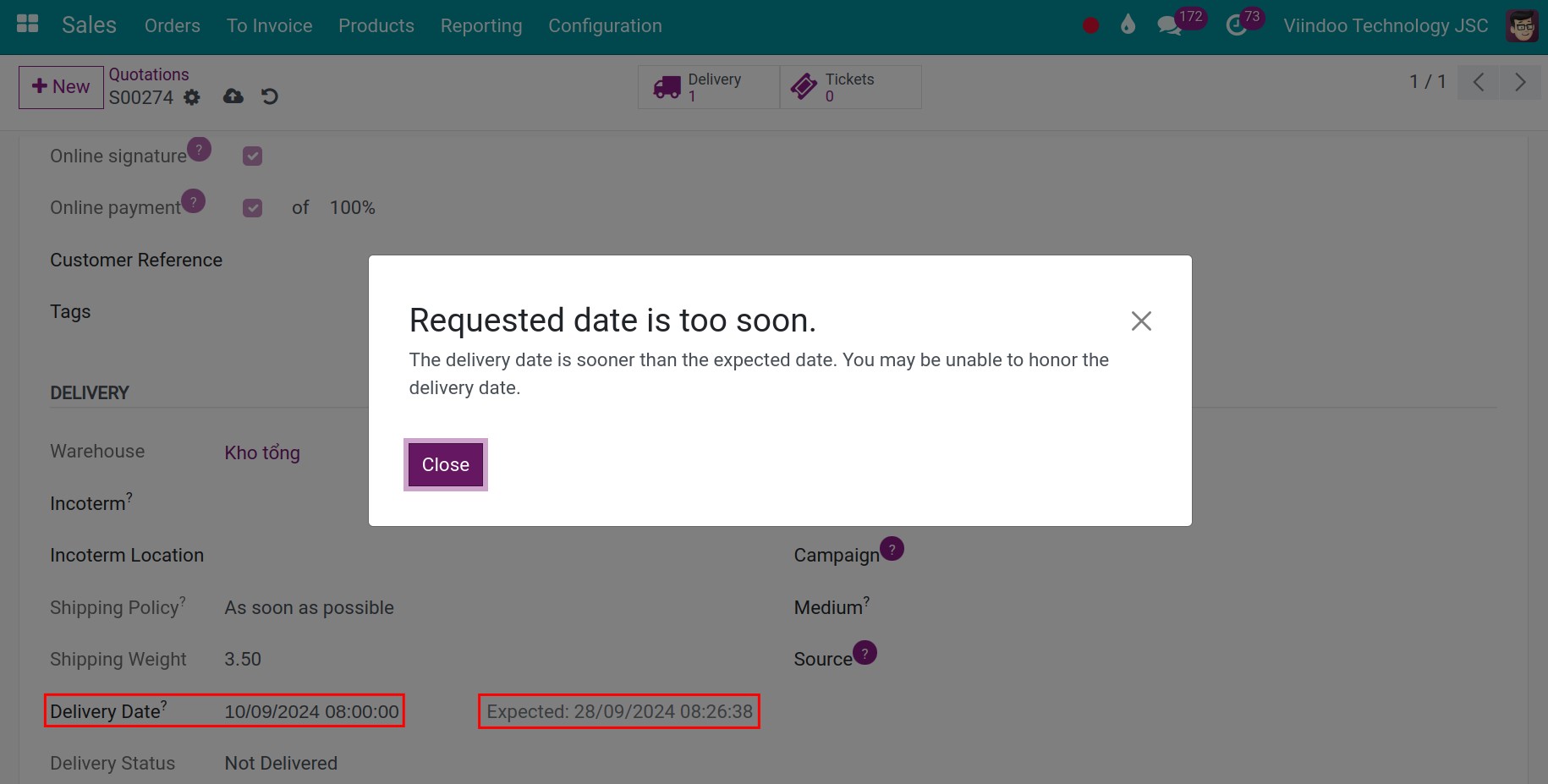
Create a sales order. On the Other Info tab, Expected Delivery Date is computed. You can enter your own Delivery Date; Viindoo then uses it instead.
![Sales order with the lead time of the line and the expected delivery date]()
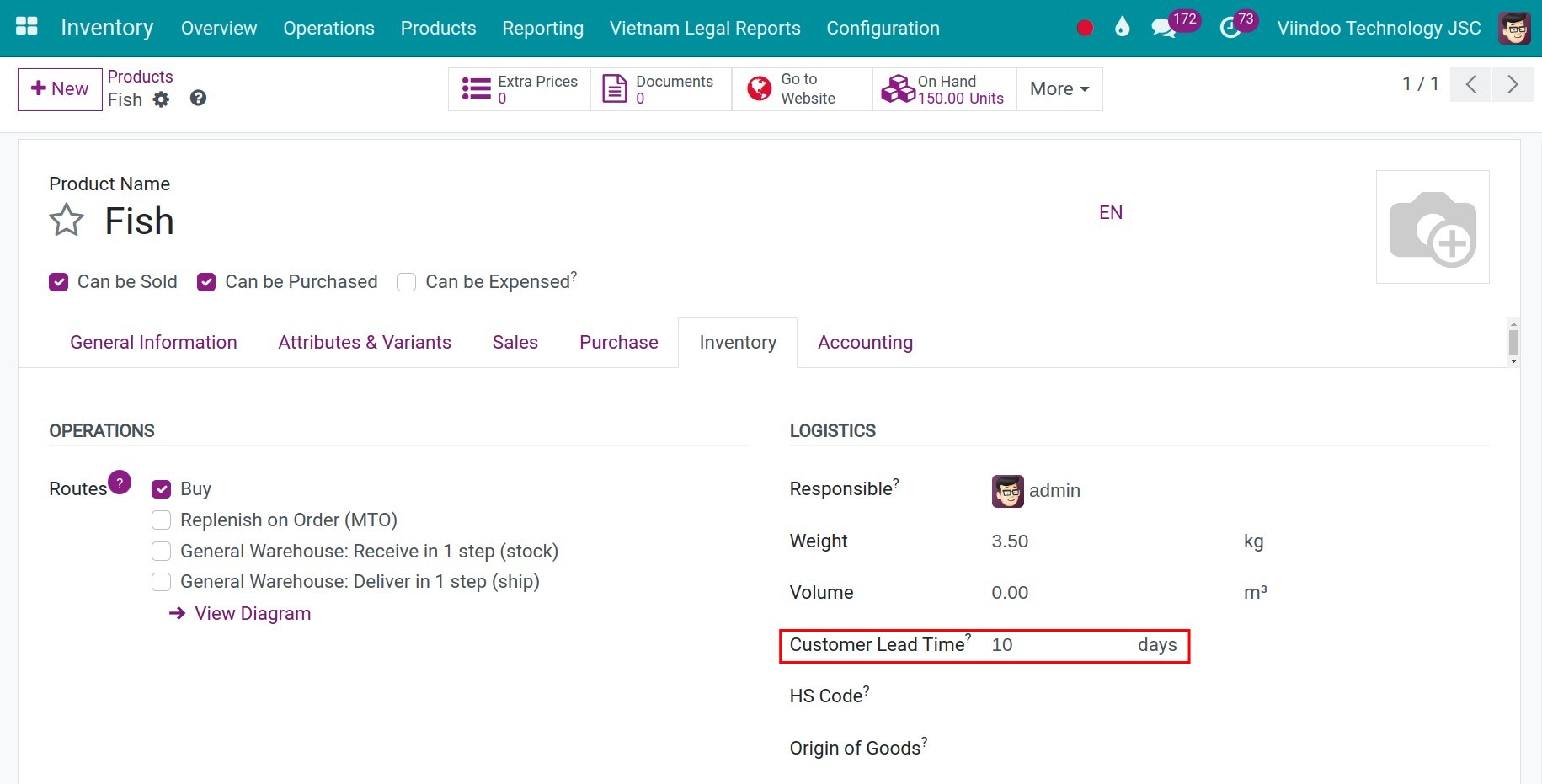
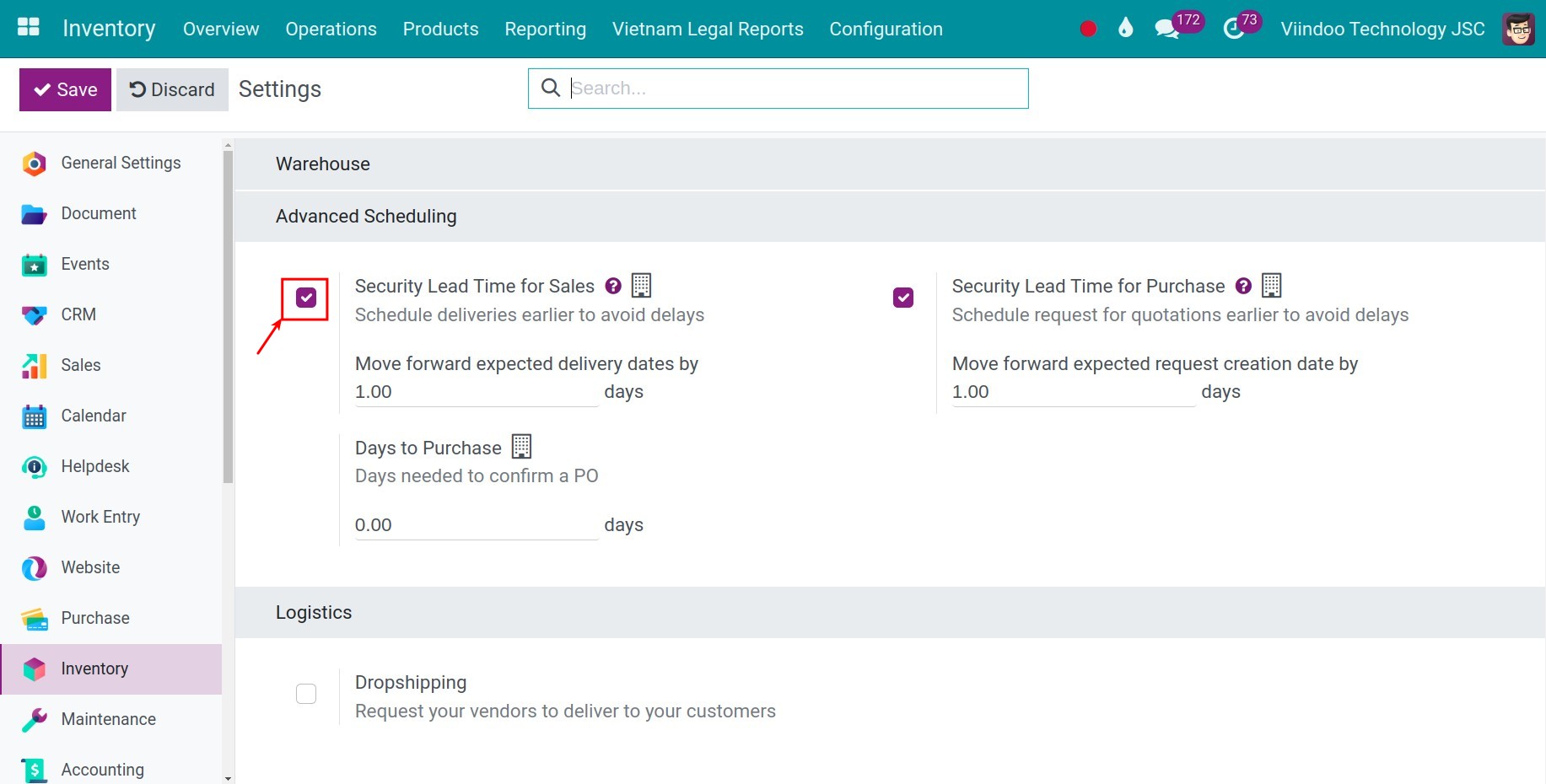
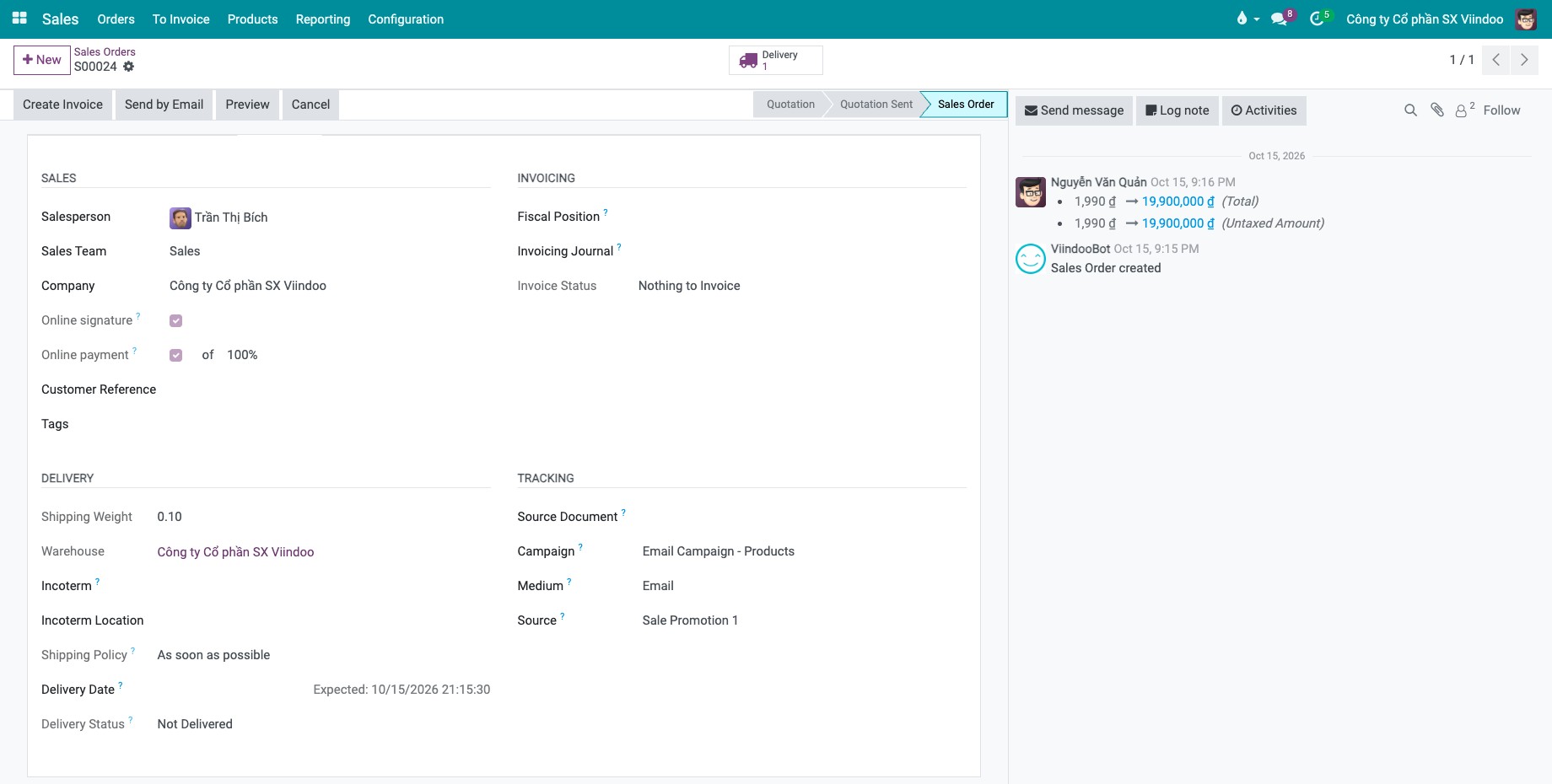
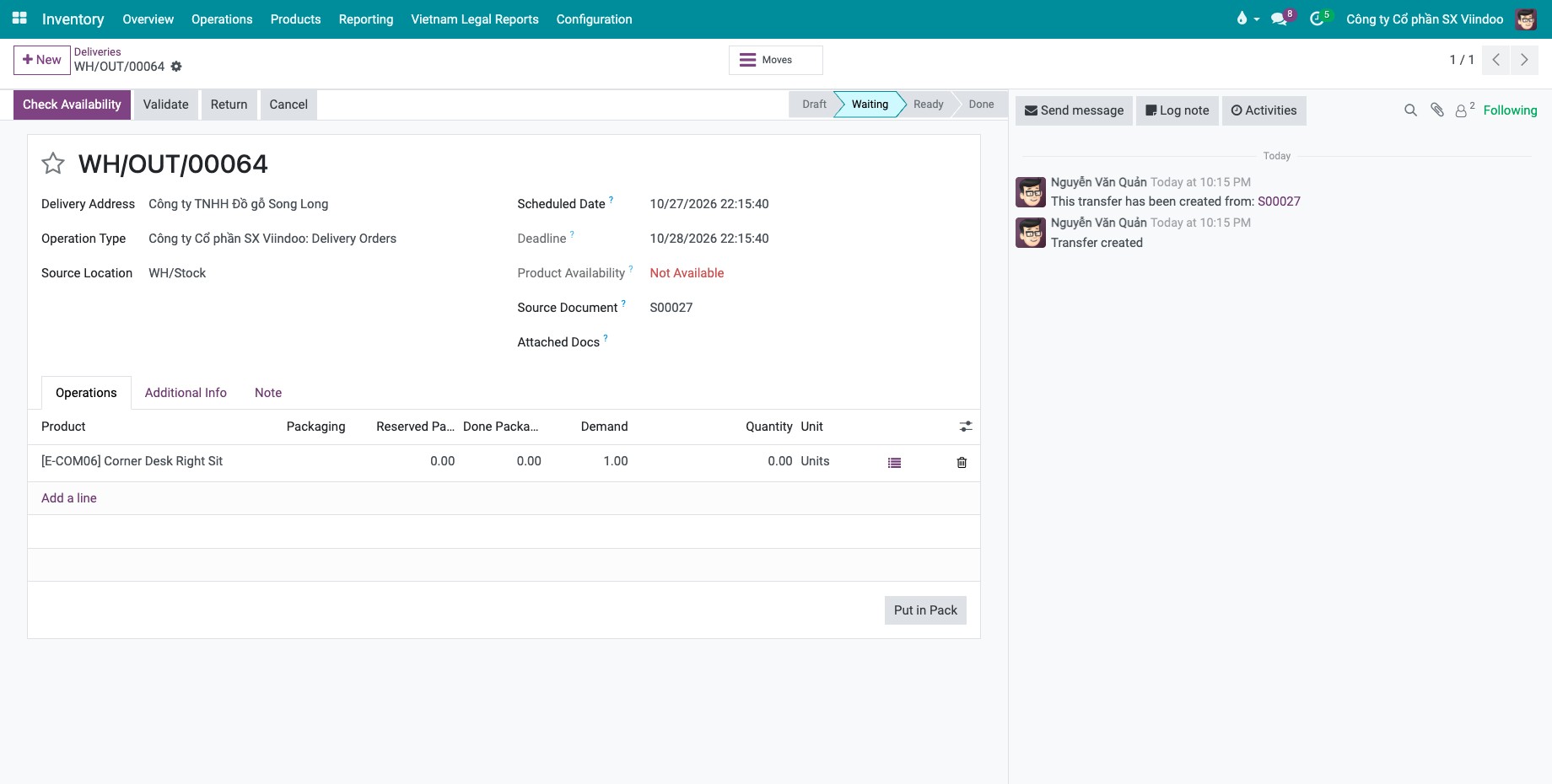
Example: the customer lead time is 10 days, the safety margin is 1 day and you order on 18 October. The expected delivery date is 28 October. When you confirm the order, the delivery has the deadline 28 October and is scheduled on 27 October.
If you enter a delivery date earlier than the expected date, Viindoo shows a warning.
How do I plan delivery of several products?
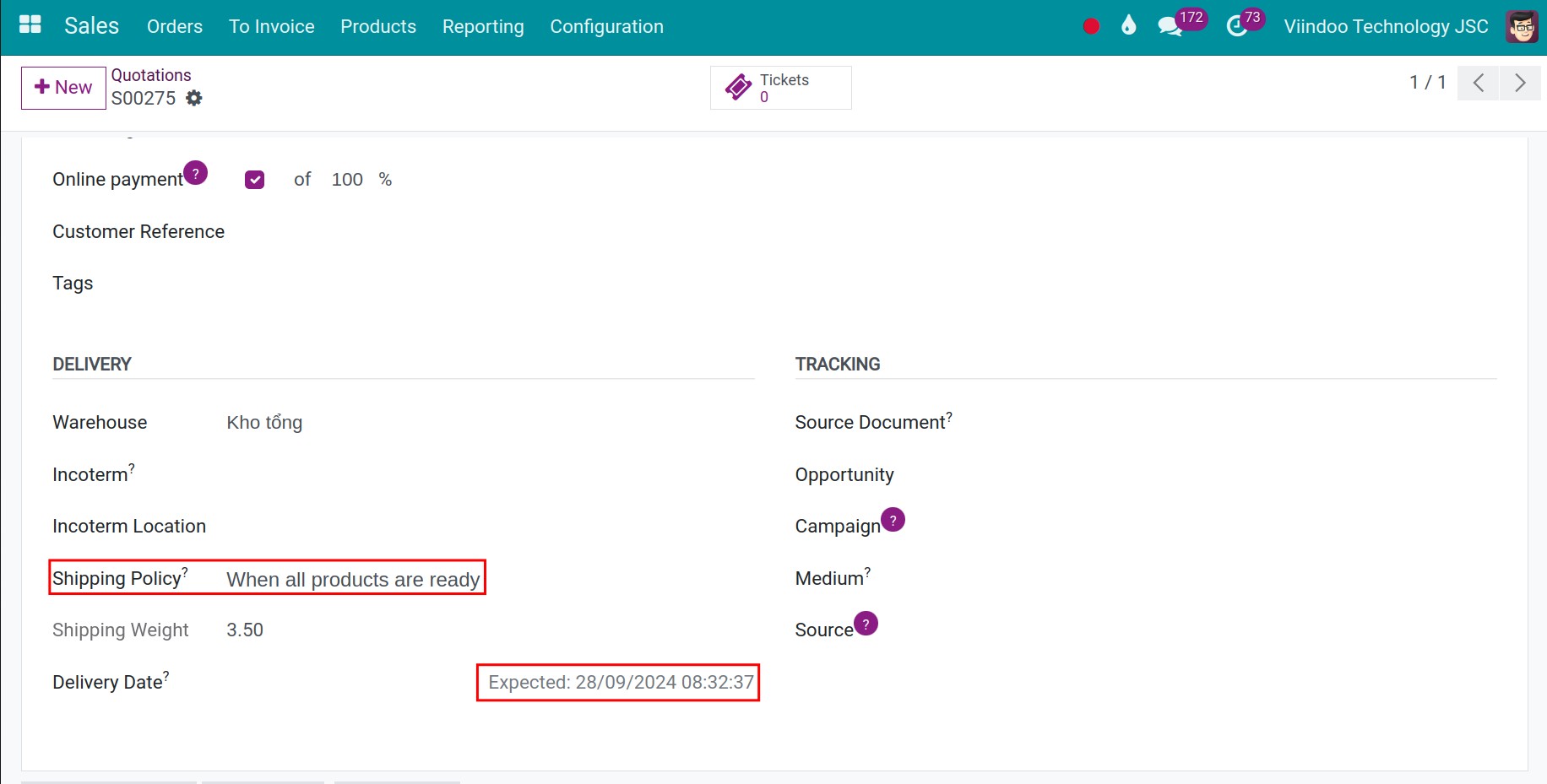
On the Other Info tab of the sales order, choose the Shipping Policy:
When all products are ready: one delivery. The expected date follows the product with the longest lead time.
As soon as possible: deliveries can be split. The expected date follows the product with the shortest lead time.
For example, with Fish 1 at 10 days and Fish 2 at 5 days, ordered on 18 October, the expected date is 28 October with the first policy and 23 October with the second.
How do I plan production?
Open the bill of materials of the product and enter the Manufacturing Lead Time.
![Manufacturing Lead Time on the bill of materials]()
To add a safety margin, go to , tick Default Manufacturing Lead Time (the Security Lead Time block), enter the days and click Save.
![Security lead time in the Manufacturing settings]()
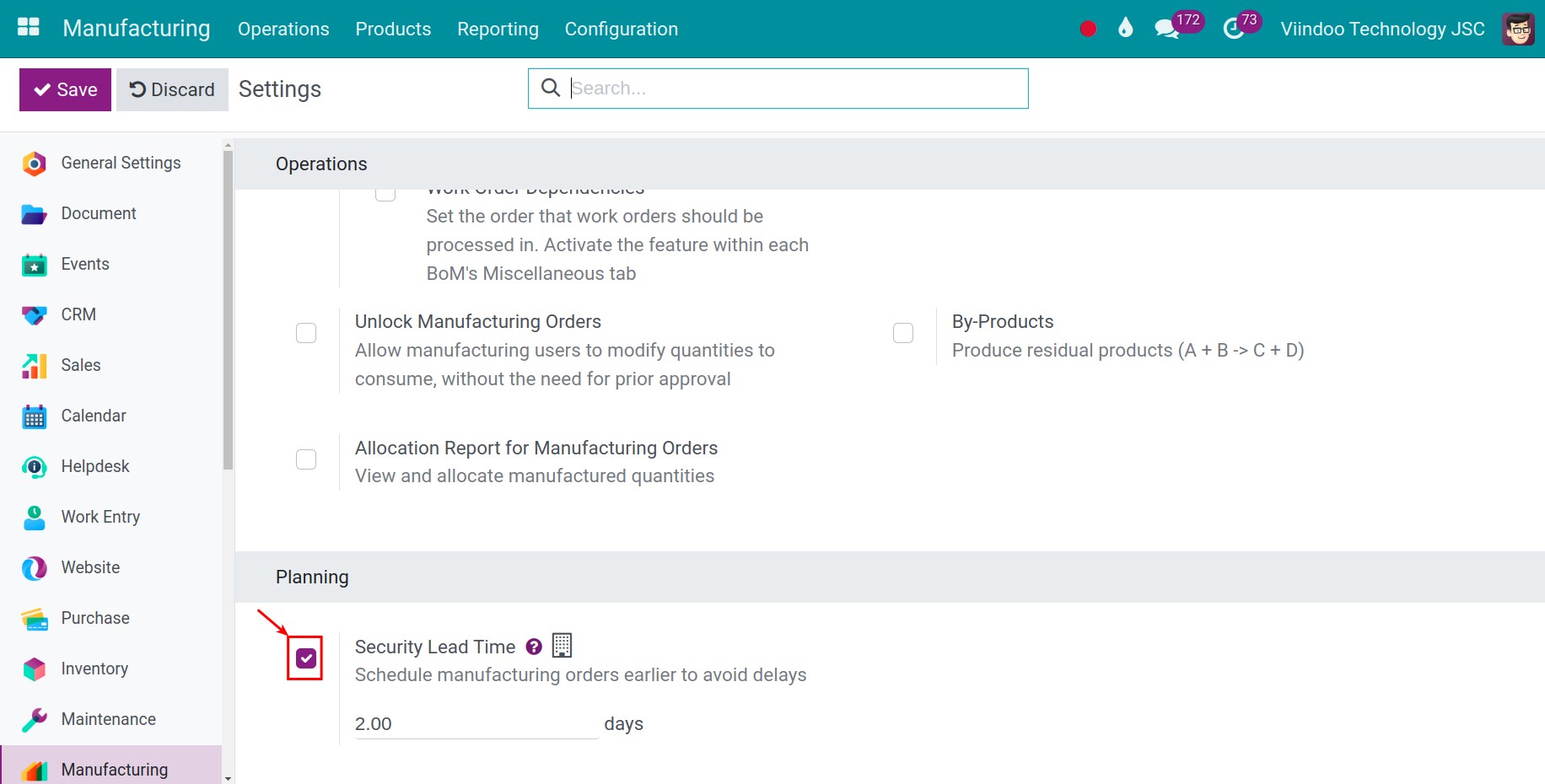
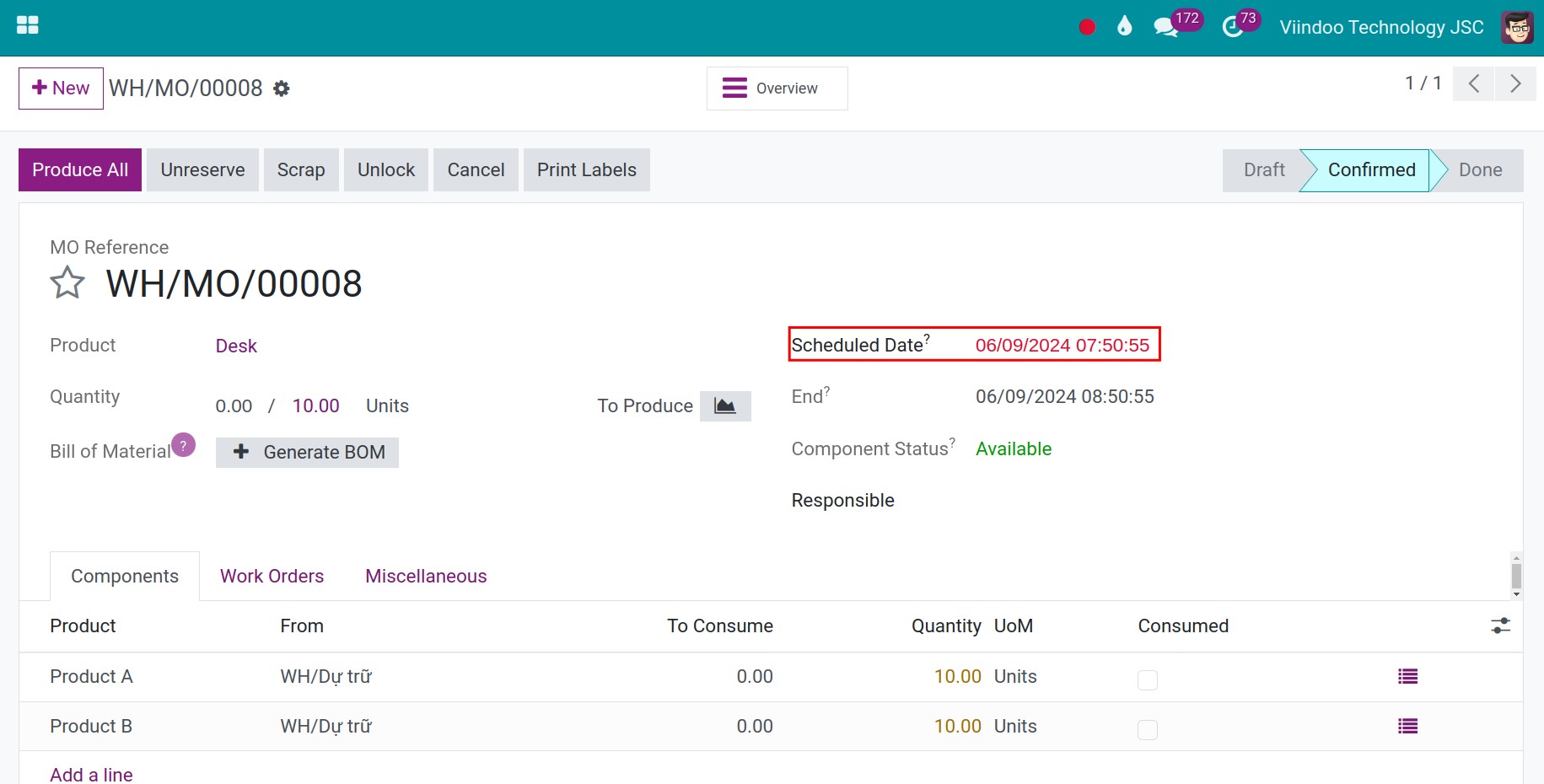
Example: the product must be delivered on 18 October, the manufacturing lead time is 10 days and the security lead time is 2 days. Click Replenish on the product, choose the quantity, the date 18 October and the route Manufacture. The manufacturing order must start on 6 October at the latest: 18 - 10 - 2.
Where can I see the lead times Viindoo uses?
In , click the i icon of a line. The lead times box lists each delay that is added, for example Vendor Lead Time, Purchase Security Lead Time, Manufacturing Lead Time and Days to Supply Components, and the resulting date.
What should I see when it works?
The dates of the purchase order, the receipt, the sales order, the delivery and the manufacturing order follow the lead times and margins, and a delivery is scheduled before the promised date.
Common problems
Problem |
What to do |
|---|---|
There is no Delivery Lead Time field. |
Install Purchase. The vendor lead time is entered on the vendor line of the Purchase tab of the product. |
The delivery is not scheduled before the promised date, or there is no Security Lead Time for Sales option. |
Install Sales, then turn on Security Lead Time for Sales in the Inventory settings and enter the safety days. |
The start date of the manufacturing order does not change with the quantity. |
The manufacturing lead time does not depend on the quantity. Add the security lead time or Days to prepare Manufacturing Order on the bill of materials. |
Next steps
How to replenish stock with automatic or manual reordering rules: use the lead times when replenishing.
How to deliver goods in one step: process the delivery.
Version notes
The Manufacturing Lead Time is now on the bill of materials, not on the product.
The Purchase Confirmation Backdate module is optional: Purchase Confirmation Backdate.