
How to analyse the personal income tax
Personal Income Tax Analysis lists the tax computed on each payslip, level by level of the tax table. Go to to see the tax withheld from each employee by month, and use it to prepare the tax declarations.
Who |
Every user sees their own tax. Users with the Payroll ‣ Team Leader access right see the tax of their teams; officers and administrators see all the employees. |
App |
Payroll |
Before you start
The tax comes from the payslips and their personal tax rule, see How to create a payslip.
Read Views and reports: which view should I use? for the pivot and graph views.
How do I read the tax of each employee?
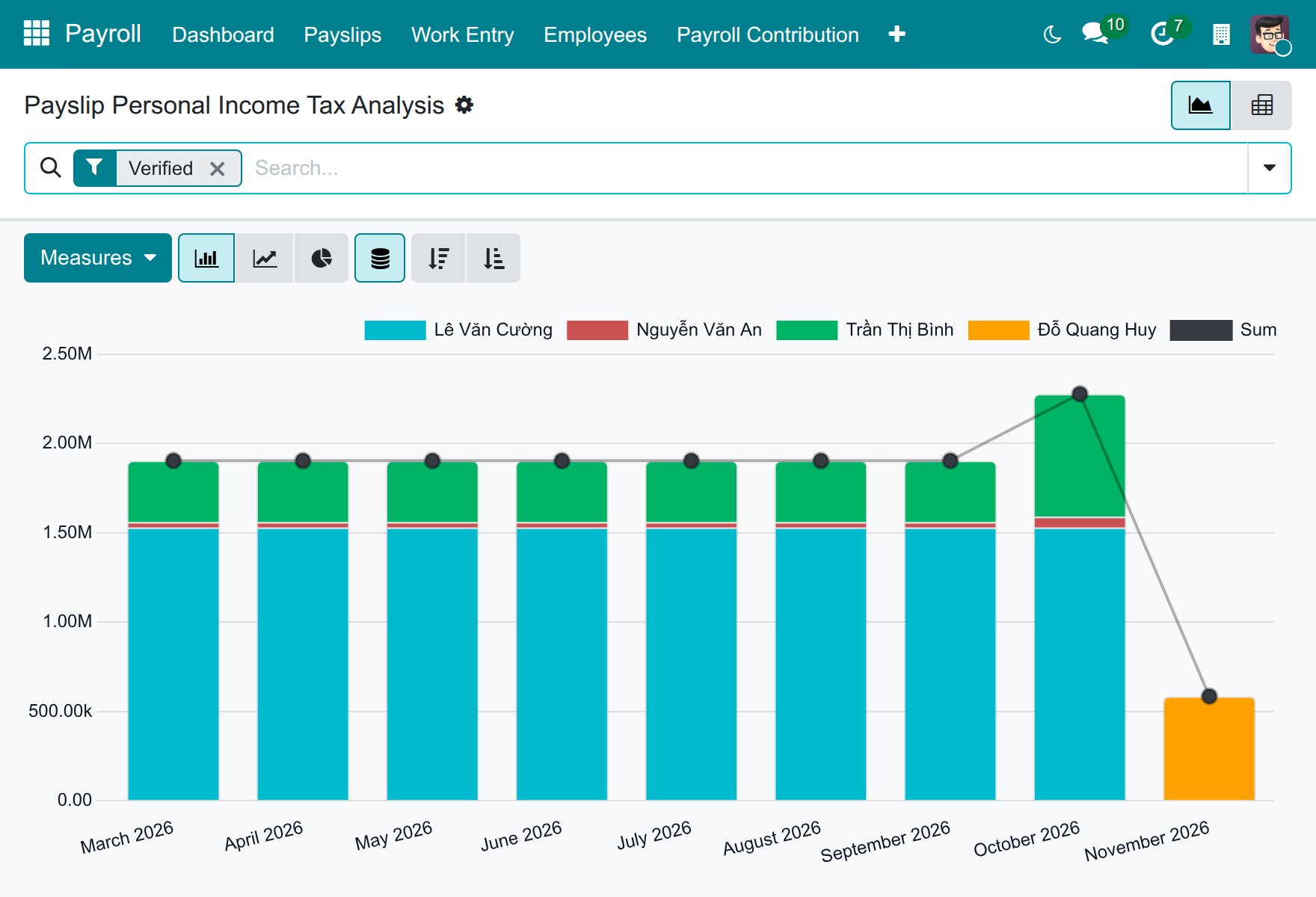
Go to . The report opens as a chart of the Tax Amount by month, with the filter Verified: only the payslips in Waiting or Done are counted. Remove the filter to include the drafts.
Switch to the Pivot view to read the tax of each employee by month.
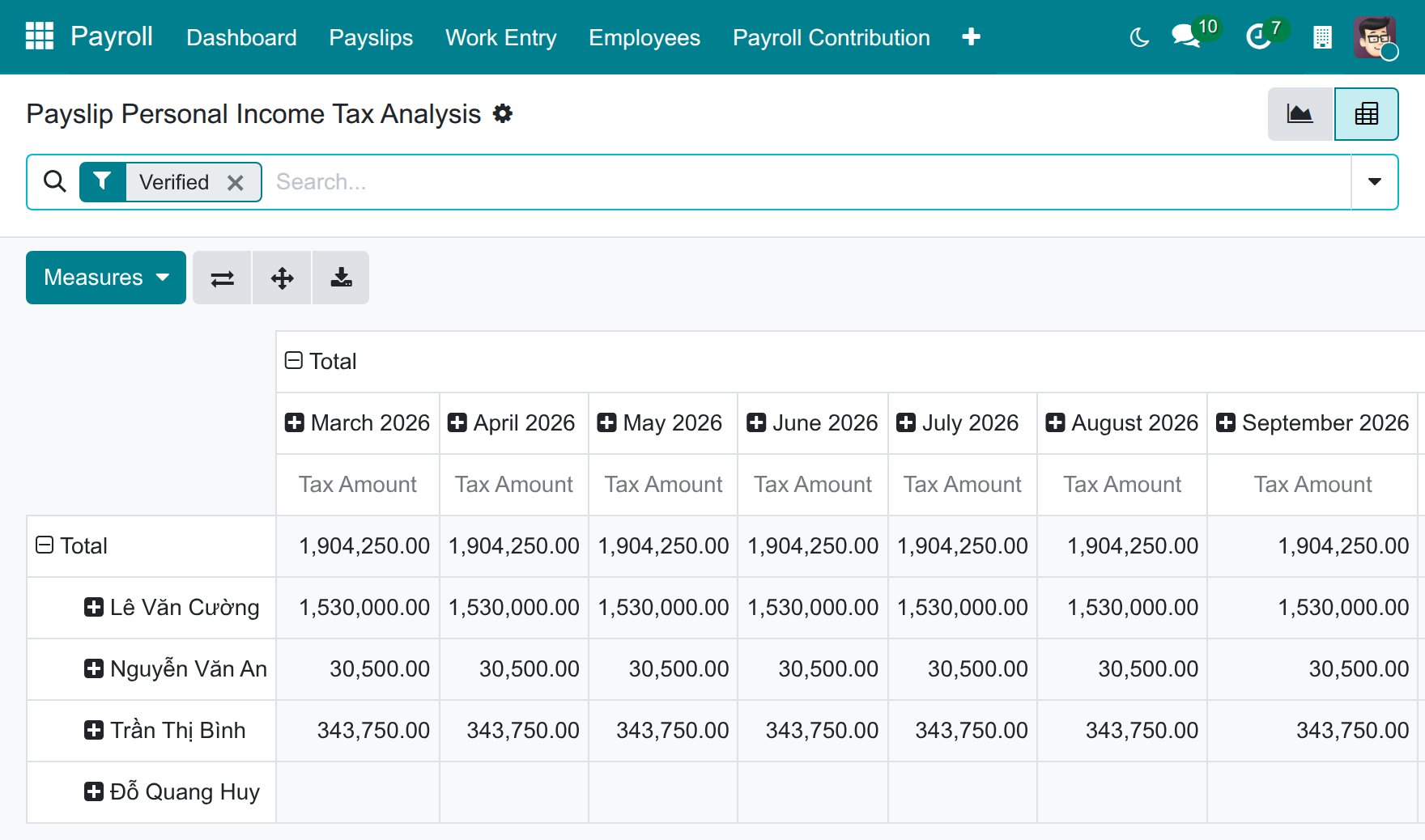
The measures are:
Measure |
What it shows |
|---|---|
Tax Amount |
The tax computed on the level of the tax table. |
Tax Computation Base |
The part of the taxable income taxed at the rate of the level. |
Taxed Income |
The taxable income of the payslip. |
Gross Salary |
The gross salary of the payslip, as an average. |
Average Rate (%) |
The tax of the level divided by the gross salary. Read it on one line of a payslip: the report adds the rates when it totals several lines, so the total is not a rate. |
In the example of November 2026, Đỗ Quang Huy pays 785,500 ₫, taxed on two levels of the progressive table, while the employees whose income stays below the deductions pay no tax.
Group the report by Employee, Payslip or State, and add filters on the Date to choose the period of a declaration. The Download xlsx button of the pivot view exports the table.
Common errors
Problem |
What to do |
|---|---|
An employee is missing. |
The employee pays no tax: the taxable income is below the deductions, so the payslip has no tax line. |
The tax of this month is missing. |
The payslips are still in Draft. Confirm them, or remove the filter Verified. |
The total of Average Rate (%) is above 100. |
The rates of several lines are added. Open the lines, or use Tax Amount and Gross Salary instead. |
Next steps
How to set up personal tax rules: check the tax table and the deductions.
How to analyse the payroll: compare the tax with the other parts of the salary.
See also
Related articles
Optional modules