
Fiscal Localization Packages
A fiscal localization package gives a company the chart of accounts, the taxes, the fiscal positions and the legal reports of its country. Viindoo supports the accounting systems of more than 100 countries, and each company of the same database can use the package of its own country.
This guide is for administrators and chief accountants. The example is a company in Vietnam, then a company in Singapore.
Requirements
This tutorial requires the installation of the following applications/modules:
Who can do this, and where?
Task |
Role needed |
Application |
|---|---|---|
Choose the package of a company |
Accounting Administrator |
Accounting |
Install the package of another country |
Administration: Settings |
Apps |
How does a company get its package?
The package is loaded when you install Accounting, from the country of the company.
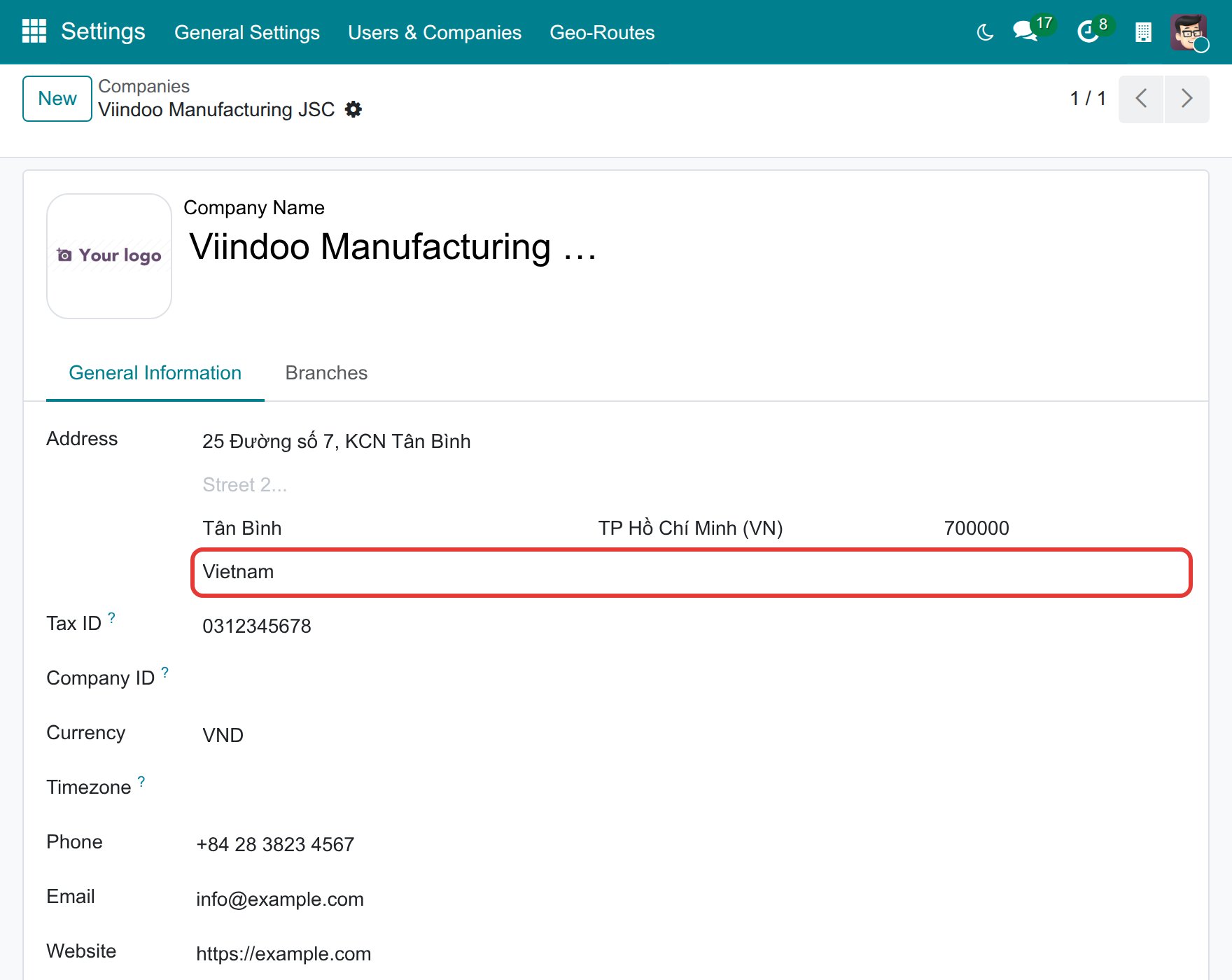
Check the country of the company in its information. Open the company from Settings ‣ Users & Companies ‣ Companies, or see how to set up the company information.
![The form of a company with the country Vietnam highlighted]()
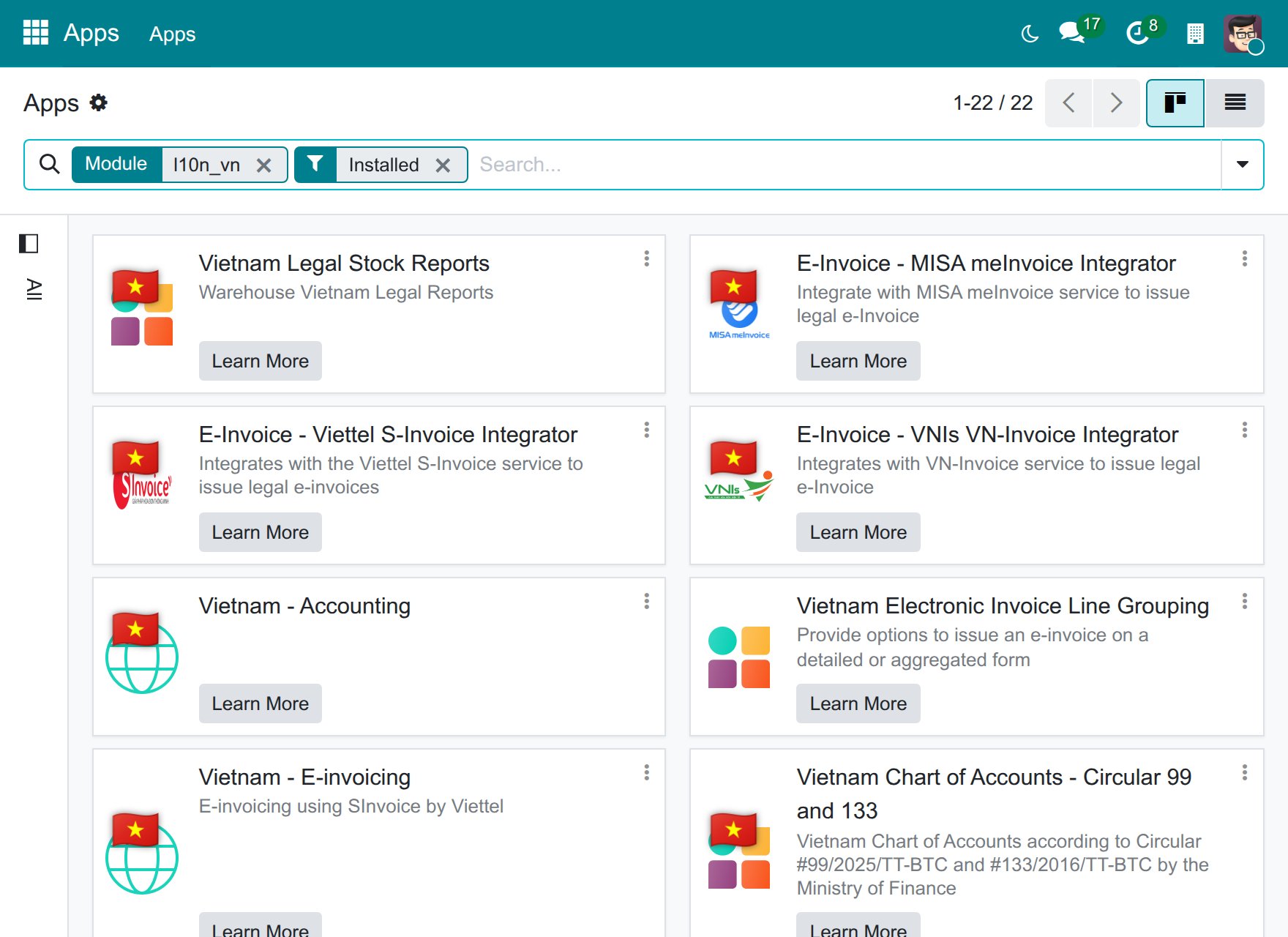
Install Invoicing or Accounting & Finance. For a company in Vietnam, the modules of the Vietnamese localization come with them.
![The Apps list filtered on installed modules named l10n_vn, with the Vietnamese accounting modules]()
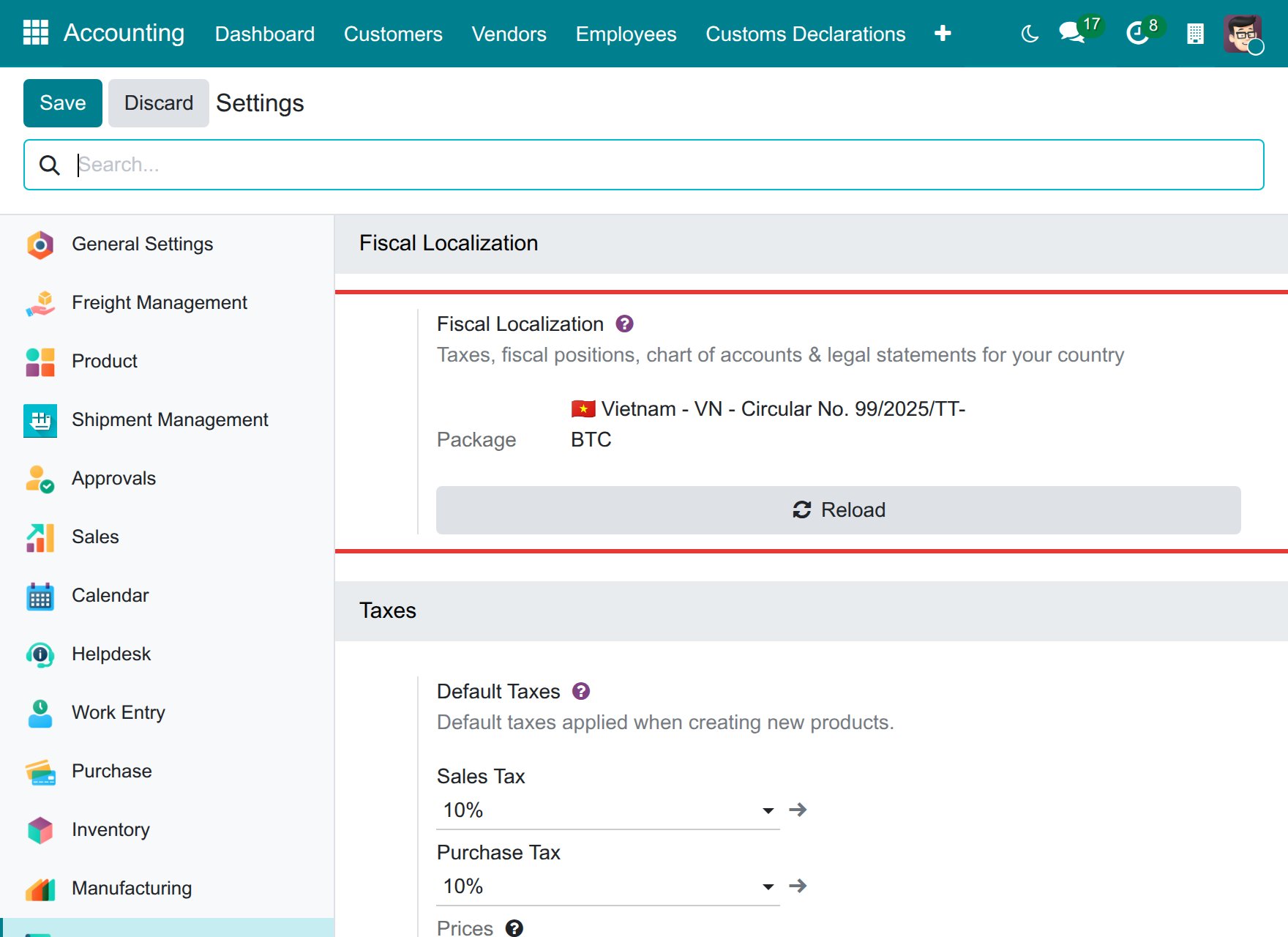
Go to Accounting ‣ Configuration ‣ Settings. In the section Fiscal Localization, the field Package shows the chart of accounts in use. Vietnam offers two: Circular 99/2025/TT-BTC, the accounting regime of Vietnamese enterprises from 1 January 2026, and Circular 133/2016/TT-BTC, which remains in force for small and medium enterprises (they may also choose Circular 99). Choose yours and click Save.
![The section Fiscal Localization of the Accounting settings with the package of the company]()
Once the company has an accounting entry, the package is locked and the button Reload appears. Reload loads the taxes and the accounts of the package again if you notice inconsistencies; it cannot be undone.
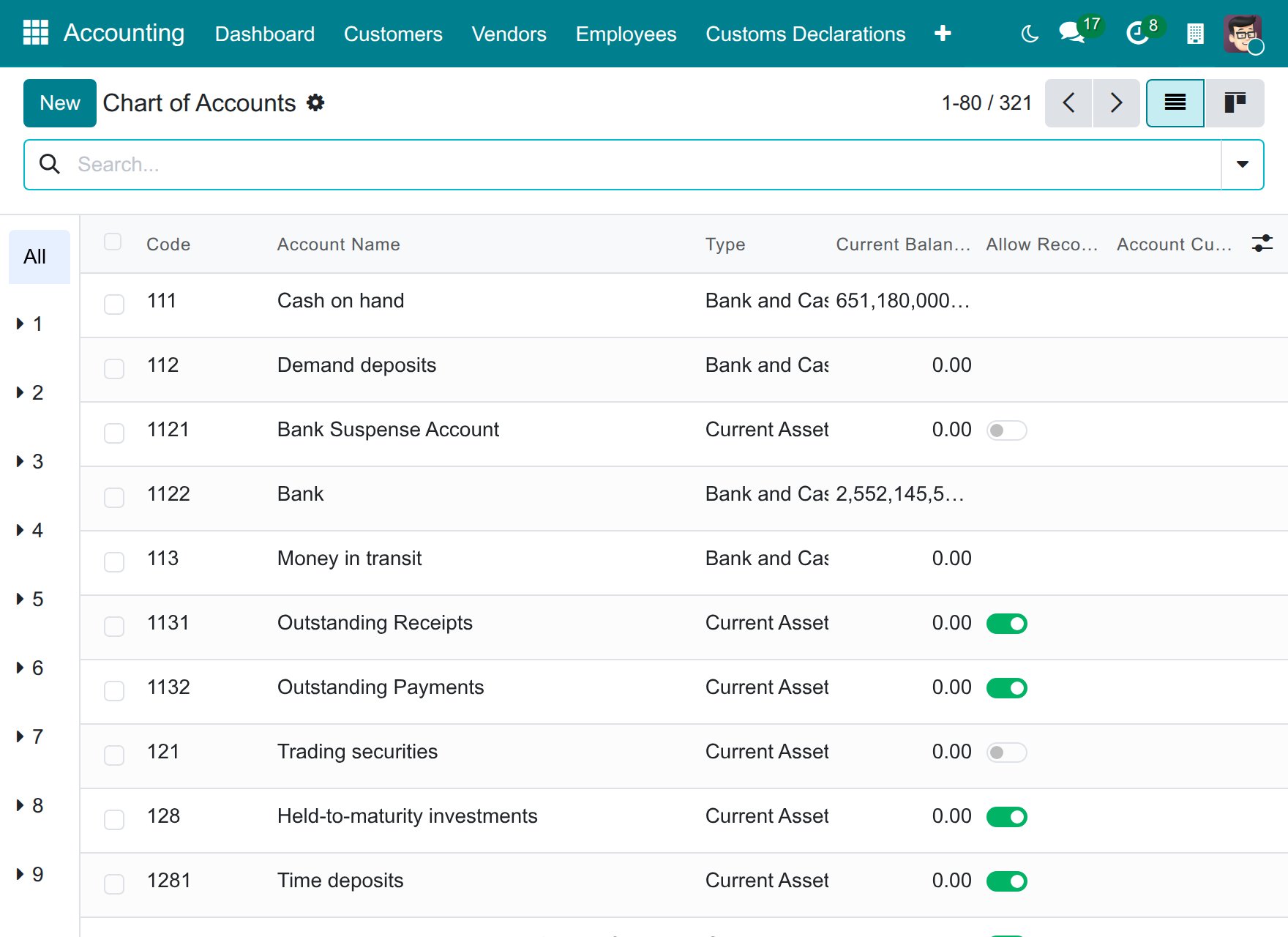
Open Accounting ‣ Configuration ‣ Accounting ‣ Chart of Accounts to see the accounts of the package.
![The chart of accounts of the company]()
The section Fiscal Localization only shows on a main company: a branch has no package of its own to choose.
How do I install the package of another country?
The package of a country is a module named l10n_ followed by the country code. Install it before the company has its first accounting entry.
Warning
You can only choose or change the package of a company before it has an accounting entry.
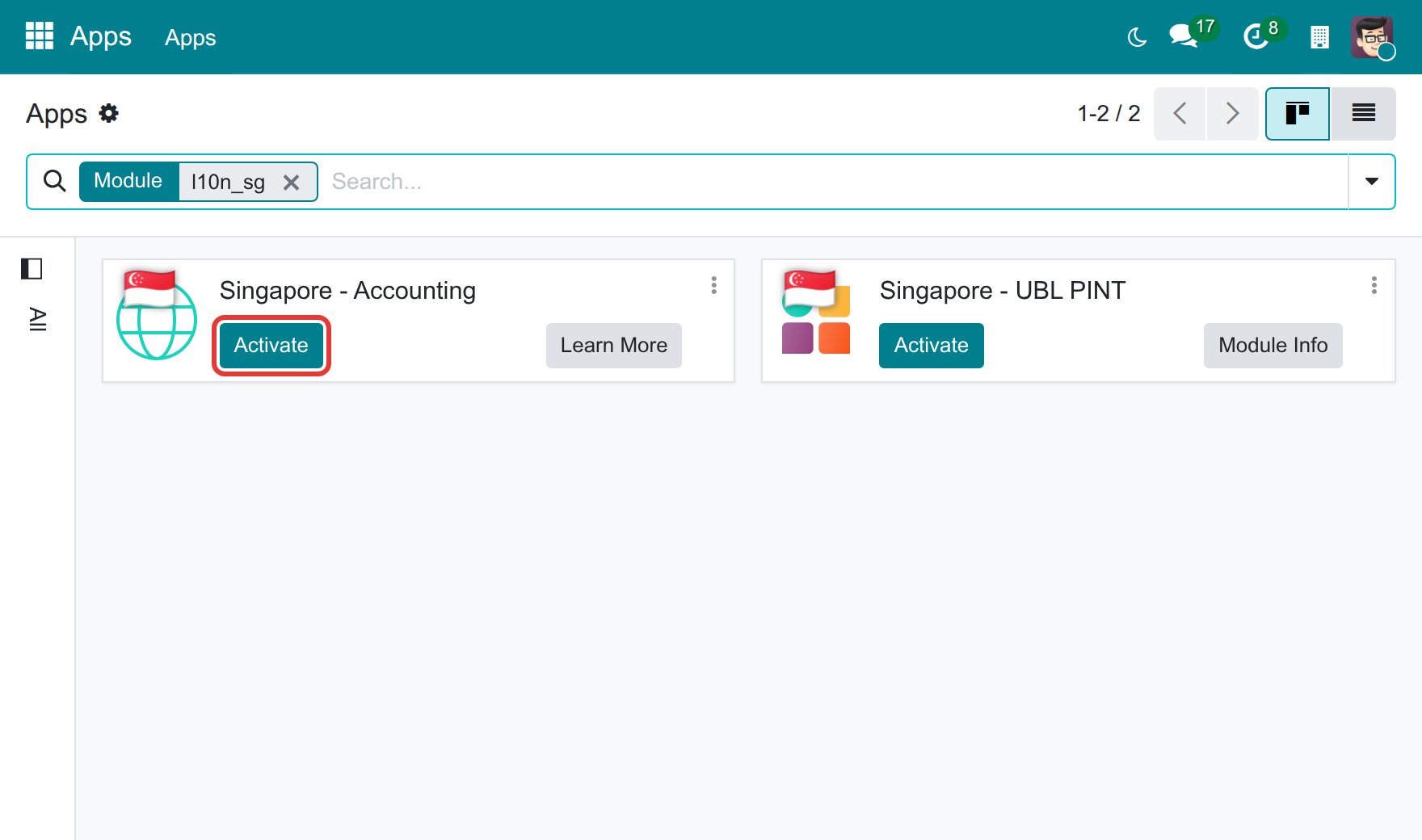
Go to Apps, remove the filter Apps and search for l10n_ followed by the country code. For Singapore, the code is sg: search for l10n_sg and click Activate.
![The Apps list filtered on l10n_sg, with the accounting module of Singapore and its Activate button]()
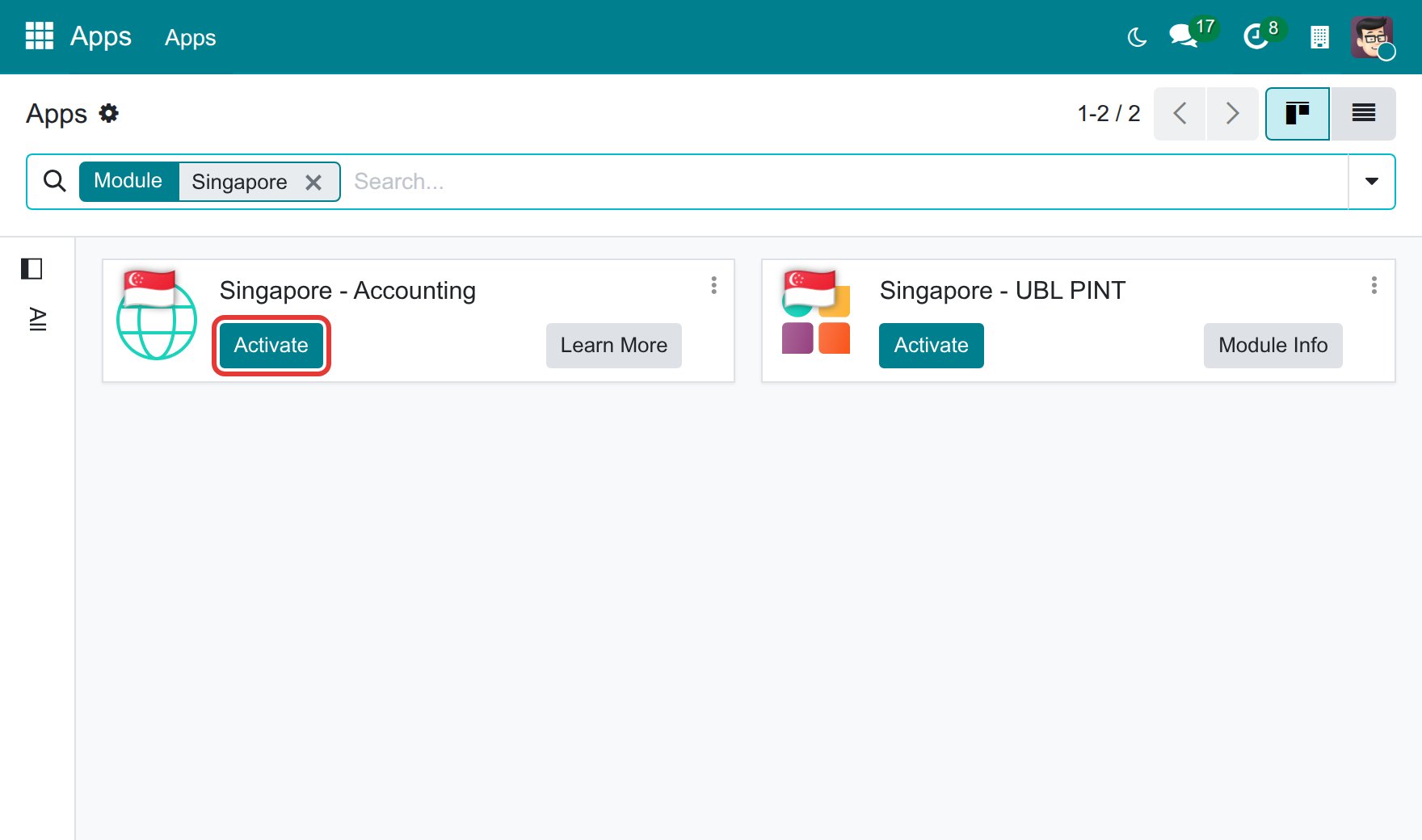
If you do not know the code, search for the name of the country and click Activate on the accounting module of the country.
![The Apps list filtered on Singapore, with the accounting module of Singapore and its Activate button]()
Go back to the settings of Accounting and choose the new package in the field Package, as above.
The countries are listed in List of supported countries.
What should I see afterwards?
The field Package shows the chart of accounts you chose.
The chart of accounts, the taxes and the fiscal positions of the country are in Accounting ‣ Configuration.
Common problems
Problem |
Cause |
What to do |
|---|---|---|
The field Package cannot be changed. |
The company already has an accounting entry. |
Choose the package before the first entry. Use Reload only to repair the data of the same package. |
The section Fiscal Localization is missing. |
The company is a branch of another company. |
Open the main company to choose the package. |
The package of my country is not in the list. |
The module of the country is not installed. |
Install the module l10n_ of the country from Apps. |
Next steps
See also
Related article
Optional module