
Prerequisites
All the conditions below must be met — missing one means the button won’t appear:
Condition |
Check Here |
|---|---|
Zalo OA is connected (status Connected). The button opens the OA by the OA ID that Sync OA Profile fills in; before the sync it falls back to the App ID, which is not the OA. |
|
Website has the Livechat option enabled with a Channel selected |
→ Livechat option |
Module Website Livechat button for Zalo is installed |
→ search “Zalo”, module Website Livechat button for Zalo |
You hold the Administrator access right of the Live Chat application: the Zalo Livechat Account field is hidden for other users |
→ Access Rights tab |
Install Module
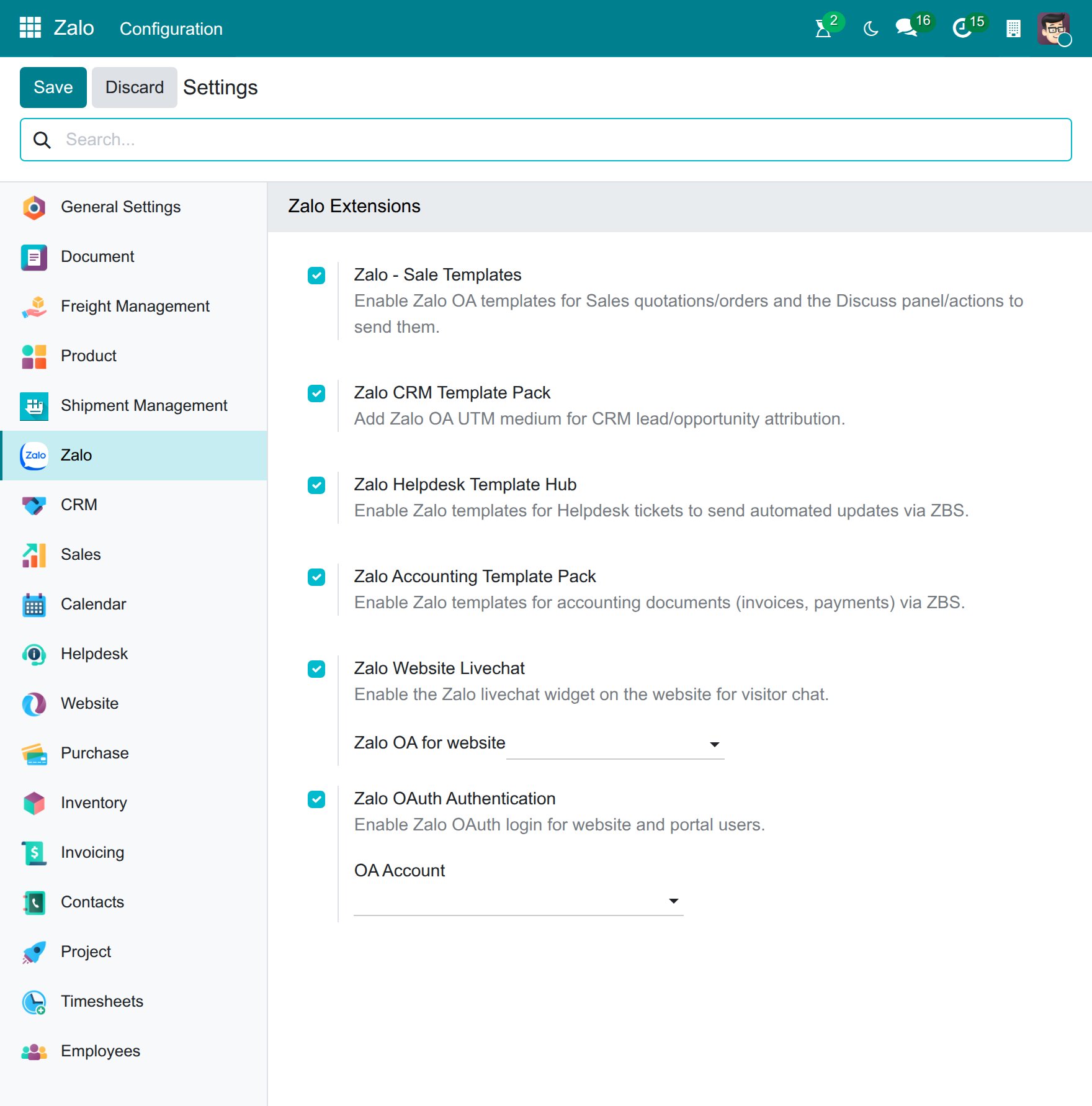
Go to and in the Zalo Extensions section, verify that Zalo Website Livechat is enabled.
Configure Zalo Chat Button
Two methods available — both give the same result, choose whichever is easier.
Method 1 — Via Website Settings (use if you have multiple websites)
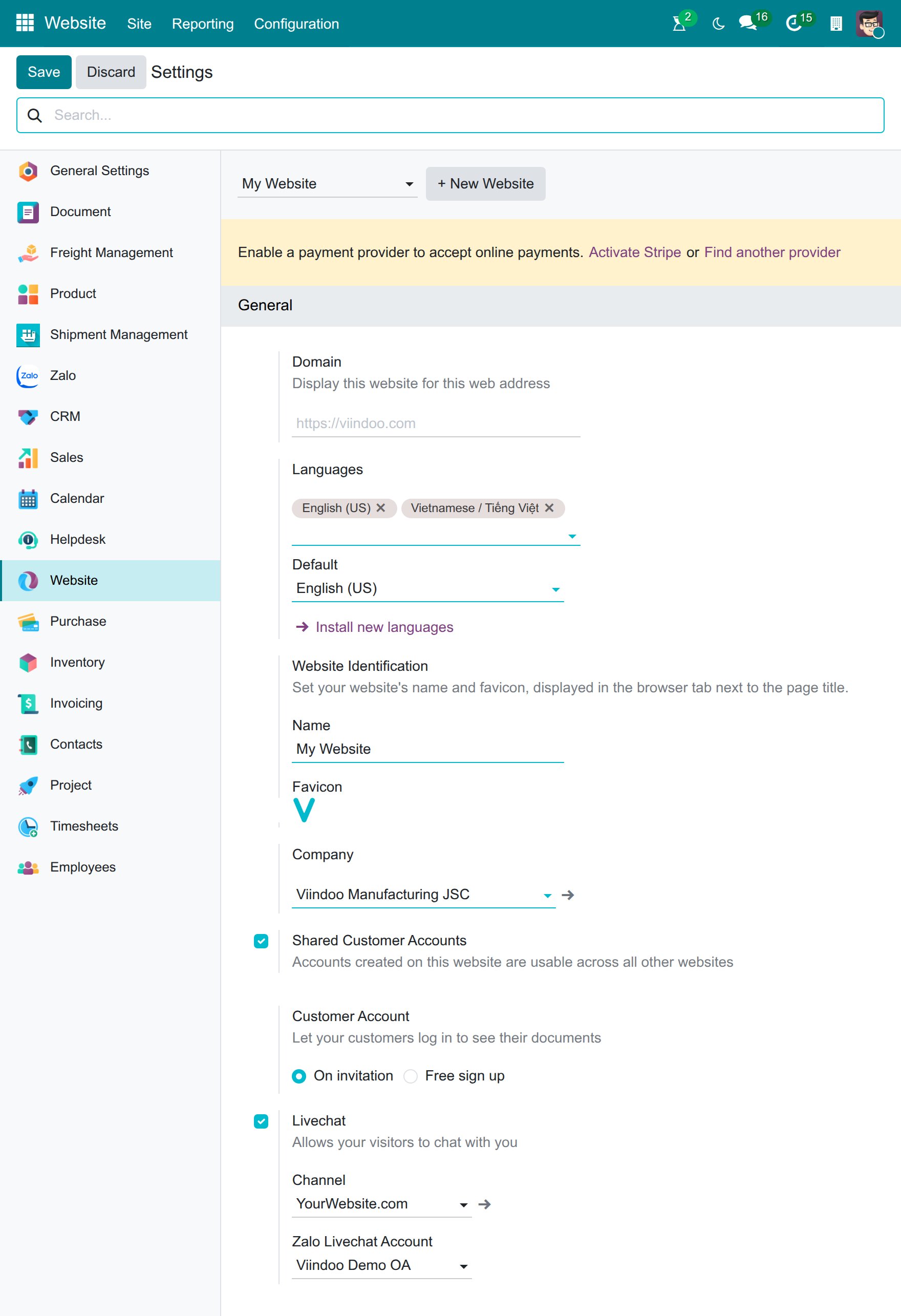
, then choose the website in the website selector at the top of the screen (example: My Website).
Livechat section → “Zalo Livechat Account” field.
Select the OA to link (example: Viindoo Demo OA) → Save.
Note
The “Zalo Livechat Account” field only appears if the website already has Live Chat channel enabled.
Method 2 — Via Zalo Settings (faster if you have only one website)
→ Zalo Extensions section.
“Zalo OA for website” field → select OA → Save.
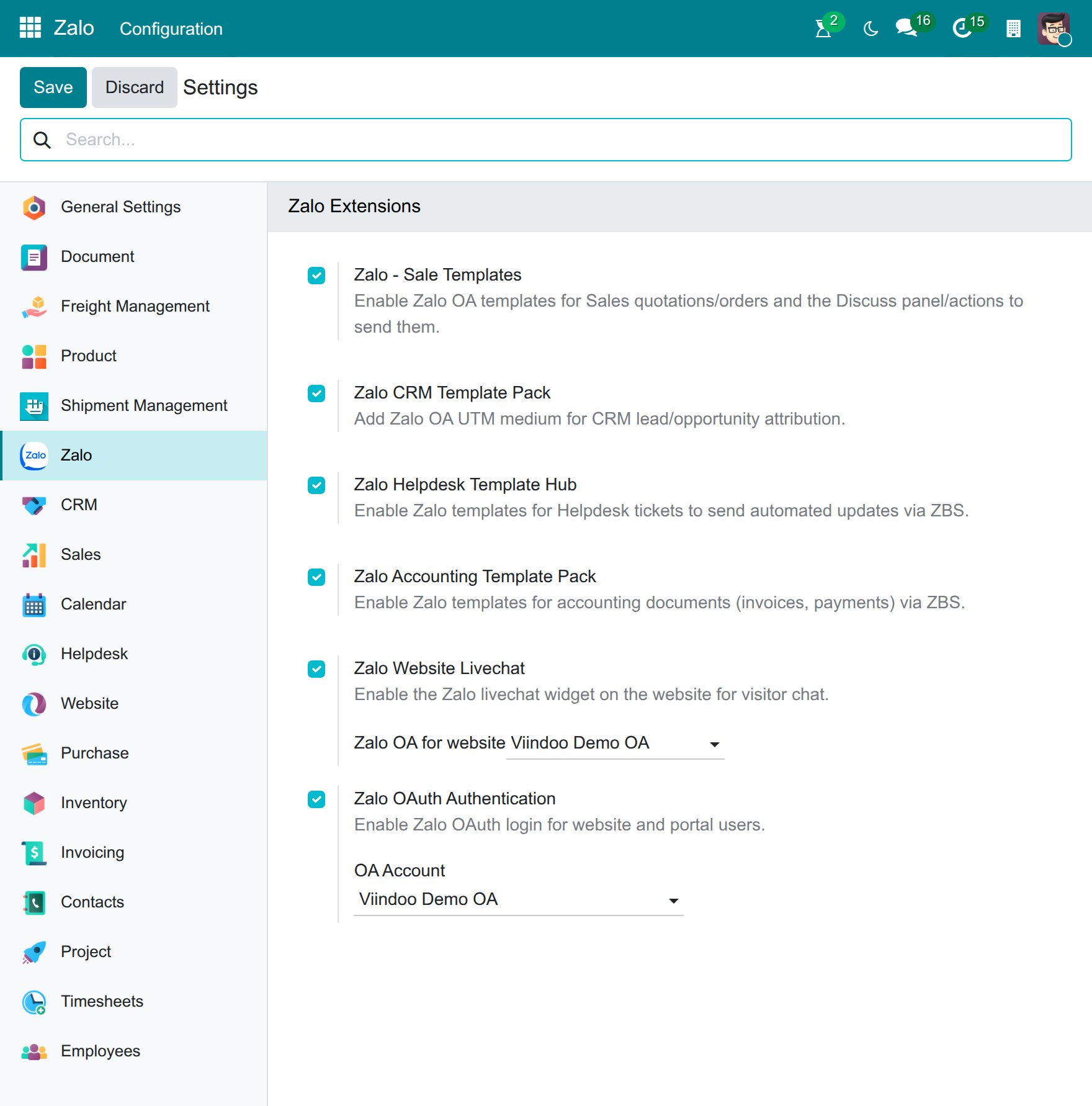
The button appears immediately after Save — no restart needed.
Verify the Result
Tip
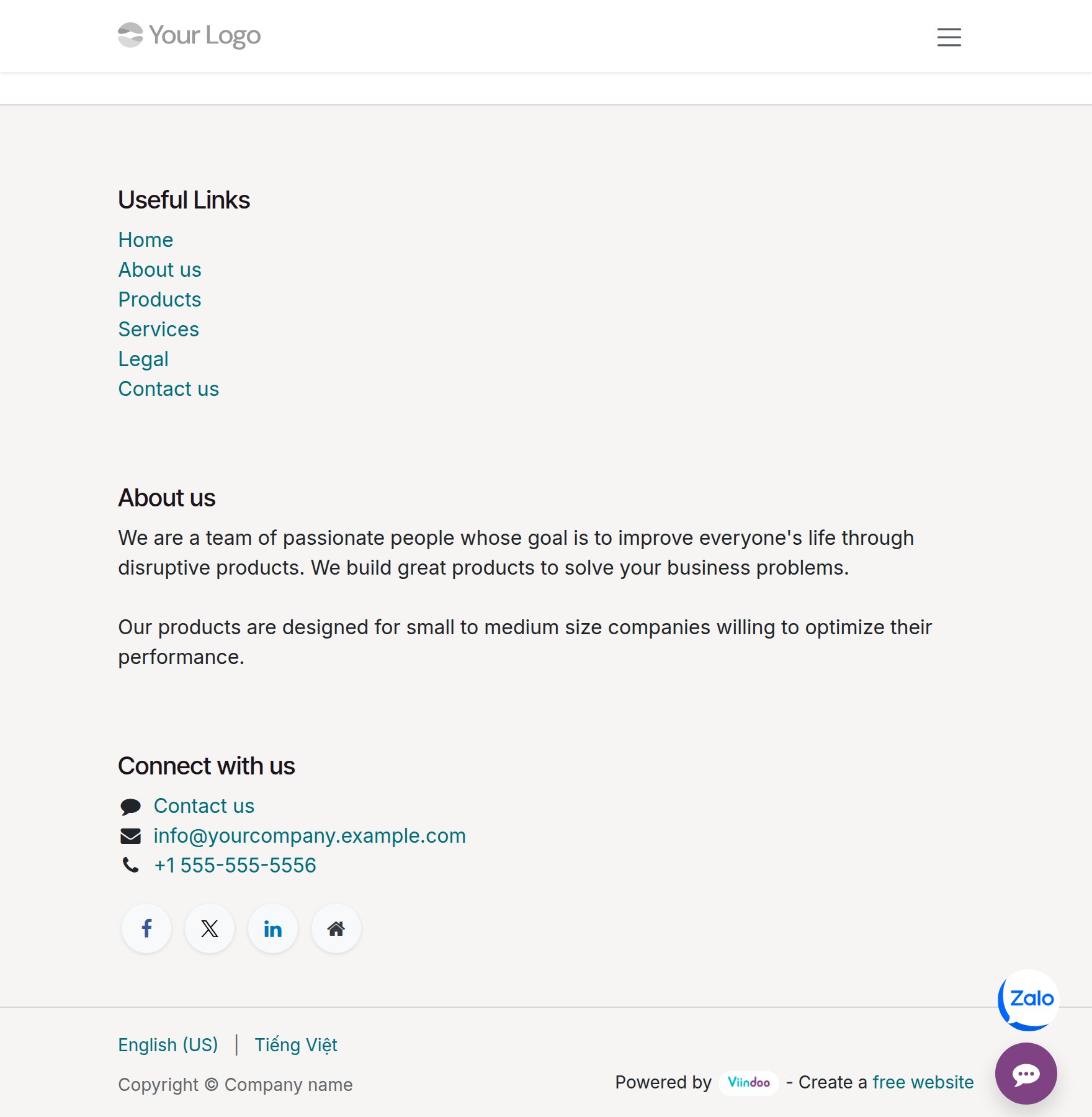
Open a private browser window and visit your website. Verify:
Round Zalo button floats in the bottom-right corner, above the Live Chat button.
Clicking the button → opens Zalo, not a pop-up on the page.
Zalo opens the correct configured OA, not a different one.
Multi-Website Setup
Each website has its own OA field — assign independently, no cross-interference:
Sales website → sales team OA
Customer support website → support team OA
Use Method 1 to choose each website in turn and assign the appropriate OA.
Note
In a multi-company environment: the dropdown only shows OAs of the companies that are enabled in the company switcher. OAs of other companies don’t appear - that’s correct behavior, not an error.
Common Issues
Symptom |
Common Cause |
Solution |
|---|---|---|
Zalo button not showing |
Missing Live Chat channel, OA not assigned, or module not installed |
Check the prerequisites in the table above; confirm module is installed in Apps |
OA dropdown is empty or missing expected OA |
The OA’s company is not enabled in the company switcher |
Enable the OA’s company in the company switcher; check the OA’s Company in |
Zalo button opens wrong OA |
Website assigned the wrong OA |
→ choose each website → check and correct the “Zalo Livechat Account” field |