
Creating Default Analytic Account
An analytic distribution model is a rule that fills in the analytic account of a document line for you. When the partner, the product or the account of the line matches the rule, Viindoo proposes the analytic account of the rule, so nobody has to choose it by hand and no line is forgotten.
This guide is for accountants and administrators. The example creates a rule for the vendor Viet Hung Stationery Co., Ltd.: every cost bought from this vendor is charged to the analytic account of the department Management.
Requirements
This tutorial requires the installation of the following applications/modules:
Analytic Accounting must be ticked in the accounting settings and the analytic account must exist, see Analytic account in Viindoo. The choice by department needs the module HR Accounting.
Who can do this, and where?
Task |
Role needed |
Application |
|---|---|---|
Create analytic distribution models |
Accounting Administrator |
Accounting |
How do I create an analytic distribution model?
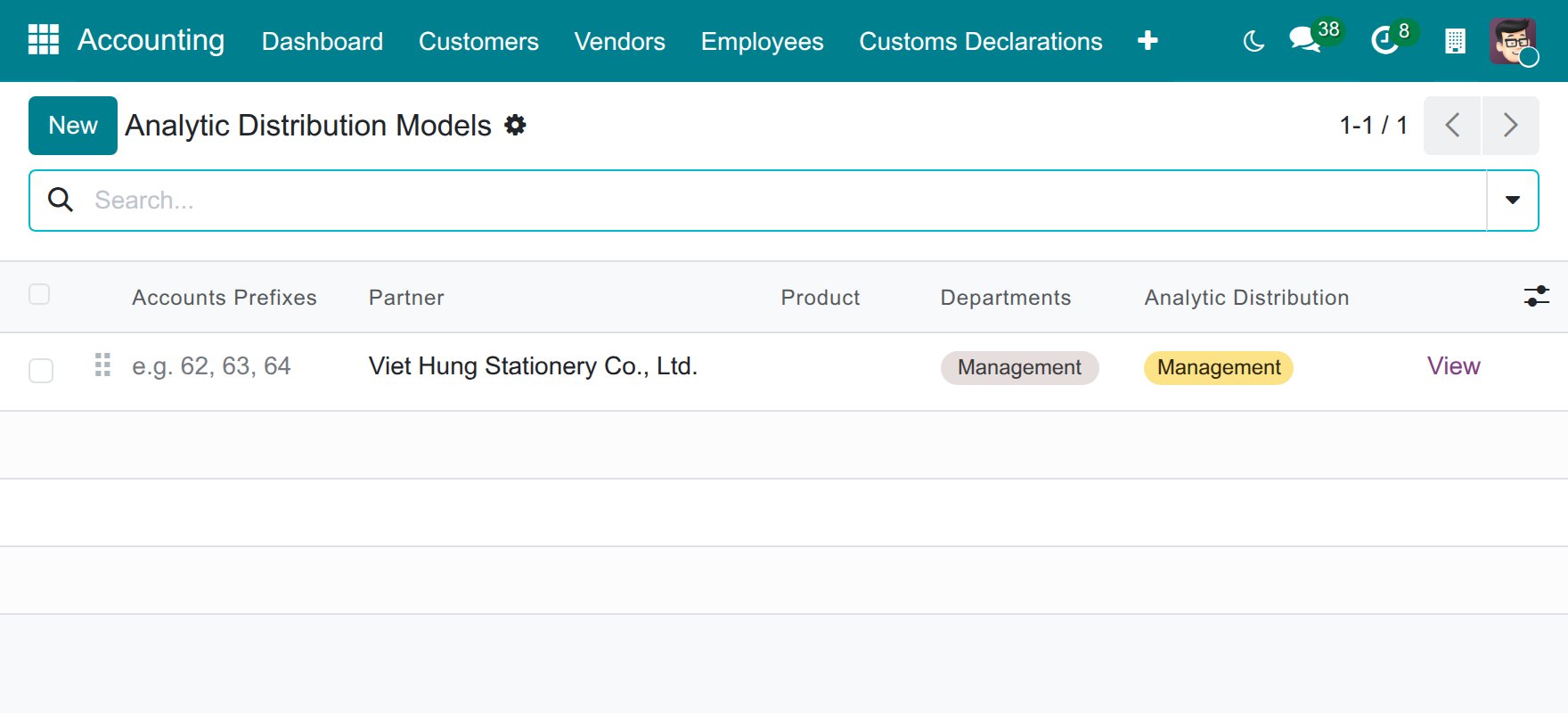
Go to and click New.
![The list of analytic distribution models with the rule for the vendor Viet Hung Stationery]()
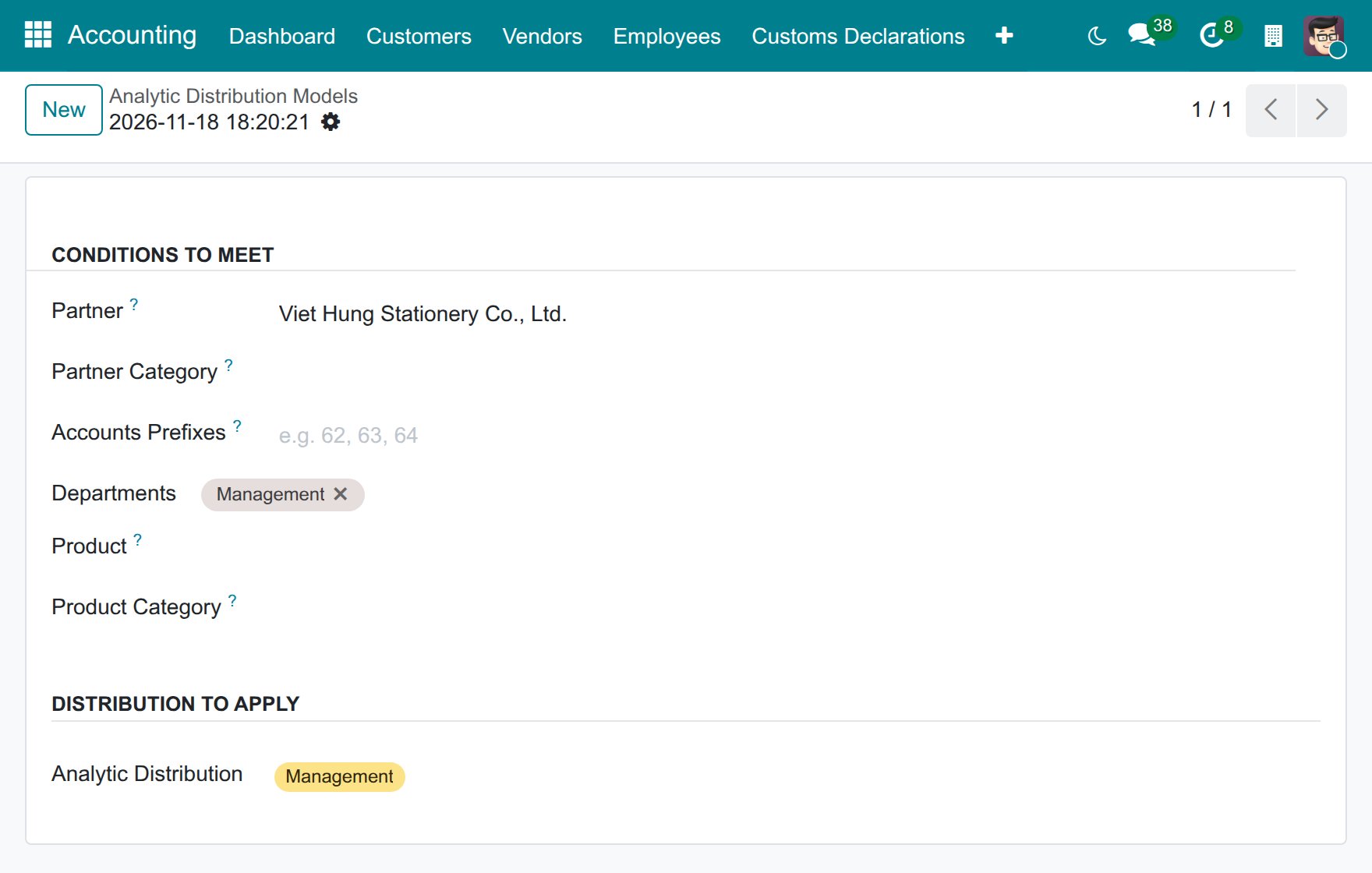
In Conditions to meet, fill in at least one condition. Leave a condition empty when it must not restrict the rule. In the example, the Partner is Viet Hung Stationery Co., Ltd.
![The form of the analytic distribution model for the vendor Viet Hung Stationery with the department Management and the analytic account Management as distribution]()
Condition
What it matches
Partner
The partner of the document: a customer, a vendor or an employee.
Partner Category
Every partner that has this tag.
Accounts Prefixes
The lines posted on an account whose code starts with the prefix, for example 62, 63, 64.
Product
The lines of this product.
Product Category
The lines of the products of this category.
Company
The company the rule belongs to. The field appears when you work with several companies.
In Distribution to apply, choose the Analytic Distribution: one analytic account at 100 percent, or several accounts with their percentages. Instead of choosing the accounts, you can fill in Departments (shown below Accounts Prefixes): the distribution is then filled with the analytic account of each department, in equal shares. In the example, the department Management gives the analytic account Management at 100 percent.
Click Save.
Tip
Combine conditions to be more precise: when a rule has both a partner and a product category, a line must match both.
How do I use the model?
Create a document that matches the rule. The analytic account is filled in on the lines without any action from the user.
The example below is a draft vendor bill from Viet Hung Stationery Co., Ltd. The line A4 printing paper, box of 5 reams carries the analytic account Management in the column Analytic without any action from the user.

The same rules apply to sales orders, purchase orders, customer invoices, vendor bills, journal entries and employee expenses.
Note
Viindoo applies at most one analytic account per analytic plan on a line. When two rules give an account of the same plan, only the first rule (the one with the lowest sequence) is used.
The user can still change the analytic account on the line. The rule only proposes it.
A rule is applied when a line is created and each time the partner, the product or the account of the line changes.
Common problems
Problem |
Cause |
What to do |
|---|---|---|
The analytic account is not filled in on the line |
No rule matches the line: a condition of the rule differs from the document. |
Check the Partner, Product, Accounts Prefixes and Company of the rule against the document. |
The analytic account of another rule appears |
Several rules match the line. |
Make the conditions of the rules more precise, or reorder the rules in the list. |
Next steps
See also
Related article
Optional module