
How to record manufacturing on a past date
This page is for production planners who record manufacturing after it happened, and for shop-floor operators who want to know what changes for them. A manufacturing order finished on Friday and entered on Monday, a work order that ran on Tuesday morning: you give the date and time the work really happened, and the order, its work orders and its stock movements carry that date instead of the moment you got to the keyboard.
Who |
Production planners with the Manufacturing Backdate right. Shop-floor operators without it keep working at the current time. |
App |
Manufacturing, with the Manufacturing Backdate module. Subcontracted receipts also use Inventory. |
Warning
Recording operations on a past date is not recommended in day-to-day work. It makes it easier to record incorrect data, deliberately or not, and it can discourage people from recording operations at the moment they happen. The feature is designed mainly for the initial implementation, when a company needs to enter operations that took place before it started using Viindoo.
Before you start
Your administrator turned on Manufacturing Backdate and gave you the right Manufacturing Backdate Operations, as Record operations on a past date explains. Without the right you act at the current time and no date is asked.
To start, pause and finish work orders, the option Work Orders is ticked in Manufacturing ‣ Configuration ‣ Settings. See Manage Manufacturing process in Viindoo.
You enter every date and time in your own time zone.
How do I mark a manufacturing order as done on a past date?
Open the manufacturing order, for example from Manufacturing ‣ Operations ‣ Manufacturing Orders.
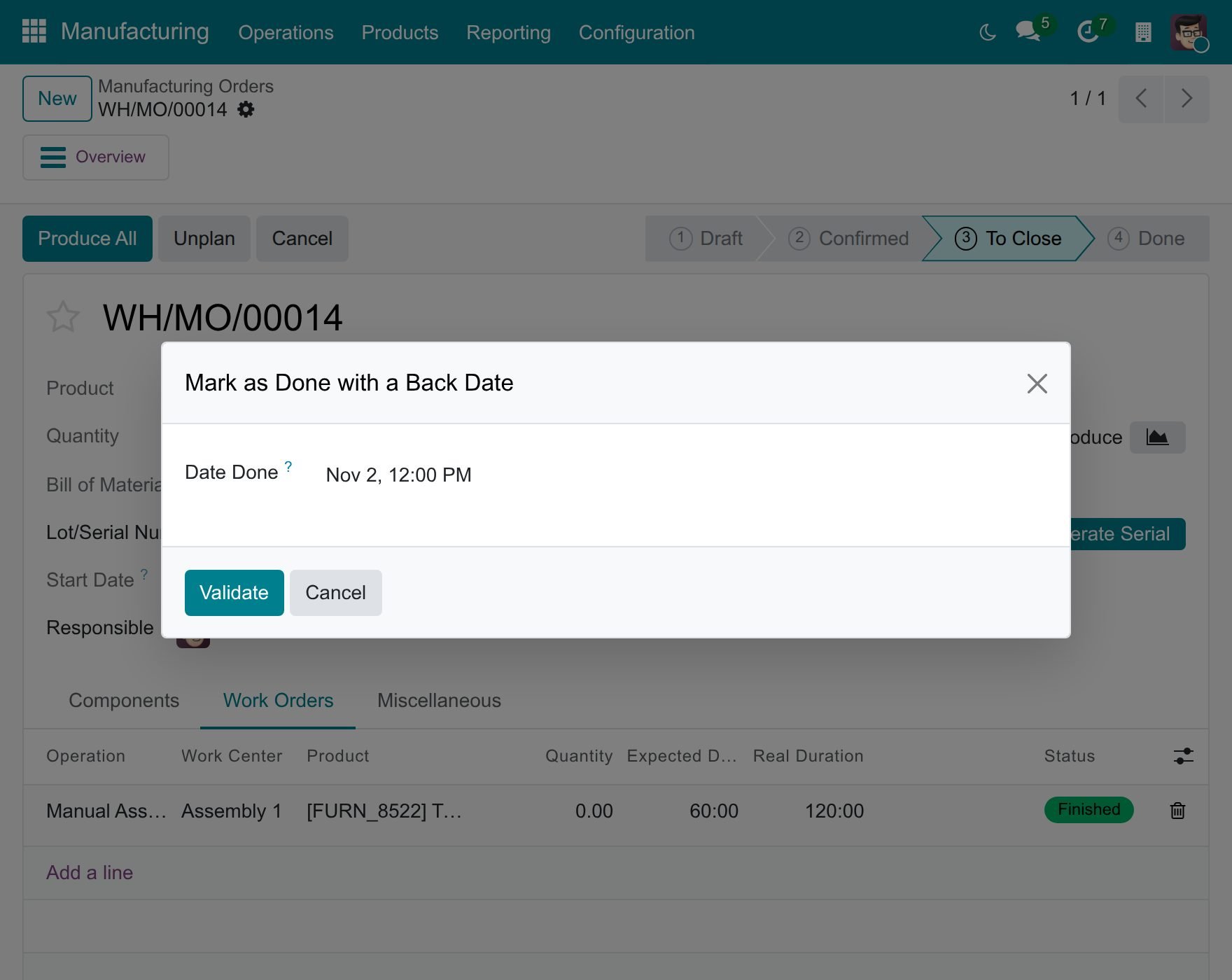
Click Produce All. The window Mark as Done with a Back Date opens and proposes the current date and time.
In Date Done, enter the date and time production ended.
Click Validate to close the order at that date, or Cancel to leave it as it was.
![Window Mark as Done with a Back Date over a manufacturing order, with the Date Done set to a past date and time]()
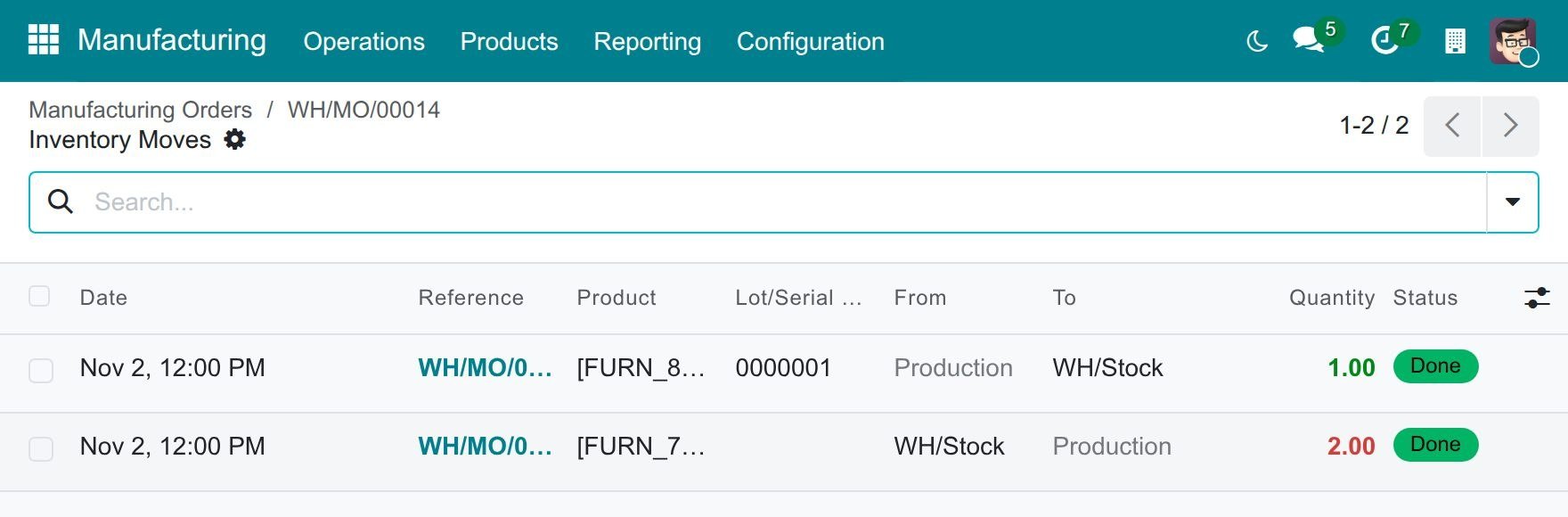
The order is Done at that date. Click Product Moves on the order: the consumed components and the finished product all carry the date you chose. When the products are valued automatically, the journal entries of those movements are booked on that day, in your time zone. The labour entry of the order follows the same day: see Accounting date of back-dated stock operations.
What if I produced only part of the quantity?
Enter the quantity produced and close the order as above, giving the date in the window. When you create a backorder for the rest, only the produced part takes the date. The original order is done at the date you gave and the backorder stays open: when you close it, Viindoo asks for its own date.
How do I record work orders at the time they were done?
On the tab Work Orders of the manufacturing order, each work order has its buttons at the end of the line. Each button opens a window that asks for a date, so the timer of the work order opens and closes at the time the work really happened.
Start a work order
Open the manufacturing order and the tab Work Orders.
Click the green Start button at the end of the work order line. The window Start with a Back Date opens.
In Date, enter the date and time the work began, then click Validate.
![Window Start with a Back Date over the Work Orders tab of a manufacturing order, with the Date set to a past date and time]()
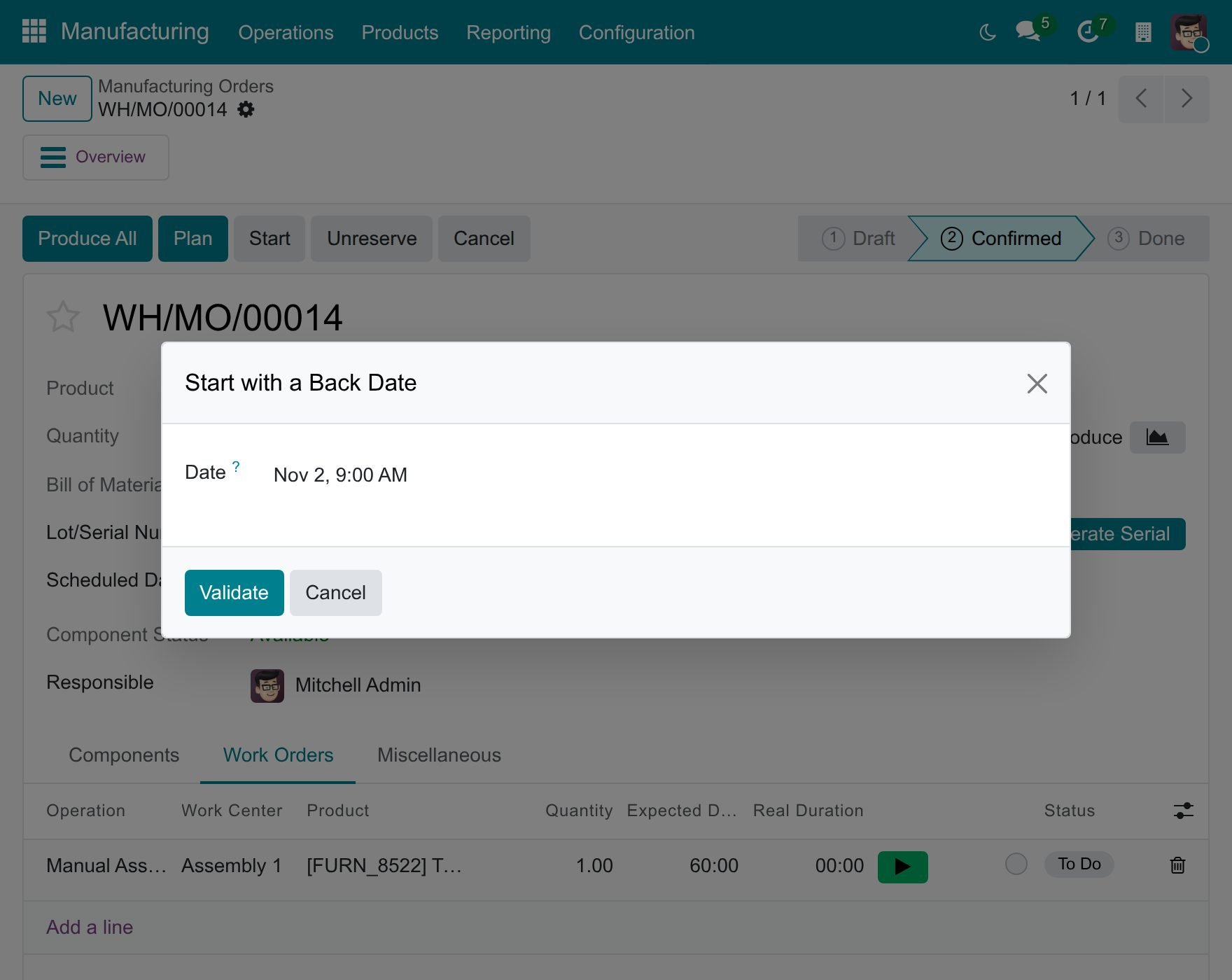
The work order is In Progress and its timer starts at that time. When it is the first work order you start on the manufacturing order, the Start Date of the order takes the same date.
Pause and resume a work order
Click the orange Pause button of a work order in progress. The window Pause with a Back Date opens.
In Date, enter the date and time the work stopped, then click Validate.
![Window Pause with a Back Date over the Work Orders tab of a manufacturing order, with the Date set to a past date and time]()
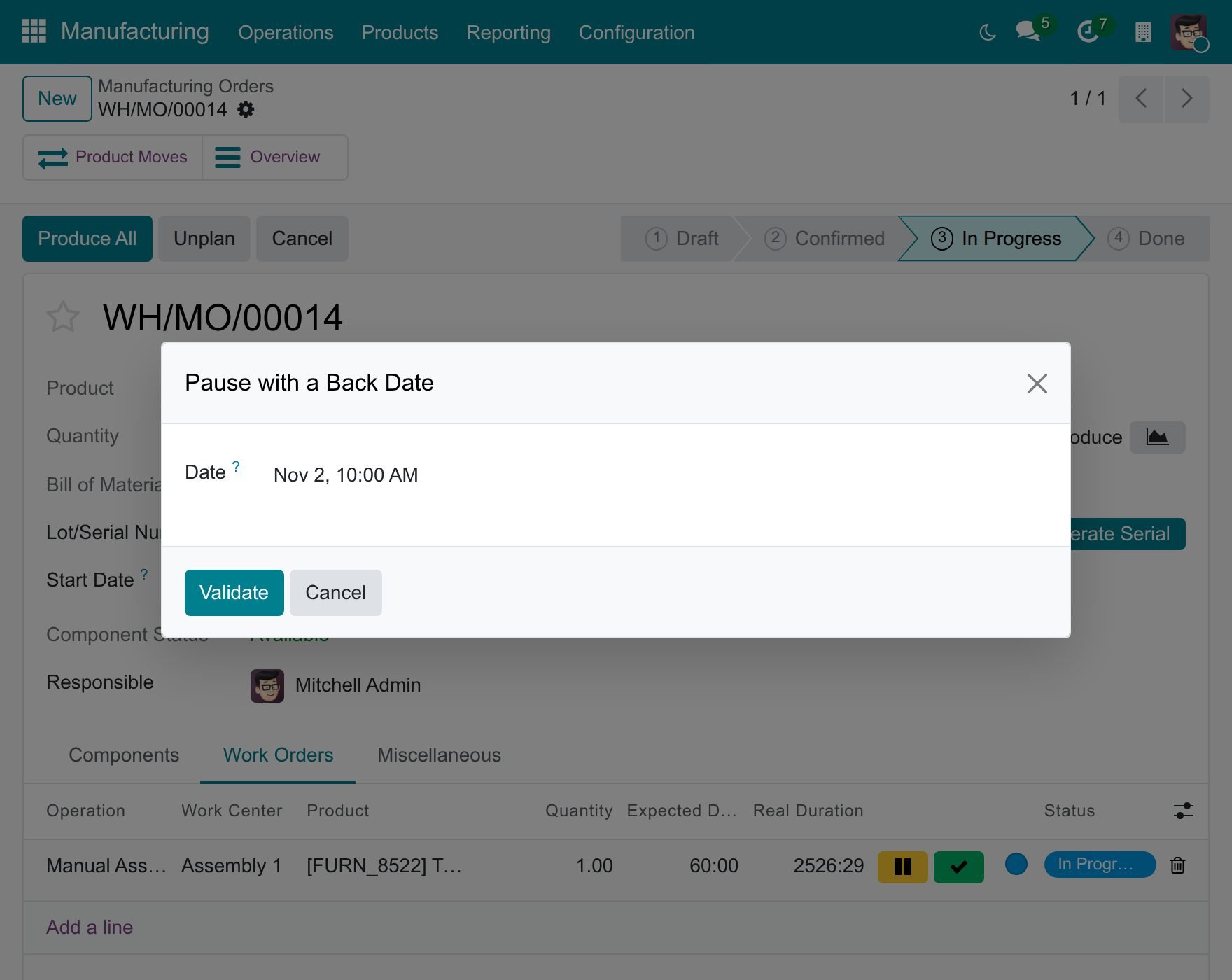
The timer closes at that time. To carry on, click Start again: the window Start with a Back Date asks when the work resumed and opens a new timer.
Finish a work order
Click the green tick of a work order in progress. The window Finish with a Back Date opens.
In Date, enter the date and time the work finished, then click Validate.
![Window Finish with a Back Date over the Work Orders tab of a manufacturing order, with the Date set to a past date and time]()
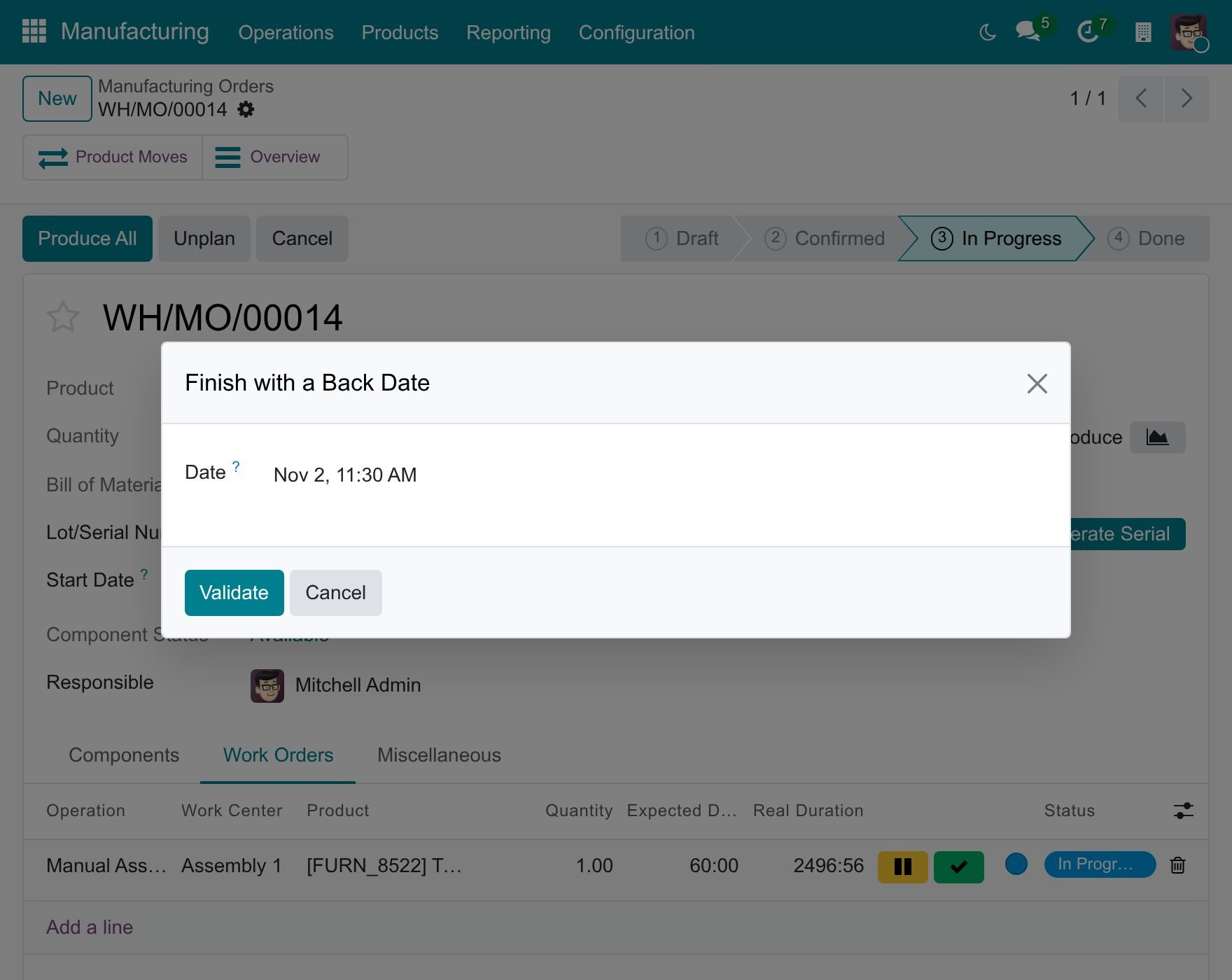
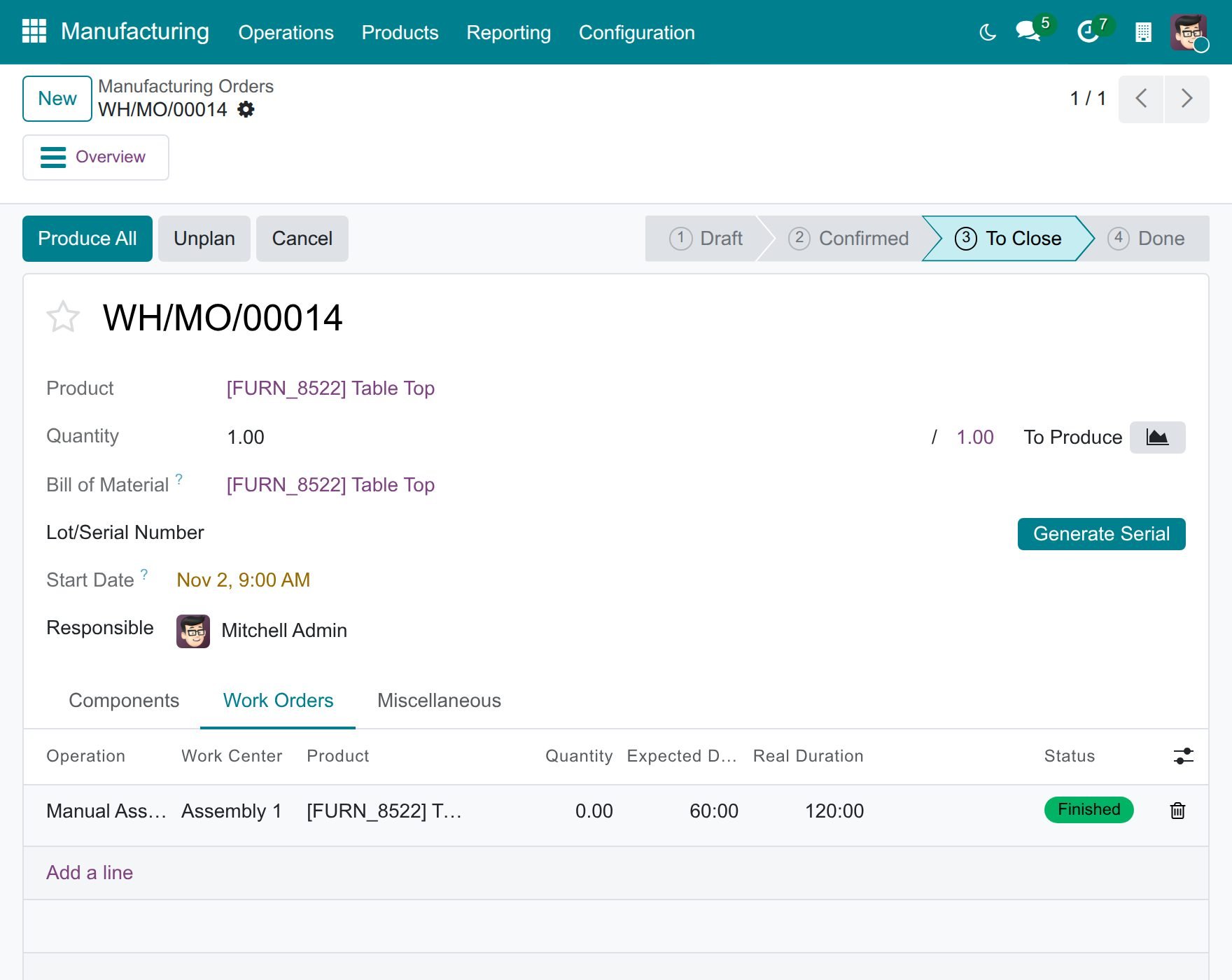
The work order is Finished at that time.
How do I read the real duration?
The Real Duration of a work order is the sum of its timers, measured in the working hours of the work centre. The break between a pause and the next start does not count, and neither does time outside the working hours of the work centre. The real cost of the operations on the Overview of the manufacturing order follows the real durations.
Why does Viindoo refuse my date?
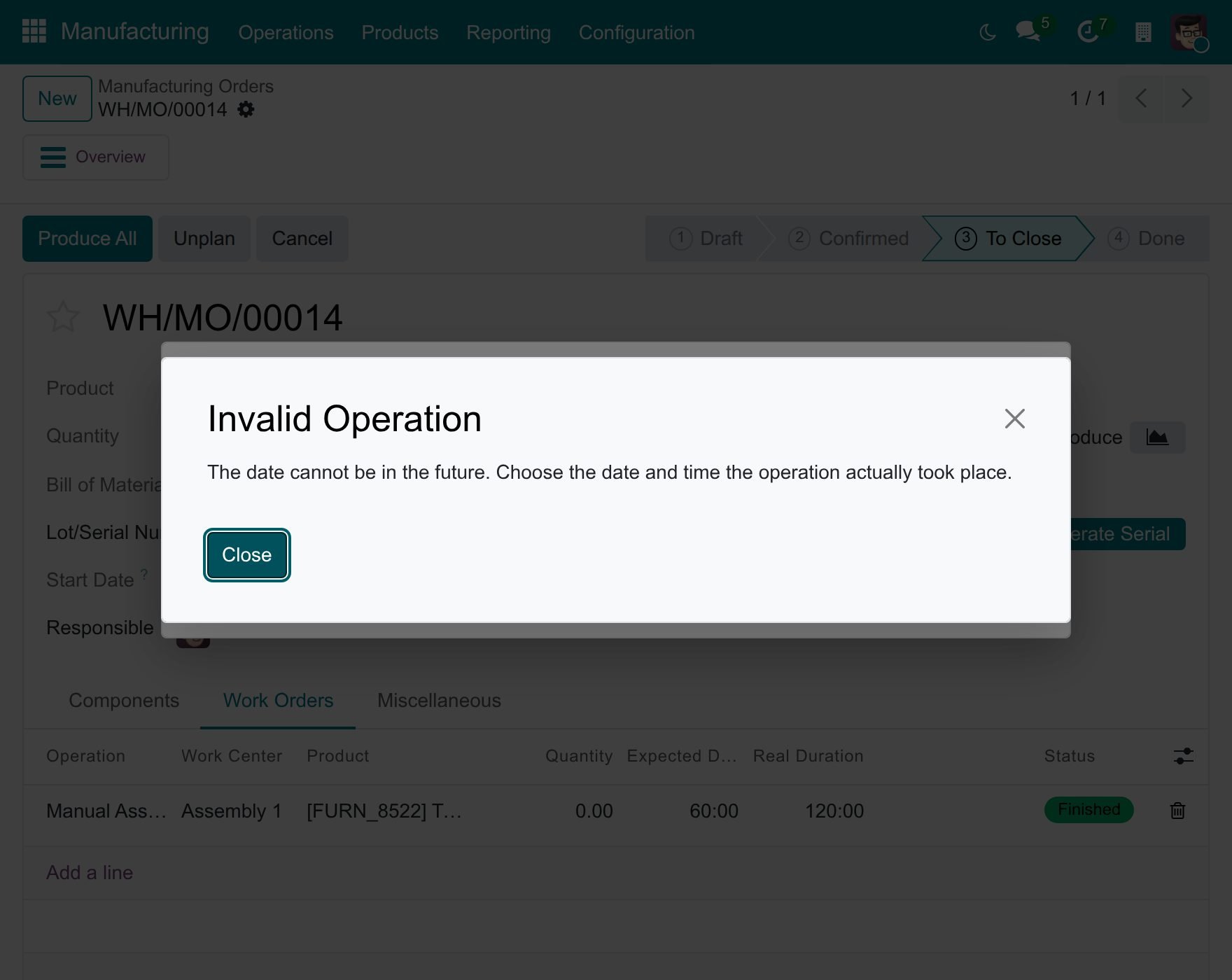
A date in the future is never accepted. Viindoo shows The date cannot be in the future. Choose the date and time the operation actually took place. Nothing is recorded and the window stays open: correct the date or click Cancel.
![Message that the date cannot be in the future, over the Mark as Done with a Back Date window]()
A Date Done before the start of the order is refused. The message names both dates: choose a later Date Done, or correct the Start Date of the order.
A finish date before the start of the running timer is refused with the message The end date is before the start date of the Time Tracking line. Choose a date after the start.
A locked accounting period does not refuse a manufacturing order. The stock movements keep the date you chose and Viindoo books the journal entry outside the locked period: today, or the last day of the first open month.
What stays at the current time?
The state dropdown of the work orders list (Manufacturing ‣ Operations ‣ Work Orders) opens no window: choosing In Progress, Done or another state there is recorded at the current time, for everyone, including people who hold the right. To record a past time, use the Start, Pause and Done buttons of the work order instead.
Shop-floor operators without the right see no window at all. Start, Pause, Done and Produce All act at once, at the current time.
Subcontracting receipts
When the finished goods come back from a subcontractor, validating the receipt also completes the subcontracted manufacturing order behind it: the components are consumed and the finished product is produced. With the module Subcontracting Backdate, that order is completed on the date of the receipt, and nobody has to answer a second window.
The module installs by itself when Manufacturing Backdate (in Settings ‣ Backdate Operations) and Subcontracting (in Manufacturing ‣ Configuration ‣ Settings) are both on. It has no menu and no setting.
To be asked for a date, you need the right Stock Backdate Operations of Inventory Backdate: see How to record transfers and scraps on a past date.
How do I receive subcontracted goods on a past date?
Open the receipt from the subcontractor, for example from Inventory ‣ Operations ‣ Transfers ‣ Receipts.
Click Validate. The window Validate with a Back Date opens.
In Transfer Date, enter the date and time the goods really arrived.
Click Validate, or Cancel to leave the receipt as it was.
![Window Validate with a Back Date over a receipt from a subcontractor, with the Transfer Date set to a past date and time]()
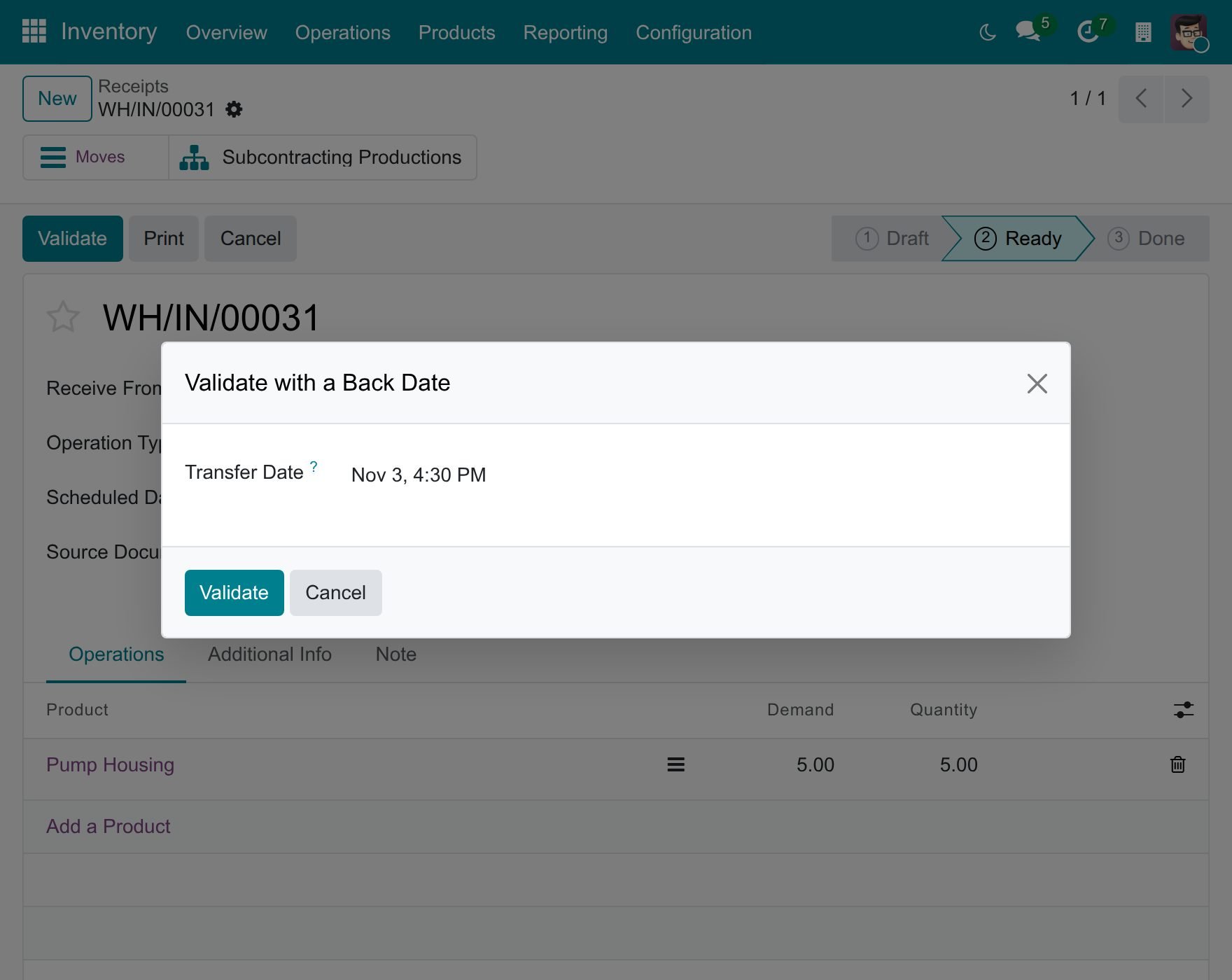
The receipt is Done at that date, and so is the subcontracted manufacturing order. A date before the start planned for the order is accepted: the start of the order moves back to the date you chose. An order planned to start before that date keeps its start.
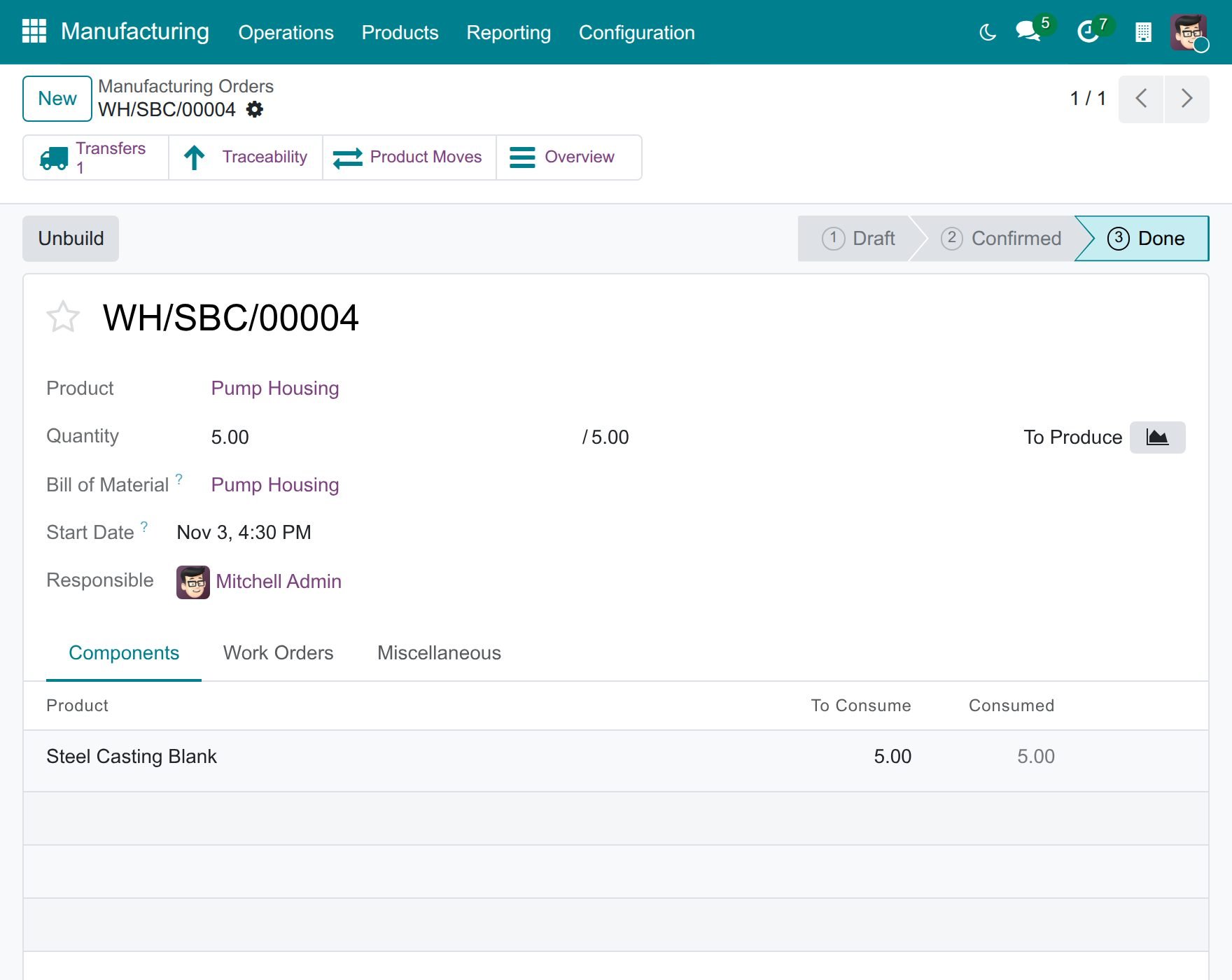
How do I check the subcontracted order?
Click Subcontracting Productions on the receipt, or open Manufacturing ‣ Operations ‣ Manufacturing Orders and open the order. It is Done, its Start Date is the date you chose and the components are consumed.
Two more cases follow the same rule:
A receipt validated without a past date completes its subcontracted orders at the current time, whatever manufacturing rights the person has.
A subcontracted product that the subcontractor delivers straight to a customer completes its order when that delivery is validated.
Manufacturing orders made in your own plant are not affected: they keep asking people who hold Manufacturing Backdate Operations for their completion date, as described above.
Common problems
Problem |
What to do |
|---|---|
Start, Pause, Done or Produce All opens no window. |
You do not hold Manufacturing Backdate Operations, so the action is recorded at the current time. Ask your administrator for the right. |
Produce All is refused with a message naming two dates. |
The Date Done is before the start of the order. Choose a later date, or correct the Start Date of the order. |
A work order cannot be finished at my date. |
The date is before the start of its running timer. Choose a date after the start shown in the message. |
The Real Duration is shorter than the time between my two dates. |
Viindoo measures a duration in the working hours of the work centre. Time outside them does not count. |
A work order takes today’s date when I change its state in the list. |
The state dropdown always acts at the current time. Use the buttons of the work order instead. |
The subcontracted order stays open after I validate the receipt. |
Check that Manufacturing Backdate and Subcontracting are both on, in Settings ‣ Backdate Operations and Manufacturing ‣ Configuration ‣ Settings. |
No window opens when I validate a receipt from a subcontractor. |
You do not hold Stock Backdate Operations, so the receipt is validated at the current time. |