
How to let staff sign in with their LDAP account
LDAP authentication lets your staff sign in to Viindoo with the username and password they already use in your company directory (for example Active Directory or OpenLDAP), so they do not need a separate Viindoo password. To set it up, turn on LDAP Authentication in Settings, declare your LDAP server, then let staff sign in on the usual login page. A Viindoo user is created for each person the first time they sign in.
Who |
Administrators, to set it up. Staff then sign in with their LDAP account. |
App |
Settings |
Before you start
Ask your IT team for the details of your LDAP server: its address and port, whether it requires
TLS, the account used to search the directory (or whether anonymous search is allowed), the place in
the directory where user accounts are stored, and the attribute staff sign in with (for example
uid, mail or sAMAccountName). The server running Viindoo must be able to reach the LDAP
server and must have the Python LDAP library installed, otherwise the feature cannot be turned on.
How do I turn on LDAP authentication?
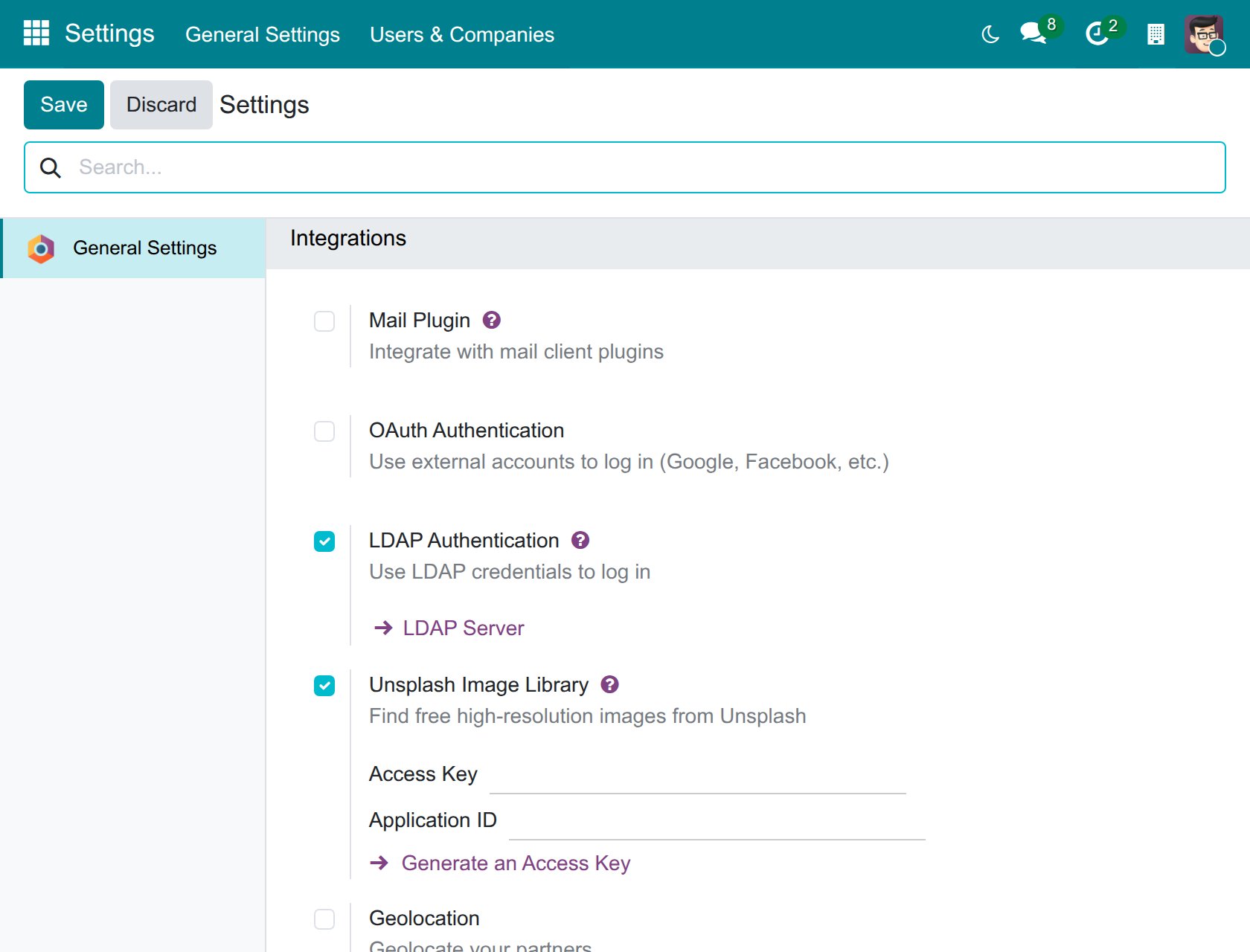
Go to Settings ‣ General Settings and scroll down to the Integrations section.
Tick LDAP Authentication and click Save. When the page reloads, the LDAP Server link appears under the setting.
![LDAP Authentication ticked in the Integrations section of the general settings, with the LDAP Server link below it]()
How do I declare my LDAP server?
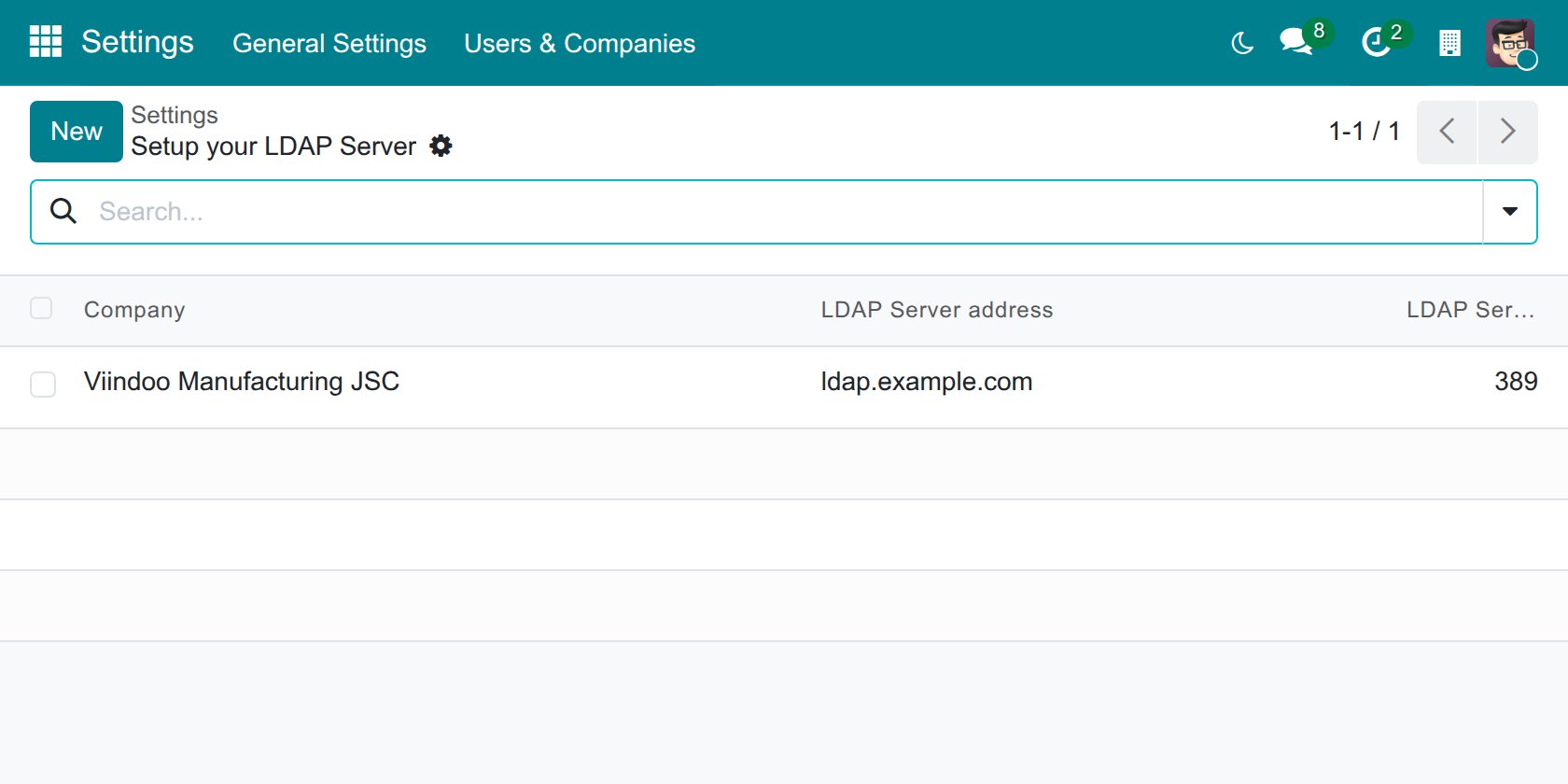
Click LDAP Server. The Setup your LDAP Server list shows the servers already declared. Click New to add one, or open an existing server to change it.
![List of declared LDAP servers with the company, server address and port]()
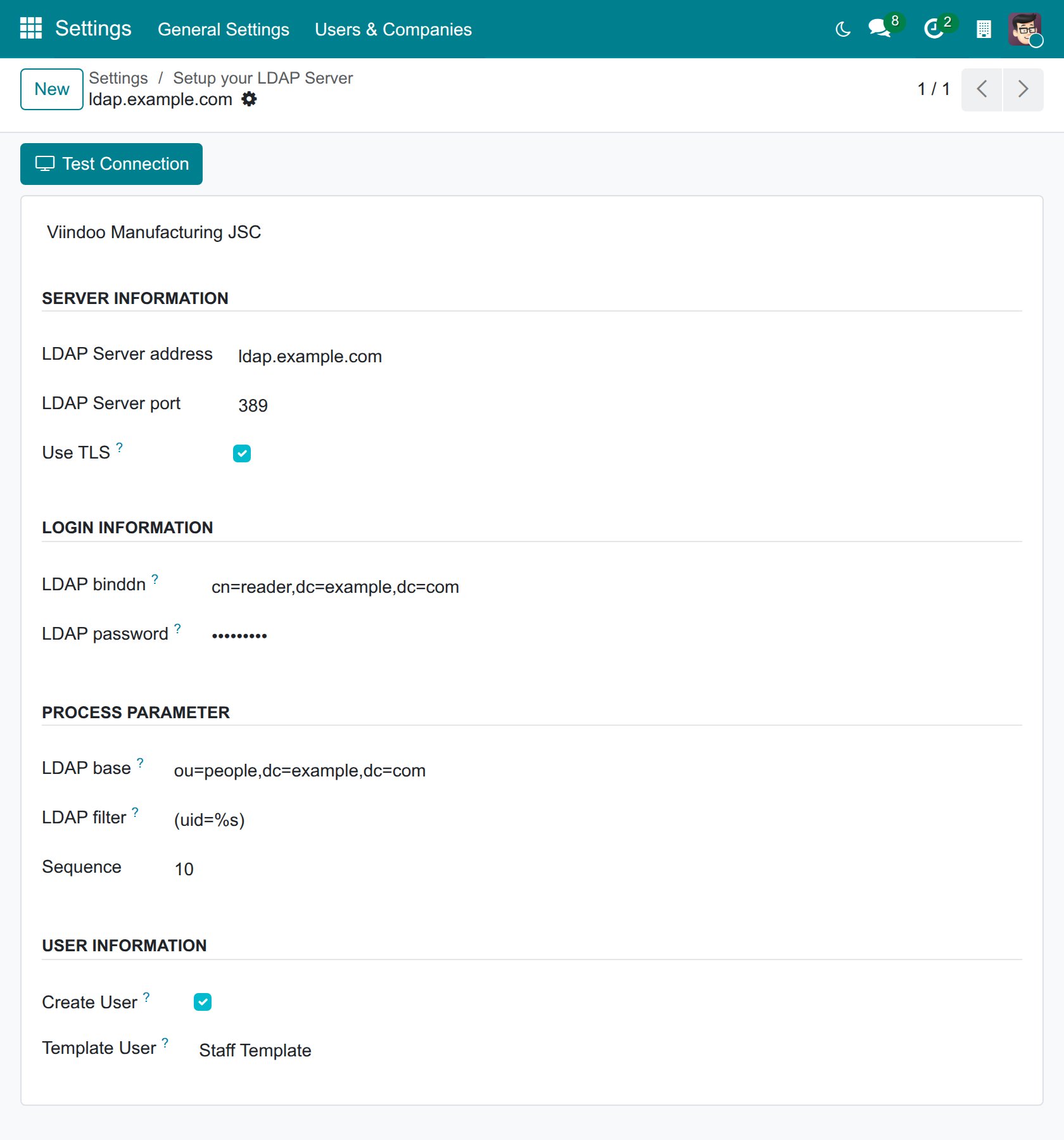
Fill in the form, then click Test Connection to check the settings (see the table below).
![LDAP server form with the server information, login information, process parameter and user information groups]()
Field
What to enter
Company
The company whose staff sign in through this server. A new user is created in this company.
LDAP Server address, LDAP Server port
The address and the port of your LDAP server. The port is usually 389.
Use TLS
Tick it to encrypt the connection. The LDAP server must support STARTTLS, otherwise every sign-in attempt fails.
LDAP binddn, LDAP password
The account Viindoo uses to search your directory. Leave LDAP binddn empty to search anonymously.
LDAP base
Where to search: Viindoo looks for users in this entry and everything below it, for example
ou=people,dc=example,dc=com.LDAP filter
How to find a user from what they type on the login page. Write
%swhere the typed login goes, for example(uid=%s)or(|(mail=%s)(uid=%s)). The filter must find exactly one entry, otherwise the sign-in is refused.Sequence
The order in which servers are tried when you declare several. The lowest number is tried first.
Create User
Ticked by default. When ticked, a Viindoo user is created the first time a person with an LDAP account signs in. When cleared, only people who already have a Viindoo user can sign in.
Template User
The user to copy when a new user is created. The new user gets the same access rights and settings as the template. Leave it empty to create users with the default settings.
Test Connection checks that Viindoo can reach the server and sign in with the search account. A message tells you whether it succeeded. It does not check the LDAP base or the LDAP filter: try a real sign-in to check them.
Tip
Prepare a template user with only the access rights an ordinary employee needs, for example in . Every user created from LDAP inherits them.
How do staff sign in?
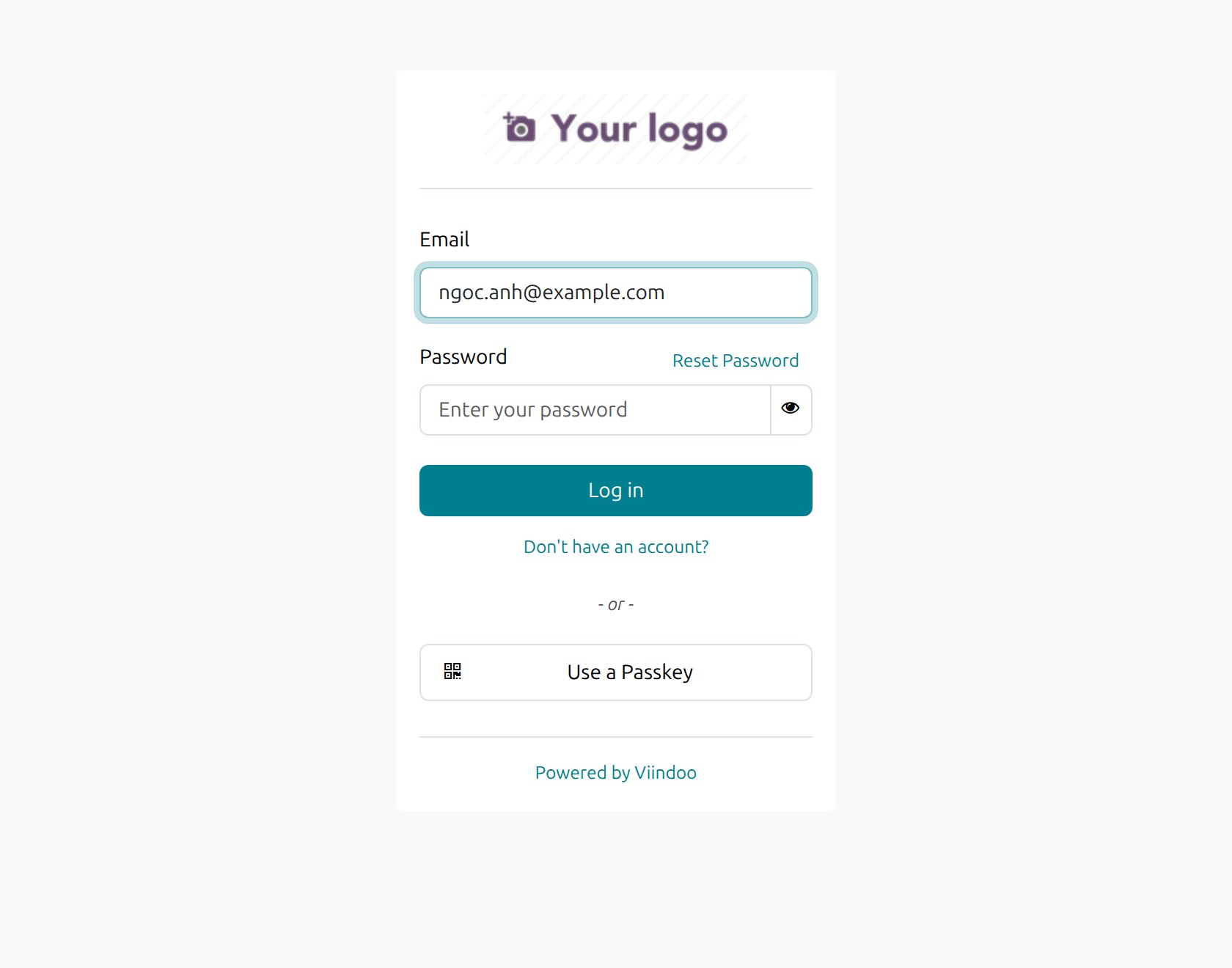
On the login page, type the LDAP username in the login field and the LDAP password in the Password field, then click Log in. The login field is labelled Email, but it accepts whatever your LDAP filter looks up.
![Login page with the login and password fields]()
Viindoo checks the account against your LDAP server. If the person has no Viindoo user yet and Create User is ticked, Viindoo creates one from the template user, with the full name taken from the LDAP entry and the typed login as the login. If the login is an email address, it is also set as the user’s email.
From then on the person signs in the same way. A person who already has a Viindoo user, for example an administrator account, can still sign in with the Viindoo password, or with the LDAP password if the login matches an LDAP account.
When a user changes their password in their preferences, Viindoo first tries to change it on the LDAP server. If that succeeds, the password is kept in the directory and not in Viindoo.
Common problems
Problem |
What to check |
|---|---|
Test Connection says it cannot contact the server |
The address and the port, and that the Viindoo server can reach the LDAP server through your firewall. |
Test Connection says the credentials are invalid |
LDAP binddn and LDAP password. Leave both empty if your directory allows anonymous search. |
The connection test succeeds but staff cannot sign in |
LDAP base and LDAP filter: the filter must contain |
Sign-in is refused for a person who has no Viindoo user |
Create User must be ticked, and the person must not have an archived Viindoo user with the same login. |
An empty password never signs in |
This is expected: Viindoo refuses an empty LDAP password. |
Next steps
How to turn on two-factor authentication: add a second step to the sign-in.
How to create and manage user accounts: manage user accounts and access rights as an Administrator.