
How to confirm a purchase order on a past date
This page is for purchasers and purchase managers who record an order after it was agreed with the vendor. Click Confirm Order (or Approve Order), enter the date and time the vendor agreed, and click Validate: the order shows that date as its Confirmation Date instead of the moment you reached the keyboard. This also works for a request for quotation (RFQ) that has alternatives: the date you chose is kept whichever answer you give about the other quotations.
Who |
A purchaser or purchase manager who holds the Purchase Backdate right |
App |
Purchase, with the Purchase Confirmation Backdate module (and Purchase Agreements Backdate for alternatives) |
Warning
Recording operations on a past date is not recommended in day-to-day work. It makes it easier to record incorrect data, deliberately or not, and it can discourage people from recording operations at the moment they happen. The feature is designed mainly for the initial implementation, when a company needs to enter operations that took place before it started using Viindoo.
Before you start
Your administrator turned on Purchase Confirmation Backdate and gave you the right Purchase Backdate Operations, as Record operations on a past date explains. Without the right you confirm at the current time and no date is asked: nobody else is blocked by it.
To approve orders, you also hold the Purchase Administrator access.
For the alternatives section, Purchase Agreements is on in Purchase ‣ Configuration ‣ Settings, with Purchase Alternatives ticked. Purchase Agreements Backdate installs itself when both Purchase Confirmation Backdate and Purchase Agreements are present.
How do I confirm a request for quotation on a past date?
Open Purchase ‣ Orders ‣ Requests for Quotation and open the request for quotation, in the state RFQ or RFQ Sent.
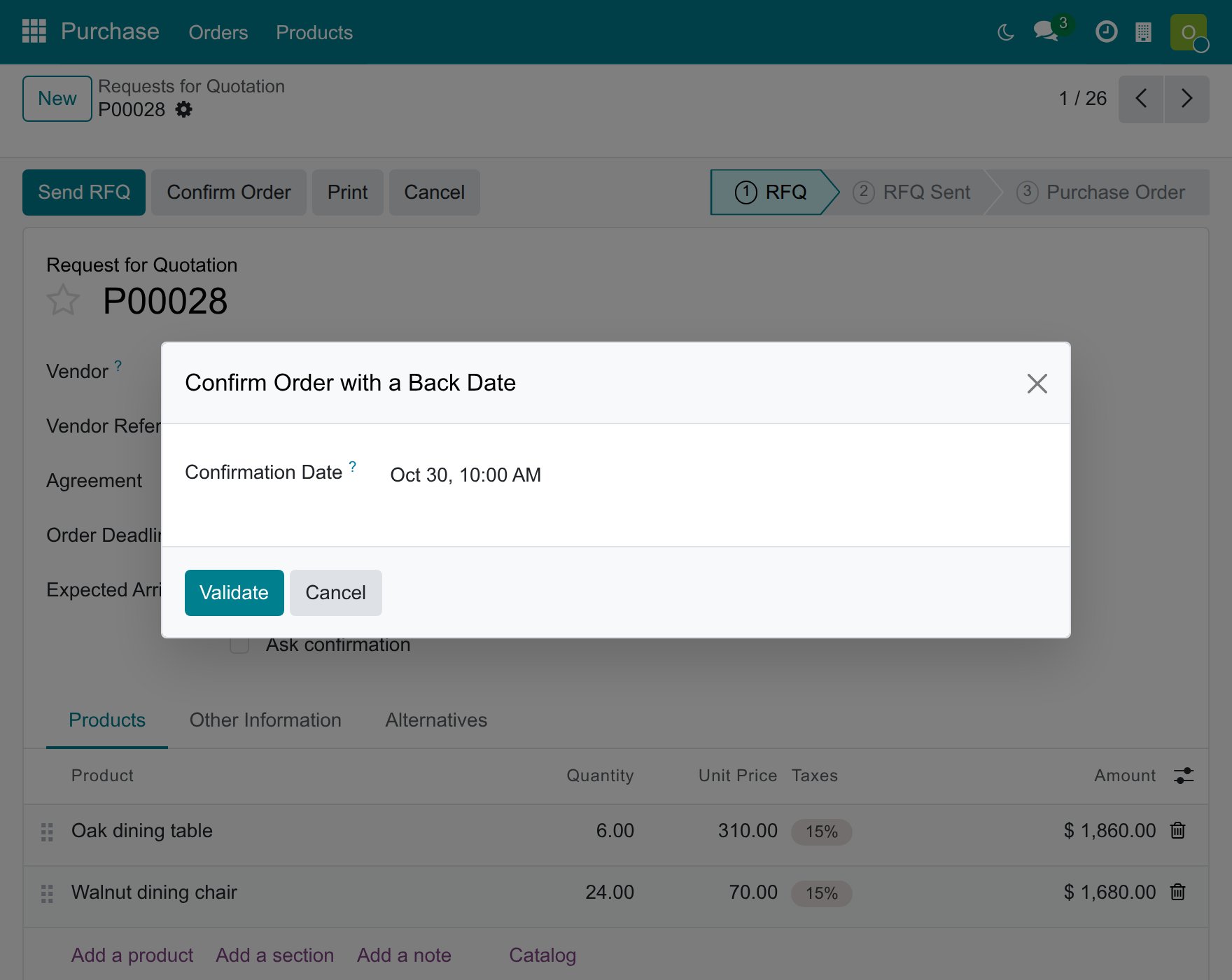
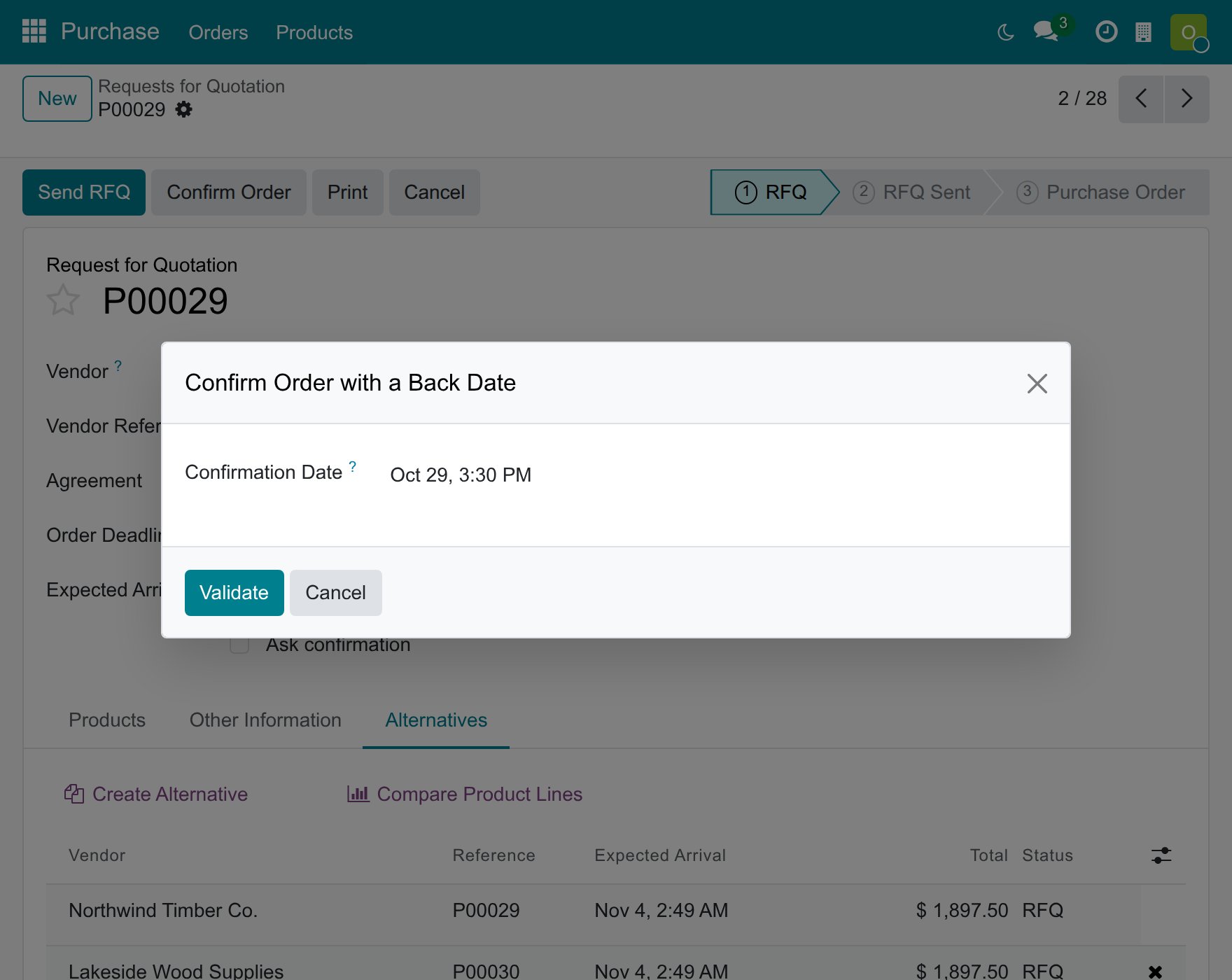
Click Confirm Order. The window Confirm Order with a Back Date opens and proposes the current date and time.
In Confirmation Date, enter the date and time the order was agreed with the vendor, in your own time zone.
Click Validate, or Cancel to leave the request for quotation as it was.
![Window Confirm Order with a Back Date on a request for quotation with the Confirmation Date set to a past date]()
The request for quotation becomes a purchase order and shows the date you chose as its Confirmation Date.
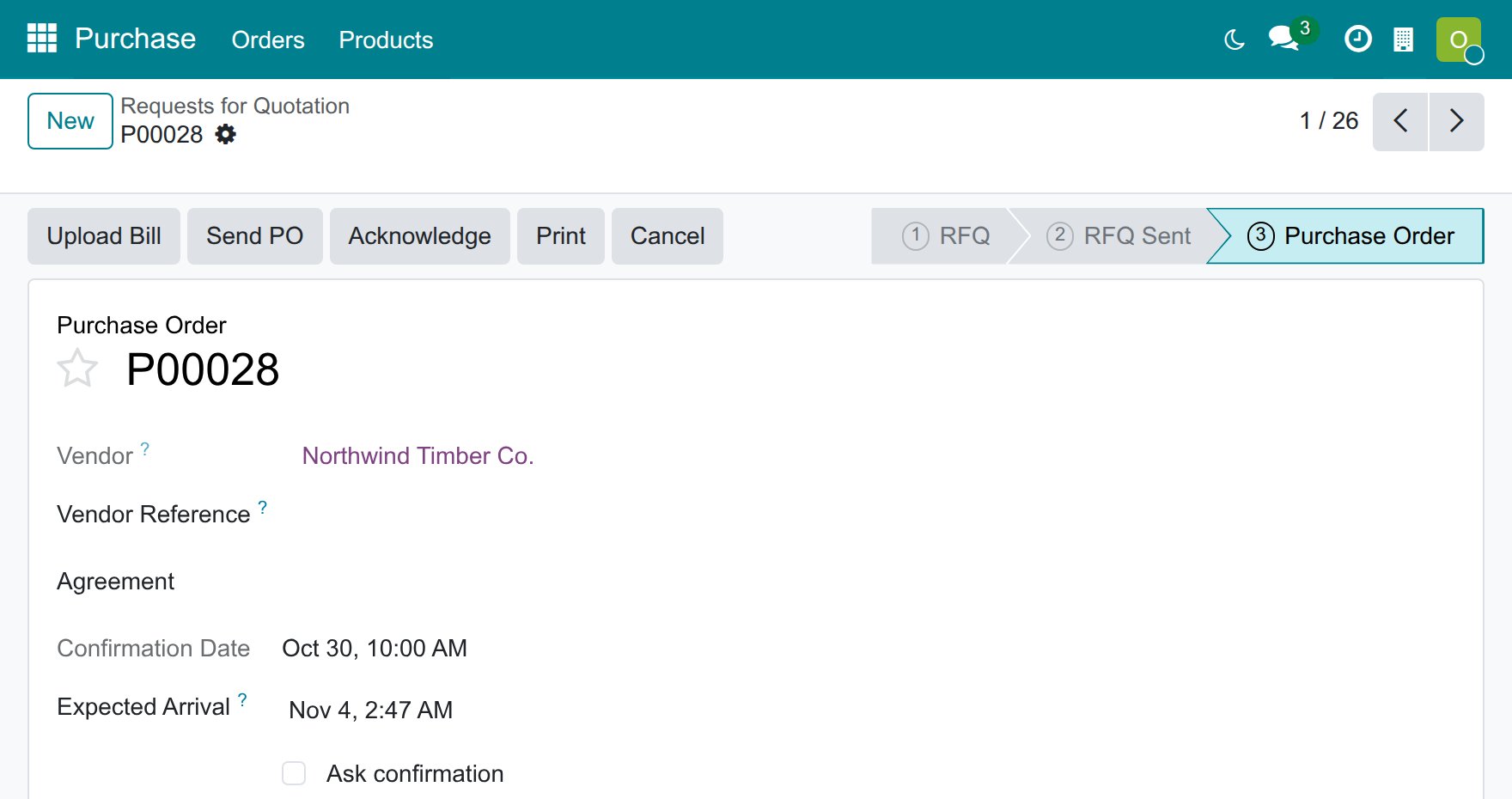
Only the Confirmation Date takes the date you chose. The Expected Arrival keeps the value that Viindoo computes for the order, as for any other order, and an order that your company locks when it is confirmed stays locked and keeps the date you chose.
What if the order needs approval?
When your company asks managers to approve large orders (Purchase ‣ Configuration ‣ Settings ‣ Purchase Order Approval), an order above the Minimum Amount waits in the state To Approve after the purchaser clicks Confirm Order. It has no Confirmation Date yet: the date is the day of the approval, and the purchase manager gives it.
Open Purchase ‣ Orders ‣ Requests for Quotation and open the order in the state To Approve.
Click Approve Order. The window Approve Order with a Back Date opens.
In Confirmation Date, enter the date and time the approval was given, then click Validate.
![Window Approve Order with a Back Date on an order in the To Approve state]()
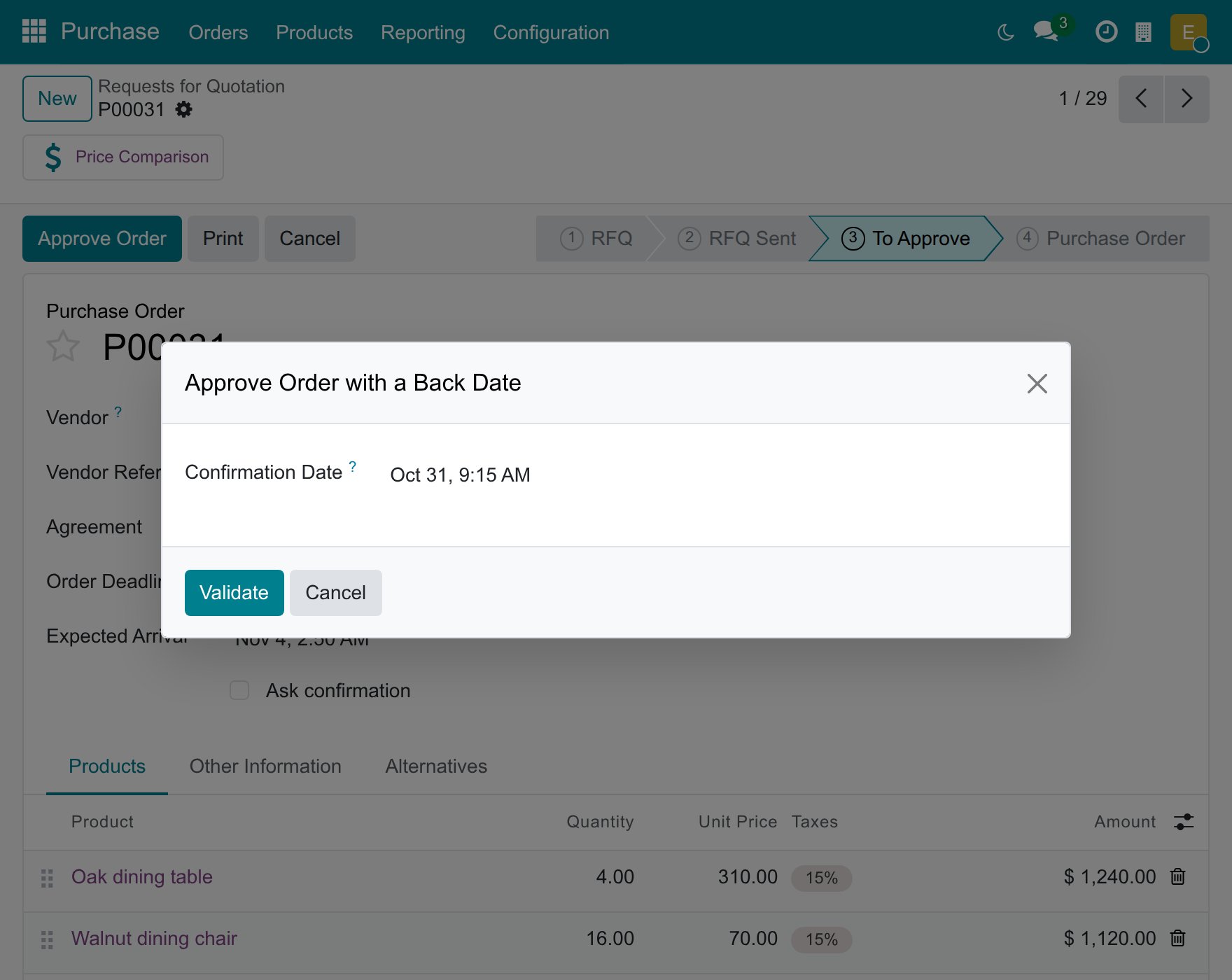
The order becomes a purchase order with the date of the approval as its Confirmation Date. An order below the Minimum Amount is approved as soon as it is confirmed, so the date from the first window is the one it shows.
How do I confirm a request for quotation that has alternatives?
With Purchase Alternatives on, a request for quotation can be linked to quotations from other vendors for the same needs: they are listed in its Alternatives tab. When you confirm one of them while the others are still open, Viindoo asks what to do with the others. For a person who holds the right, that question is part of the back-dated confirmation.
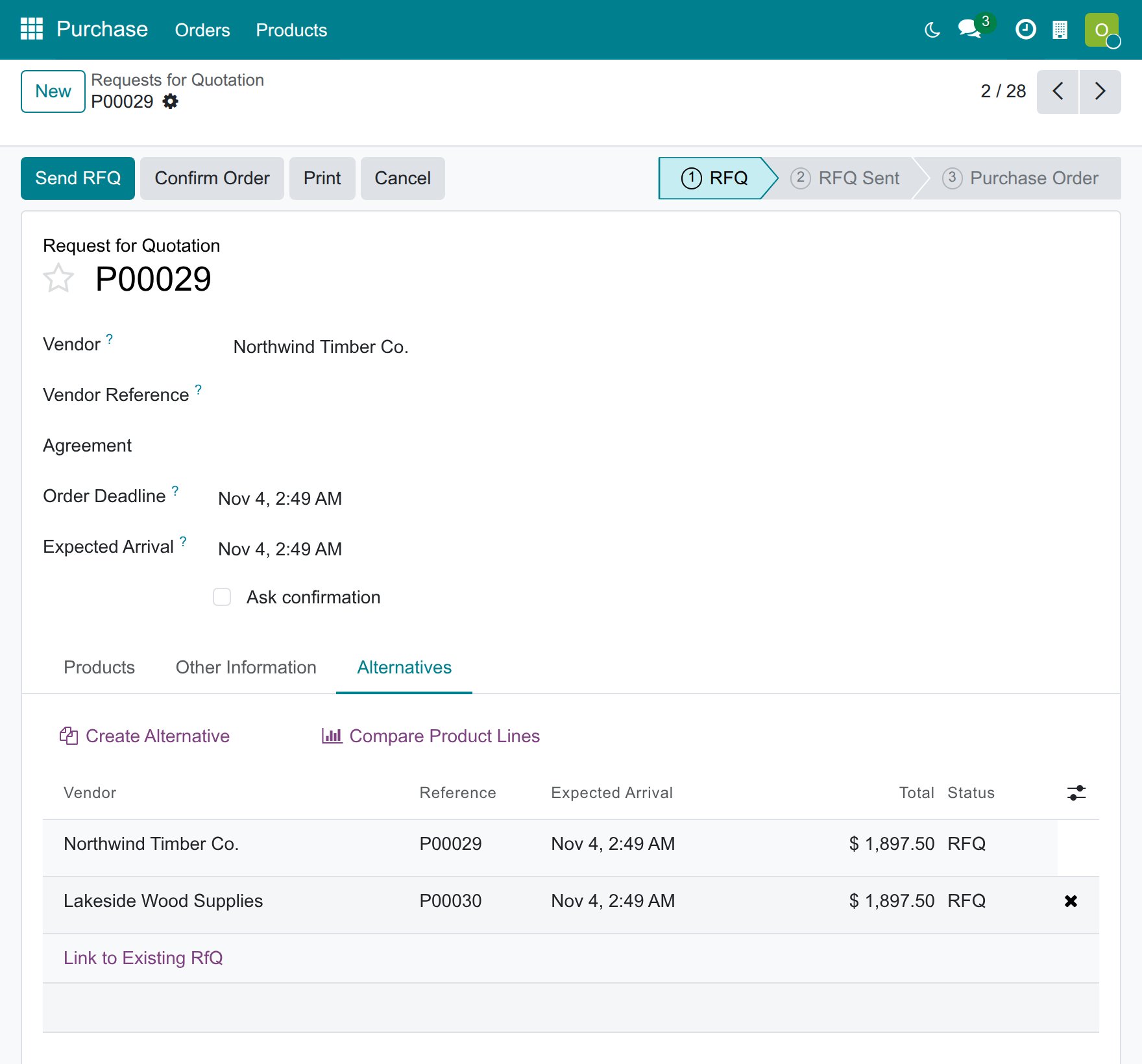
Open the request for quotation you want to keep and click Confirm Order. The window Confirm Order with a Back Date opens first.
Enter the Confirmation Date and click Validate.
![Window Confirm Order with a Back Date on a request for quotation whose Alternatives tab lists another quotation]()
Viindoo then asks What about the alternative Requests for Quotations? Click Keep Alternatives to leave the other quotations open, or Cancel Alternatives to cancel them.
![Question about the alternative requests for quotation with the buttons Cancel Alternatives, Keep Alternatives and Discard]()
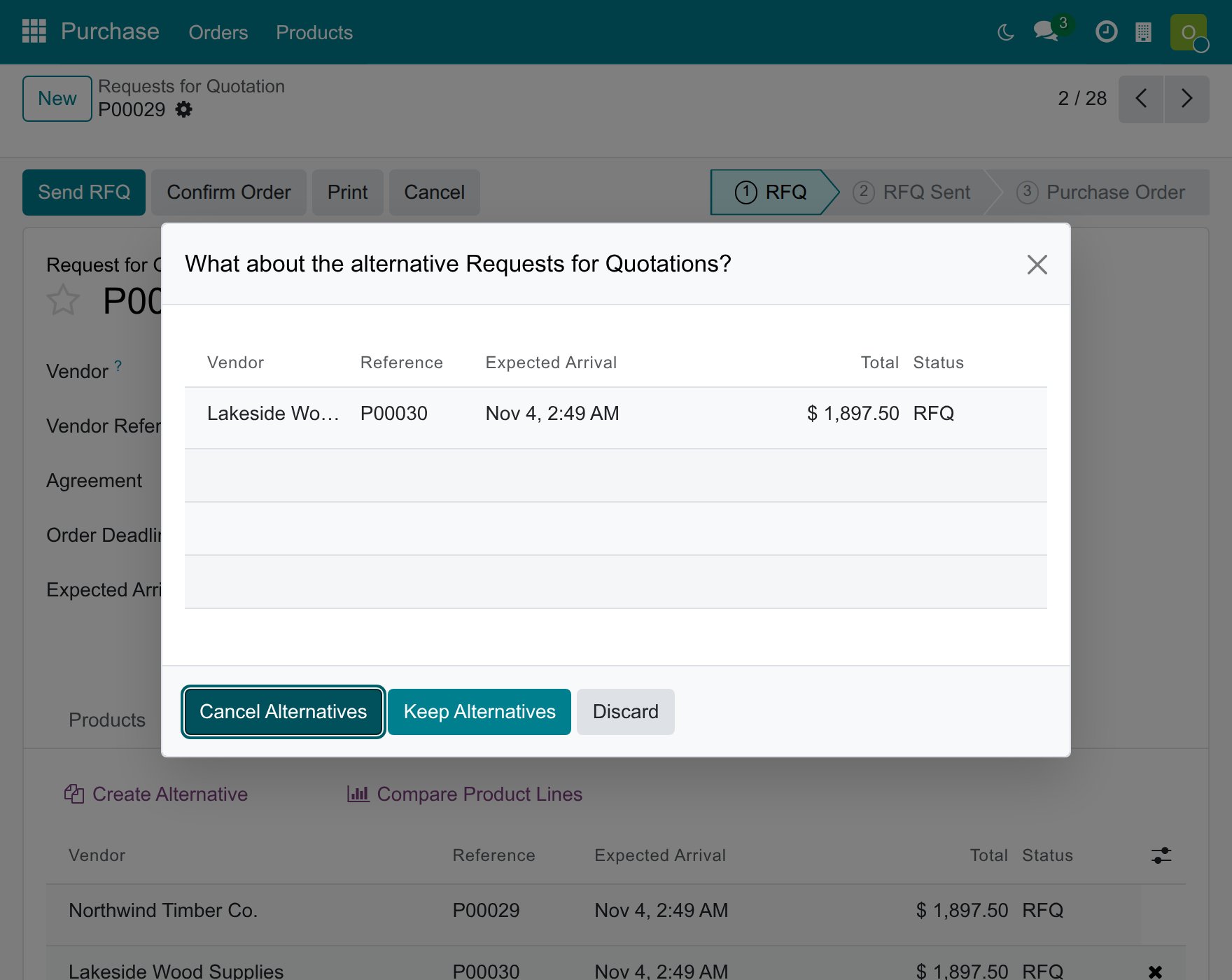
Both answers confirm the order on the Confirmation Date you entered, never on the day you answered the question. Only the order you confirm takes the date: the alternatives you keep stay requests for quotation and the ones you cancel are cancelled. Click Discard to close the question without confirming anything: the request for quotation stays as it was and you can start again.
Why does Viindoo refuse my date?
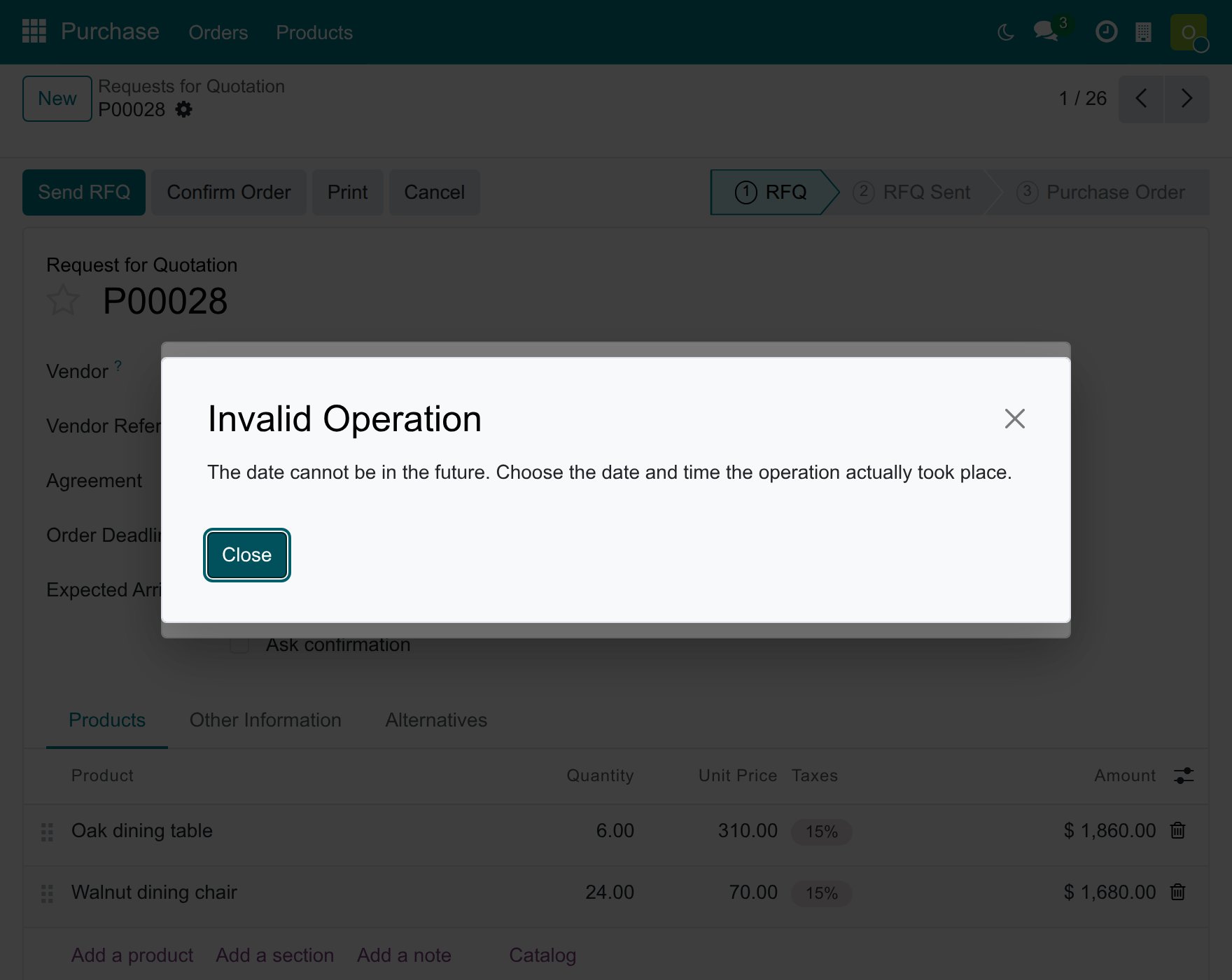
A date in the future is never accepted. Viindoo shows The date cannot be in the future. Choose the date and time the operation actually took place. The window stays open, so you correct the date without losing the order: click Close on the message and enter the date again.
Common problems
Problem |
What to do |
|---|---|
Confirm Order opens no window. |
You do not hold the right Purchase Backdate Operations, so the order is confirmed at the current time. Ask your administrator to give you the right. |
The date is refused as being in the future. |
Enter a date and time up to the current time. |
Confirming is refused because of the analytic distribution. |
An analytic plan requires a distribution on the order lines. Add it to every line and confirm again; with alternatives, choose Discard first. |
The order stays in To Approve. |
This is the approval rule of your company. A purchase manager clicks Approve Order and gives the date of the approval. |
I want to change the date of an order that is already confirmed. |
The window is offered by Confirm Order and Approve Order only: choose the date when you confirm or approve. |