
How to print kitchen and bar orders through an IoT box
Link each preparation printer of the Point of Sale to a printer of the IoT box: open Point of Sale ‣ Orders ‣ Preparation Printers, set Printer Type to Use a printer connected to the IoT Box and choose the device in IoT Device. Because the device is named, one box can feed a kitchen printer and a bar printer separately.
Who |
The Store Manager (Point of Sale / Administrator). |
App |
Pos IoT (with Point of Sale and Internet of Things) |
Before you start
The IoT box is paired and its printers are connected: follow Set up and manage IoT boxes.
The tills use the box: see How to use IoT devices in Point of Sale.
How do I link a preparation printer to a device?
Open Point of Sale ‣ Orders ‣ Preparation Printers.
Open or create the printer for the kitchen or the bar.
Set Printer Type to Use a printer connected to the IoT Box and choose the device in IoT Device. Device Identifier is filled in for you.
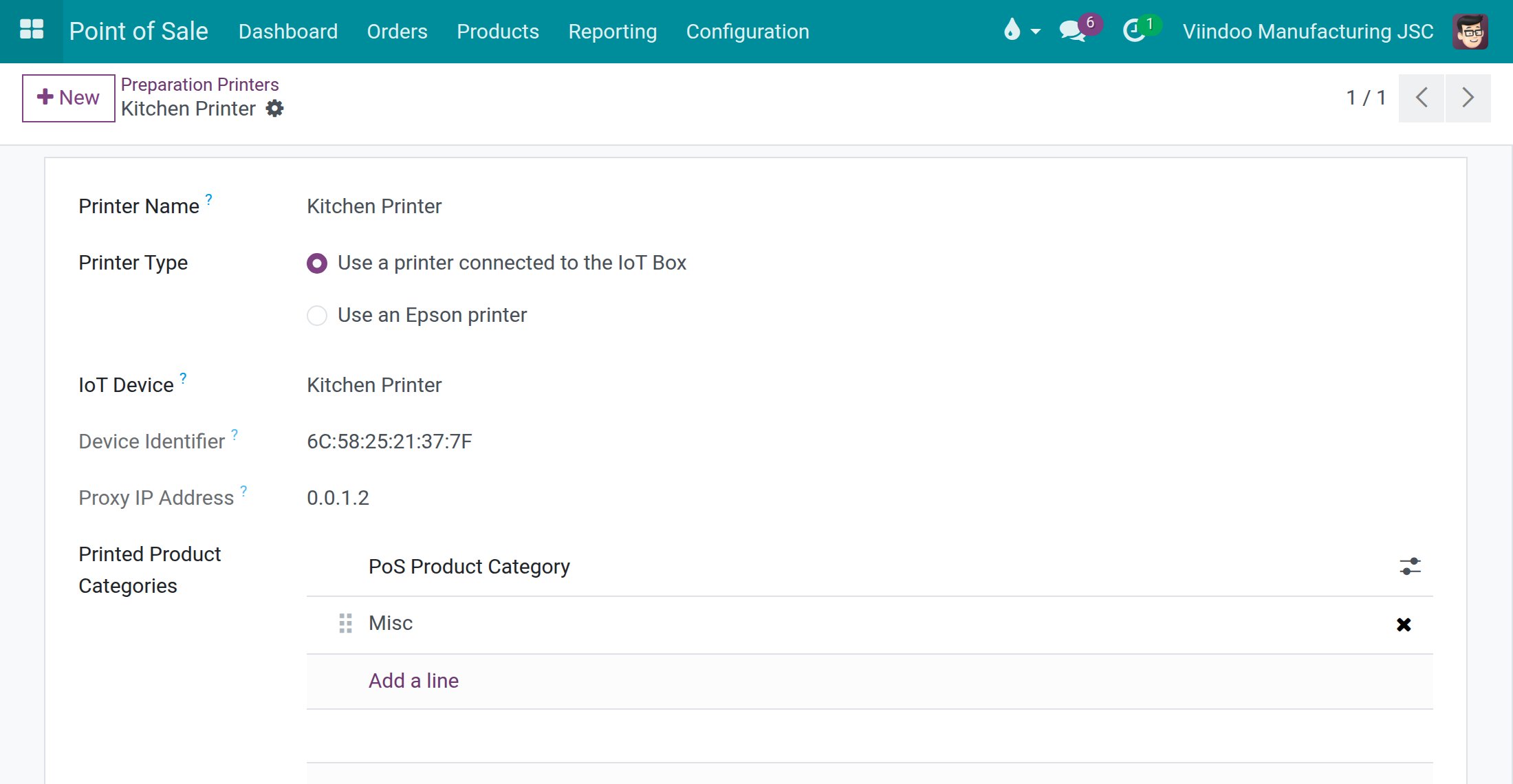
Because the device is named, one box can feed a kitchen printer and a bar printer separately.
Common errors
What you see |
What to do |
|---|---|
A kitchen or bar printer receives nothing. |
Check that its Printer Type is Use a printer connected to the IoT Box and that IoT Device is the right device. |
FAQ
Can two preparation printers run from one box? Yes. Link each preparation printer to its own device.
Next steps
Printing PoS orders at the kitchen/bar: choose which products each preparation printer prints.