
On-behalf payments on a Marketplace
A marketplace collects money from buyers on behalf of its merchants and passes it on later. That money is not the marketplace’s revenue: Viindoo records it as a debt to each merchant, through the On-Behalf Payment option of a payment and its distribution between merchants. Paying the merchant back, or a refund made for a merchant, settles that debt.
Who |
Accountants (Invoicing ‣ Billing or Invoicing ‣ Administrator access rights). |
App |
Invoicing |
Before you start
Install On-behalf Payments; it comes with Viin Marketplace.
Payments of merchant products made online are recorded on behalf of the merchants by themselves, see Intergrated with Payment gateways.
How do I record money collected for a merchant?
Use this when a buyer pays by bank transfer or in cash, which Viindoo cannot see by itself.
Go to Invoicing ‣ Customers ‣ Payments and click New.
Keep Payment Type on Receive, choose the Customer who paid and type the Amount.
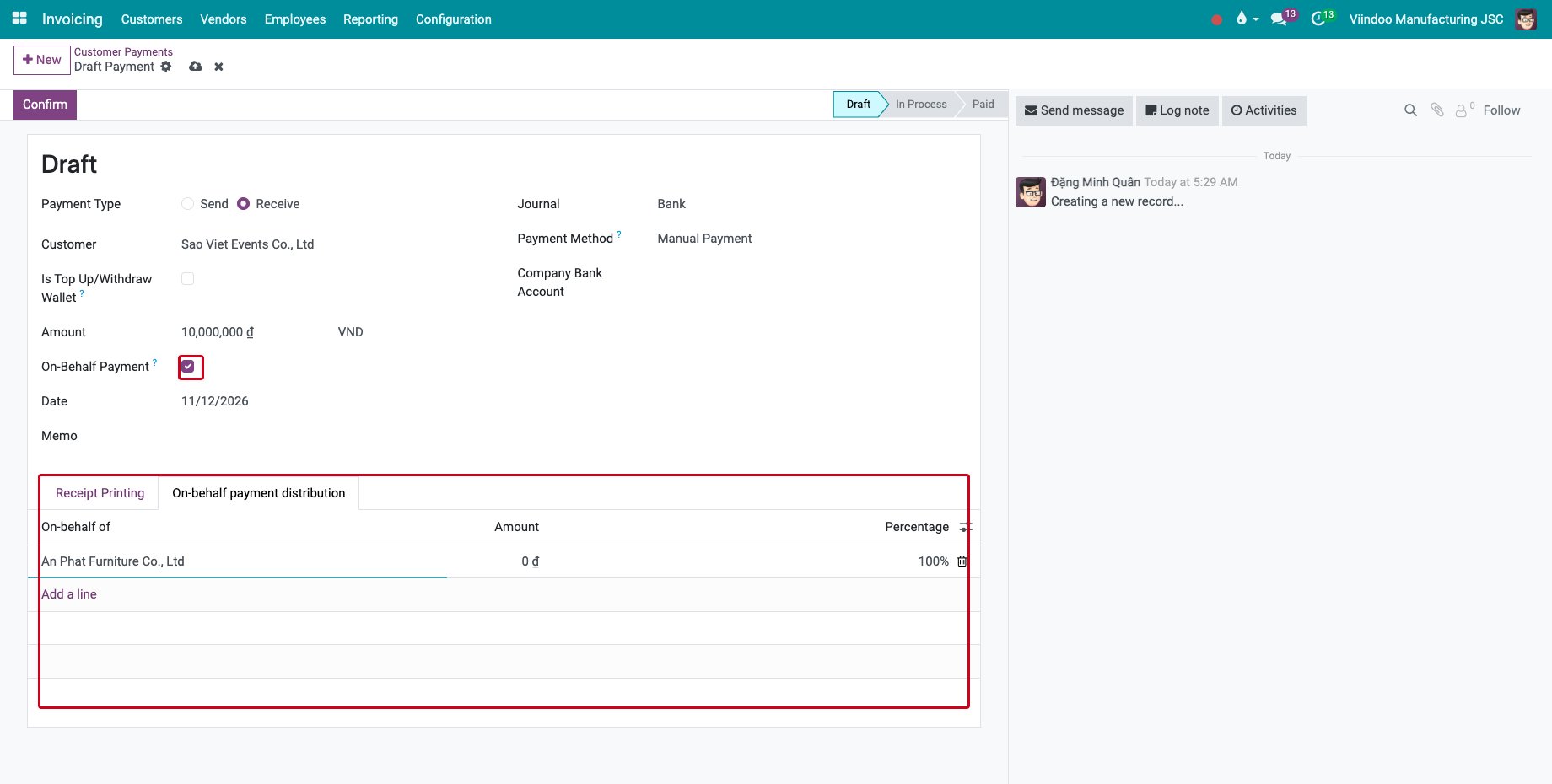
Check On-Behalf Payment. On the On-behalf payment distribution tab, click Add a line for each merchant: choose the merchant in On-behalf of and type the Amount or the Percentage of the payment collected for them.
![A customer payment with On-Behalf Payment checked and its distribution to a merchant]()
Click Confirm. The amount of each line is moved to the merchant as a debt of the marketplace; the ribbon shows On-behalf Not Paid.
How do I pay a merchant back?
Go to Invoicing ‣ Vendors ‣ Payments and click New, with Payment Type on Send.
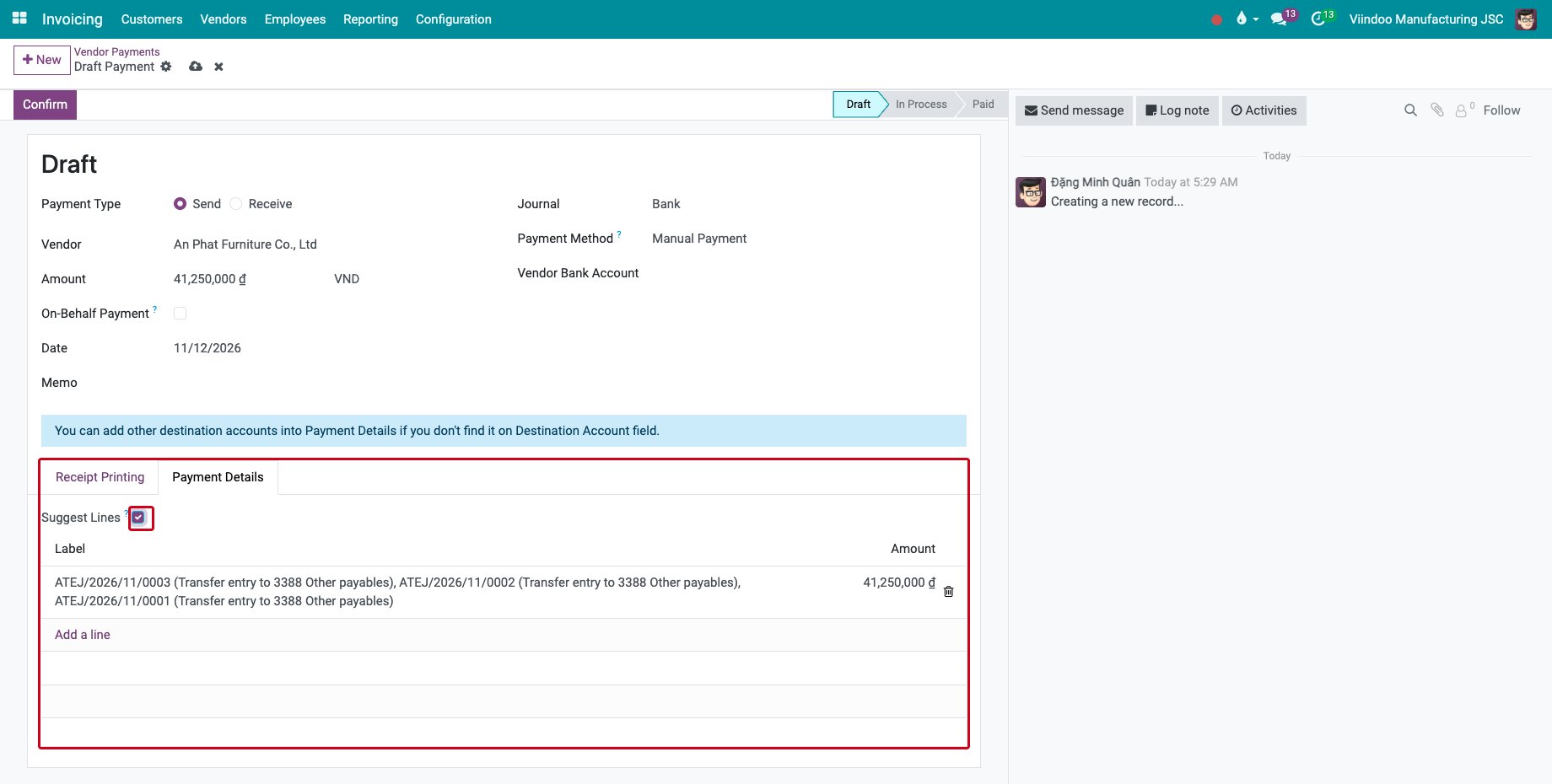
Choose the merchant in Vendor. On the Payment Details tab, check Suggest Lines: the amounts you owe the merchant are listed and the Amount is filled in.
![A vendor payment to a merchant with Suggest Lines checked and the amounts owed]()
Click Confirm. The collected payments show On-behalf In Payment, then On-behalf Paid when they are fully paid back.
How do I refund a buyer for a merchant?
Create a payment as above with Payment Type on Send, the buyer as the partner, and On-Behalf Payment checked.
On the On-behalf payment distribution tab, add the merchant who owes this refund and its amount, then click Confirm. When the merchant gives you the money back, record it with a Receive payment from the merchant and Suggest Lines.
How do I check the on-behalf balances?
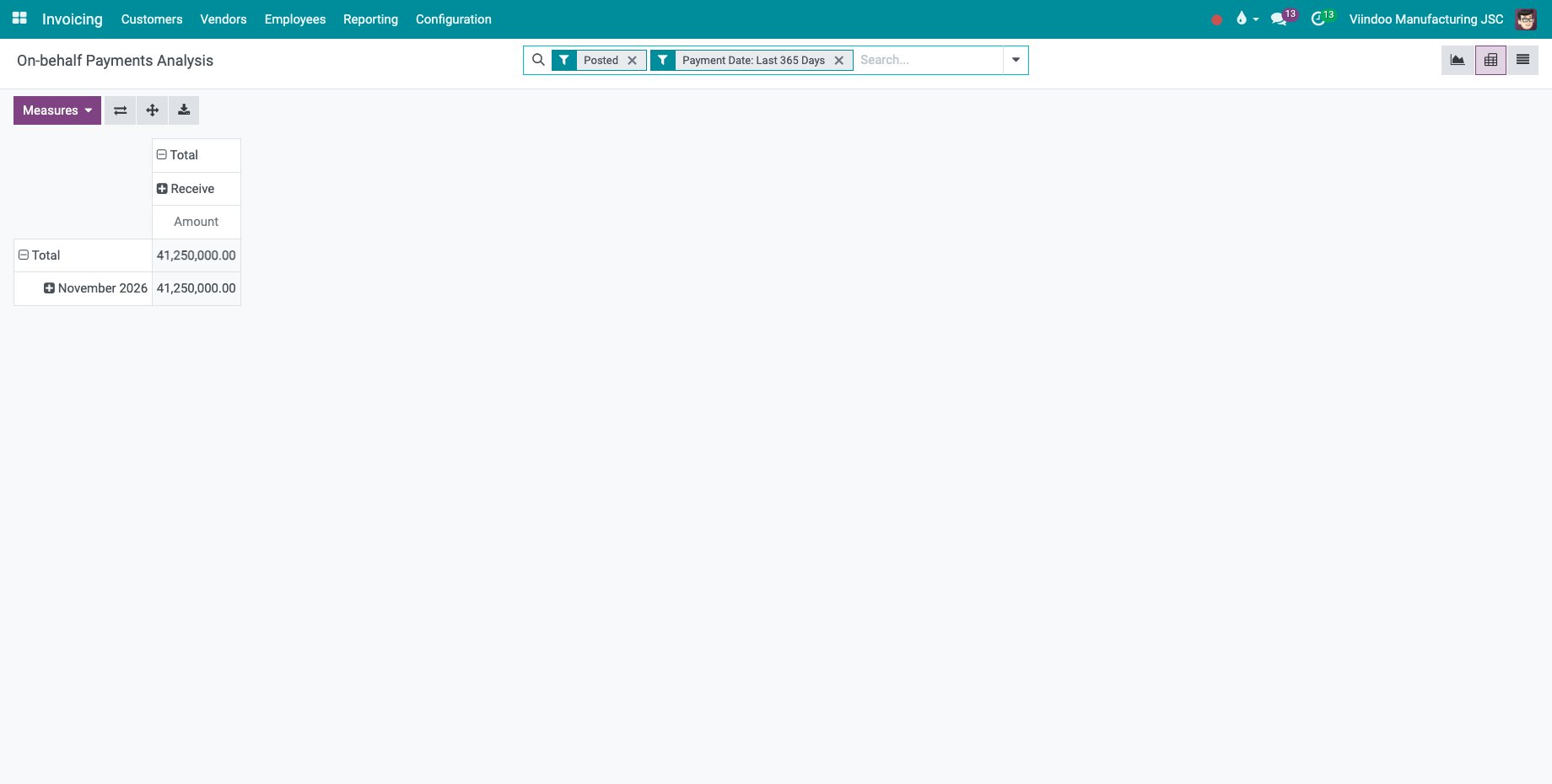
Go to Invoicing ‣ Reporting ‣ Management ‣ On-behalf Payments Analysis and open the pivot view to see what was received and sent on behalf of each partner.
![The on-behalf payments analysis in a pivot table]()
Compare with Invoicing ‣ Reporting ‣ Partner Reports ‣ Partner Ledger for each merchant before you settle with them.
Common errors
Problem |
What to do |
|---|---|
The total on-behalf payment amount must not be greater than the payment amount. |
Lower the amounts of the distribution lines. |
You checked the On-Behalf Payment option but did not specify a partner … |
Add at least one line on the On-behalf payment distribution tab. |
Suggest Lines finds nothing. |
Nothing is owed to or by this partner yet. |
Next steps
Reports of the Marketplace: follow the sales and commissions.