
Manufacturing plans with Make to Stocks (MTS) rules in Viindoo
To ensure an effective supply chain and have a stable quantity of stocks on hand, you can use minimum-maximum inventory rules (MTS) to make manufacturing plans and purchasing. This rule is intended to ensure that inventory is kept to a minimum to minimize inventory costs and that orders are placed on time to avoid shortages. Viindoo provides the Reordering Rules feature to help you manage a smooth supply chain running by your own minimum-maximum rules for each product.
Requirements
This tutorial requires the installation of the following applications/modules:
Minimum Stock rule configuration
First, make sure the product has a Bill of Materials (BoM): the Bill of Materials button of the product form shows how many BoMs the product has.

Note
You have to set the Bill of Materials (BOM) to trigger the manufacturing orders creation automatically.
Secondly, you need to set the Reordering rules. These rules define the minimum and maximum product quantities in stock to keep your manufacturing going. Click the Reordering Rules button of the product, click New, then fill in Min and Max and save. The Trigger stays on Auto, so the scheduler creates the order itself, and the Route column shows Manufacture for a product that has a Bill of Materials.
To create the reordering rules you can see more at Minimum Stock rule configuration:
Apply for Manufacturing
For example, with the product Plastic Laminate. In which:
On Hand quantity = 0
Forecast Quantity = 0
Min quantity = 10
Max Quantity = 100
Route: Manufacture
By default, the Scheduler will run once a day, typically outside of the working time. Suppose any product has a forecast quantity that tends to be lower than the minimum quantity of the reordering rules, a manufacturing order of this product will be auto-generated, and then you can do the manufacturing process.
In case you want to make a manufacturing order immediately, turn on developer mode and open . The scheduler runs as soon as you click the menu.

In this example above, the quantity on manufacturing order will be 100 units.
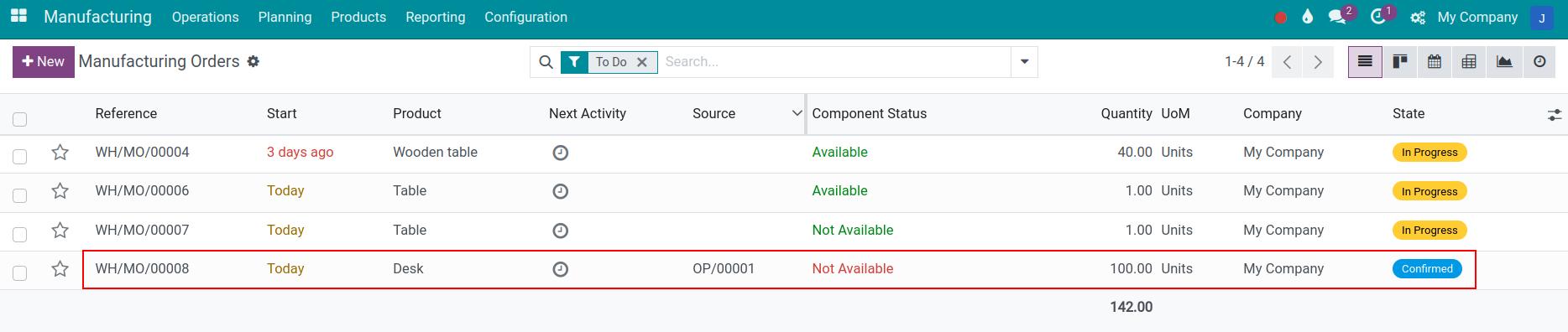
The product form now shows the rule on its Reordering Rules button, with the Min and Max quantities, and its forecast includes the 100 units of the manufacturing order.

Warning
This processing speed depends on the size of your data. You should not run the scheduler during your working hour for a faster speed and avoid interrupting other users in the system.
See also
Related article
Optional module