Approval Overview
The Approval app (OmniApproval™) is the single place where employees ask for approval and managers give it, whatever the request is: a purchase order, a procurement request, a timesheet, overtime, a recruitment request and so on. Each kind of request is an approval type that says who must approve, in which order and what happens once the request is approved.
Who |
An administrator installs and configures the app (needs Settings access). Every internal user can then send requests; the people named as approvers approve them. |
App |
Approval |
Requirements
This tutorial requires the installation of the following applications/modules:
Employees (installed automatically with Approval)
How do I install the Approval app?
Go to Apps, type OmniApproval in the search bar and click Activate.
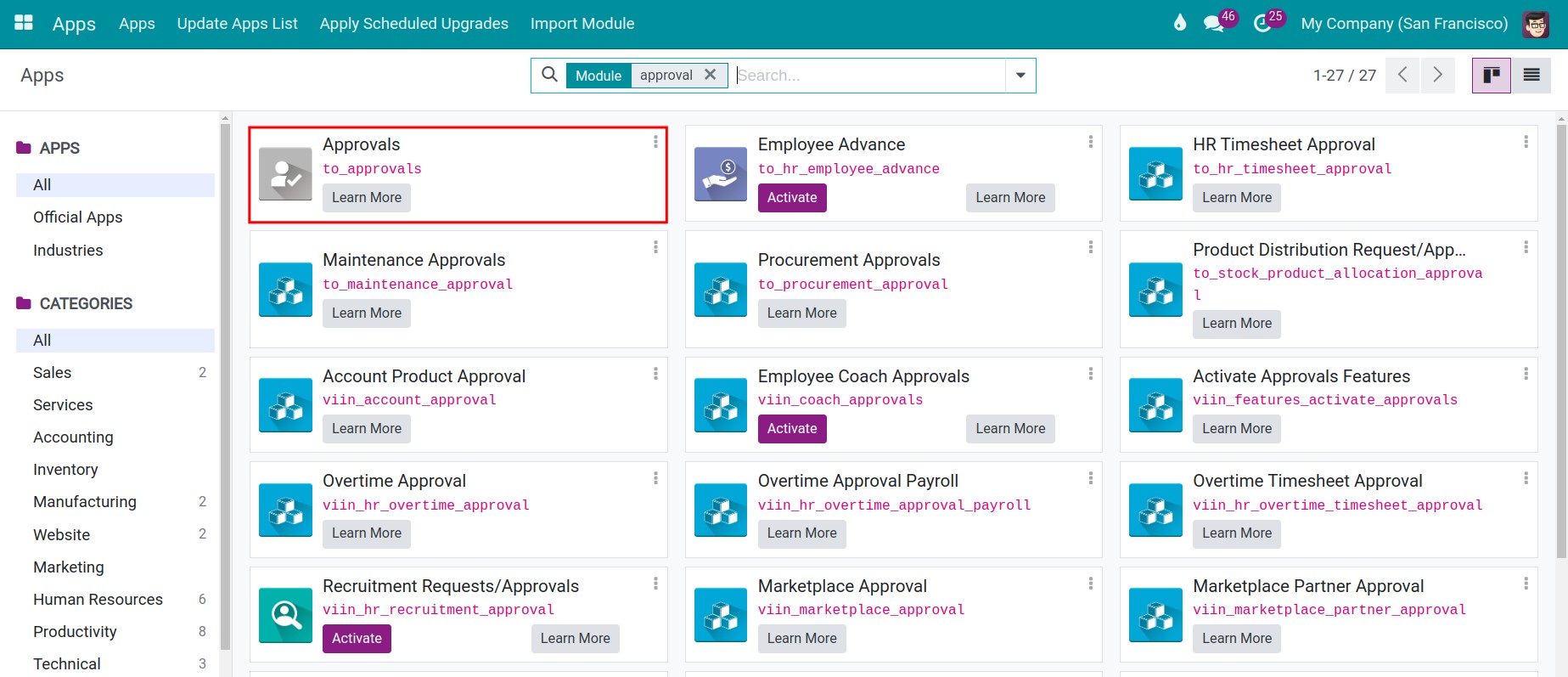
Approval depends on the Employees app, so Viindoo installs it too. Approvers are found from the employee’s direct manager, department and job position. See Overview of the Employee app.
How do I give users approval access rights?
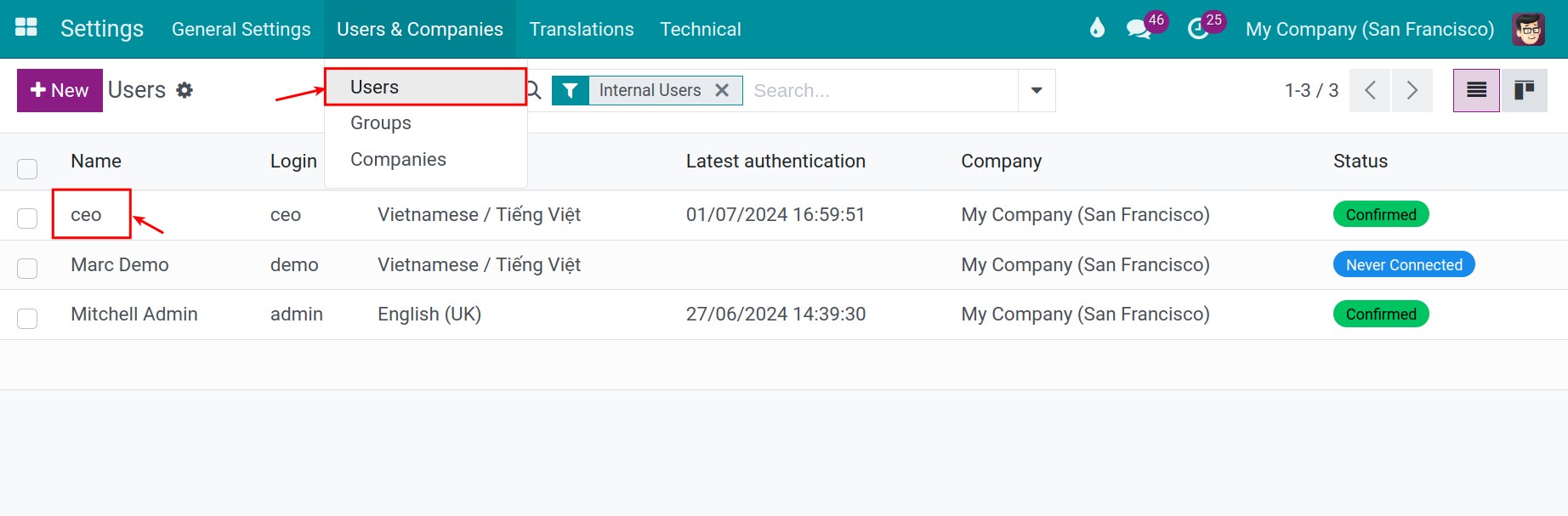
Go to Settings ‣ Users & Companies ‣ Users and open the user.
In the Access Rights tab, set the Approvals field.
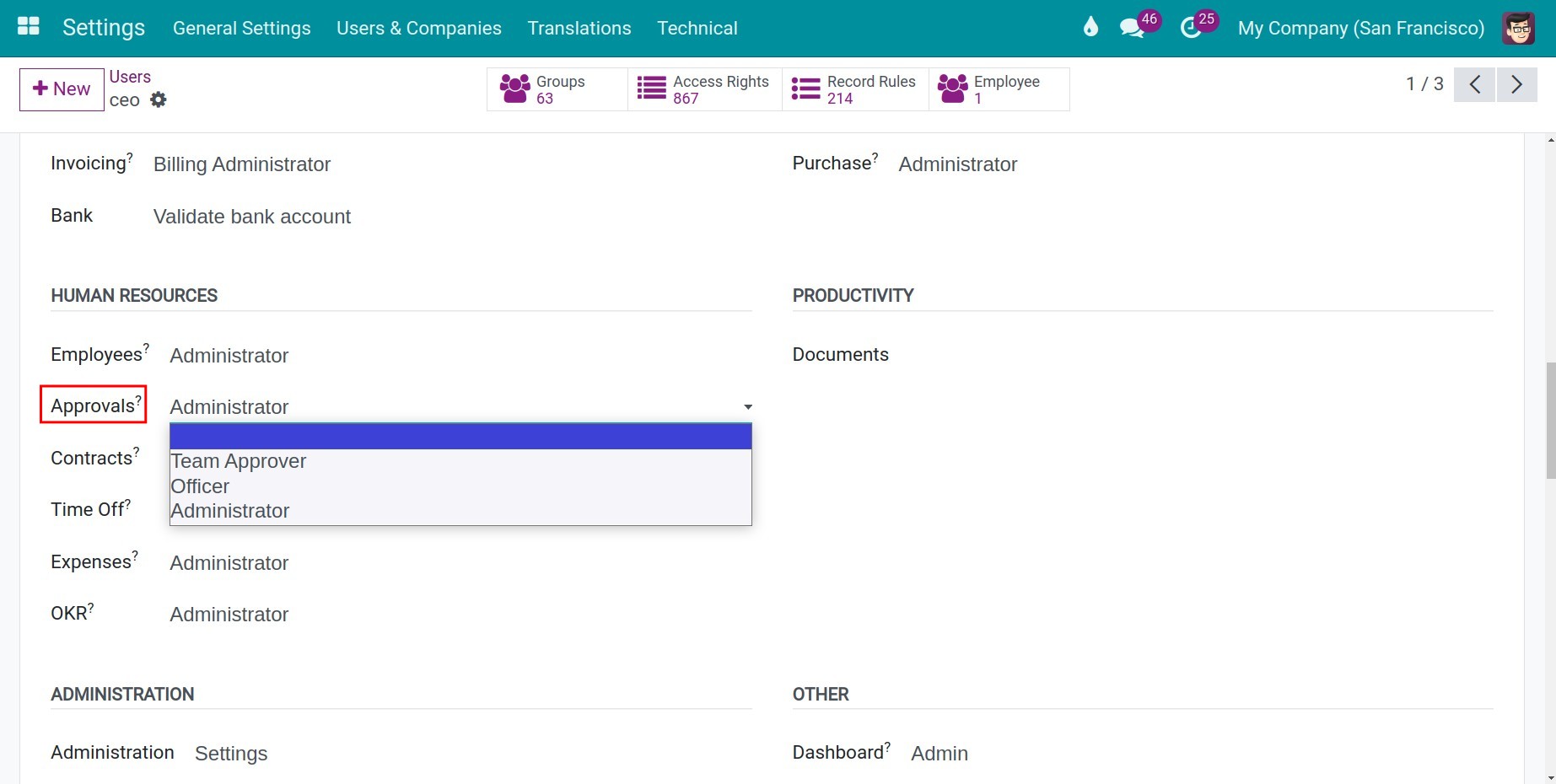
Access right |
What the user can do |
|---|---|
Blank |
Create and edit their own requests in Draft, cancel them and reset them to draft. See their own requests and the requests they follow. A direct manager can see the requests of the employees who report to them. Receive the notification when their request is approved, refused or cancelled. |
Team Approver |
All of the above, plus approve and refuse the requests of the employees they directly manage, when they are among the approvers of the request. |
Officer |
All of the above, plus see, approve and refuse every request in which they are named as an approver, even for employees outside their team. Only users with this right (or higher) can be chosen as Specific Approvers in an approval type. |
Administrator |
Full control of the app: see every request, set up the approval types and the app settings, and force the approval of a request. |
Note
Giving the right is not enough to approve a request: the user must also be one of the approvers defined by the approval type of that request. See Manage Approval Types.
How do I turn on the approval of other apps?
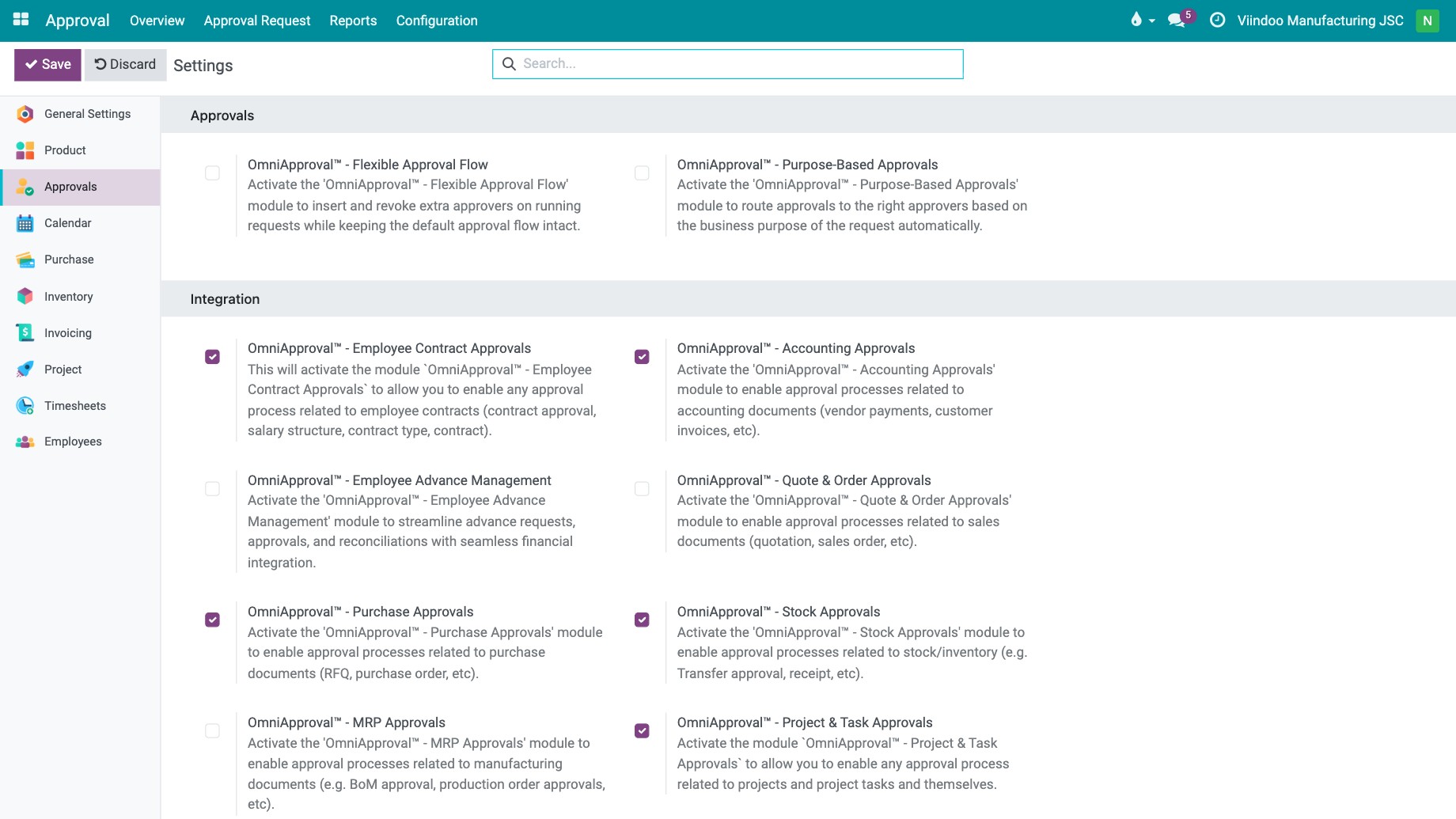
Approval comes with the generic types such as General. To approve the records of another app (purchase orders, timesheets, overtime, recruitment…), go to Approval ‣ Configuration ‣ Settings and tick the module you need in the Integration block, then click Save.