
How do I create a lead from a social conversation?
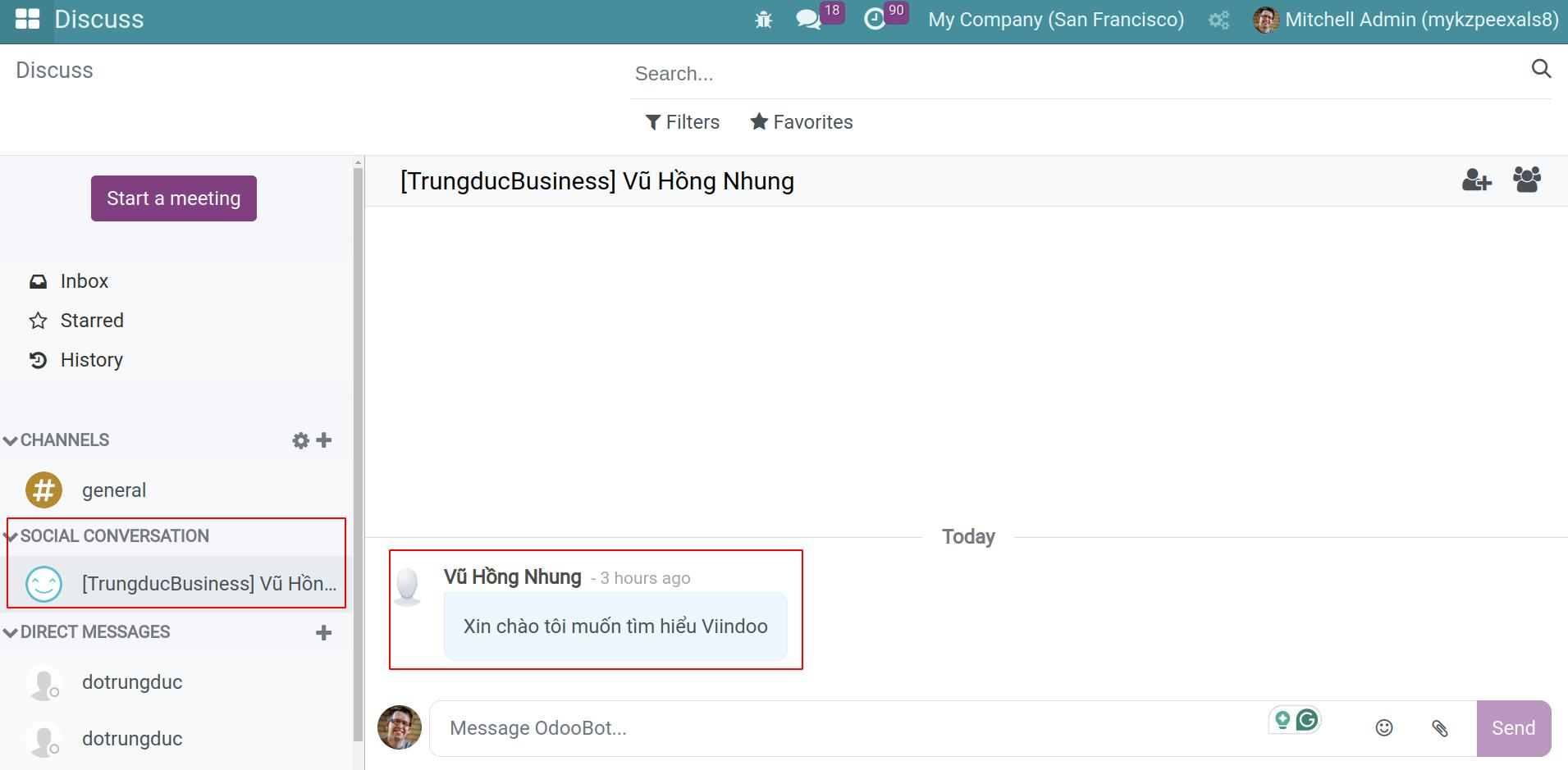
When a customer messages your social page, open the conversation in Discuss.
![Social page conversation shown in Viindoo Discuss]()
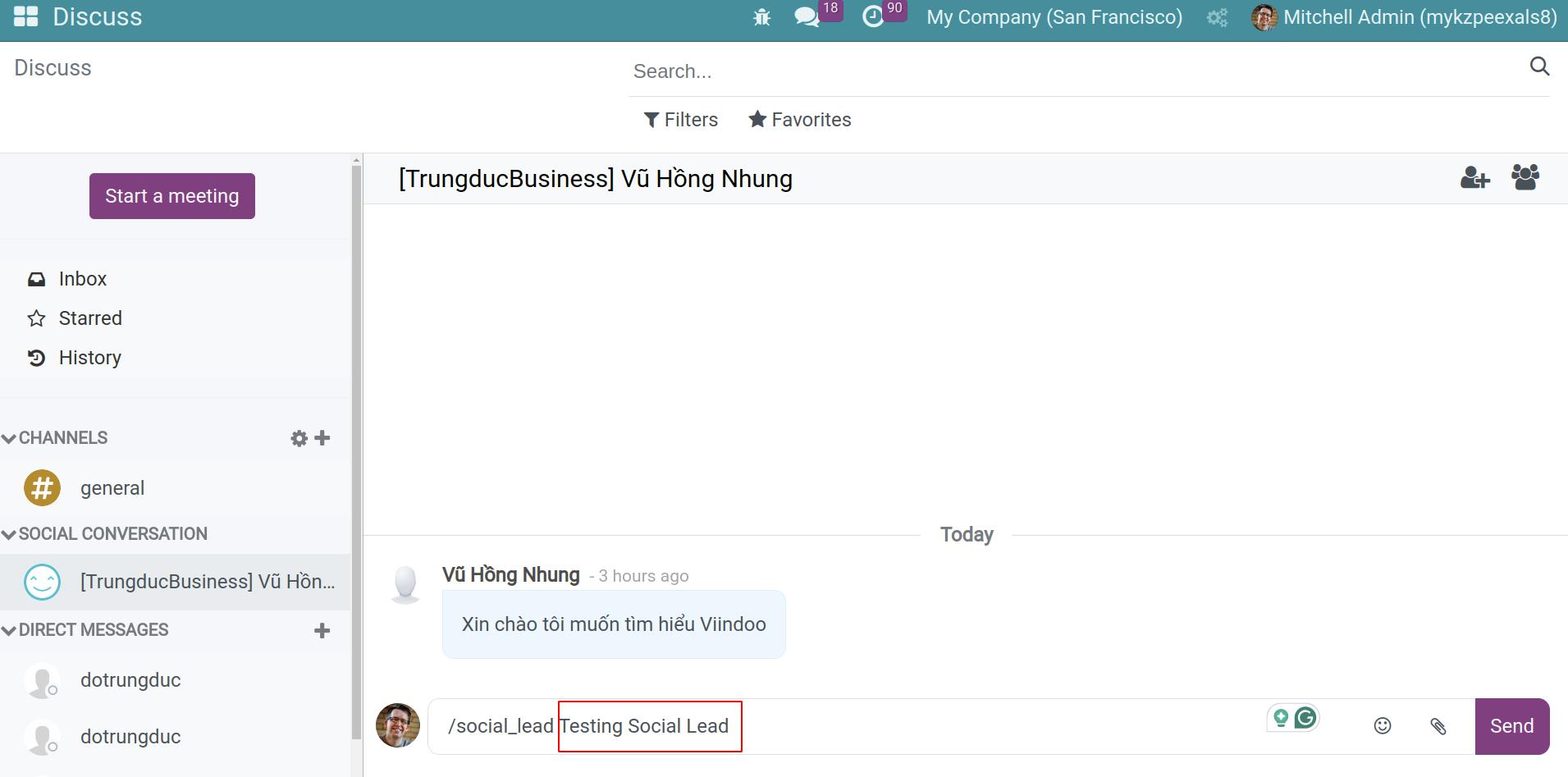
When the customer has a real need, type
/social_leadthen a space and a title, for example/social_lead Quotation for 5 motorbikes, and press Enter.![The /social_lead command with a lead title in a social conversation]()
Viindoo answers in the conversation (only you see it) Created a new lead: with a link to the lead.
What is saved in the lead?
Title: the text after
/social_lead.Internal Notes: the conversation, message by message.
Customer: the person who wrote, if Viindoo knows them as a contact.
Source: your social page, for example Facebook Viindoo Store, created automatically the first time.
Referred By: the person who created the lead.
Salesperson and Sales Team: empty, assign them yourself.
Common errors
Message or problem |
What to do |
|---|---|
You cannot generate leads from non-social chat channels with this command |
|
Typing |
Add a title after the command. |
Next steps
How to record a lead or an opportunity: complete and qualify the lead.