
How to issue a credit note for a customer invoice
Issue a credit note when you must reduce or cancel what a customer owes on a posted invoice: open the invoice in Accounting ‣ Customers ‣ Invoices, click Credit Note, then click Reverse. Viindoo creates a draft credit note with the lines of the invoice; click Confirm and Viindoo posts it and reconciles it with the invoice, so the customer’s balance goes down by the amount of the credit note.
Who |
Accountants, or any user with the Invoicing access right in Accounting. |
App |
Accounting |
Before you start
Install the Accounting & Finance app.
The invoice must be Posted. A draft invoice does not need a credit note: edit it, or click Cancel. See How to create a customer invoice.
When do I need a credit note?
The customer returns goods or part of a service you have invoiced.
You gave a discount after invoicing, or the price or quantity on the invoice was wrong.
The invoice was issued to the wrong customer and you want to issue it again.
A credit note is not a payment. It cancels the receivable, whereas a payment records money that you received.
How do I issue a credit note from an invoice?
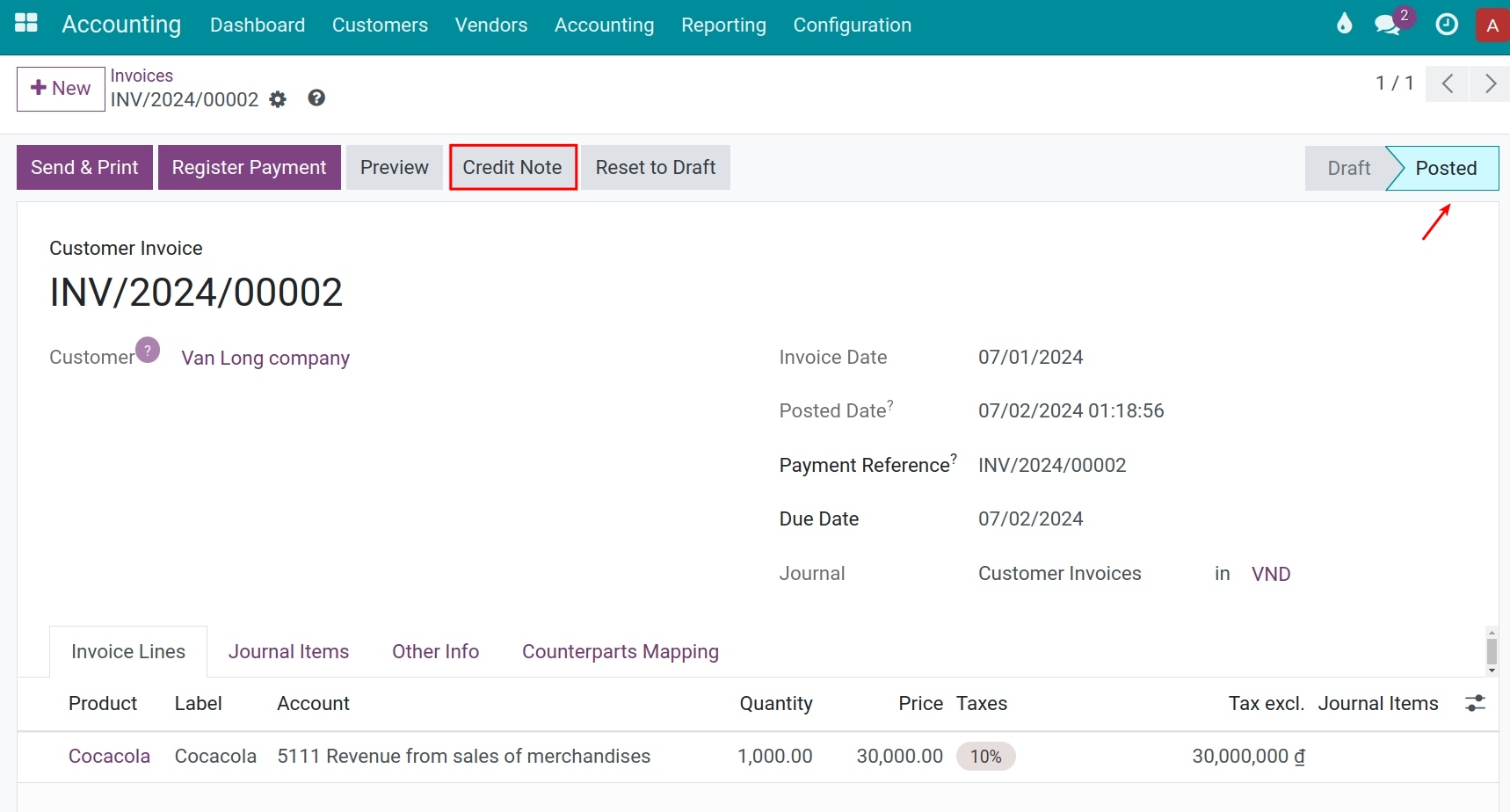
Go to Accounting ‣ Customers ‣ Invoices and open the posted invoice. Click Credit Note.
![Credit Note button on a posted customer invoice in Viindoo Accounting]()
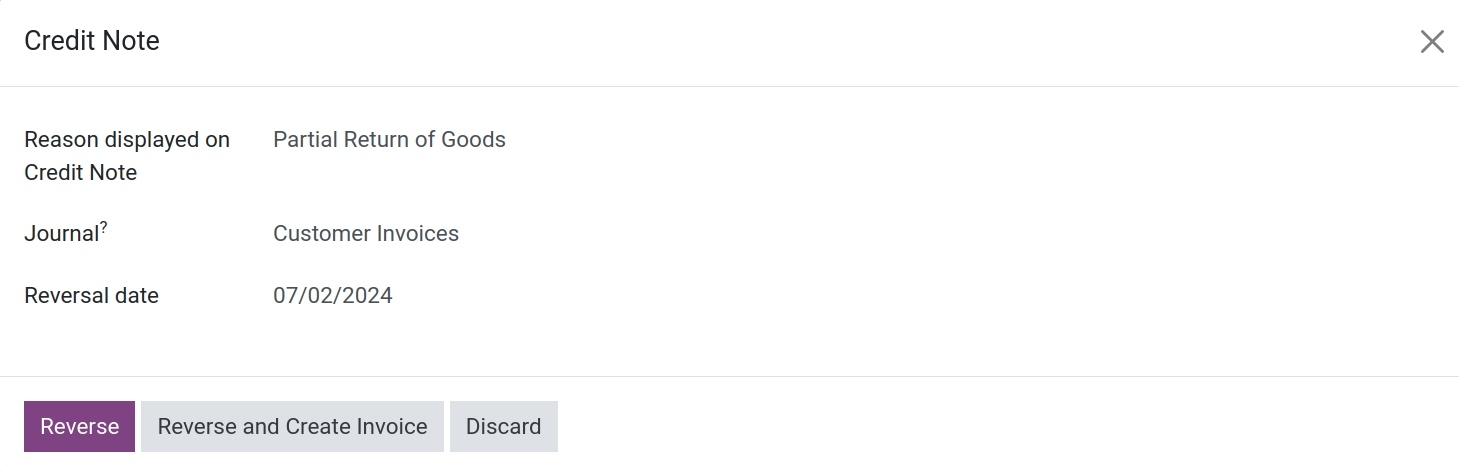
In the Credit Note pop-up, fill in the fields (see the table below). Write the Reason displayed on Credit Note clearly: it is kept on the credit note and helps whoever reviews it later.
![Credit Note pop-up with the reason, the journal and the reversal date]()
Click one of the buttons of the pop-up:
Reverse: Viindoo creates a draft credit note that copies the invoice. Use it to refund the whole invoice or only a part of it.
Reverse and Create Invoice: Viindoo cancels the invoice with a posted credit note and creates a new draft invoice that copies the old one, so you can correct it and issue it again.
Discard: closes the pop-up and changes nothing.
Which fields matter in the pop-up?
Field |
What it affects |
If left empty or wrong |
|---|---|---|
Reason displayed on Credit Note |
The text added to the Customer Reference of the credit note, after the number of the invoice (for example Reversal of: INV/2026/00001, Customer returned part of the service). |
Not required, but the credit note then shows only the invoice number. |
Journal |
The journal that records the credit note. It starts as the journal of the invoice and must be of the same type (a sales journal for a customer invoice). |
Another type of journal is refused: Journal should be the same type as the reversed entry. |
Reversal date |
The date of the credit note, and so the accounting period that it affects. It starts as today. |
A date in a closed period is refused (see Common errors). A date later than today makes Viindoo post the credit note automatically on that date. |
How do I refund the whole invoice?
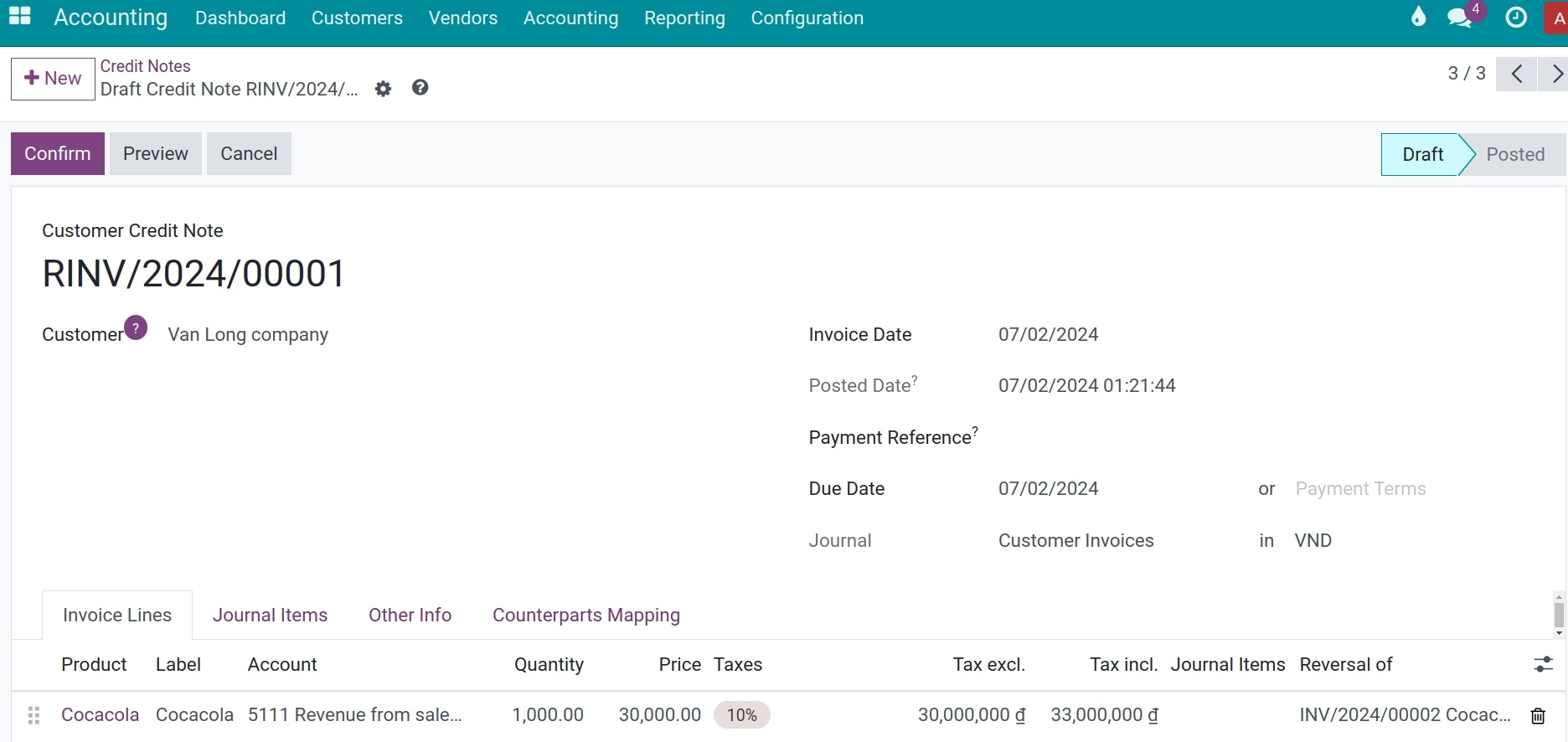
In the pop-up, click Reverse. The draft credit note opens, with the same customer and the same lines as the invoice.
![Draft credit note created from the invoice, with the Confirm button]()
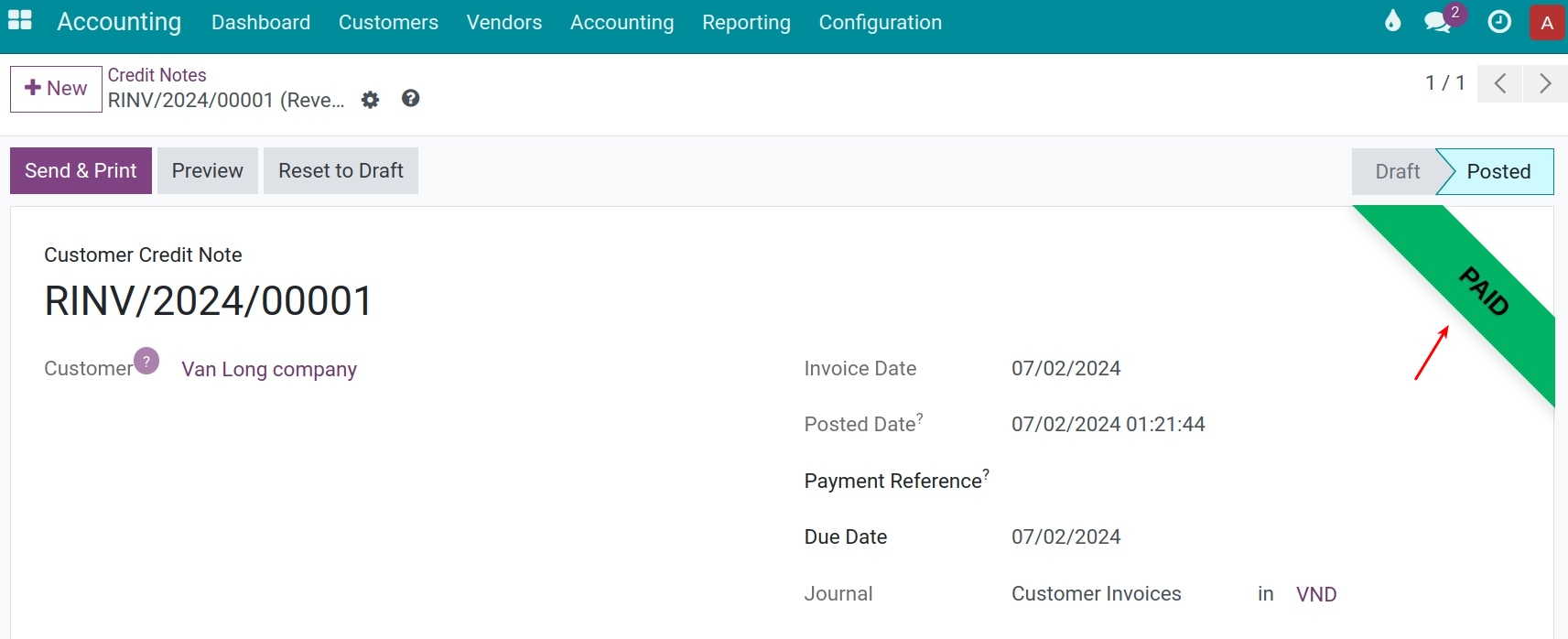
Click Confirm. Viindoo gives the credit note its number (it starts with R, for example RINV/2026/00001), posts its journal entry and reconciles it with the invoice.
![Posted credit note with the Paid ribbon]()
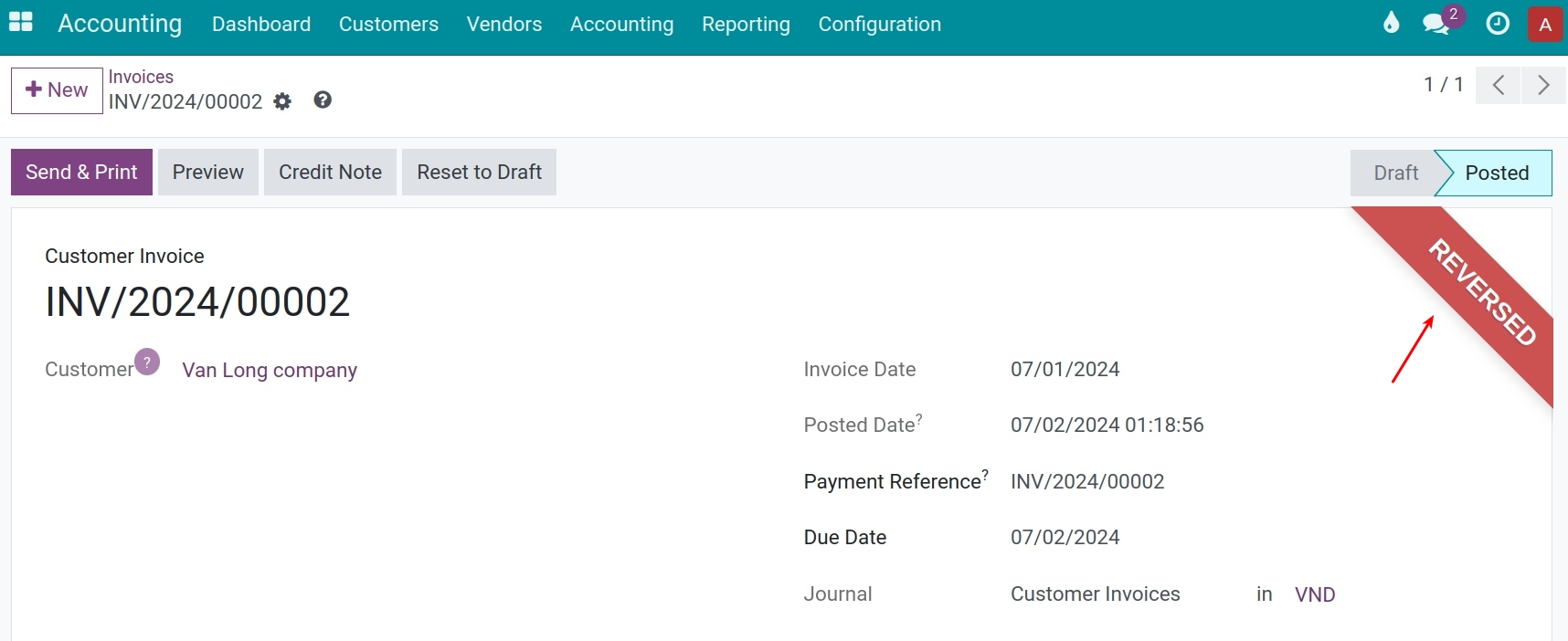
Open the original invoice. Its ribbon is now Reversed and there is nothing left to collect.
![Original invoice with the Reversed ribbon]()
How do I refund only a part of the invoice?
In the pop-up, click Reverse, as for a full refund.
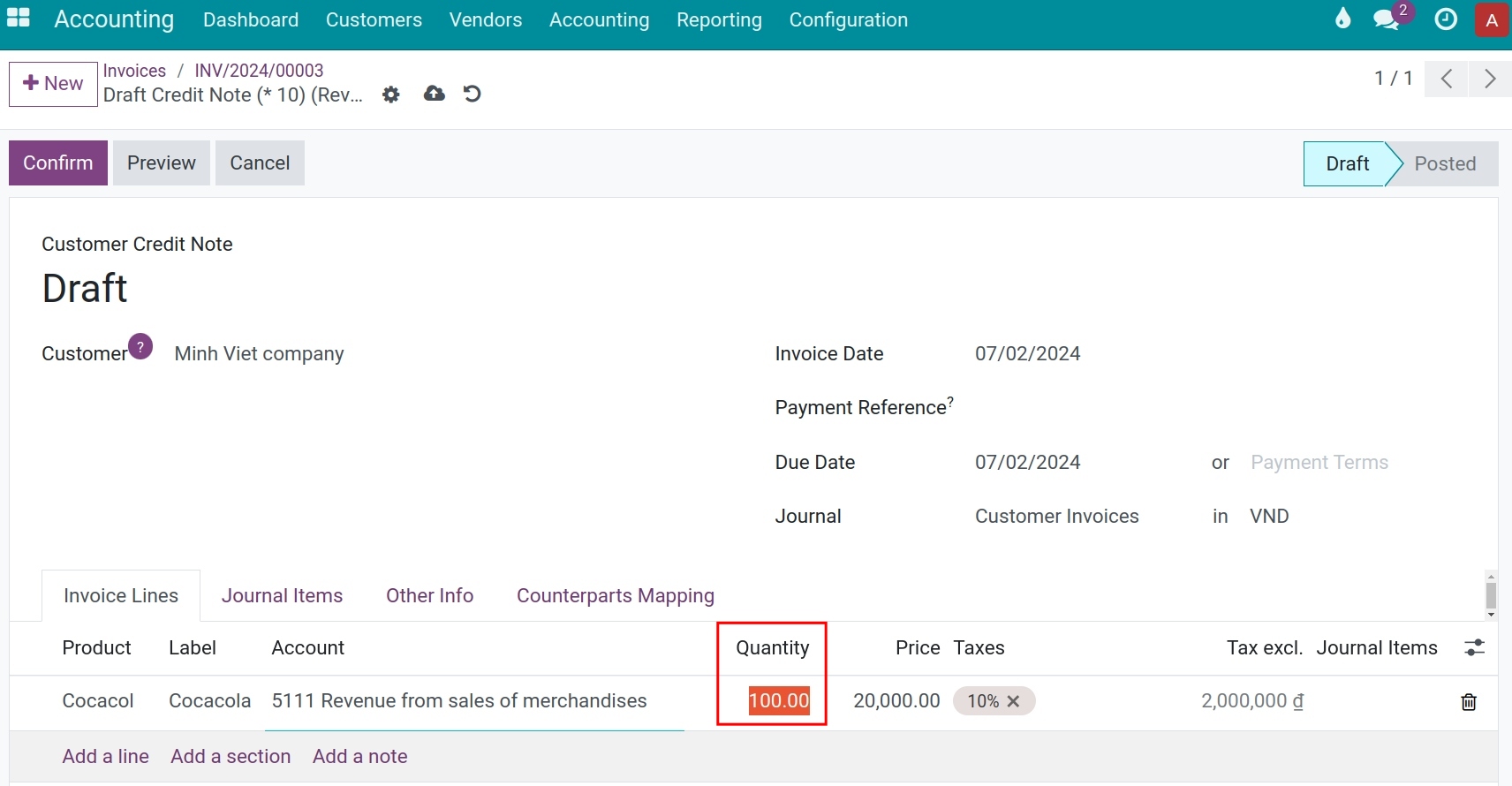
On the draft credit note, change the Quantity or the Price of the lines to the part that you refund, and delete the lines that you do not refund.
![Draft credit note where the quantity of the first line is reduced]()
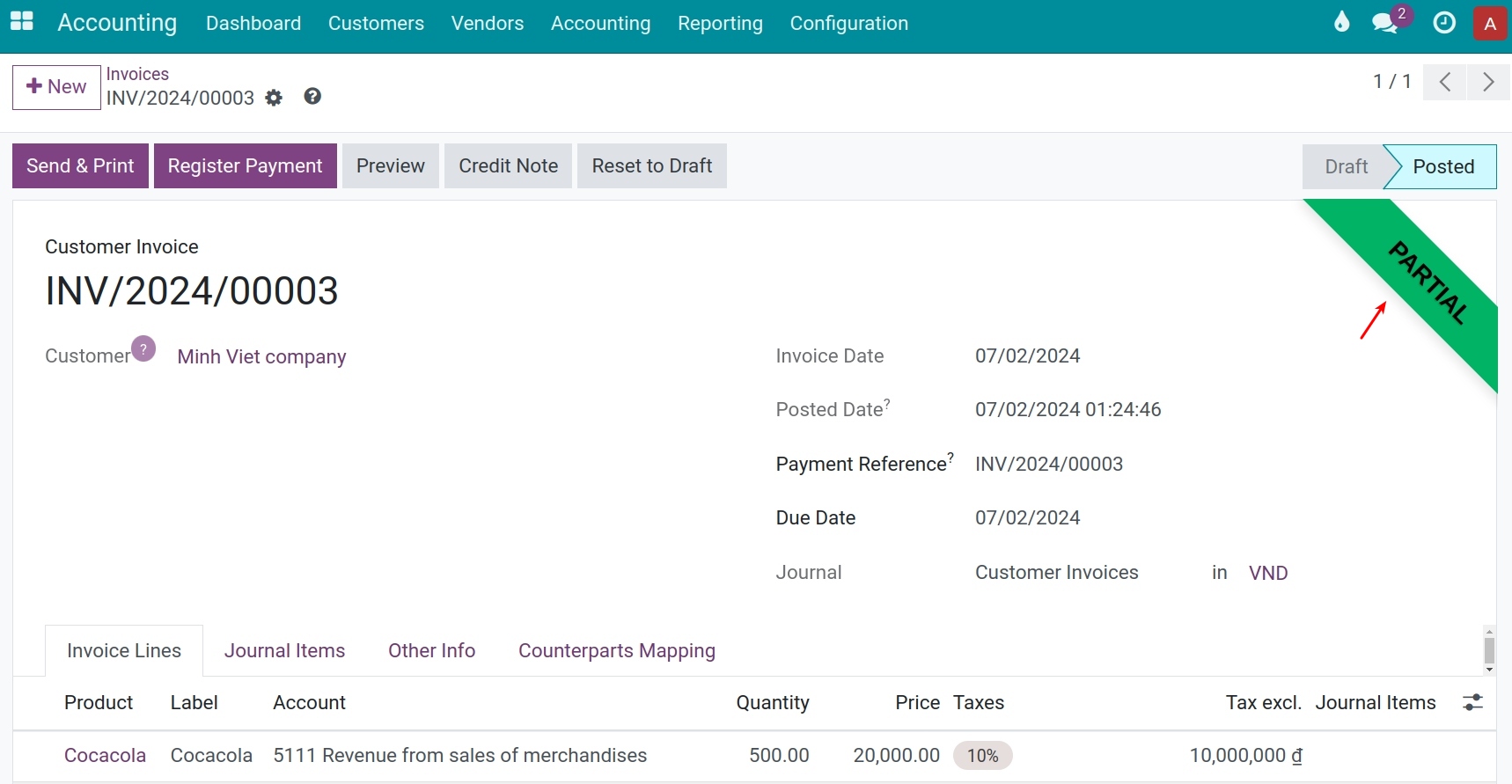
Click Confirm. The credit note is Paid and the invoice shows the ribbon Partial: its amount due is reduced by the amount of the credit note.
![Original invoice with the Partial ribbon after a partial credit note]()
Note
If the customer has already paid the invoice, the credit note leaves the amount paid as an outstanding payment of the customer. Use it for the next invoice, or refund it.
How do I cancel the invoice and issue it again?
Use this when the invoice has a mistake that cannot be corrected on the credit note, for example a wrong price on every line.
In the pop-up, click Reverse and Create Invoice.
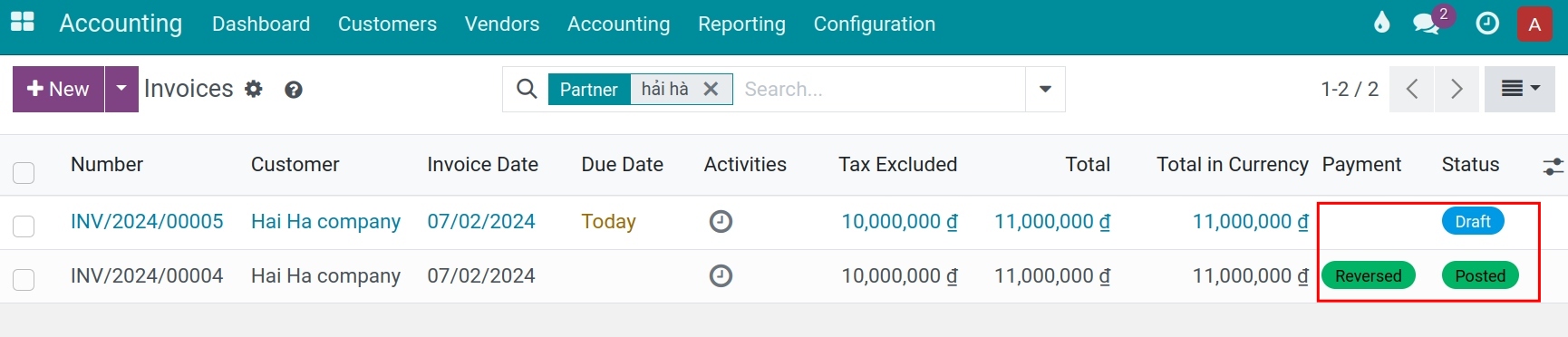
Viindoo posts the credit note and reconciles it with the old invoice, which becomes Reversed. It opens a new draft invoice with the same lines.
![New draft invoice created by Reverse and Create Invoice]()
Correct the new invoice and click Confirm.
How do I create a credit note by hand?
Create a credit note by hand when it is not linked to one invoice, for example a commercial gesture for the customer that you will apply to a later invoice.
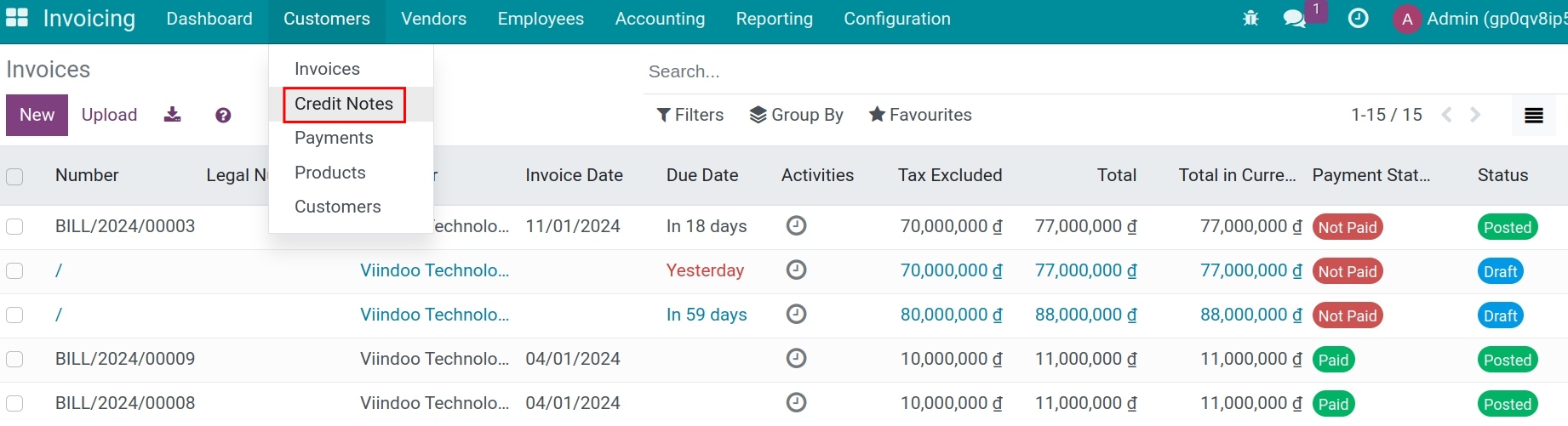
Go to Accounting ‣ Customers ‣ Credit Notes and click New.
![Credit Notes list with the New button]()
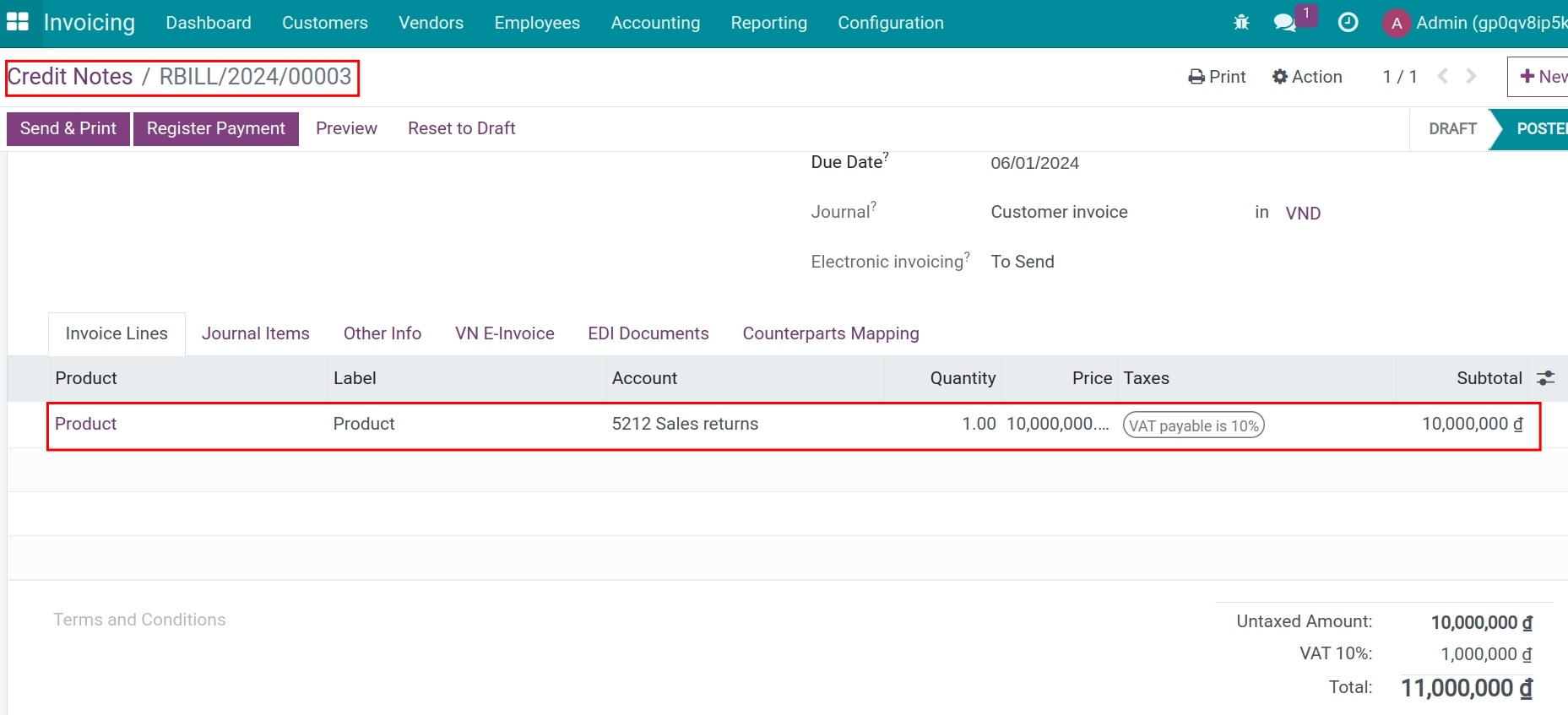
Choose the Customer and fill in the credit note lines as for an invoice: product, quantity, price and taxes. See How to create a customer invoice.
![Credit note form filled in with the customer and the lines]()
Click Confirm. The credit note stays Not Paid: it is not linked to any invoice yet.
How do I apply a credit note to an invoice?
A posted credit note that is not reconciled stays available as an outstanding credit of the customer.
Open a posted invoice of the same customer. The banner You have outstanding credits listed below for this customer and the Outstanding credits block appear under the totals.
Click Add next to the credit note.
![Outstanding credits block of an invoice with the Add button]()
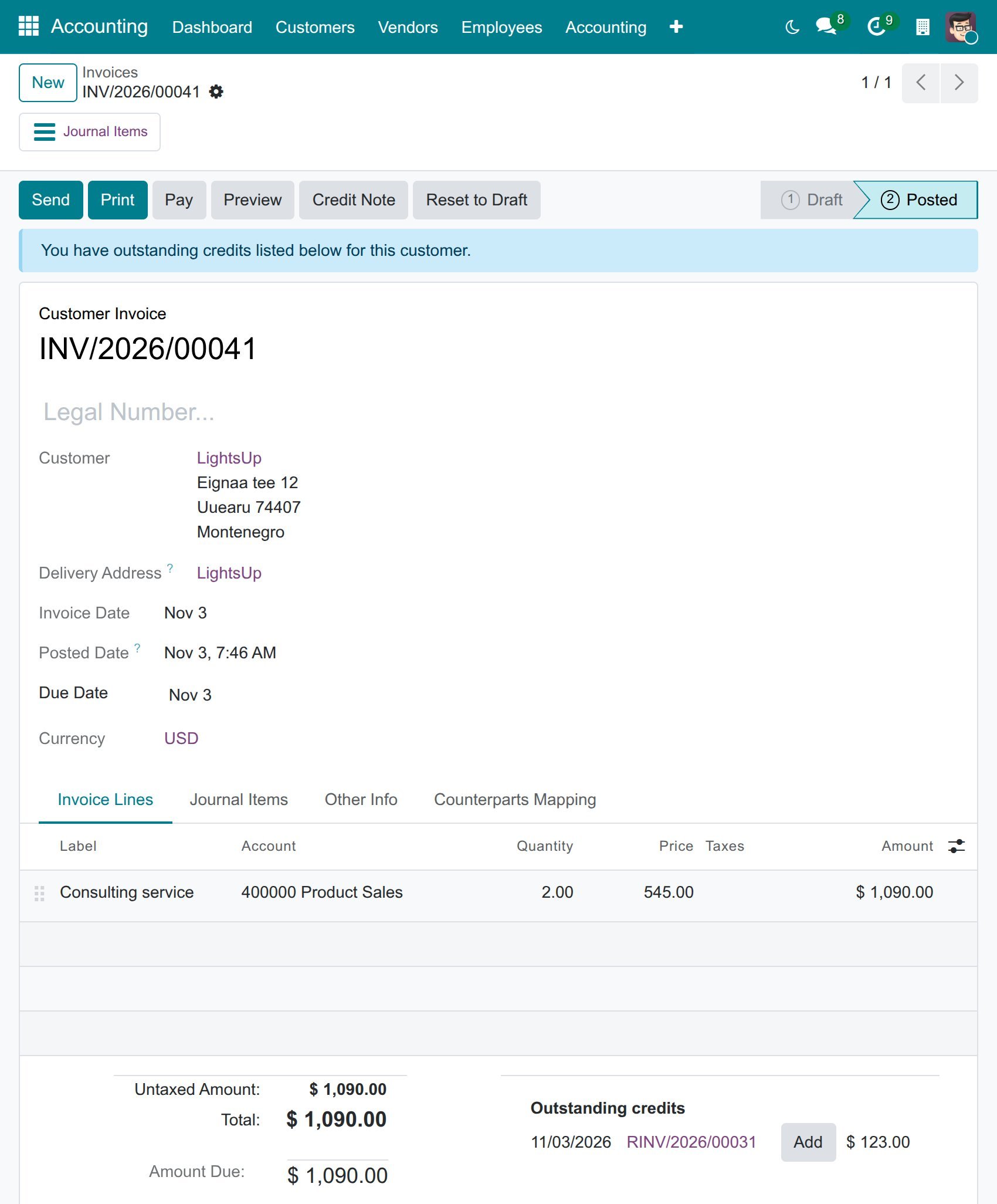
The amount due of the invoice goes down by the amount of the credit note. If the credit note covers the whole invoice, the invoice shows the ribbon Reversed, otherwise Partial.
How do I check the customer’s balance after a credit note?
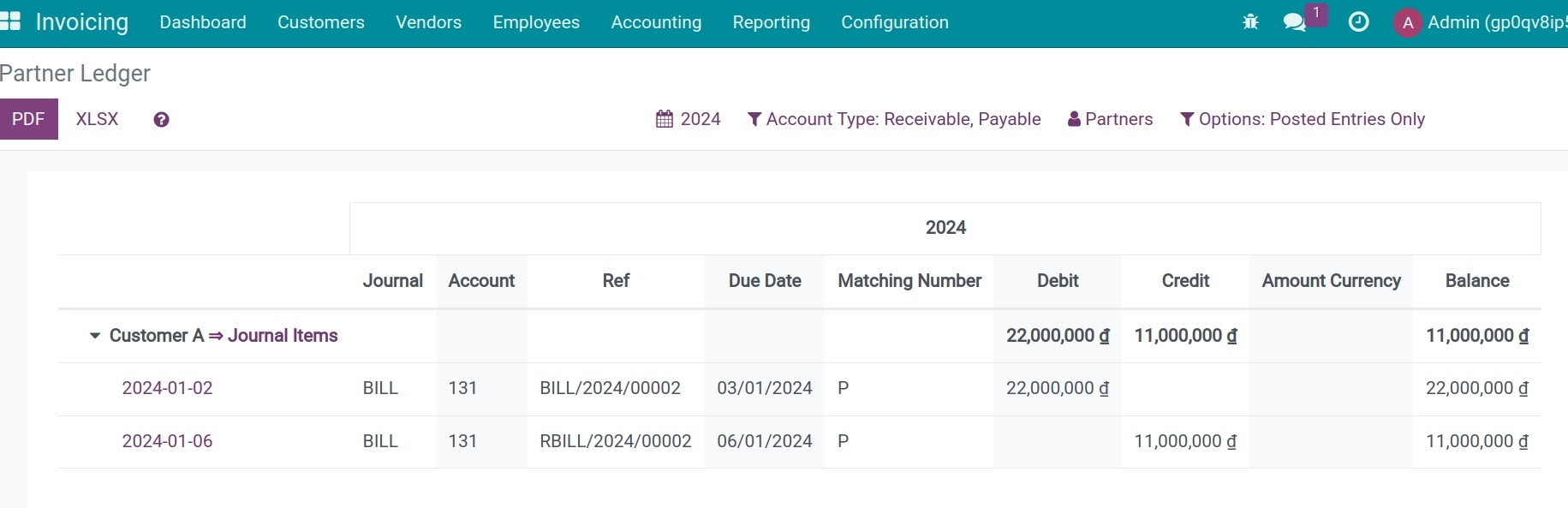
Go to Accounting ‣ Reporting ‣ Partner Reports ‣ Partner Ledger. The Credit column of the customer includes the credit notes, and the Balance is what the customer still owes.
Expected result
The credit note is Posted, with its own number, and its journal entry reverses the invoice entry.
A credit note created from the invoice is already reconciled: the credit note is Paid and the invoice is Reversed (full) or Partial (partial).
A credit note created by hand stays Not Paid until you apply it to an invoice.
Common errors
Message |
What to do |
|---|---|
Journal should be the same type as the reversed entry. |
In the pop-up, choose a sales journal for a customer invoice. |
You cannot add/modify entries prior to and inclusive of: … |
The reversal date falls in a closed period. Choose a later date, or ask the accounting administrator to change the lock date. |
You need to add a line before posting. |
Add at least one line to the credit note before you click Confirm. |
The Credit Note button does not show on a draft or cancelled invoice: only posted invoices can be reversed.
Next steps
How to record customer payments: record the payment of the amount that remains due.