
Manage Manufacturing process in Viindoo
With work orders, each manufacturing order is split into the operations of its bill of materials, each one done at a work center with its own hours, capacity and cost. Viindoo plans the work orders in the free hours of the work centers, the operators start and finish them, and the finished order shows what was really consumed, how long it took and what it cost.
Who |
Manufacturing administrators, who set up work centers and operations; users with the Manufacturing ‣ User access right, who run the manufacturing orders. |
App |
Manufacturing |
Before you start
Install the Manufacturing app and the Shop Floor Control module.
The product has a bill of materials.
The Configuration menu needs the Manufacturing ‣ Administrator access right.
The example of this article is a wooden table made of a painted table top, four painted table legs, nails and screws, in two operations: Assembly at the Assembly Team work center and Spray paint at the Spray paint Team work center.
How do I turn on work orders?
Go to Manufacturing ‣ Configuration ‣ Settings, tick Work Orders and click Save.
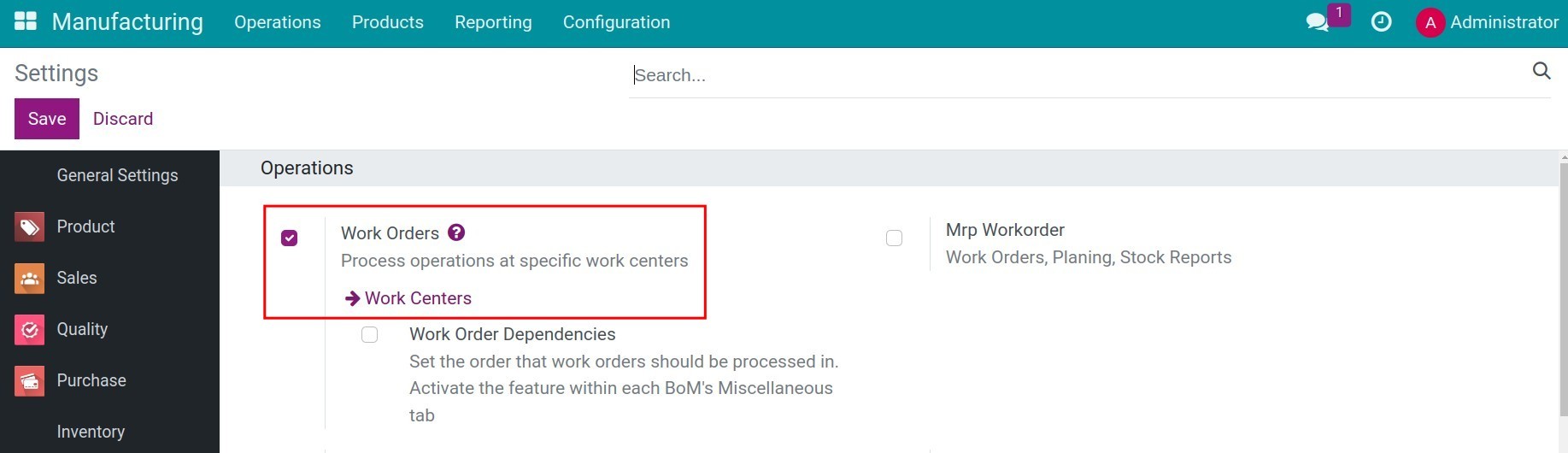
How do I set up a work center?
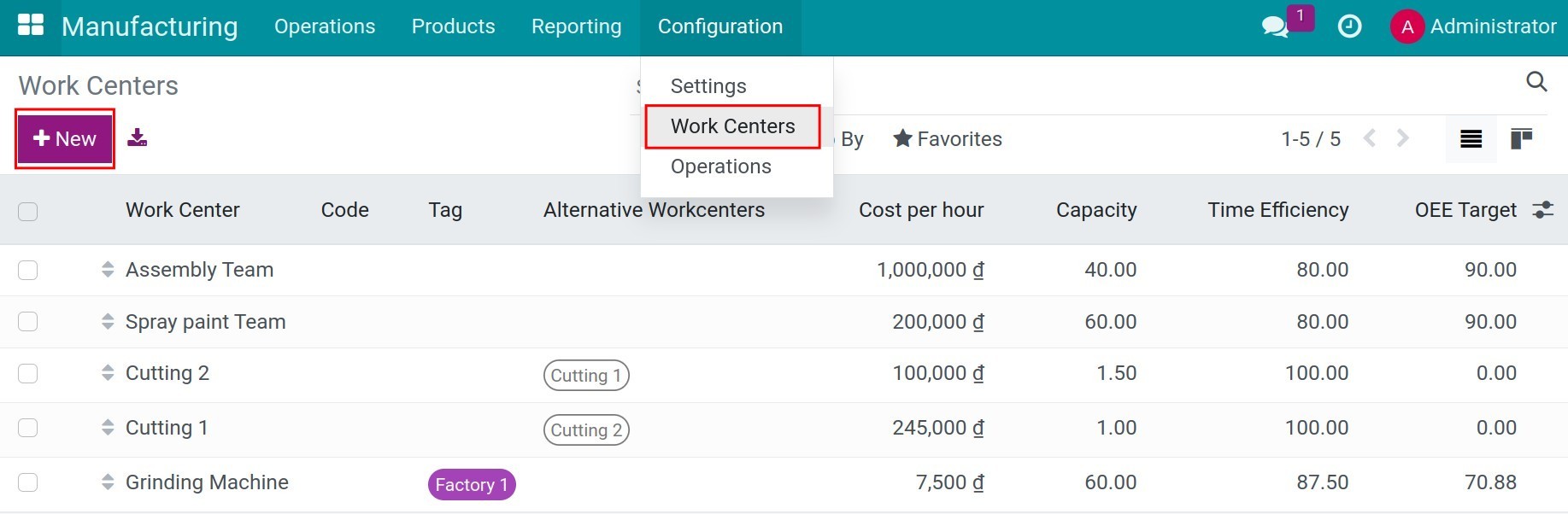
Go to Manufacturing ‣ Configuration ‣ Work Centers and click New.
![The list of work centers with the New button]()
Type the Work Center Name and, if you need them, a Tag, the Alternative Workcenters that can take its work orders (see Create and use Alternative Work Centers), a Code and the Working Hours. Work orders are planned in these working hours.
![The name, alternative work centers and working hours of a work center]()
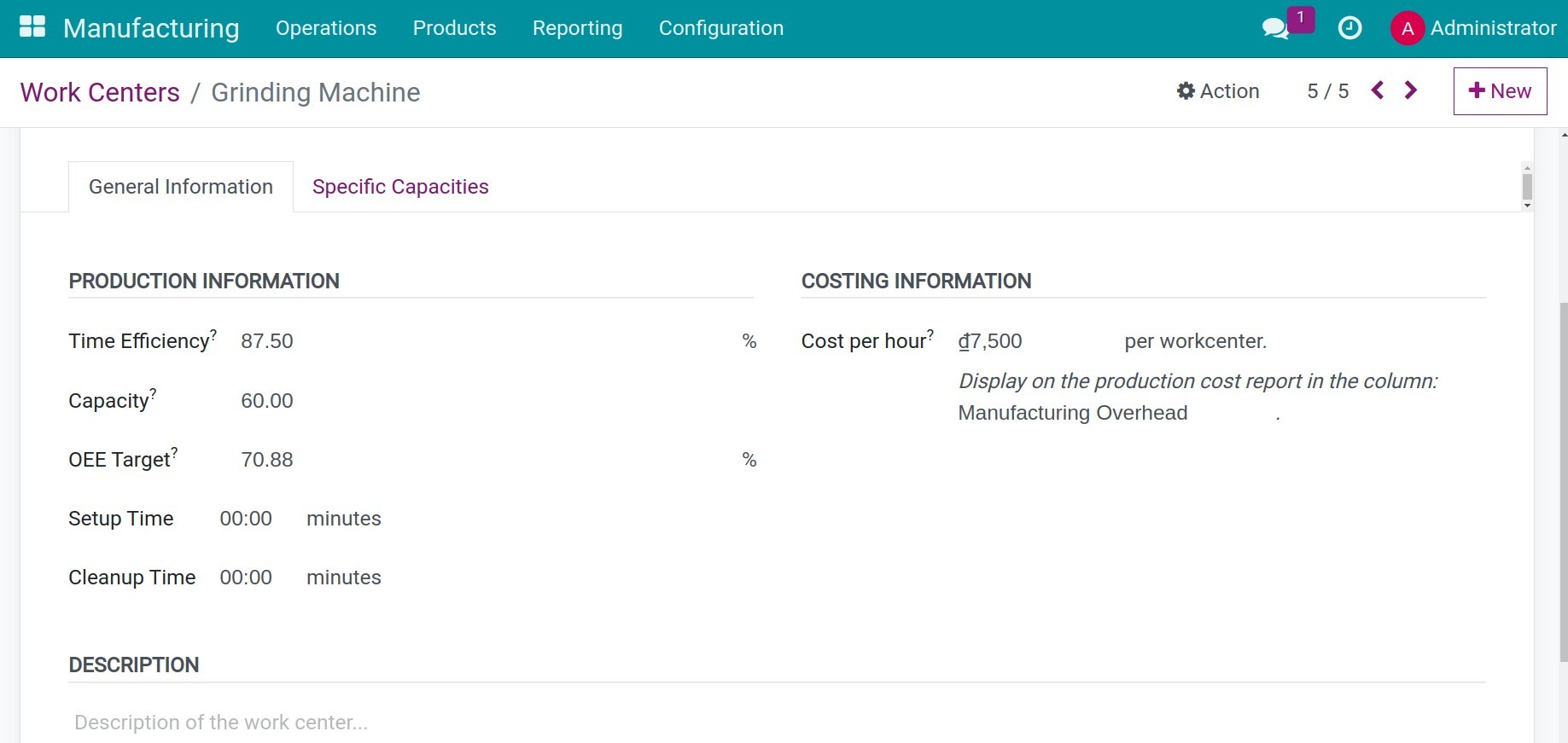
On the General Information tab, fill in the production and cost information.
![The General Information tab of a work center]()
Field
What it does
Time Efficiency
The share of the working hours that is really productive, in percent. At 80 %, an operation of 60 minutes is planned for 75 minutes.
Capacity
How many pieces the work center makes at the same time. With a capacity of 5 and 10 pieces to make, the duration of the operation is counted twice; the setup and cleanup times once.
OEE Target
The overall equipment effectiveness you aim for, in percent, compared with the real one in the OEE report.
Setup Time and Cleanup Time
The minutes before and after each work order, added to its planned duration.
Cost per hour
The hourly cost of the work center, used in the cost of the manufacturing orders.
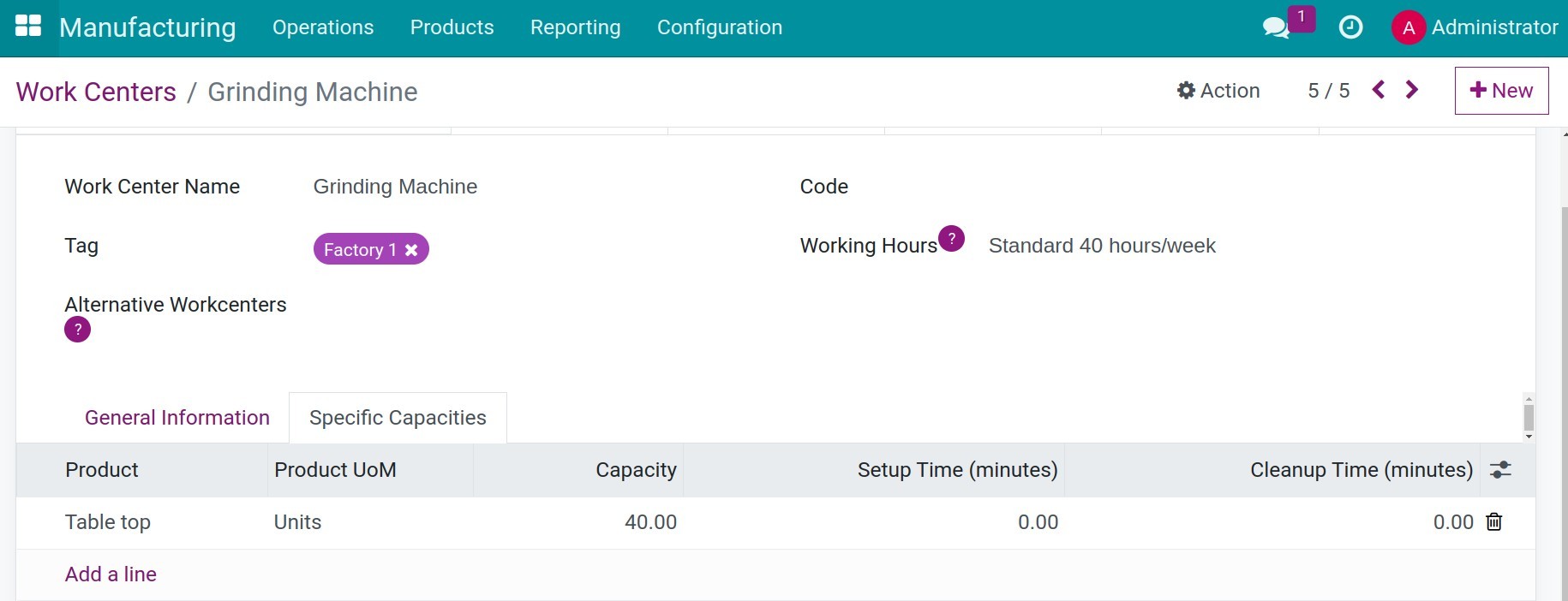
On the Specific Capacities tab, set another capacity, setup time and cleanup time for products that differ from the default. Click Save.
![The Specific Capacities tab of a work center]()
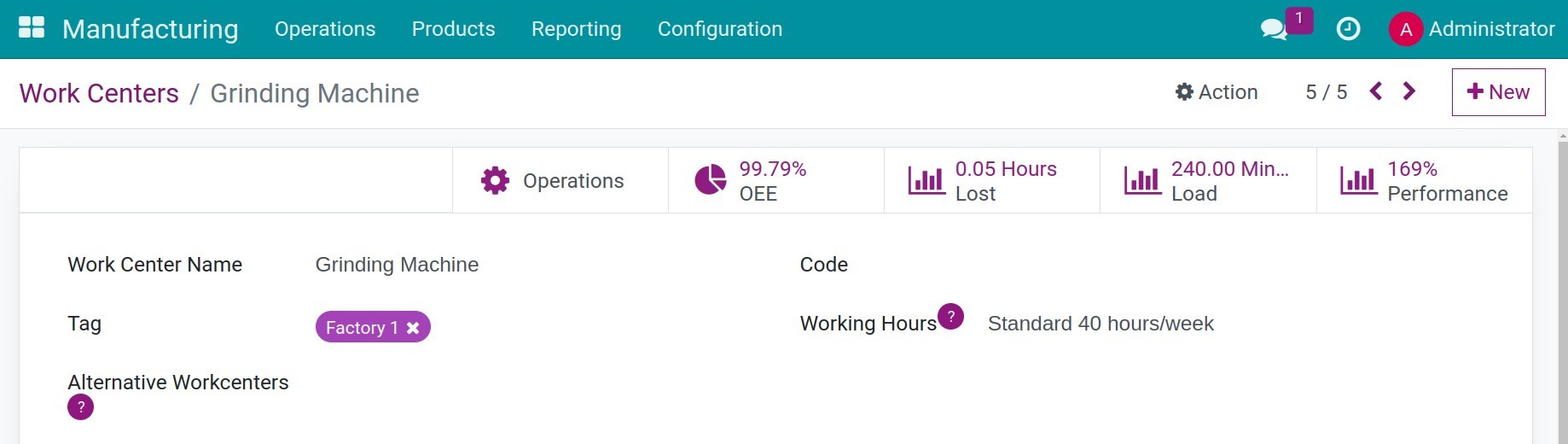
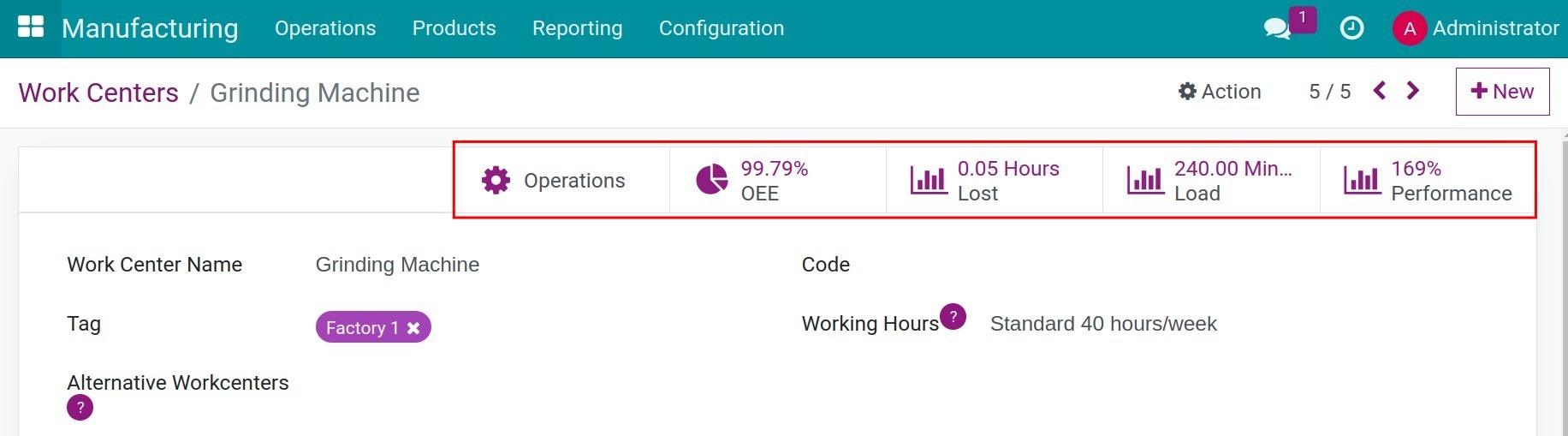
The buttons at the top of the work center open its Operations and its OEE, Lost, Load and Performance reports.
To value the work centers in accounting, see Production costs configuration.
How do I set up an operation?
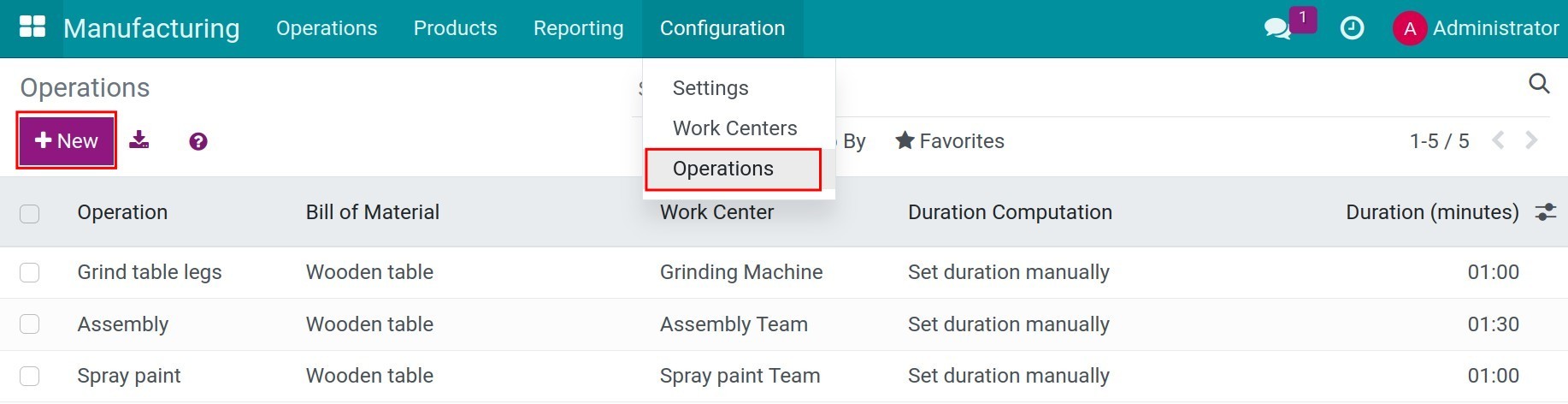
Go to Manufacturing ‣ Configuration ‣ Operations and click New. You can also add the operations directly on the Operations tab of the bill of materials.
![The list of operations with the New button]()
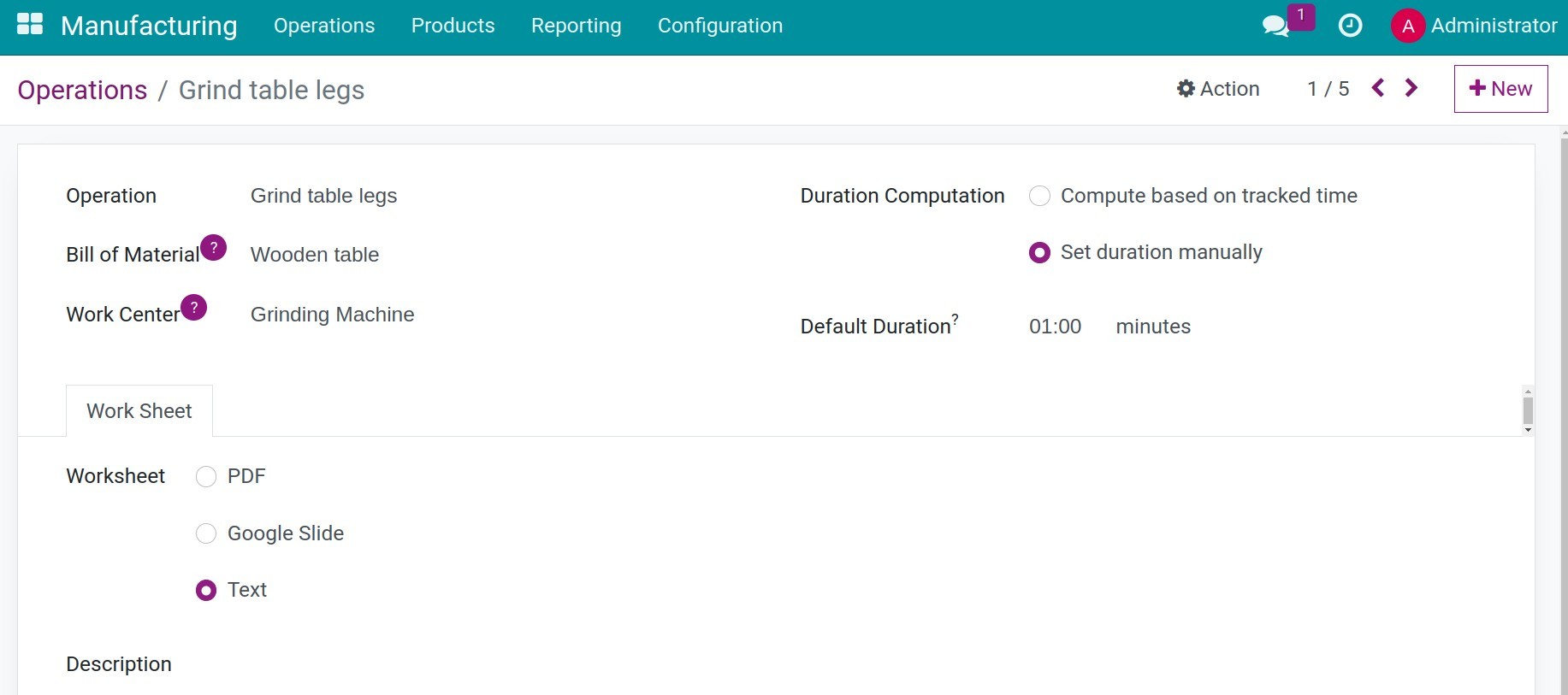
Fill in the operation, then click Save.
![The form of an operation]()
Field
What it does
Operation
The name of the step, for example Assembly.
Bill of Material
The bill of materials the operation belongs to.
Work Center
Where the operation is done.
Duration Computation
Set duration manually: the Default Duration you type is used. Compute based on tracked time: the duration is the average of the last work orders, as many as you set.
Default Duration
The time to make one quantity of the bill of materials with this operation.
Work Sheet tab
The instructions for the operators: a PDF, a Google Slide or a text.
How do I link the components to the operations?
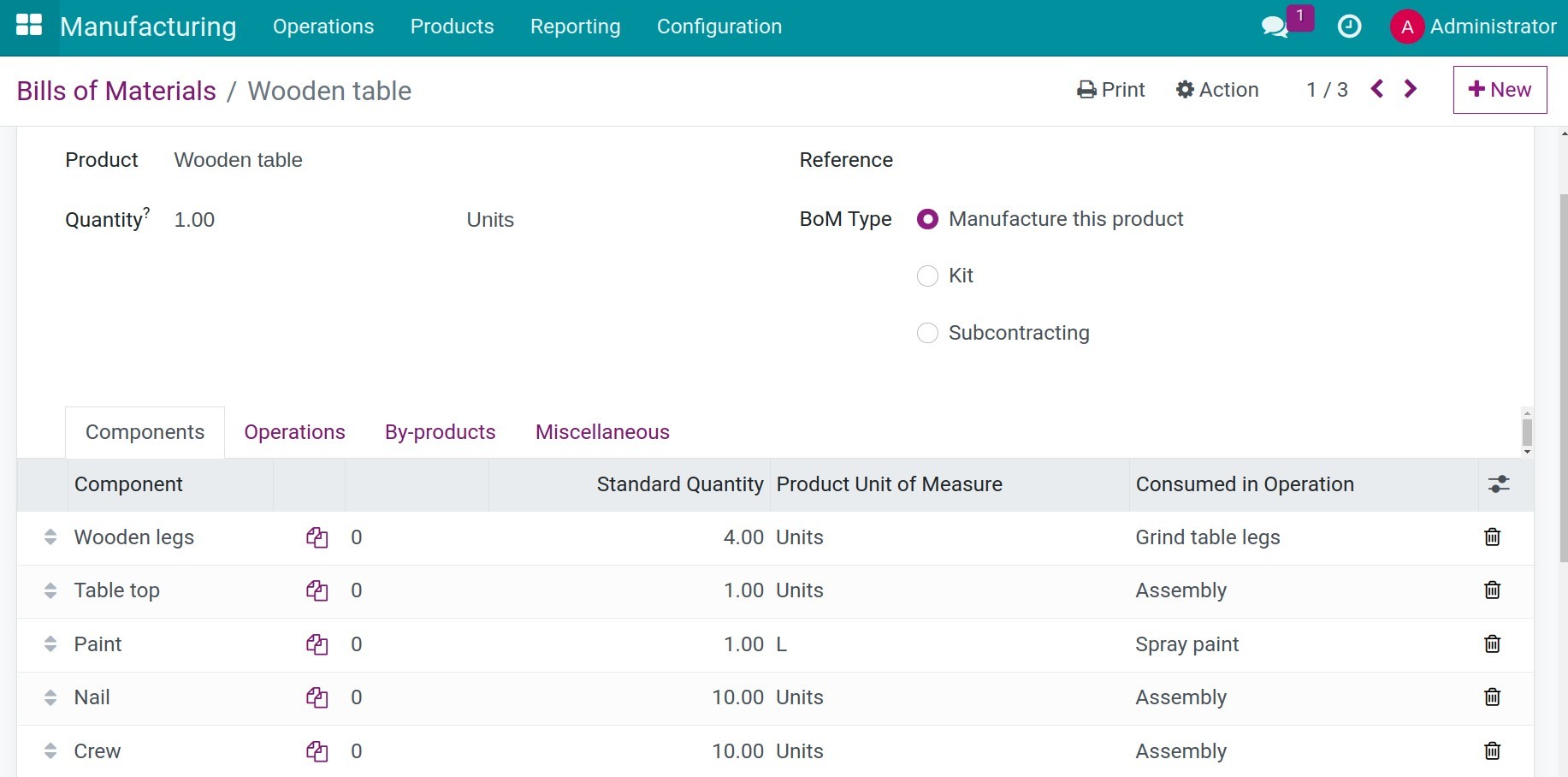
Go to Manufacturing ‣ Products ‣ Bills of Materials and open the bill of materials of the wooden table. On the Components tab, choose in Consumed in Operation the operation that uses each component. Show the column with the optional columns icon when it is hidden.
![The Consumed in Operation column of the components]()
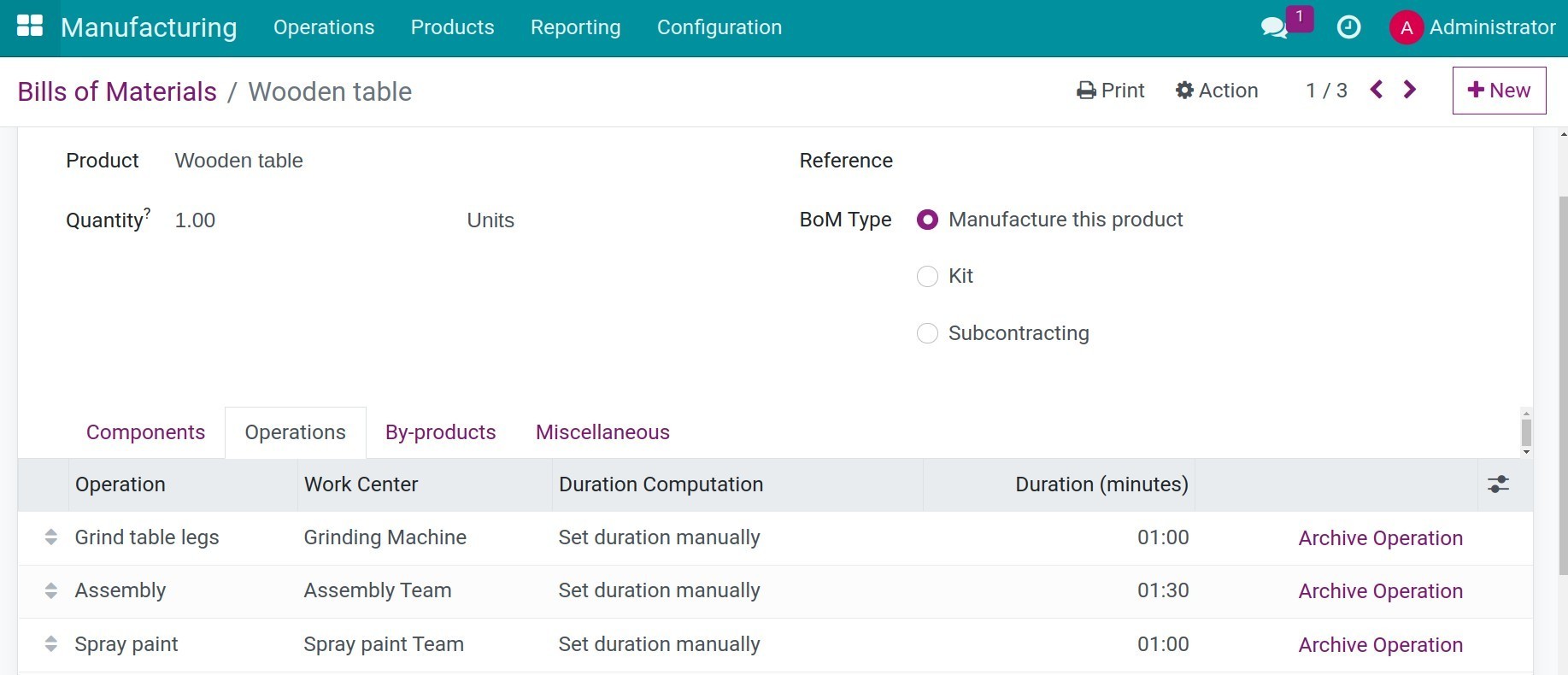
The Operations tab lists the operations that each manufacturing order turns into work orders.
![The Operations tab of the bill of materials]()
How do I create and plan a manufacturing order?
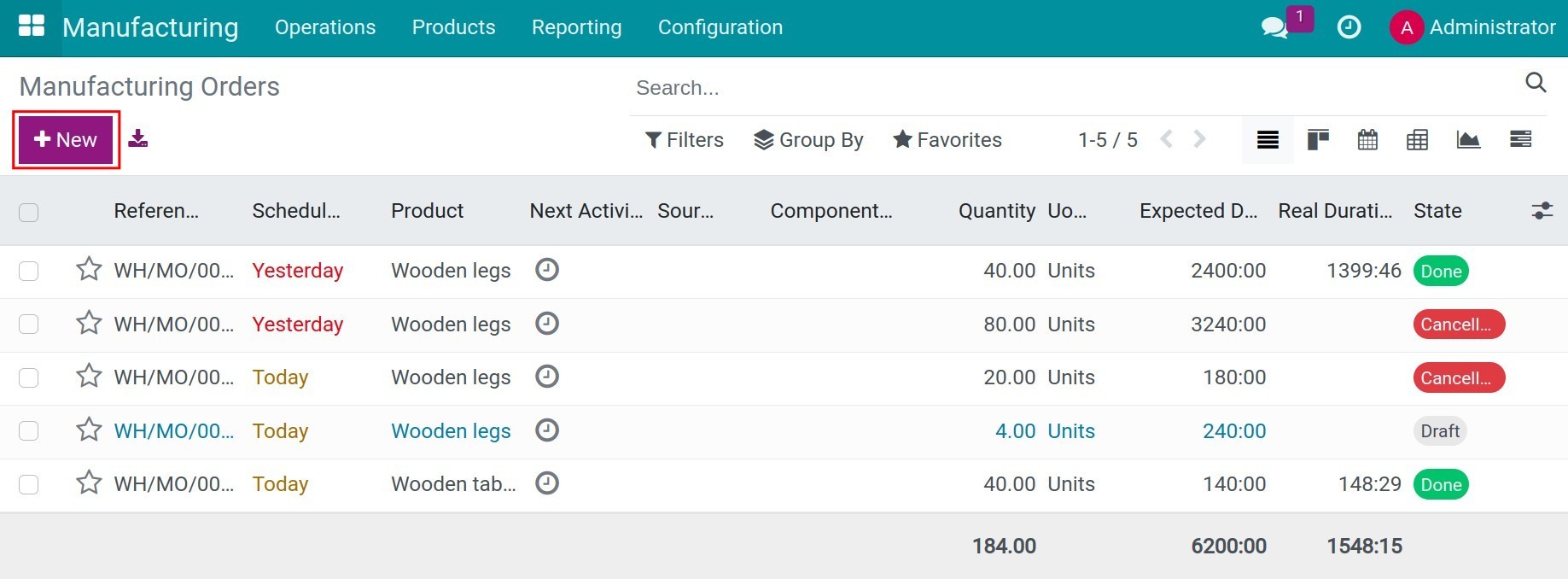
Go to Manufacturing ‣ Operations ‣ Manufacturing Orders and click New.
![The list of manufacturing orders with the New button]()
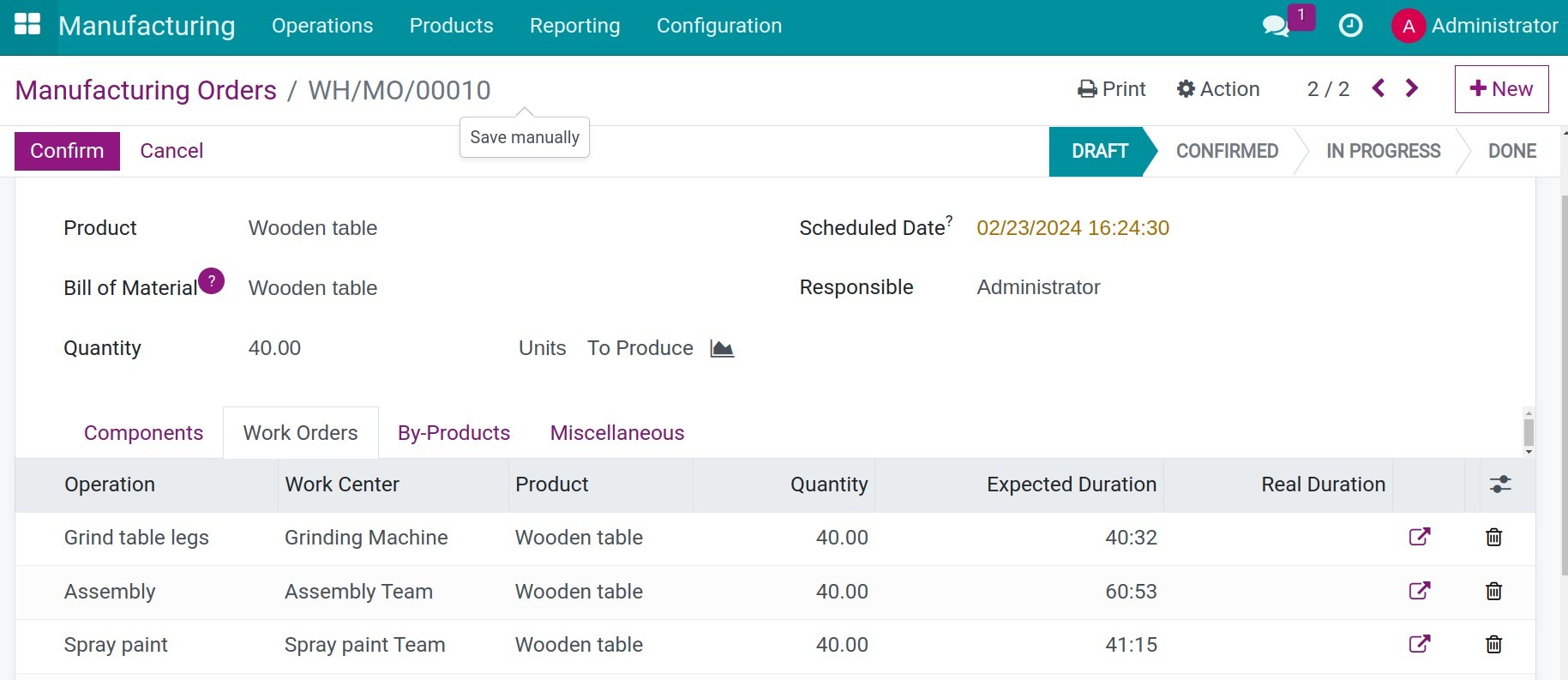
Choose the Product, type the Quantity, check the Bill of Material (it fills the Components and Work Orders tabs) and the Scheduled Date, the date you plan to start.
![A new manufacturing order of the wooden table]()
Click Confirm, then Plan: the work orders get a start and an end in the free hours of their work centers.
![A confirmed manufacturing order with the Plan button]()
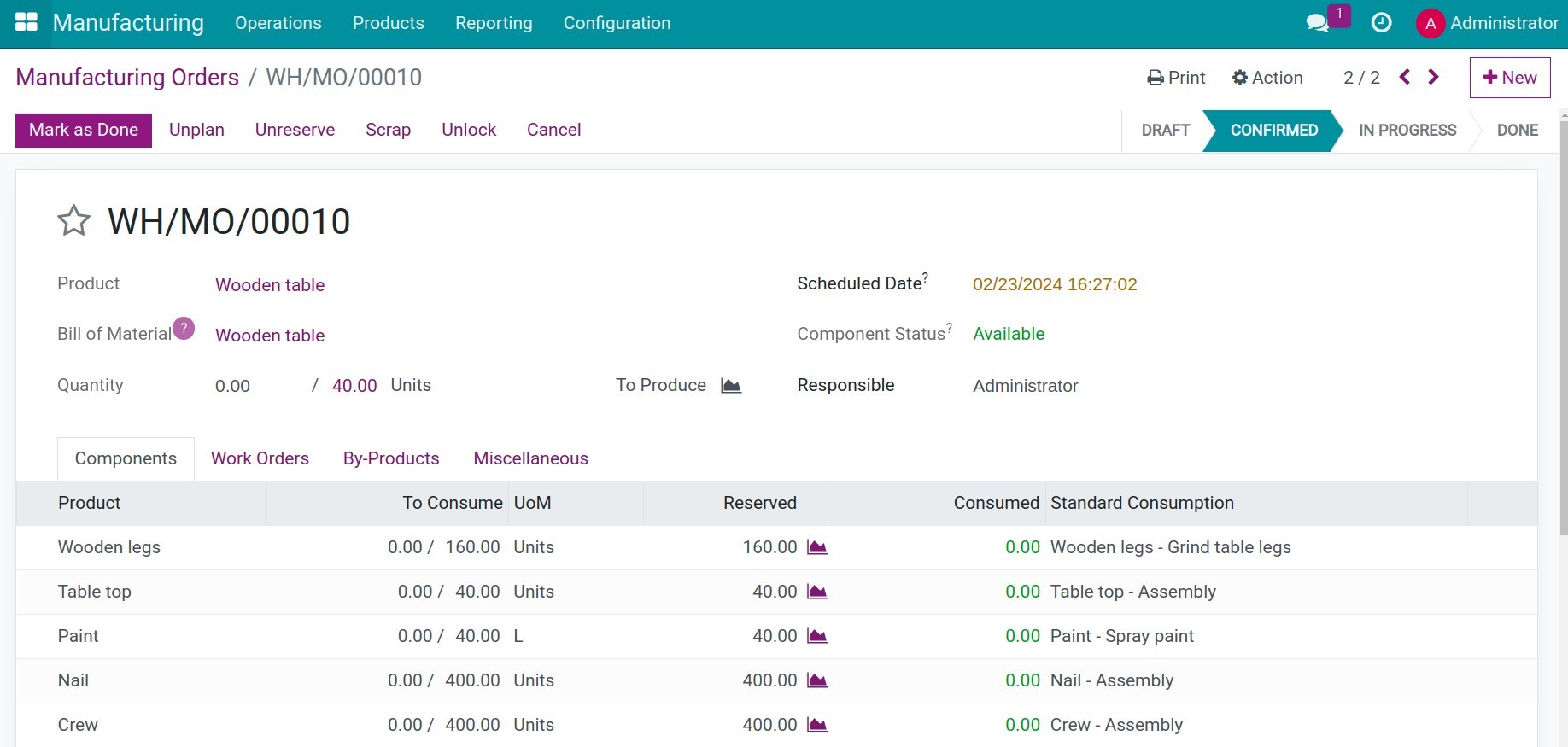
How do I run the work orders?
On the Work Orders tab, each line shows its status, its Expected Duration and its Real Duration. Click the start button of a line to start the work order, the pause button to stop it for a while, and the done button to finish it. A work order that waits for the one before shows Waiting for another WO.
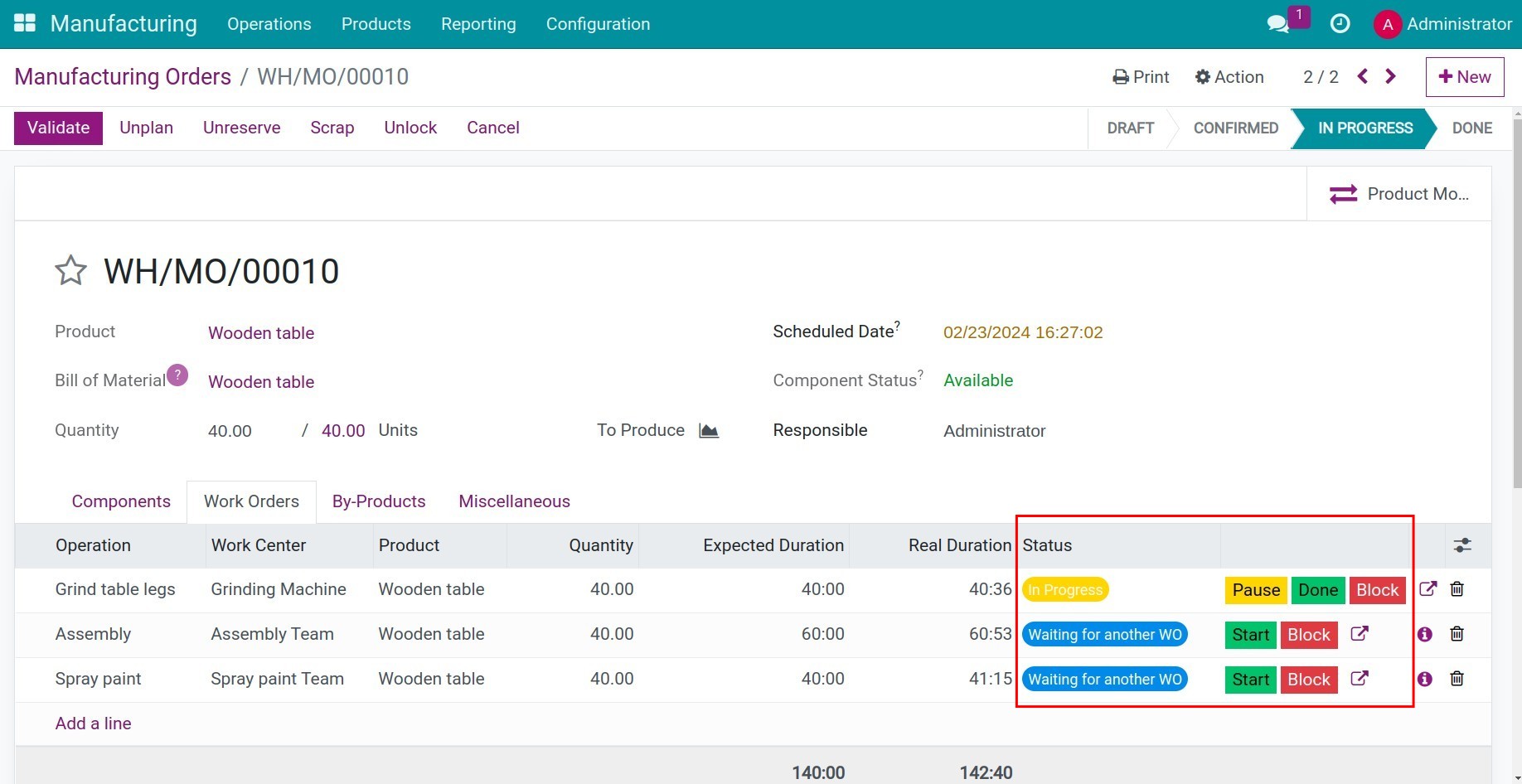
The operators can also work from Manufacturing ‣ Operations ‣ Work Orders.
How do I finish the manufacturing order?
On the Components tab, type in Quantity what was really consumed, when it differs from the To Consume quantity of the bill of materials.
![The real consumption of the components]()
Type the Quantity really produced at the top of the order, then click Produce All (or Produce for part of the quantity). The finished products go to stock and the order is Done.
![The quantity produced on the manufacturing order]()
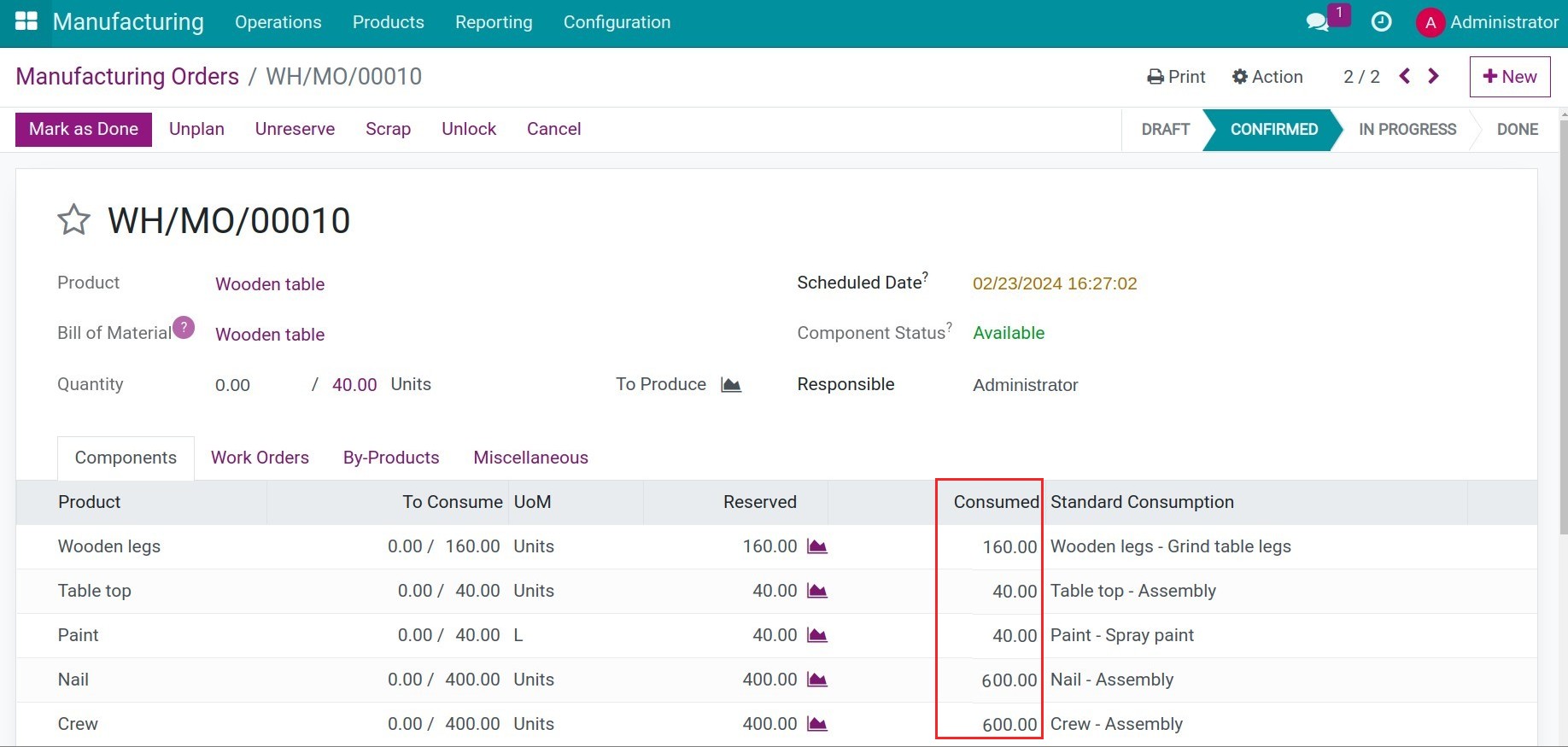
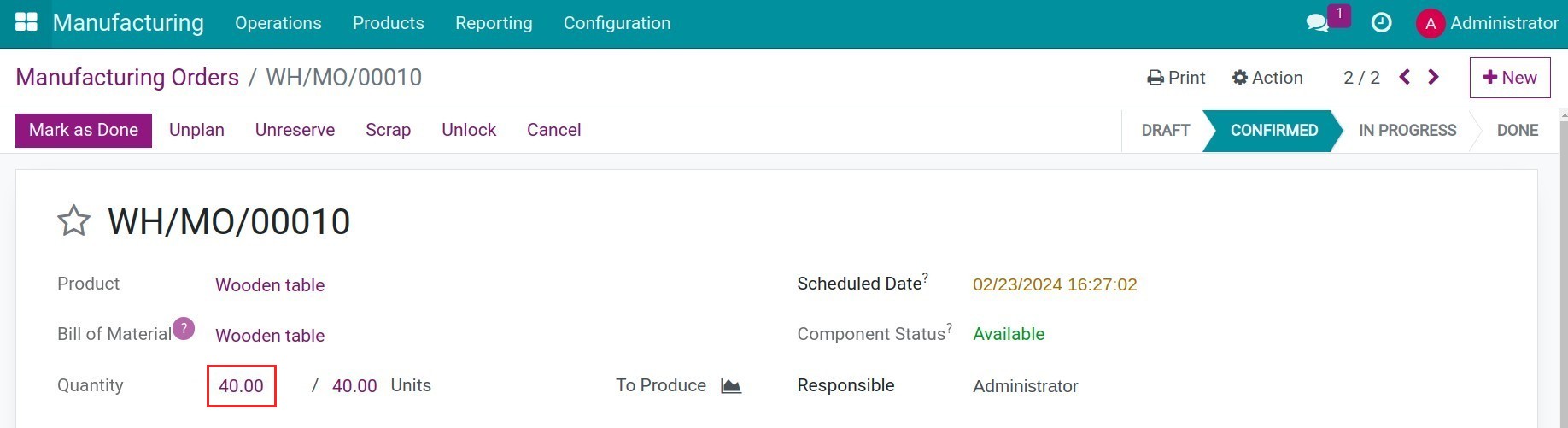
How do I read the cost and the losses of a finished order?
The buttons at the top of a done order open its reports.
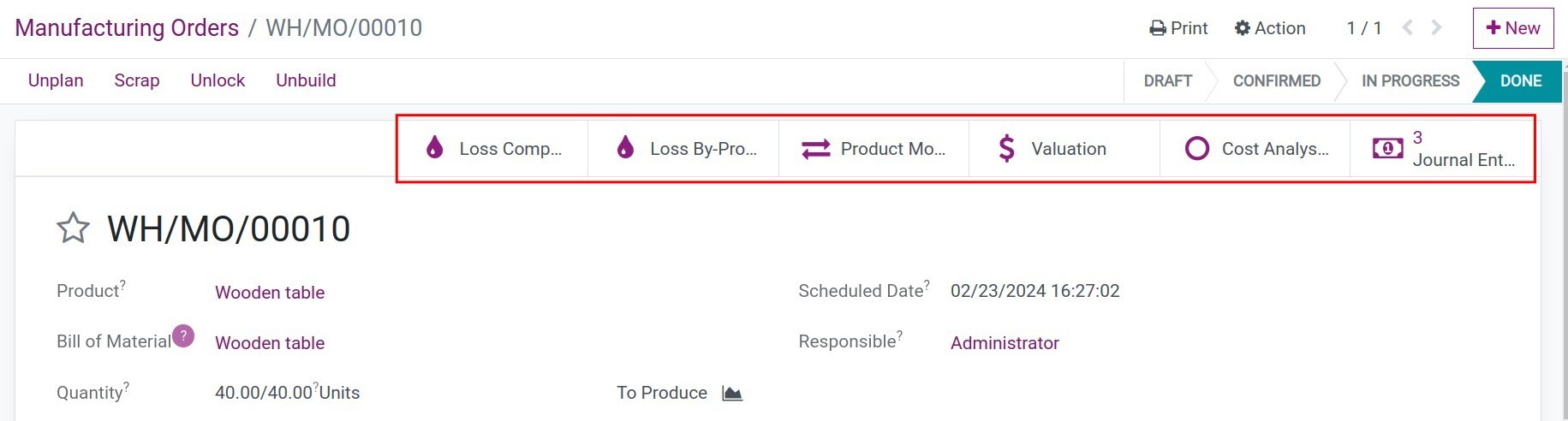
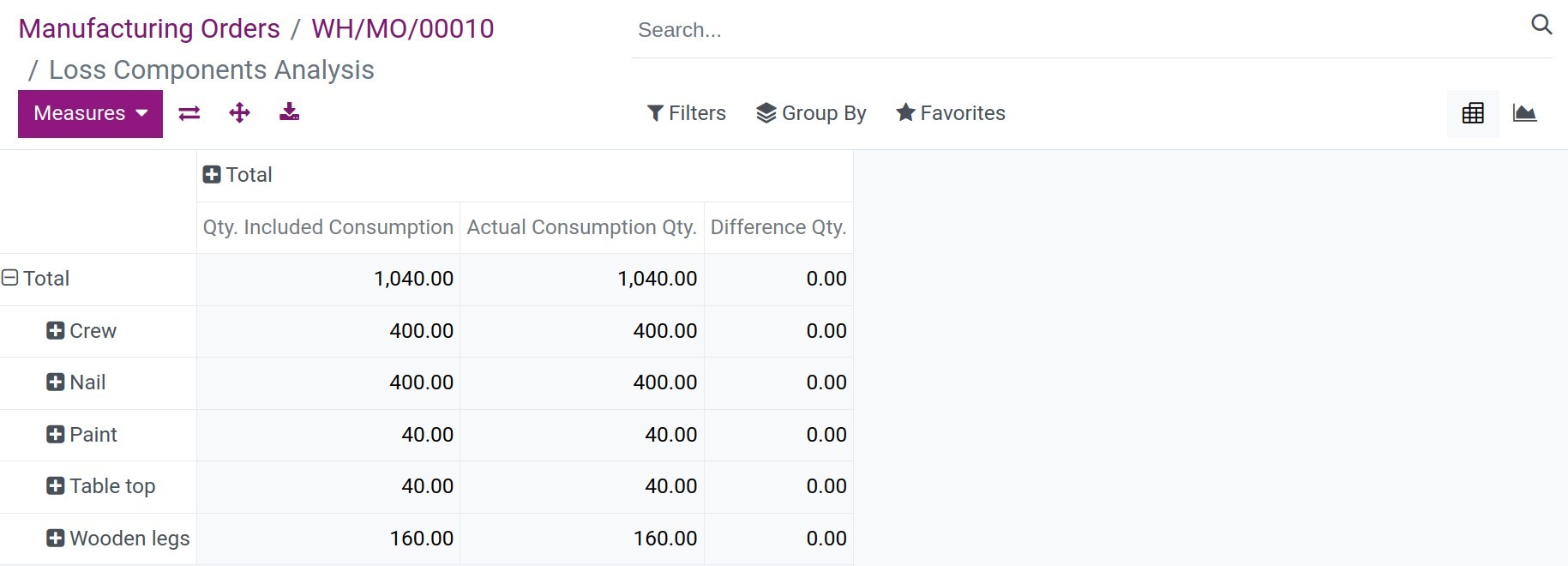
Loss Components Analysis compares what was consumed with the bill of materials, see Manage Loss components in Manufacturing.
![The loss components analysis of a manufacturing order]()
Journal Entries lists the accounting entries of the components consumed and the products made. It appears when the order posted entries.
![The journal entries of a manufacturing order]()
Cost Analysis shows the cost of the materials and of the operations, see How to understand manufacturing reports.
![The cost of the materials and operations of a manufacturing order]()
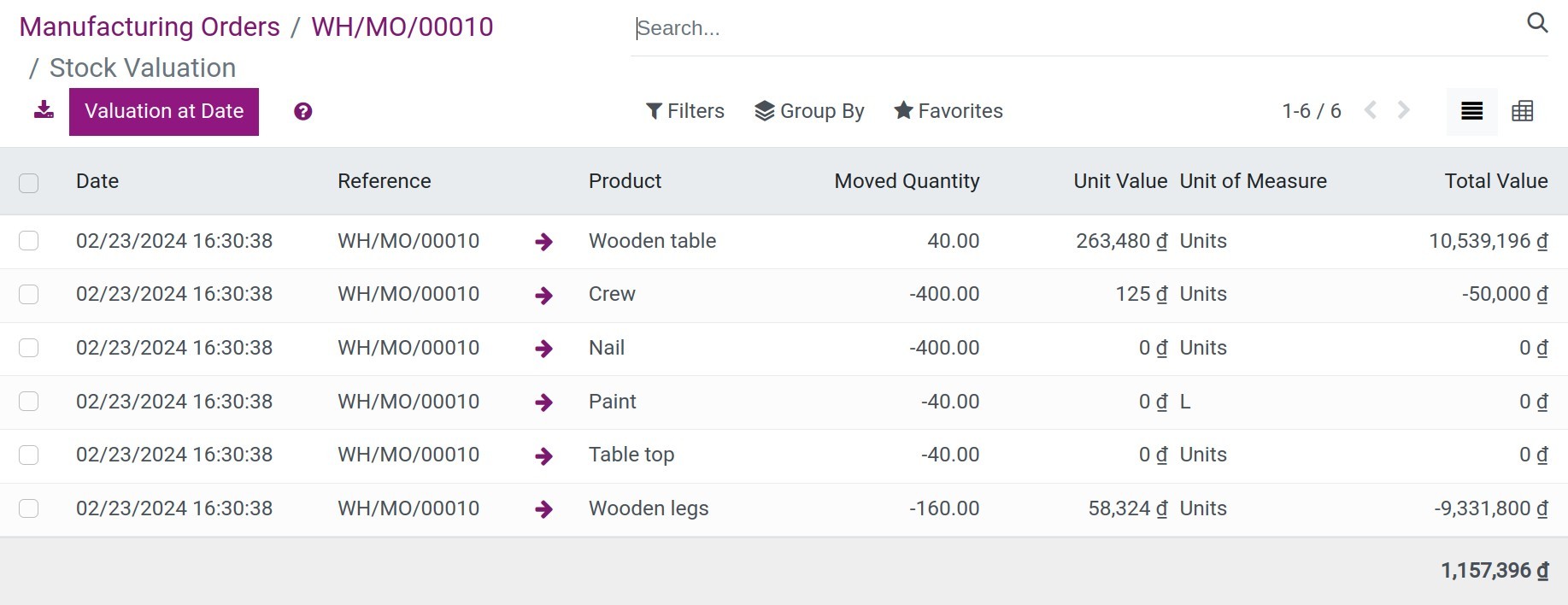
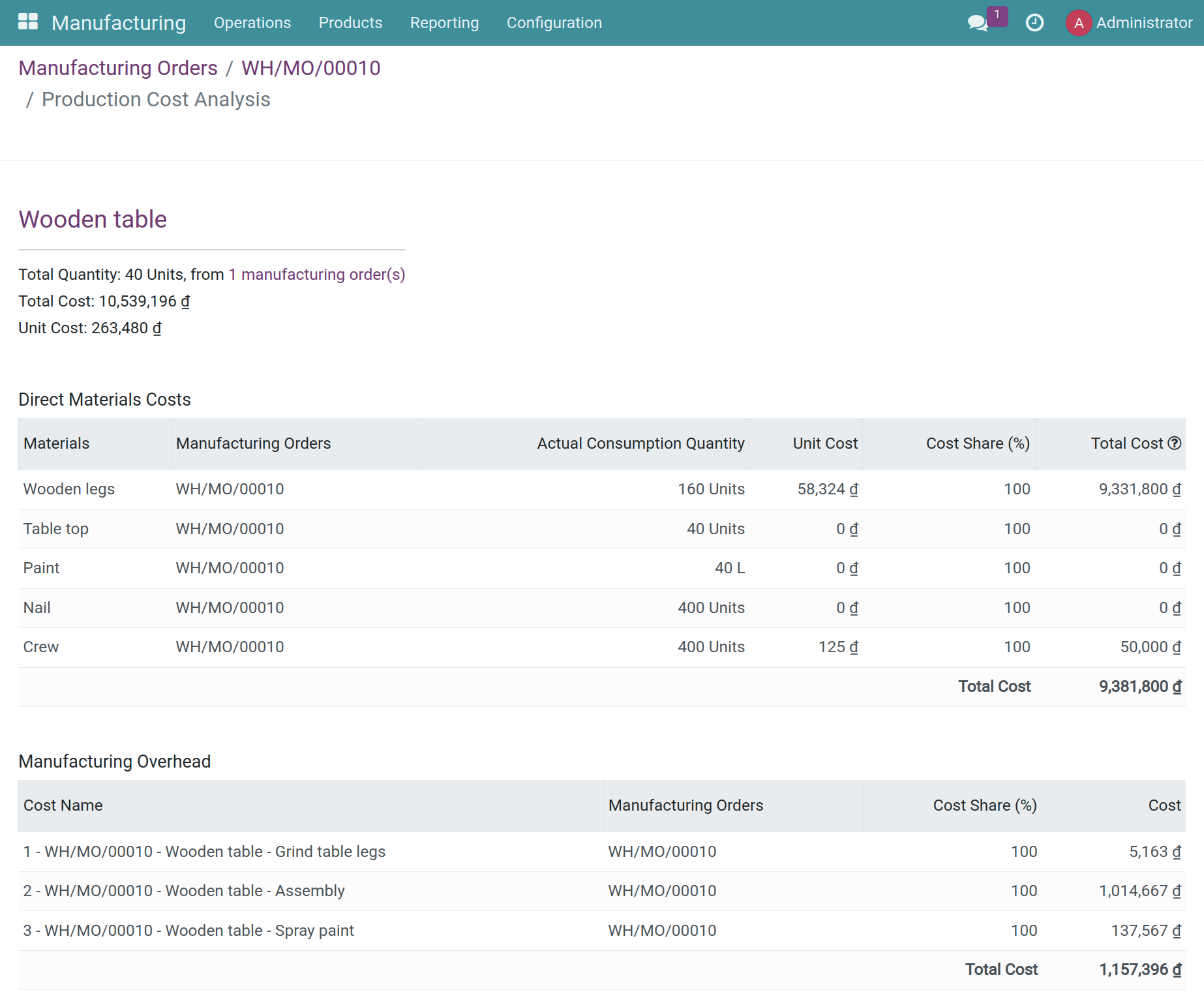
Cost Analysis and Journal Entries are shown to users who also have access to the accounting features.
Common errors
Problem |
What to do |
|---|---|
The Work Orders tab or the Plan button is missing. |
Turn on Work Orders in the settings and add operations to the bill of materials. |
A Consumption Warning opens when you produce. |
The quantities consumed differ from the bill of materials. Check them, then confirm, or ask a Manufacturing administrator when the bill of materials blocks it. |
The work orders are planned far ahead. |
The work center is busy or has few Working Hours: check its load, or give the operation an alternative work center. |
Cost Analysis is missing on a done order. |
The user has no access to the accounting features. |
Next steps
Manage Loss components in Manufacturing: plan the losses of the components.
Manage By-products in Manufacturing: record the by-products of the order.
How to understand manufacturing reports: follow the orders, the work orders and the costs.
See also
Related articles
Optional modules