
How to trust a vendor bank account and read the risk warnings
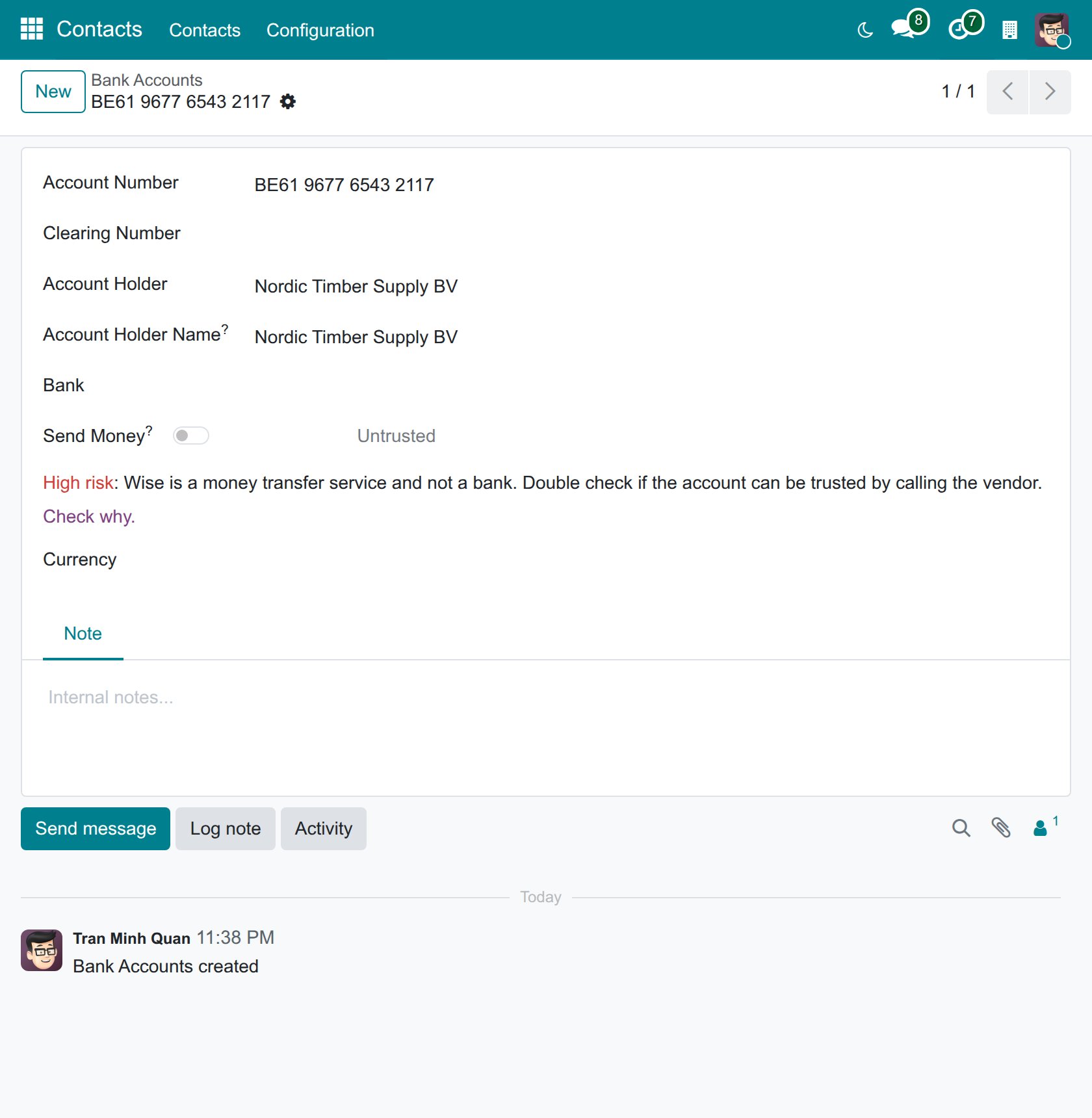
A vendor bank account is Untrusted until someone with the right to do so switches Send Money on, after checking the account number with the vendor. The form of an untrusted account may also show a High risk or Medium risk warning: they tell you to double-check the account before you pay it, because sending a fake invoice with a fraudulent account number is a common fraud.
Who |
An accountant or a manager who has the Validate bank account access right (the Settings administrators have it). Other users can see the status but cannot change it. |
App |
Contacts, Invoicing |
Before you start
The High risk and Medium risk warnings are computed for IBAN accounts. They appear when the module IBAN Bank Accounts is installed, which recognizes an IBAN in the Account Number field.
Create the vendor and its bank account first, see Configure Bank Accounts.
What do Trusted and Untrusted mean?
Every new bank account is created Untrusted, even if the person who creates it asks for the opposite. Next to the account number, bills and payments show (untrusted) or (trusted), so that the accountant sees the status at the moment of paying.
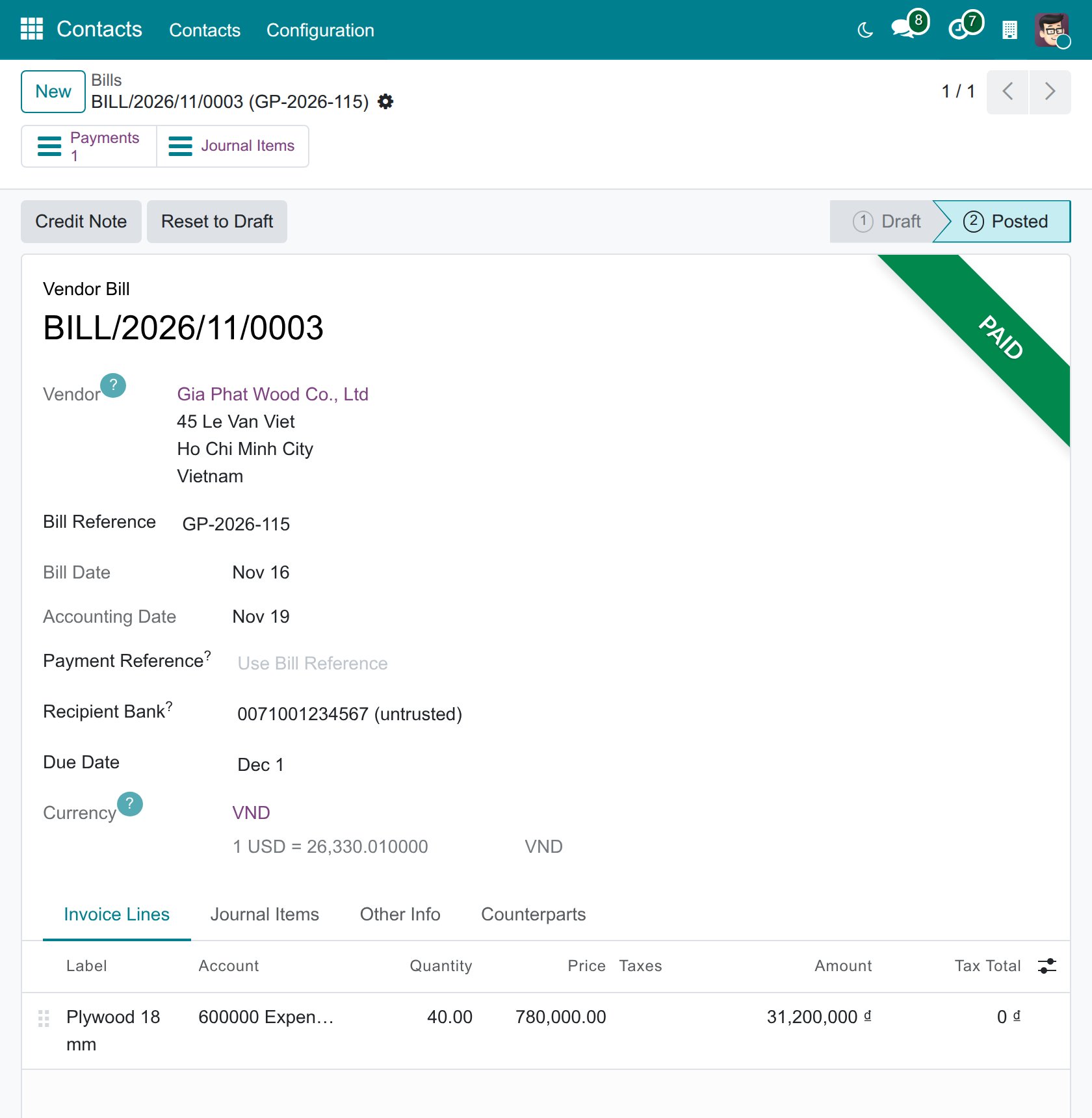
A Trusted account is the one you verified. To protect it, its Account Number and Account Holder are locked while it is trusted; switch Send Money off to change them. Payment methods that need a verified recipient account, for example those added by banking modules, refuse an untrusted account and tell the user to validate it on the partner bank account.
What does the High risk warning mean?
High risk means the IBAN belongs to a money transfer service and not to a bank: Wise, Paynovate or PPS EU SA. Such accounts are easy to open under a false name. Call the vendor, on a phone number you already know, before you trust the account.
What does the Medium risk warning mean?
Medium risk means the first two letters of the IBAN (the country) are not the country of the vendor, for example a German IBAN for a vendor located in Vietnam. There can be a good reason, such as a vendor that banks abroad, but it is also a typical sign of a fraudulent invoice.
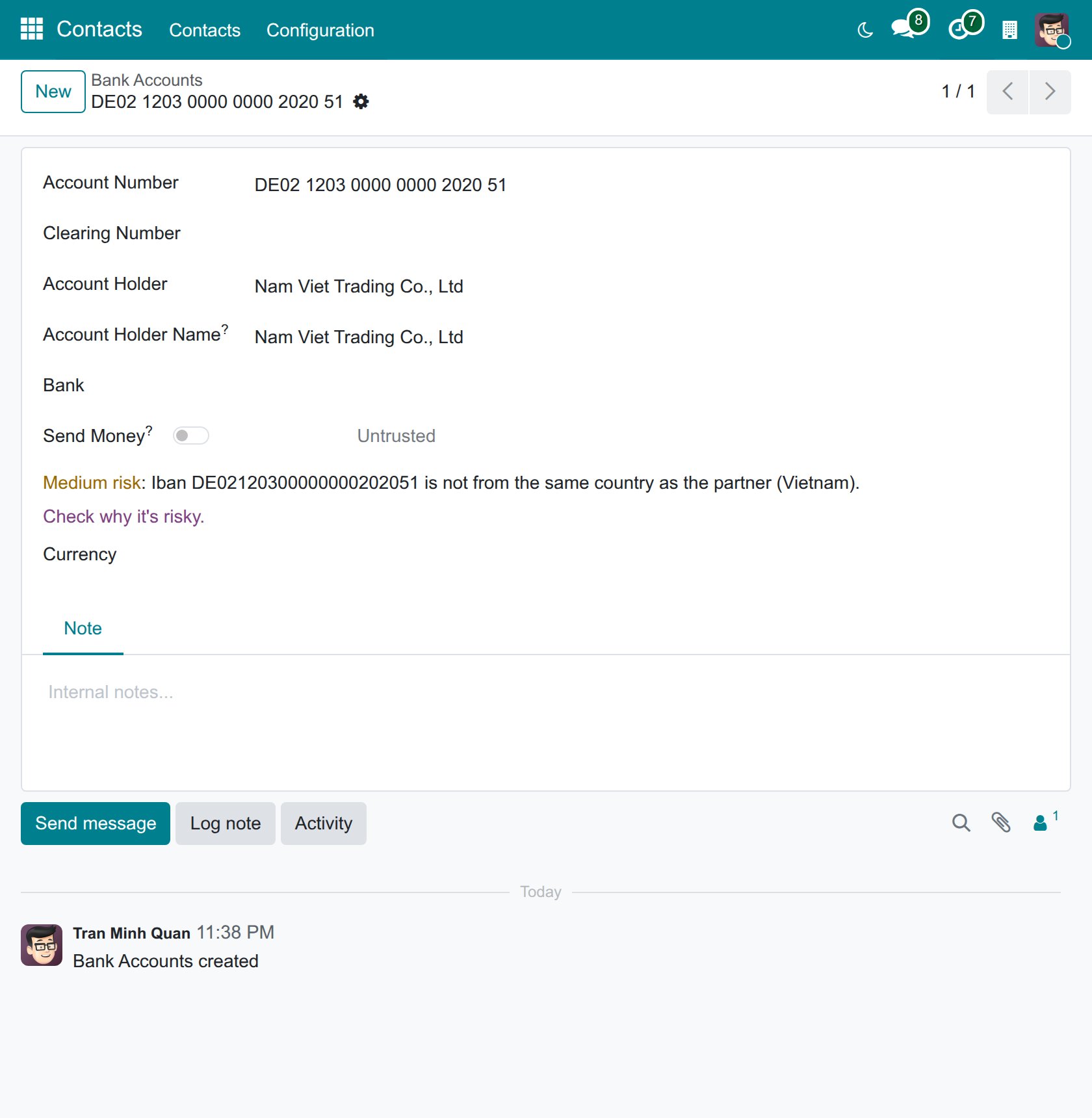
Both warnings disappear as soon as the account is trusted. They are displayed on the account form, with the link Check why or Check why it’s risky that opens this page.
How do I trust a bank account?
Verify the account number with the vendor, preferably by phone: phishing usually happens when the vendor’s emails are compromised.
Open the account: go to Contacts ‣ Configuration ‣ Bank Accounts ‣ Bank Accounts, or use the internal link of the Recipient Bank field of a bill.
Switch Send Money on. The label changes from Untrusted to Trusted.
Click Save. The change is recorded in the chatter.
![Bank account with Send Money switched on and the Trusted label]()
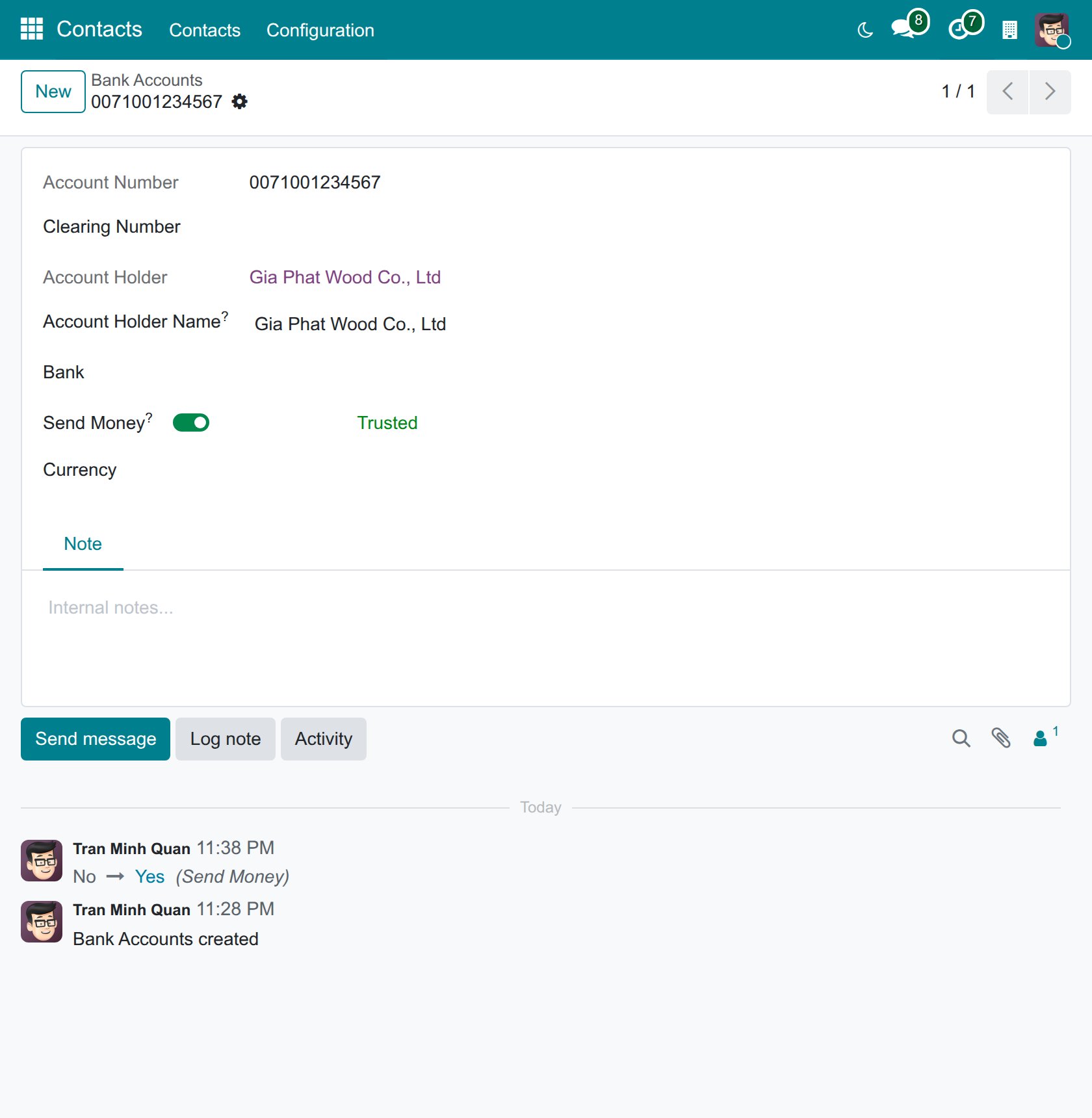
To stop sending money to an account, switch Send Money off and save. In the list of bank accounts, the filters Trusted, Untrusted and To validate (untrusted accounts already used on a document) help you review them.
Common problems
Message or symptom |
What to do |
|---|---|
Send Money cannot be switched on. |
Your user needs the Validate bank account access right. |
You cannot modify the account number or partner of an account that has been trusted. |
Switch Send Money off, correct the account, verify it again and trust it. |
No risk warning is shown for an IBAN. |
The warning needs an untrusted account recognized as IBAN: install IBAN Bank Accounts and re-enter the account number. |
The company bank account … linked to this invoice is not trusted. |
Open the bank settings with the button of the message, check that the account is yours and trust it. |
See also