
How to print the Vietnamese legal stock reports
Open , choose the report, fill in the period and the warehouse, then click Print for a PDF or Export XLSX for an Excel file. The reports follow the forms of Circular No. 99/2025/TT-BTC of the Ministry of Finance: Product Journal (S10-DN), General Inventory Journal (S11-DN), Stock Card (S12-DN), and the Stock-In and Stock-Out reports.
Who |
Users with the Inventory Administrator access right. |
App |
Inventory ‣ Vietnam Legal Reports |
Before you start
Install the Inventory app and the accounting modules for Vietnam (see How to configure Viindoo Accounting and Invoicing before using).
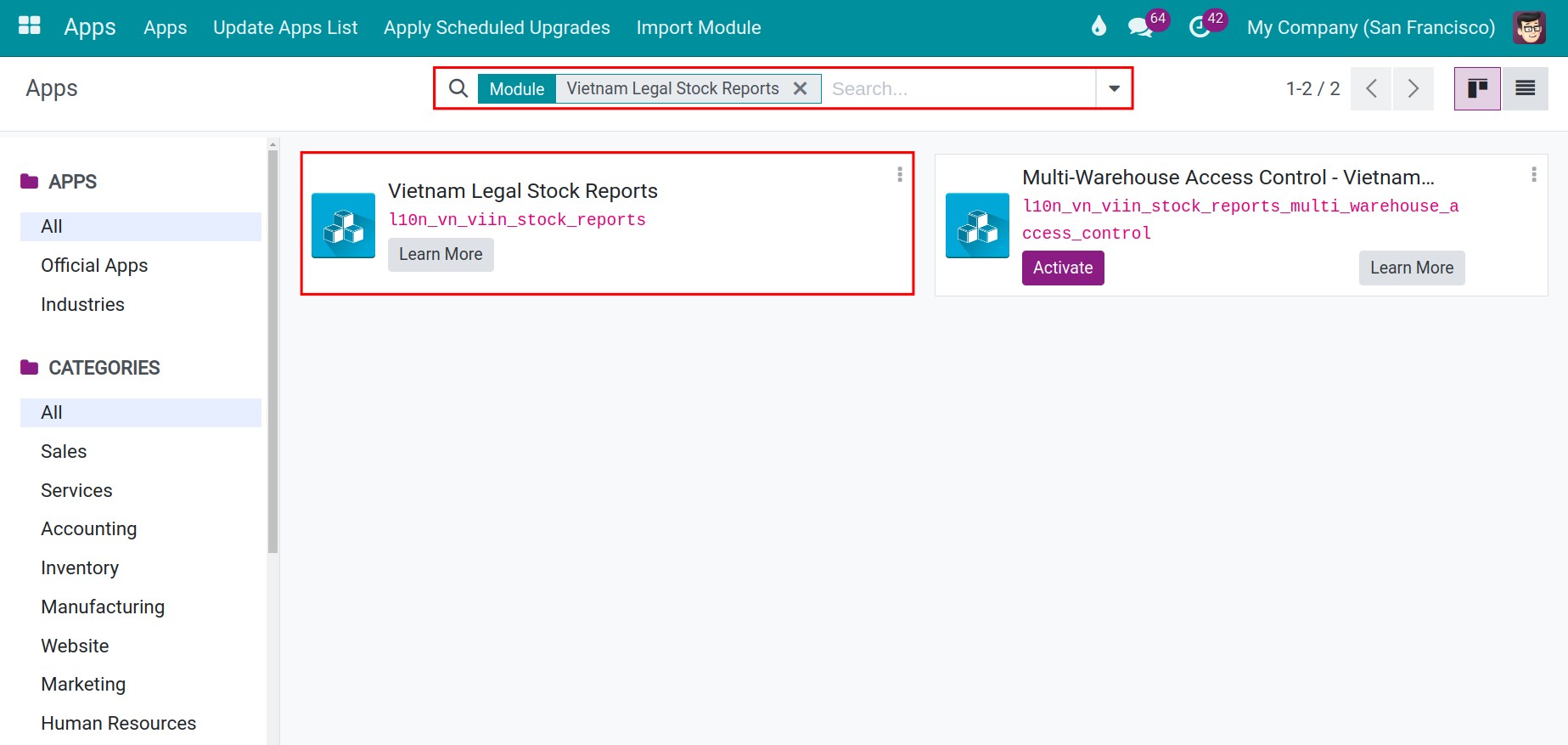
Install the Vietnam Legal Stock Reports module. It is installed automatically once the accounting modules for Vietnam and the warehouse accounting are installed; if the Vietnam Legal Reports menu is missing, search for it in Apps and click Activate (see How to install, upgrade and uninstall apps and modules).
![Vietnam Legal Stock Reports module in the Viindoo Apps list]()
How do I open the legal reports?
Go to and choose the report.
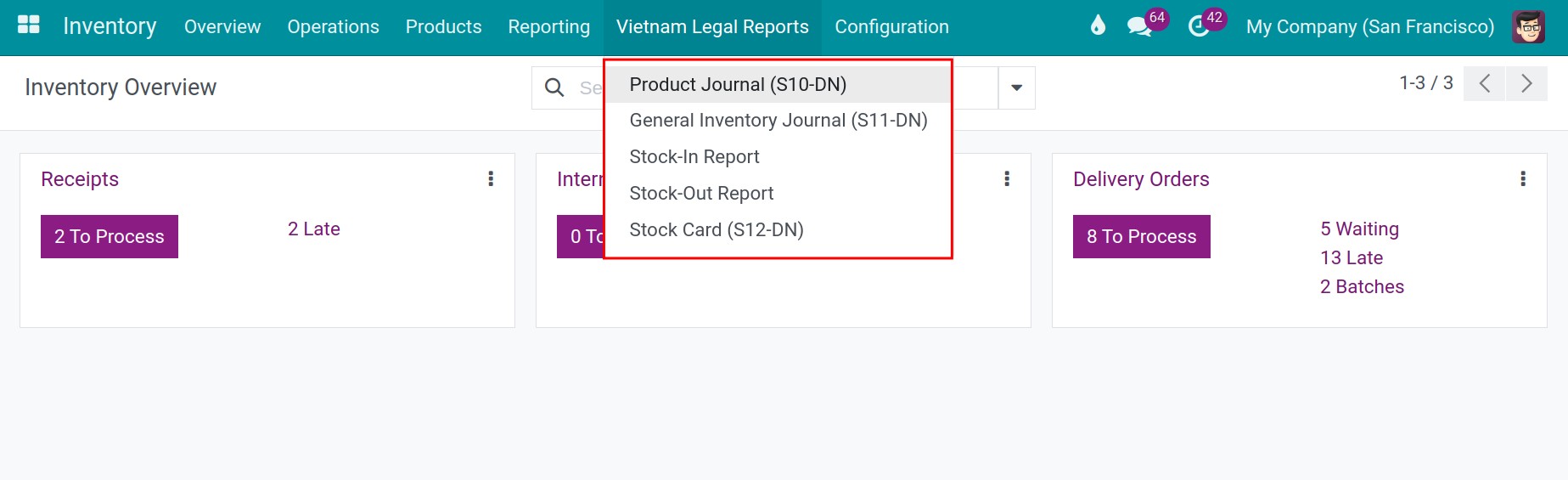
Which report do I need?
Report |
Use it to |
Required choice |
|---|---|---|
Product Journal (S10-DN) |
List the receipts and deliveries of one product with quantity and amount, and the balance. |
The Product |
General Inventory Journal (S11-DN) |
Summarize the opening stock, receipts, deliveries and closing stock of the products. |
Optional Product Category |
Stock-In Report |
List the receipts in the period. |
None |
Stock-Out Report |
List the deliveries in the period. |
None |
Stock Card (S12-DN) |
Follow the stock of one product at the warehouse, line by line. |
The Product |
How do I print a report?
Choose the report in .
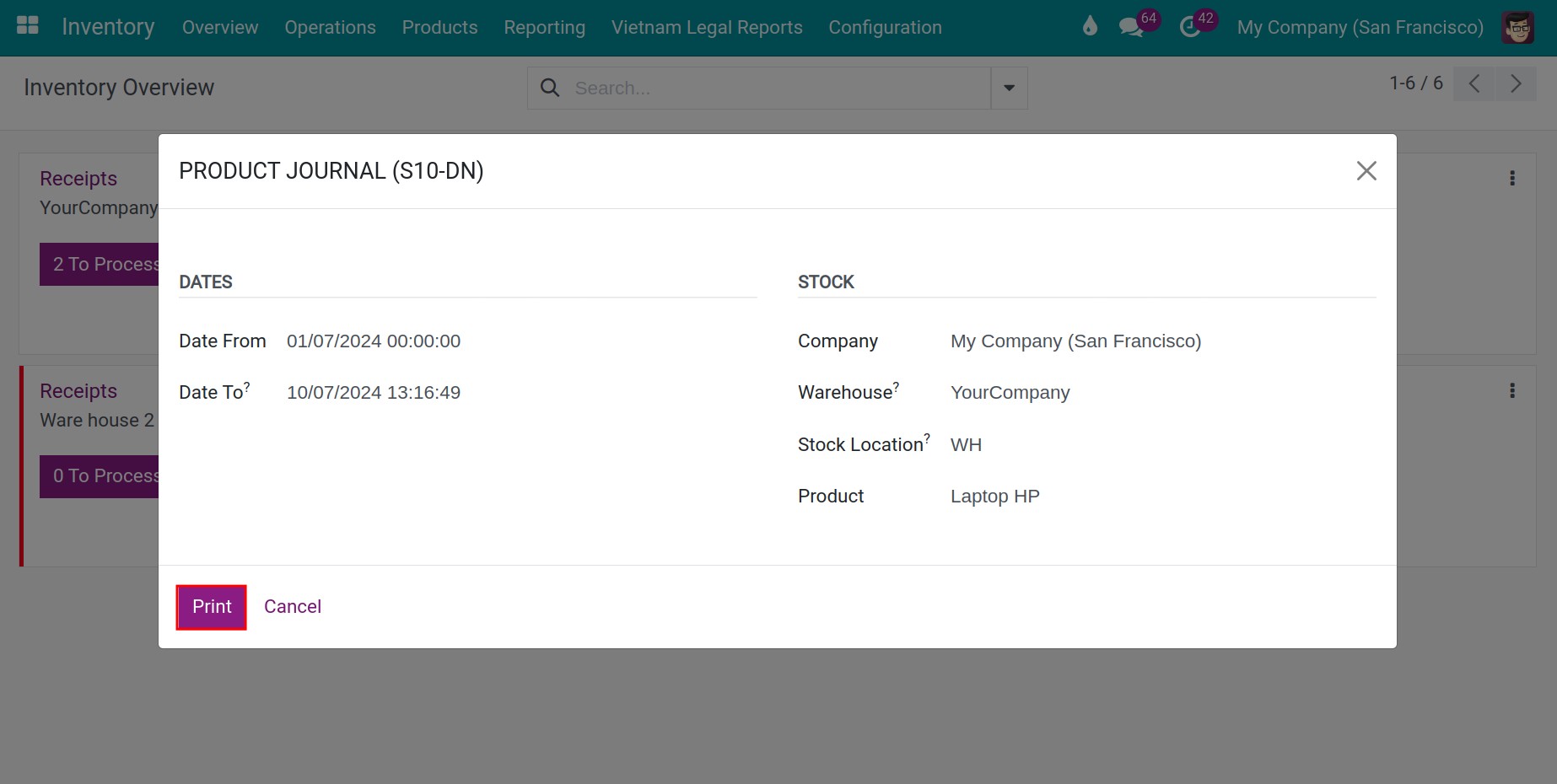
In Dates, choose the period (Date From to Date To, the end date is not included).
In Stock, choose the Company, the Warehouse (empty means every warehouse) and, once a warehouse is chosen, the Stock Location. For S10-DN and S12-DN, choose the Product; for S11-DN you can choose a Product Category.
![Product Journal window with the period, company, warehouse, location and product]()
Click Print for a PDF or Export XLSX for an Excel file (S10-DN, S11-DN, S12-DN and the Stock-In and Stock-Out reports all have both buttons).
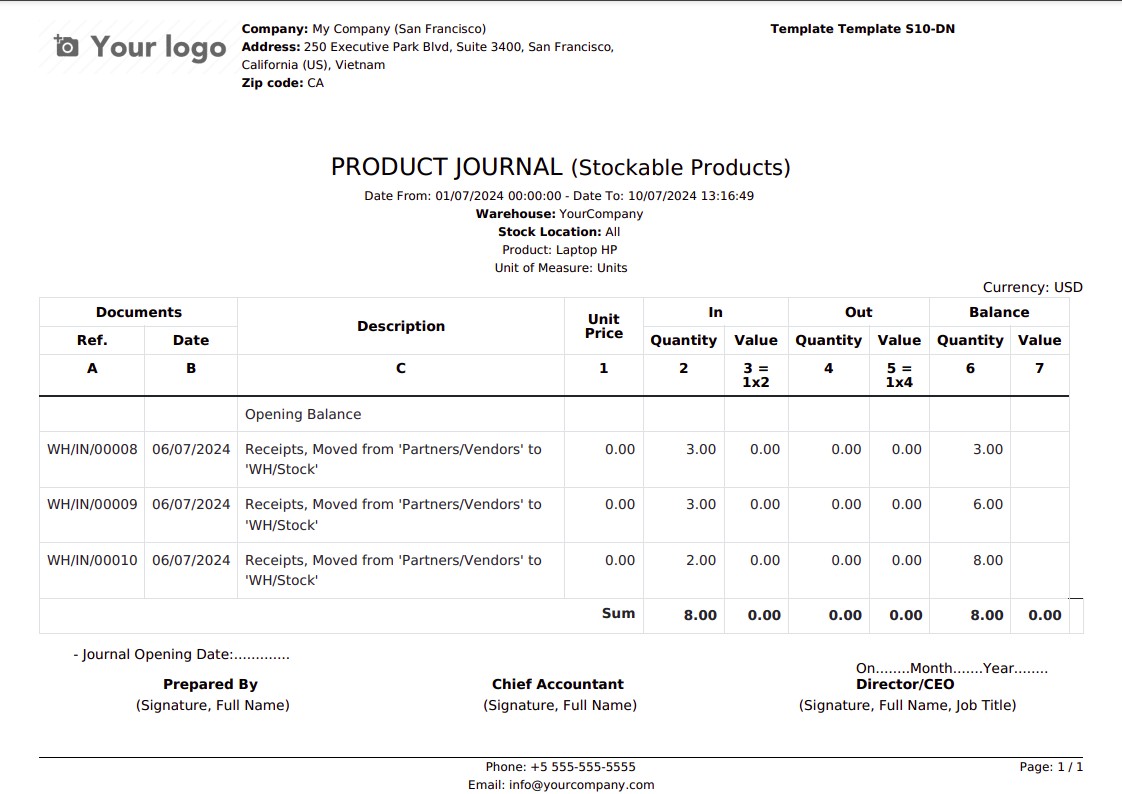
![Product Journal S10-DN as printed by Viindoo]()
Note
The Stock-In and Stock-Out reports have the same window, without a product.
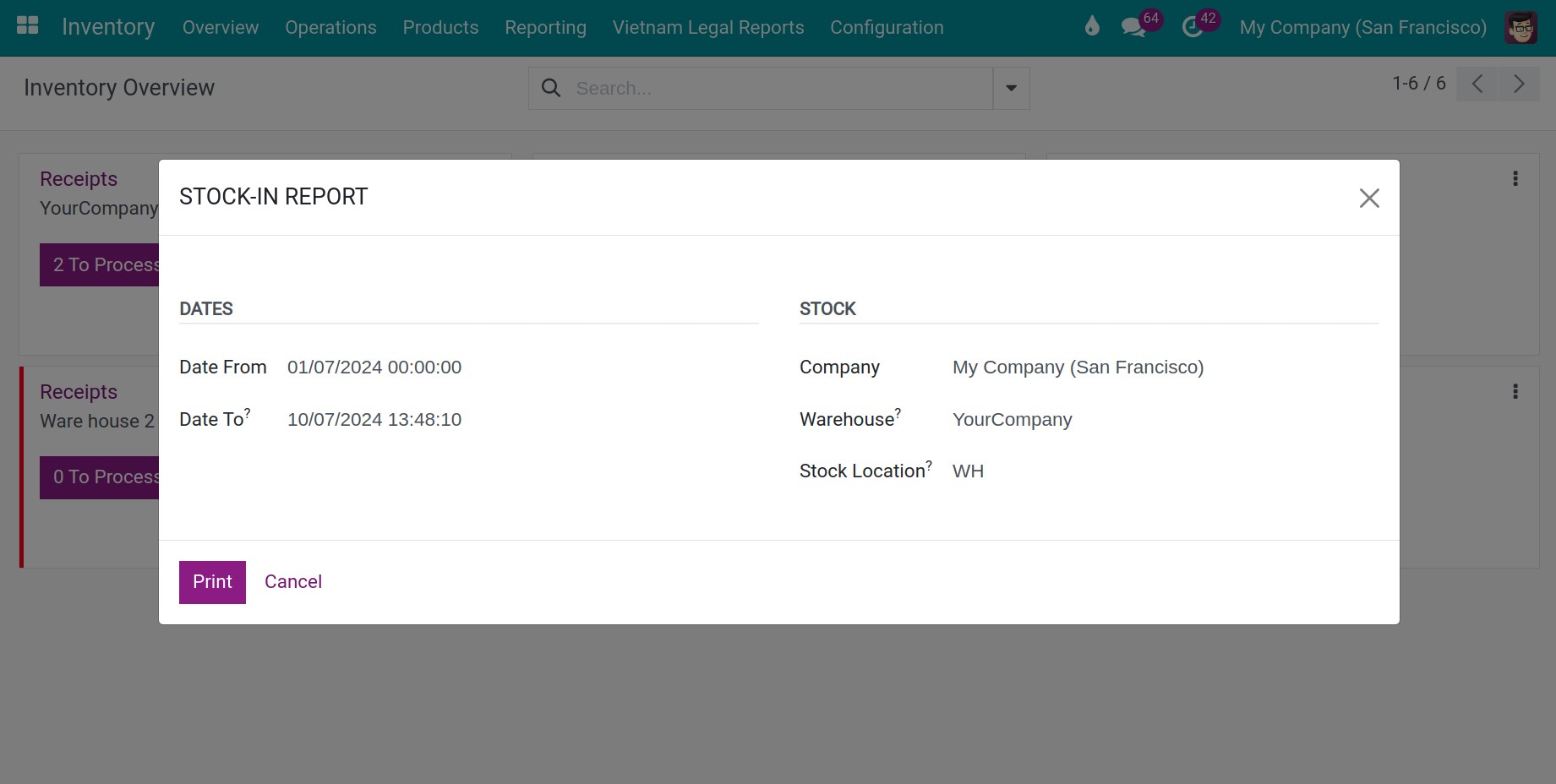
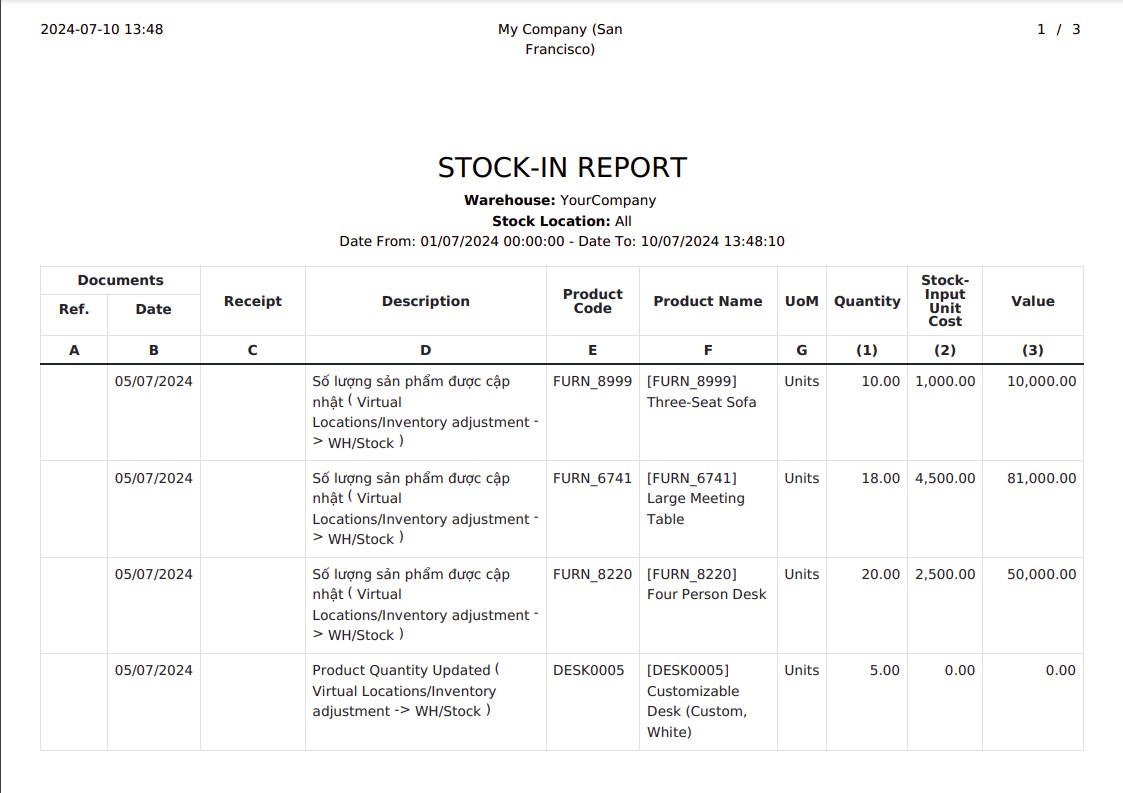
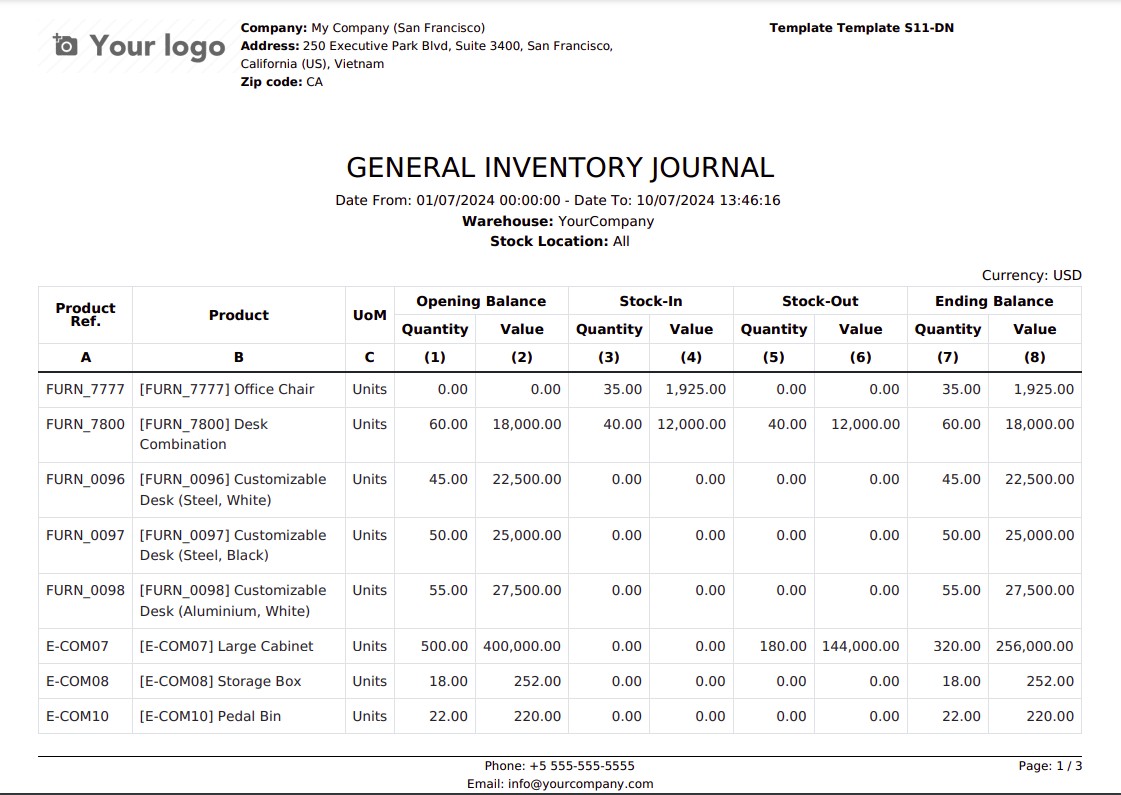
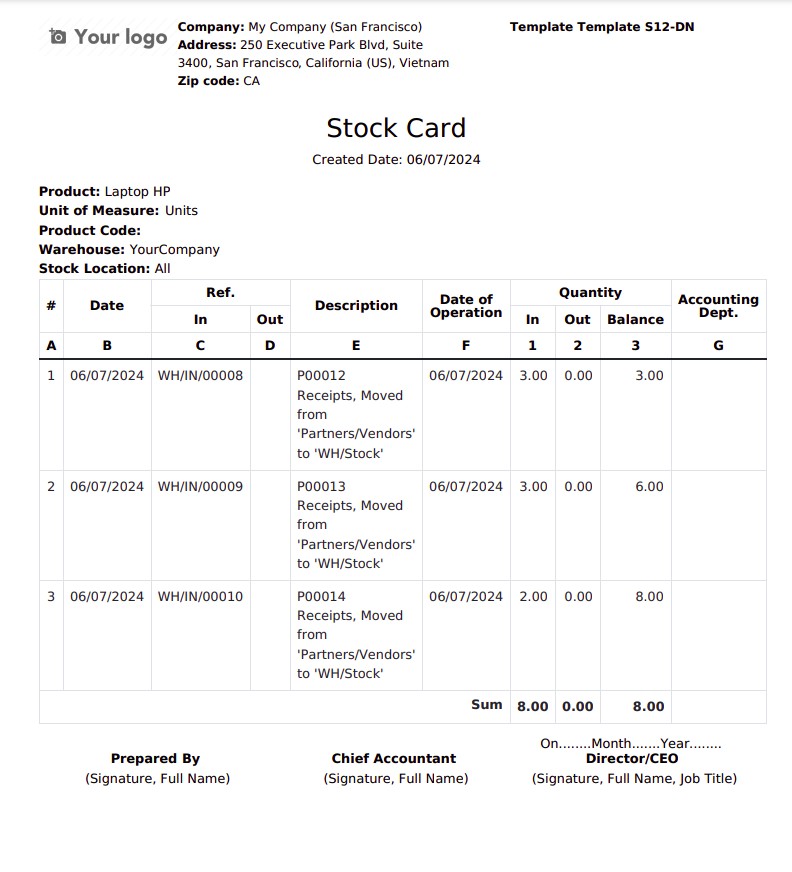
The other reports print in the same way.
Warning
If a product uses the First In First Out (FIFO) costing method, the window warns that its value in the report is an estimate rather than a real value.
What should I see when it works?
A PDF or an Excel file with the company name and address, the period, the warehouse and the lines of the report, with the signature blocks of the prepared by, the chief accountant and the director.
Common problems
Message or problem |
What to do |
|---|---|
The Date To must be later than the Date From |
Correct the period. |
The Vietnam Legal Reports menu is missing. |
Install the Vietnam Legal Stock Reports module and its accounting modules. |
The window asks for a Product. |
S10-DN and S12-DN are printed for one product: choose it. |
The report is empty. |
Check the period, the warehouse and the location of the report. |
Next steps
How to read the real-time stock reports: the analysis reports of Inventory.
How to read the product forecast report: read the forecast of a product.
Version notes
The reports follow Circular No. 99/2025/TT-BTC and can also be exported to Excel.
If you also install Multi-Warehouse Access Control - Vietnam Legal Stock Reports, users only report on the warehouses they are assigned to.
The Stock Location’s Warehouse Identification module of earlier versions is not part of this version.