
How to send periodic KPI digest emails
A KPI digest is an email that Viindoo sends to chosen users every day, week, month or quarter with the key metrics of your company, such as connected users, new leads, opportunities won, revenue or sales, for the last 24 hours, 7 days and 30 days, compared with the previous period. Go to Settings ‣ General Settings, tick Digest Email and click Configure Digest Emails to set it up.
Who |
A Viindoo administrator. Recipients are internal users. |
App |
Settings |
Before you start
The email is sent by your outgoing mail server, see How to connect Viindoo to your own mail servers.
The metrics you can choose depend on the installed apps: Sales, CRM, Invoicing, Point of Sale and eCommerce add their own.
How do I turn on the digest email?
Go to Settings ‣ General Settings and find Digest Email in the Emails section.
Tick Digest Email: new users are then added automatically as recipients of the digest selected in the Digest Email field below.
Click Configure Digest Emails to open the digest, then Save the settings.
![Digest Email setting with the digest to use for new users and the Configure Digest Emails link]()
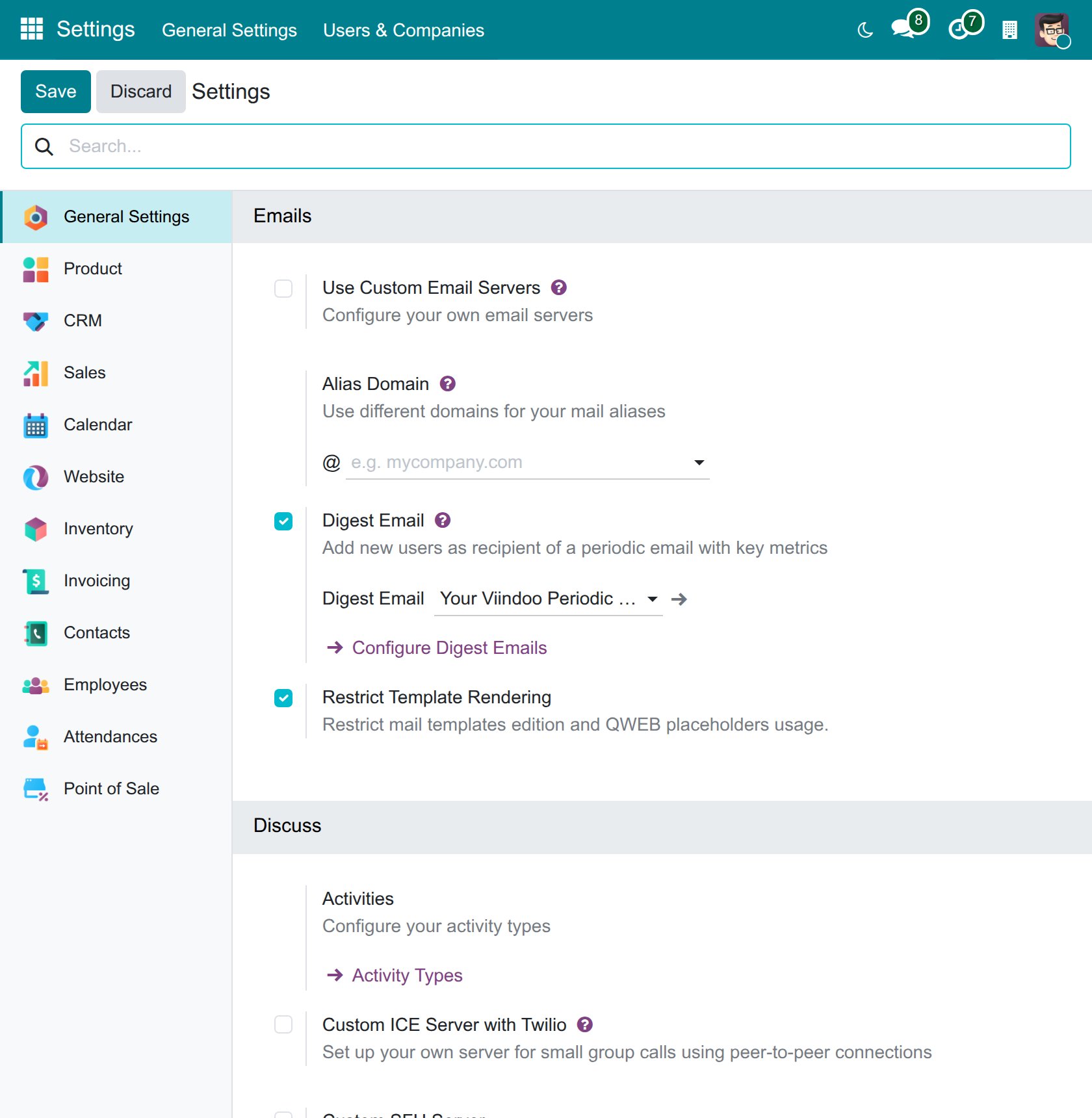
In developer mode, Settings ‣ Technical ‣ Email ‣ Digest Emails lists all the digests.
How do I choose the metrics and the frequency?
Open the digest and give it a Digest Title: it is the title of the email, and the subject is company name: digest title.
Choose the Periodicity: Daily, Weekly, Monthly or Quarterly. The Next Mailing Date is set from it.
On the KPIs tab, tick the metrics to send. They are grouped by app, for example General (Connected Users, Messages Sent), Sales, CRM (New Leads, Opportunities Won), Invoicing (Revenue) and Point of Sale.
![Digest form with the periodicity, the next mailing date and the KPIs to send]()
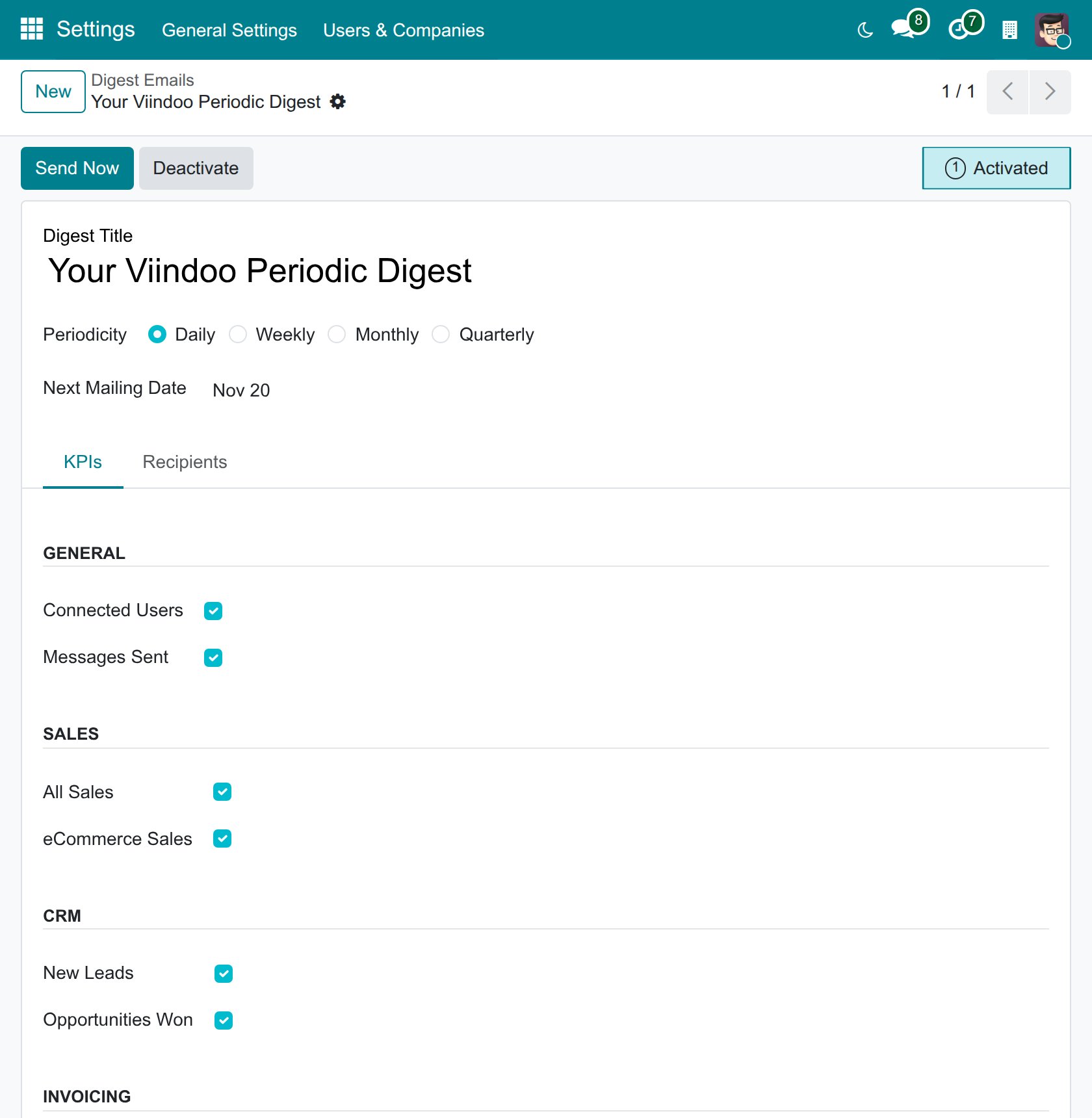
A recipient does not see a metric of an app the recipient has no access to.
How do I choose the recipients?
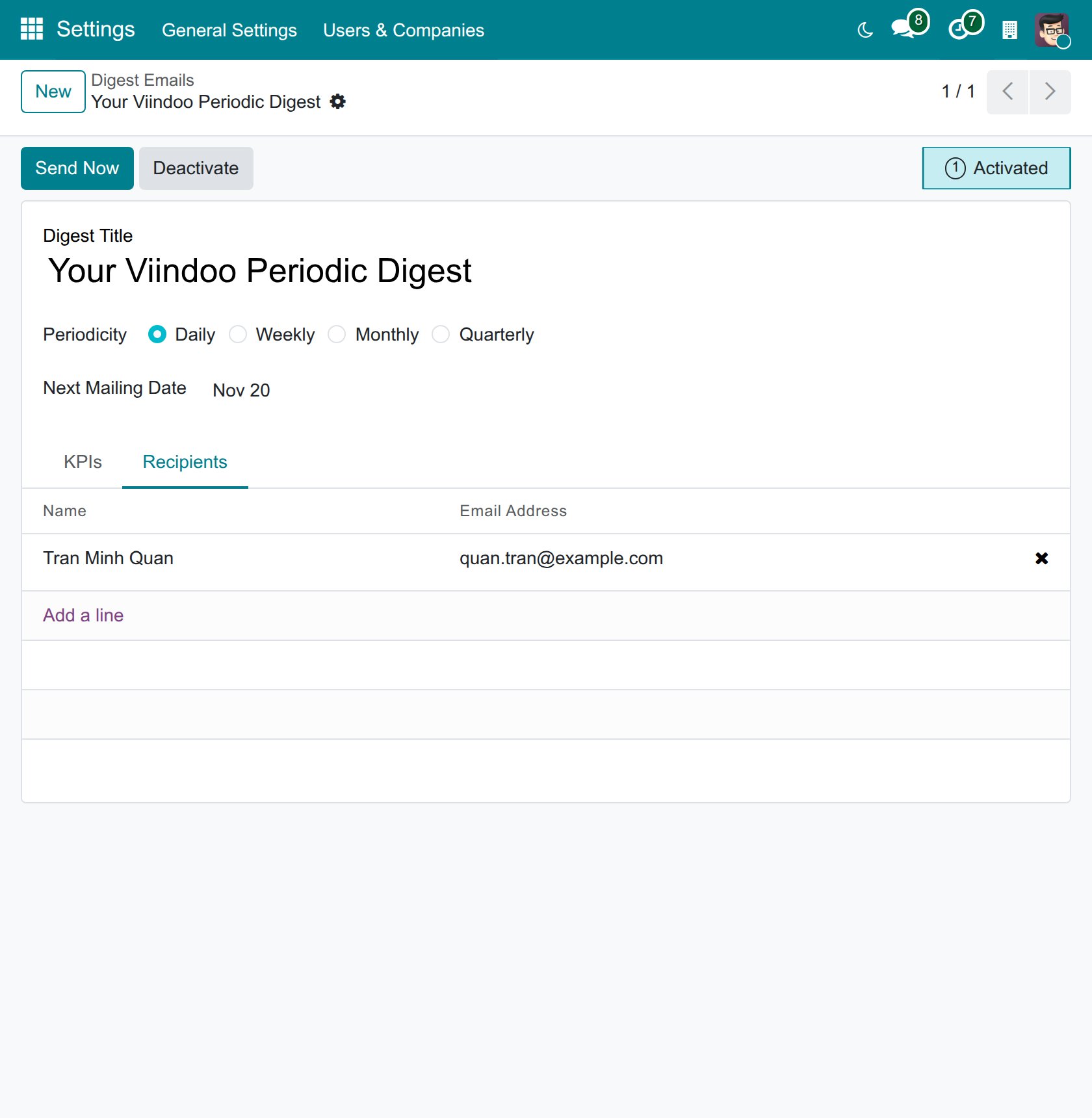
On the Recipients tab, click Add a line and select internal users. Each recipient gets the email in the language of his or her user account. A recipient can also unsubscribe from the link at the bottom of the email.
How is the email sent?
Viindoo sends the digest automatically: a scheduled action runs every day and sends the digests that are Activated and whose Next Mailing Date is today or earlier, then moves the date forward by one period.
To send it right now, open the digest and click Send Now. This does not change the periodicity.
Deactivate stops the digest; Activate starts it again.
When none of the recipients has signed in during the last period, Viindoo switches the digest to the next slower periodicity (daily to weekly, weekly to monthly, monthly to quarterly) and tells the recipients in the email. Change the Periodicity back when the team is active again.
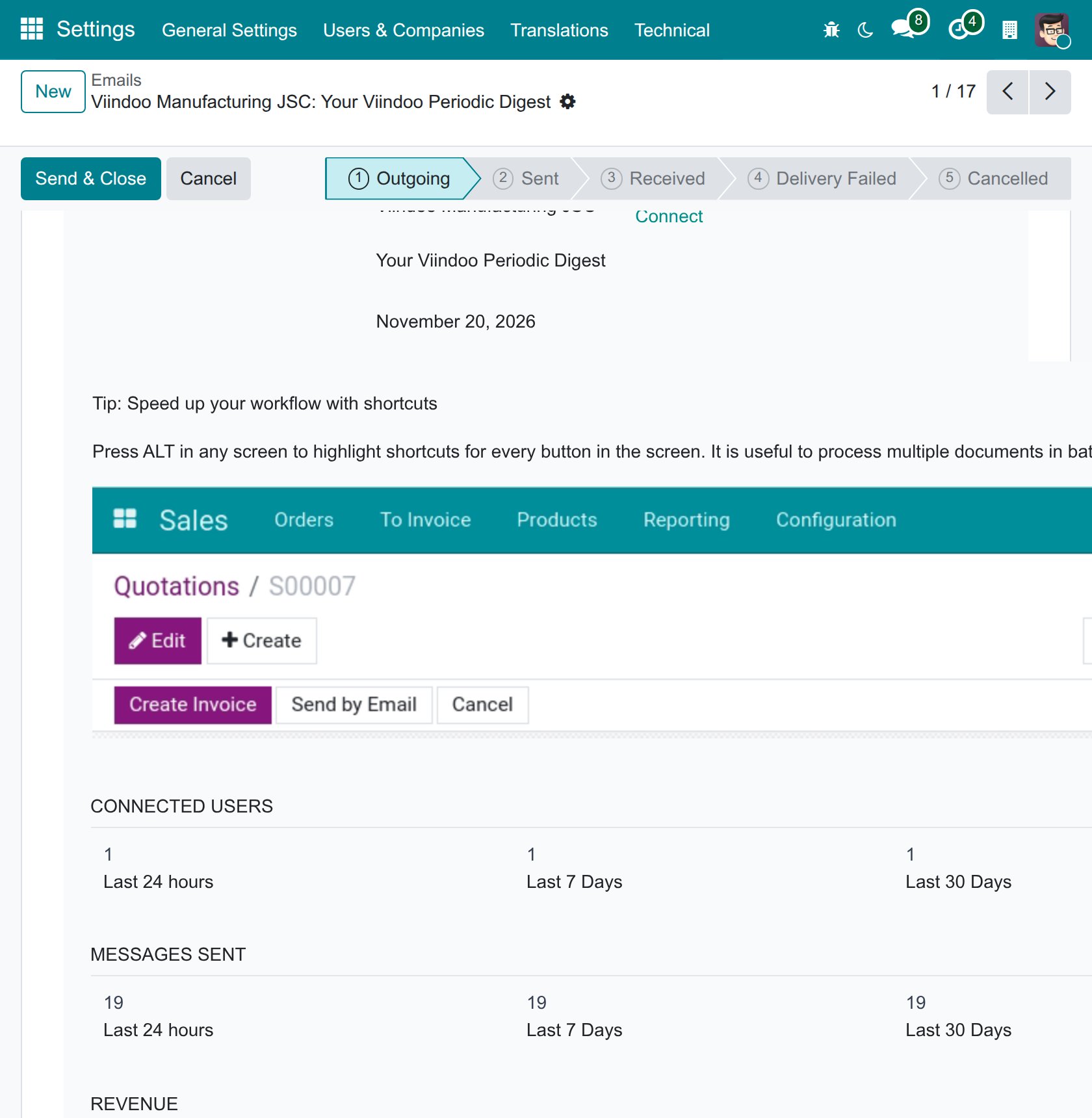
The email shows, for each metric, three columns (Last 24 hours, Last 7 Days, Last 30 Days) with the percentage of change against the previous period, and a tip about Viindoo. Administrators also find links to switch to a weekly digest and to choose the metrics.
Can I add my own metric?
A new metric needs a developer: a checkbox and a computed value are added to the digest by a custom module. Contact your Viindoo consultant for it.
Common problems
Symptom |
What to do |
|---|---|
The digest is not received. |
Check that it is Activated, that the user is in Recipients and that an outgoing mail server is set up: without it, the email stays in the outgoing queue or fails. |
A metric is missing from the email. |
The metric is not ticked on the KPIs tab, or the recipient has no access to its app. |
The digest comes less often than expected. |
The recipients did not sign in for a whole period: set the Periodicity again. |