
Getting started with Employee Advance in Viindoo
Employee Advance handles the money a company gives to an employee before the employee spends it, for example before a business trip or a purchase. An advance goes through four steps: the employee requests it, the manager approves it, the accountant pays it, and the accountant reconciles it with the real expenses when the employee reports them.
This guide is for administrators who set the application up and for the employees, approvers and accountants who use it.
Requirements
This tutorial requires the installation of the following applications/modules:
The application relies on Approval and on Accounting. Both are installed with it.
Who can do this, and where?
Task |
Role needed |
Application |
|---|---|---|
Request an advance and follow it |
Employee (any internal user) |
Employee Advance |
Approve or refuse the request |
Manager of the employee, or the approver of the approval type |
Approval |
Pay and reconcile advances |
Employee Advance: User, or Accounting: Bookkeeper |
Employee Advance |
Read the advance reports and manage the application |
Employee Advance: Administrator |
Employee Advance |
What does the application offer?
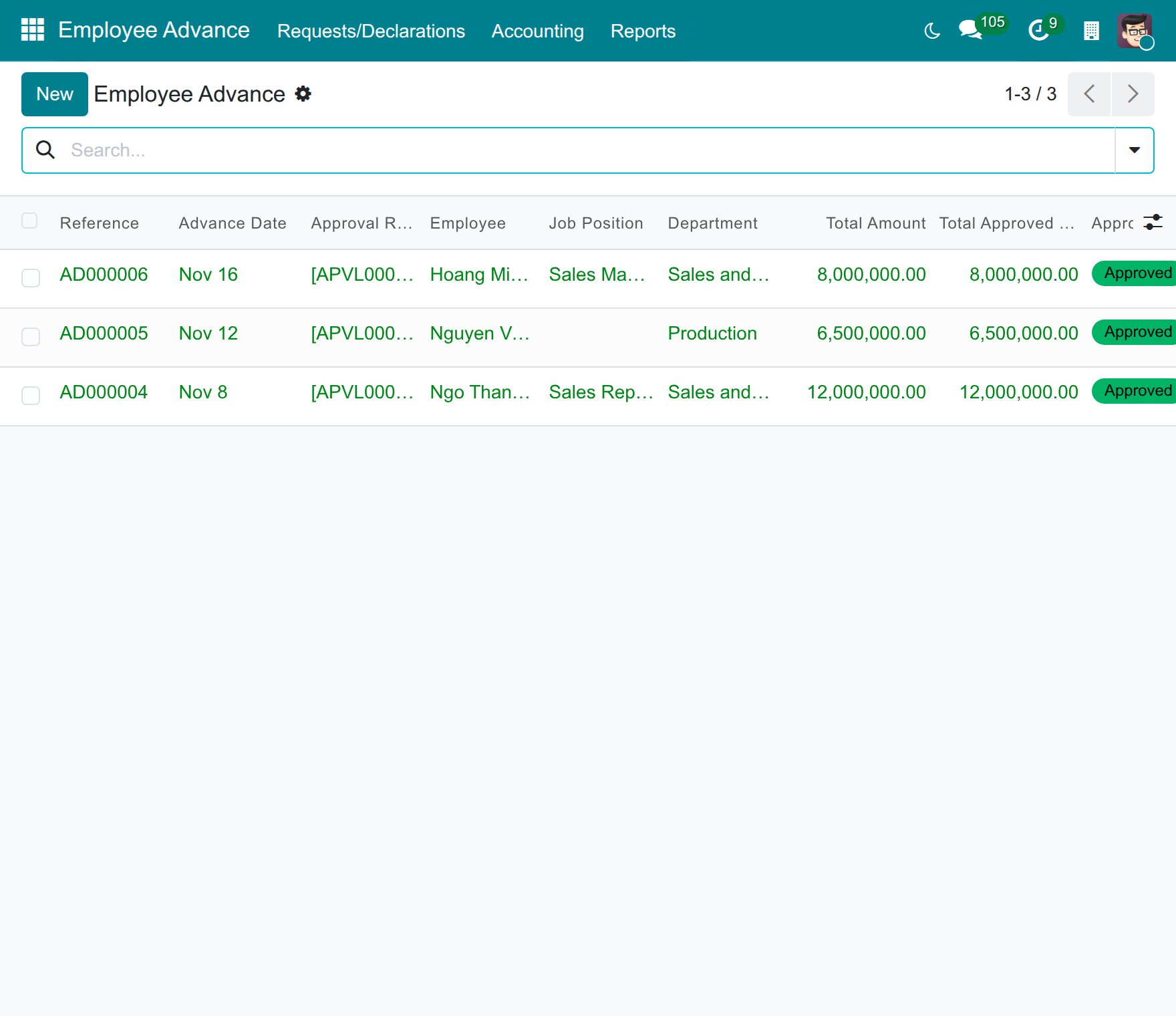
The application Employee Advance has three menus:
Requests/Declarations with the list of advances, where employees create their requests.
Accounting with the employee advance reconciliations and their batches, used by accountants.
Reports with the analysis of the advances, for administrators.
How do I give users access to Employee Advance?
Go to , open the user and choose a level in the field Employee Advance of the tab Access Rights.
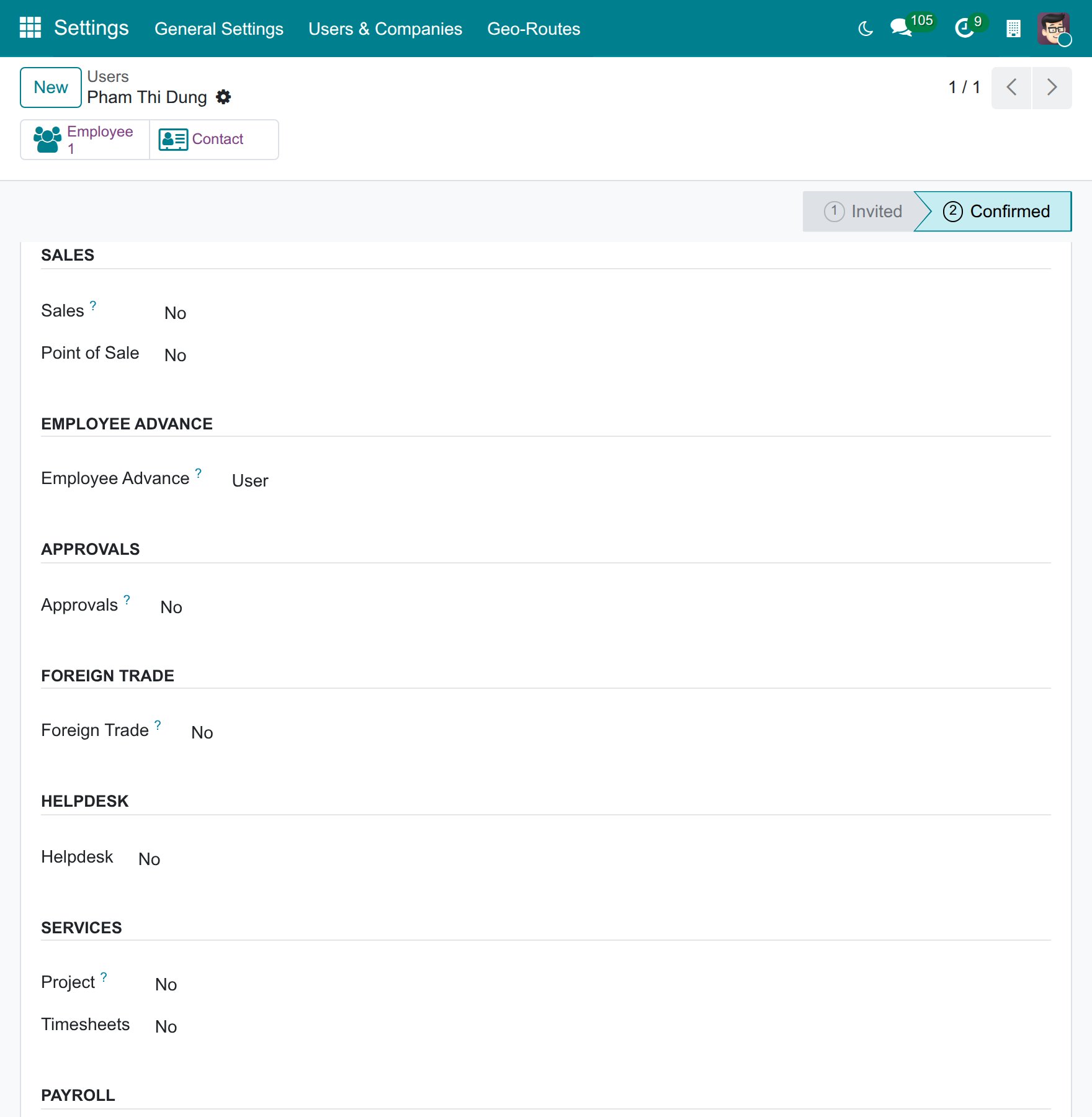
Level |
What the user can do |
|---|---|
No |
The user is an employee: they request advances for themselves and see only their own advances. |
User |
Sees every advance, pays the advances and reconciles them. This level includes the invoicing rights of the accounting application. |
Administrator |
Full control of the application, including the menu Reports. |
What should I set up before the first advance?
Make sure that each employee has an advance account: open the employee, go to the tab Accounting and fill in Advance Account, or set Employee Advance Account for the whole company in , in the block Post Employee advance in. Without it, the advance form shows the warning Cannot find the advance account for employee.
Fill in the manager of each employee on the employee form. The approval type Employee Advance Approval, in , sends each request to the manager of the employee. Viindoo makes the managers Team Approvers of the application Approval by itself. An employee with no such manager sends the request to the default approver of the company, the administrator.
Check that the journal Employee Advance Journal exists in the accounting application. The payments of the advances are posted in it.
Common problems
Problem |
Cause |
What to do |
|---|---|---|
The menu Employee Advance is missing |
The application is not installed, or the user has no access to it. |
Install the application and check the access rights of the user. |
The advance form shows Cannot find the advance account for employee |
No advance account is set for the employee or the company. |
Fill in the advance account on the employee or in the accounting settings. |
The advance form warns that the employee still has advances not reconciled |
A previous advance of the employee has not been reconciled yet. |
Reconcile the previous advances, see Employee advance reconcile. |
Next steps
See also
Related article
Optional module