
How to set up a salary cycle
A salary cycle tells the Payroll app which days a payslip covers. By default a cycle runs from the first to the last day of a month. If your company pays from the 26th of a month to the 25th of the next one, create a cycle with a Start Day Offset of 25, then set it as the default cycle of your company in .
Who |
|
App |
Payroll |
Before you start
Required modules: Payroll.
Install the Payroll app. The Default (no offset) cycle already exists: it runs from the first to the last day of the month. You only need a new cycle if your payroll period starts on another day.
How do I create a salary cycle?
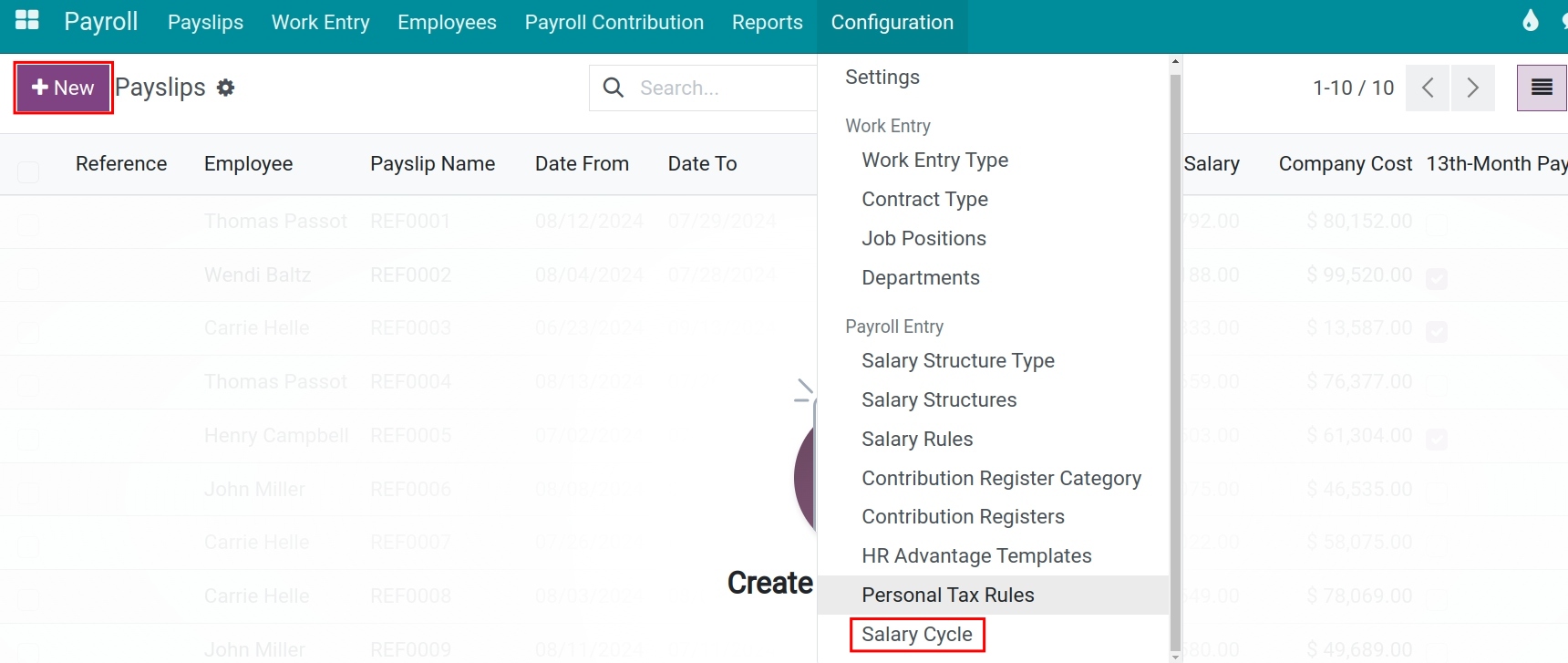
Go to . The list shows the existing cycles with their Start Day Offset. Click New.
![The list of salary cycles]()
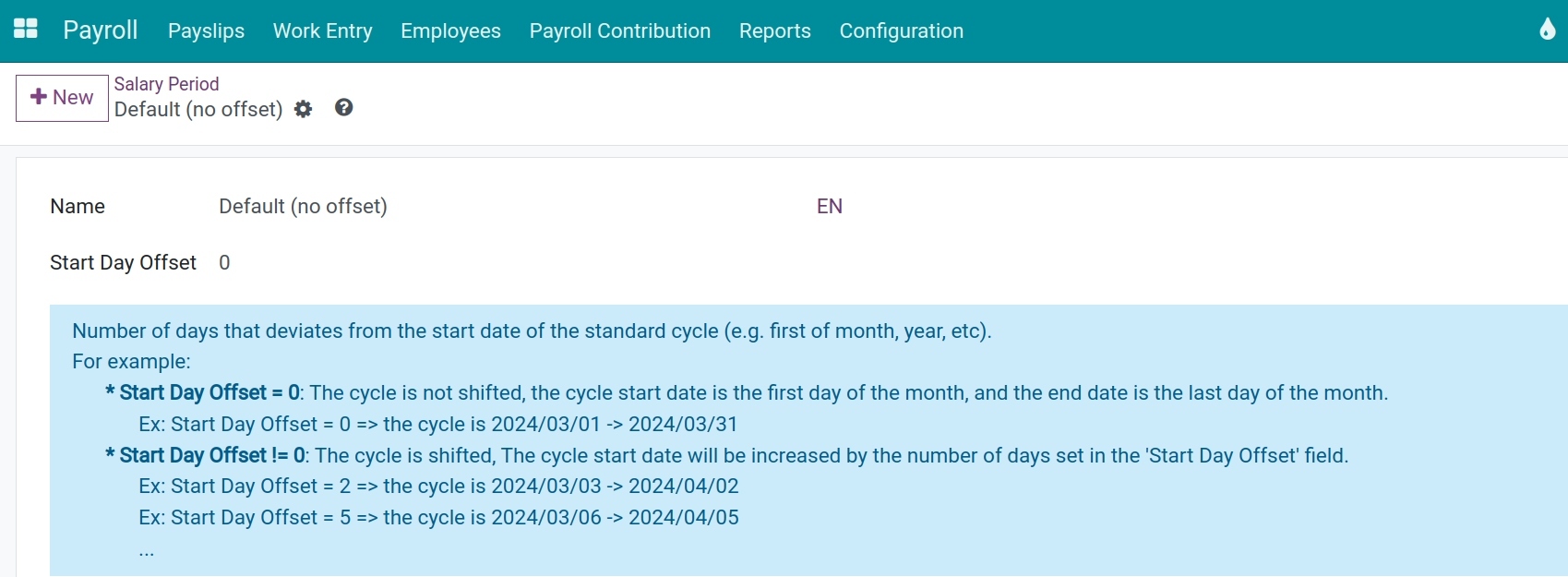
Fill in the two fields of the cycle. A blue box under the fields recalls how the offset works, with examples.
![A new salary cycle with its two fields and the explanation box]()
Field
What it does
If you get it wrong
Name
The name of the cycle, for example Cycle from the 26th of each month.
The cycle cannot be saved without a name.
Start Day Offset
The number of days the cycle start is moved from the first day of the month. 0 keeps the cycle from the first to the last day of the month.
The value must be at least 0 and less than 28. Any other value is refused.
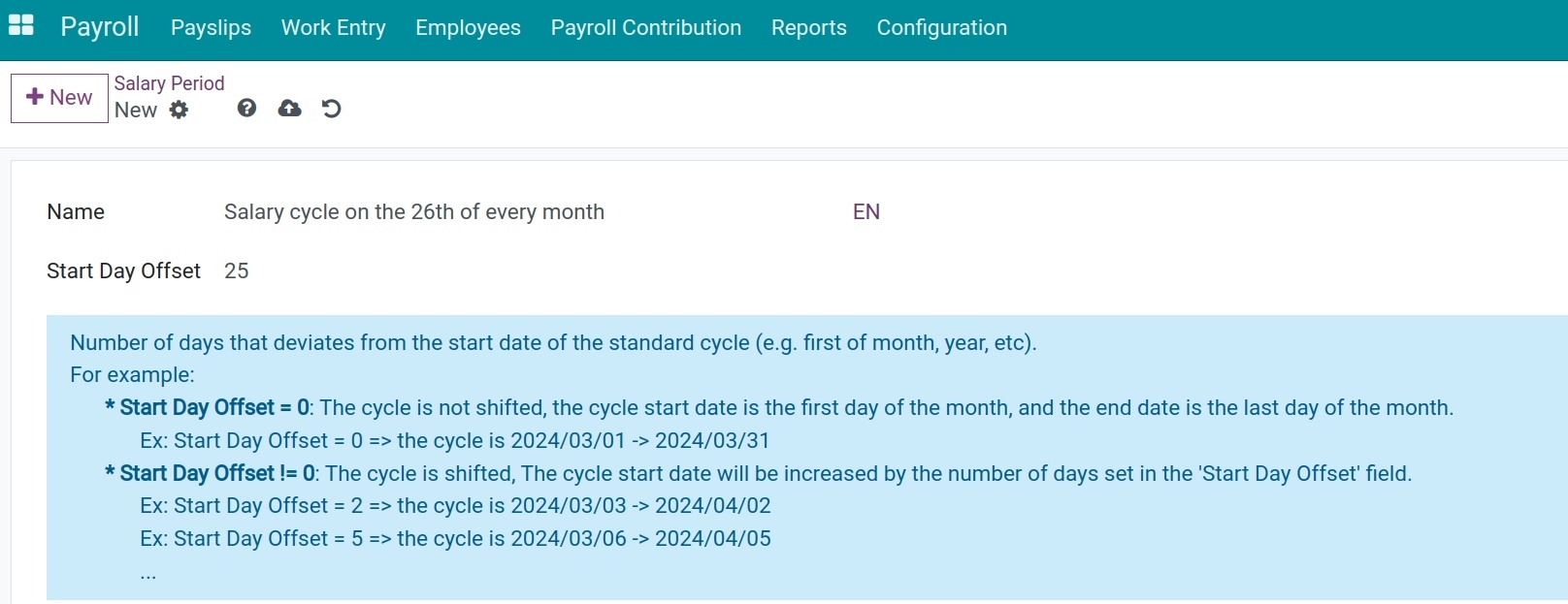
For example, with an offset of 25 the cycle starts on the 26th of a month and ends on the 25th of the next month: the cycle that starts on 26 February ends on 25 March.
Click Save.
![A salary cycle starting on the 26th of each month, with an offset of 25]()
How do I choose the default salary cycle of my company?
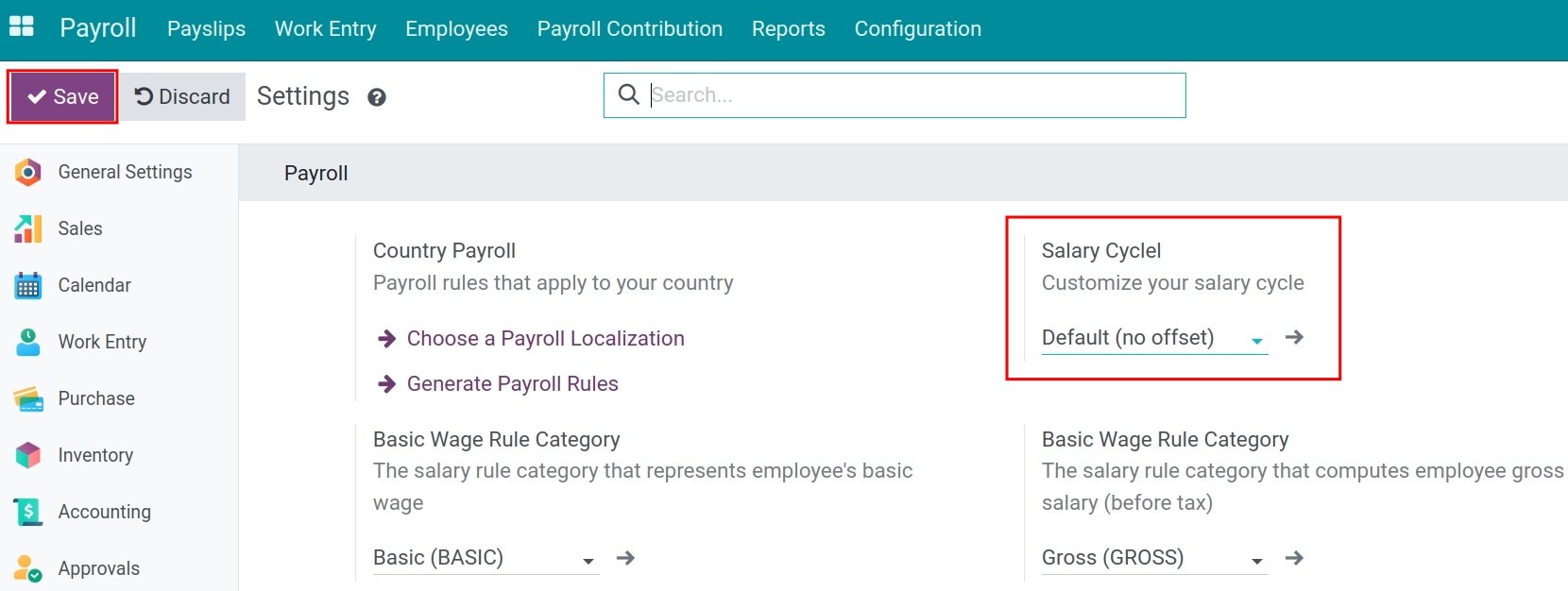
Go to . In the Salary Cycle field of the Payroll block, choose the cycle and click Save. Every new payslip and payslip batch of the company uses this cycle, and the period proposed for a new payslip is the last cycle that has ended.
How do I use another salary cycle on one payslip?
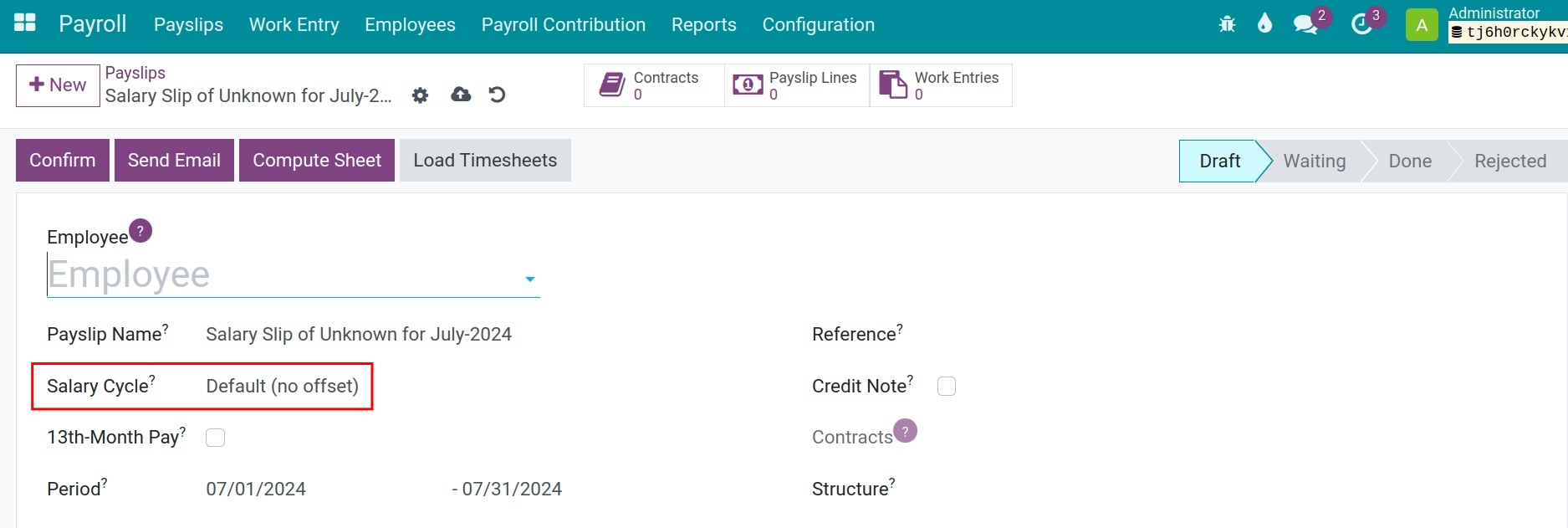
A new payslip takes the default cycle of the company. To use another cycle on a payslip that is still in draft, open it from and change the Salary Cycle field. This field is shown only when you activate the developer mode. On a payslip batch, the Salary Cycle field is always shown.
Common errors
Problem |
What to check |
|---|---|
The cycle cannot be saved |
The Start Day Offset must be between 0 and 27. |
The Salary Cycle field is missing on a payslip |
Activate the developer mode. |
An existing payslip did not follow the new default cycle |
The default cycle applies to new payslips. Change the Salary Cycle of the existing draft payslip by hand. |
Next steps
Build the salary structures that the payslips use.
Then create payslips or payslip batches.