
Analytic Plans in Viindoo
An analytic plan groups the analytic accounts that look at your business from the same angle, for example projects, departments or sales orders. The plan also decides on which documents an analytic account of that plan is optional, mandatory or not available.
This guide is for accountants and administrators. The example uses the plan Sales Orders, which holds one analytic account per sales order or contract.
Requirements
This tutorial requires the installation of the following applications/modules:
Analytic Accounting must be ticked in the accounting settings, see Analytic account in Viindoo.
Who can do this, and where?
Task |
Role needed |
Application |
|---|---|---|
Create analytic plans and set their applicability |
Accounting Administrator |
Accounting |
What are analytic plans used for?
Compare projects, orders, product lines or departments with each other.
Follow the profitability of one order or one product.
Give each analytic report its own columns: every plan appears as a column in the analytic items, the analytic report and the budget lines.
Control which documents must carry an analytic account.
How do I create an analytic plan?
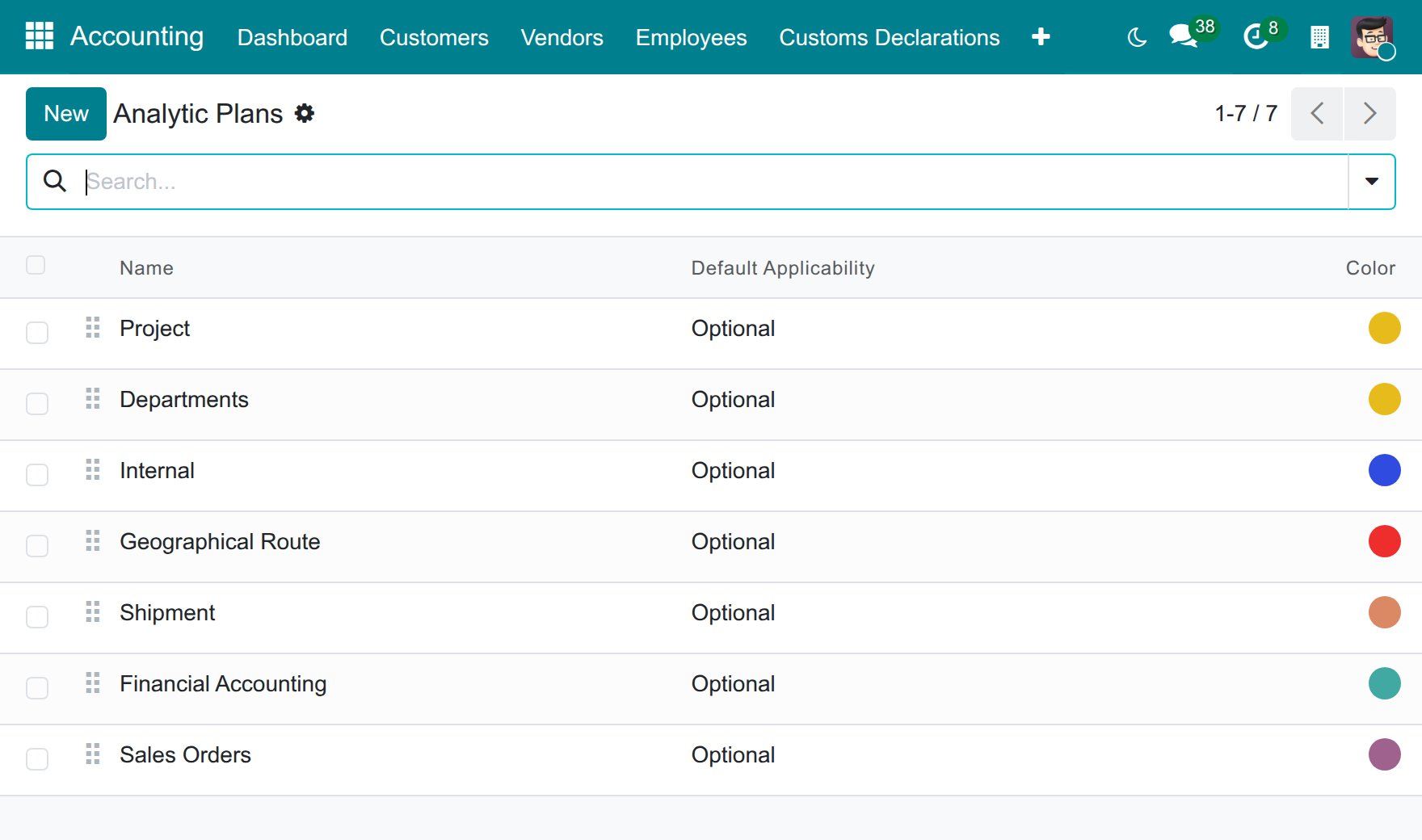
Go to and click New.
![The list of analytic plans with the plan Sales Orders at the end]()
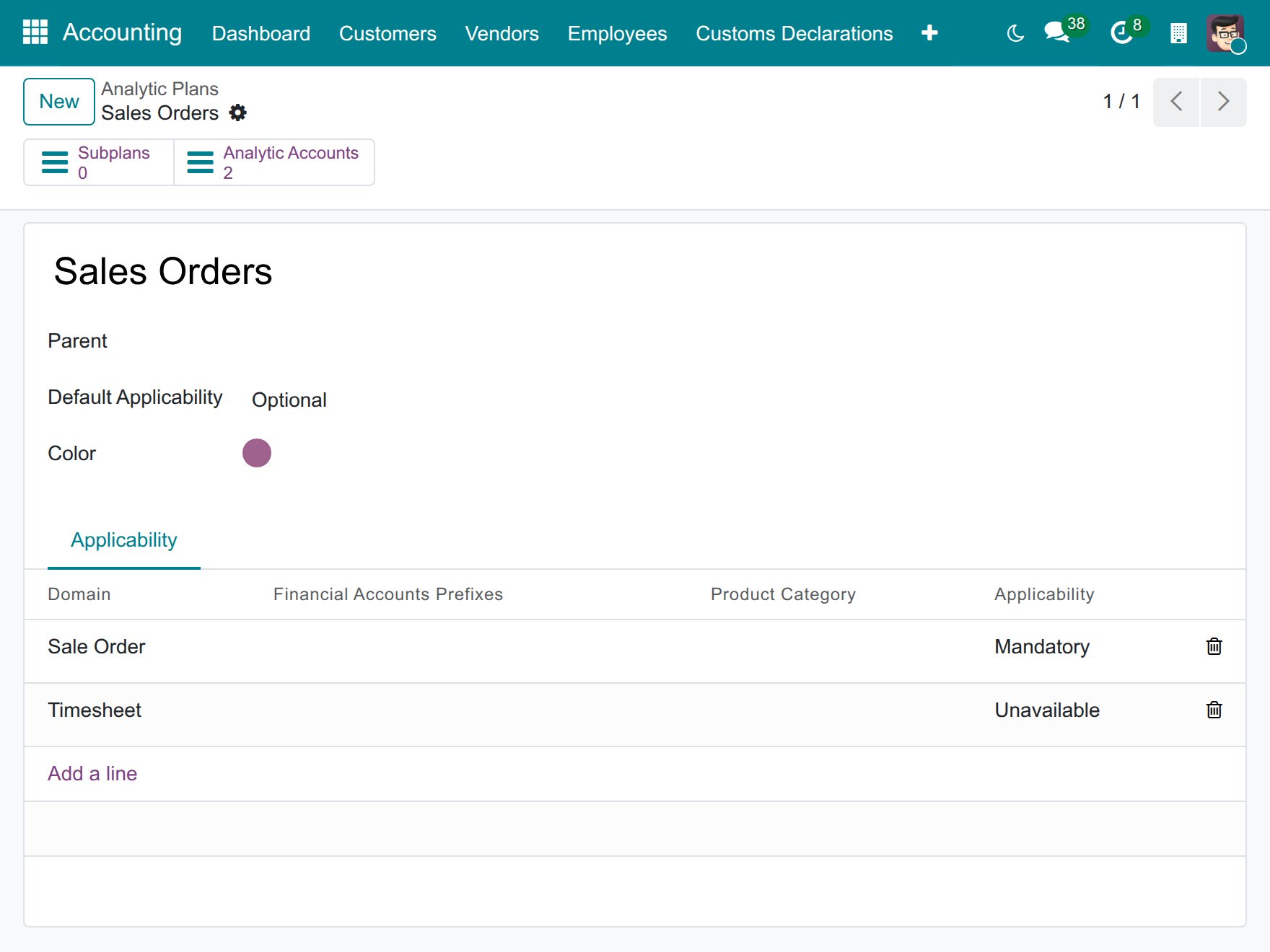
Enter the Name of the plan, for example Sales Orders, and choose its Default Applicability. Add the applicability rules you need in the tab Applicability.
![The form of the plan Sales Orders with its default applicability and its two applicability rules, Sale Order and Timesheet]()
Field
What to enter
Name
The name of the plan. It becomes the name of a column in the analytic reports.
Parent
The plan this plan belongs to, when you organise plans in levels. The sub plans are listed under the button Subplans.
Default Applicability
What the plan means on documents for which no rule exists: Optional, Mandatory or Unavailable.
Color
The color that identifies the plan in the lists.
Click Save.
How do I apply a different rule to one type of document?
In the tab Applicability, click Add a line and fill in:
Column |
What to enter |
|---|---|
Domain |
The type of document: Miscellaneous, Invoice, Vendor Bill, Expense, Purchase Order, Timesheet, Manufacturing Order, Stock Picking, Sale Order or Approval Request. The list depends on the applications installed. |
Financial Accounts Prefixes |
Optional. Restrict the rule to the lines posted on accounts that start with this prefix. |
Product Category |
Optional. Restrict the rule to the lines of one product category. |
Company |
Optional, shown when you work with several companies. Restrict the rule to one company. |
Applicability |
Optional, Mandatory or Unavailable for the documents that match the line. |
When several lines match a document, Viindoo applies the most specific one. A document that matches no line follows the Default Applicability of the plan.
Note
In the example, Sale Order is Mandatory: every sales order line must then carry an analytic account of the plan Sales Orders. Timesheet is Unavailable: timesheets never offer this plan.
Common problems
Problem |
Cause |
What to do |
|---|---|---|
The message One or more lines require a 100% analytic distribution. appears when you confirm a document |
A Mandatory plan has no analytic account, or less than 100 percent, on one of the lines. |
Choose an analytic account of the plan on every line of the document. |
A plan does not appear on a document |
The plan is Unavailable for this type of document. |
Change the Applicability of the matching line, or the Default Applicability of the plan. |
Next steps
See also
Related article
Optional module