
How do I turn the cookies bar on?
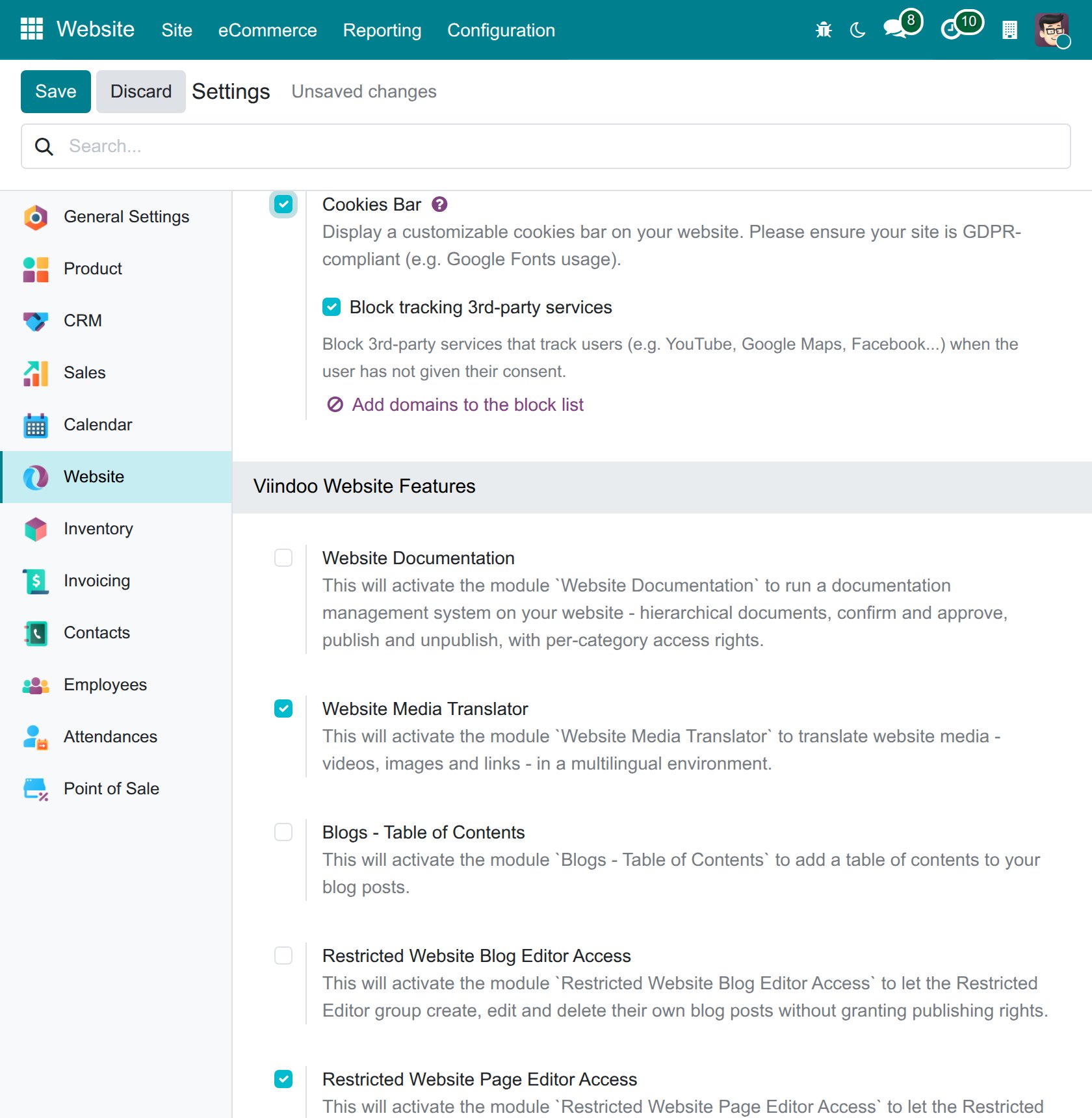
Go to Website ‣ Configuration ‣ Settings and find the Tracking & SEO section.
Tick Cookies Bar. The option Block tracking 3rd-party services appears, already ticked.
Click Save.
![The Cookies Bar setting with the Block tracking 3rd-party services option]()
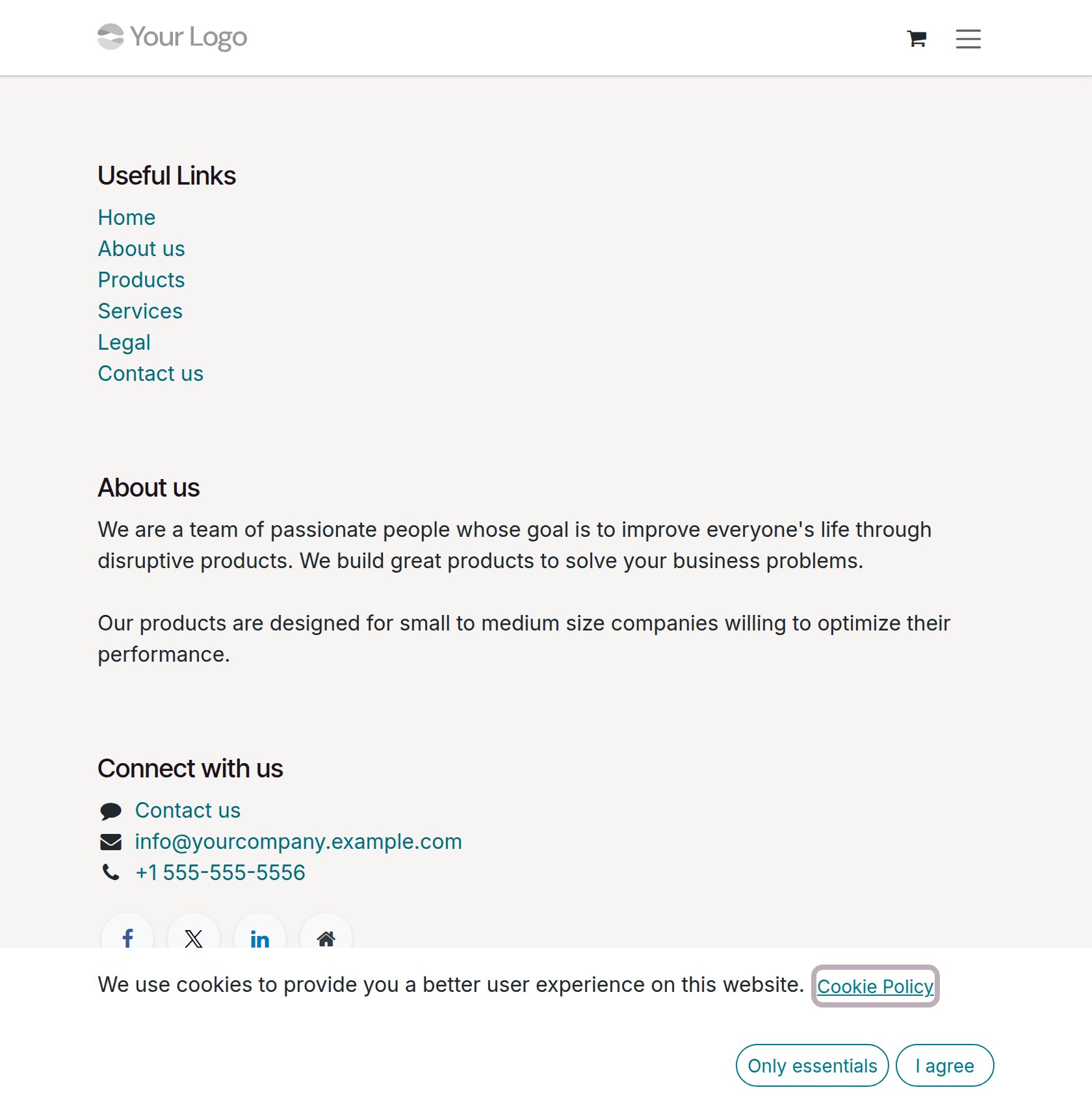
Open your website in a private window: after a short delay, the bar slides in at the bottom of the page.
The setting belongs to one website: if you run several websites, choose the website first and repeat the steps for each one.
What can a visitor do?
I agree accepts the optional cookies.
Only essentials keeps only the cookies the website needs to work.
Cookie Policy opens the page that explains which cookies the website may store. Viindoo creates this page, at the address /cookie-policy, when you turn the bar on, and deletes it when you turn the bar off. You can edit its text like any other page.
The choice is remembered in the browser of the visitor. Until the visitor agrees, the website does not run the tracking code of the services you connected, for example Google Analytics, and, if Block tracking 3rd-party services is on, it also removes the embedded content of tracking third parties.
How do I block more third-party services?
With Block tracking 3rd-party services on, Viindoo already blocks until consent the common social networks (Facebook, Instagram, Twitter, TikTok), video platforms (YouTube, Vimeo, Dailymotion, Youku) and Google services (Google Maps, Google Analytics, Google Tag Manager and others) when they are embedded as frames or scripts.
To add your own:
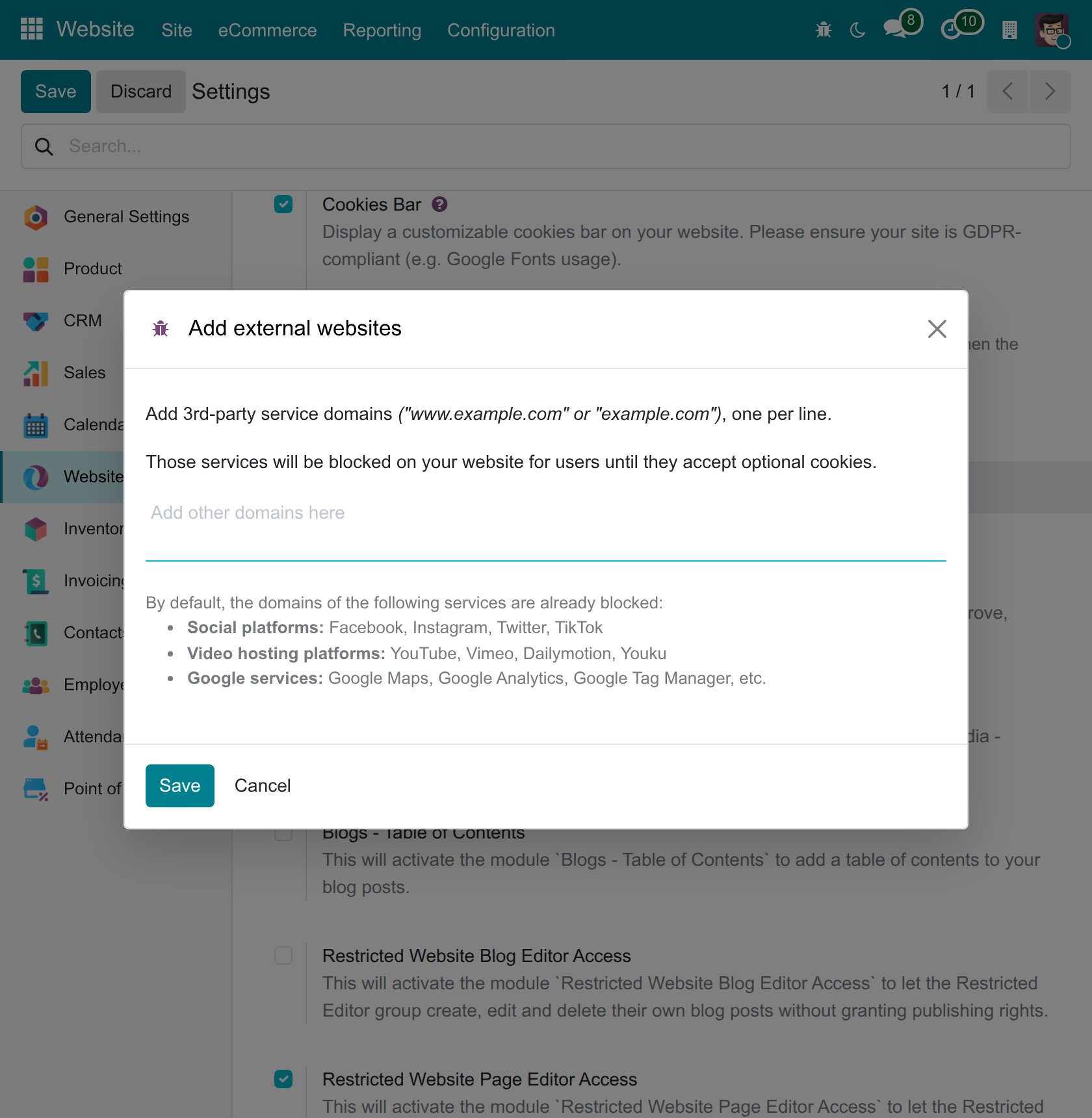
In the Cookies Bar setting, click Add domains to the block list.
Type one domain per line, for example example.com or www.example.com.
Click Save.
![The window Add external websites where you type the domains to block]()
Note
Users who can edit the website, such as administrators and website designers, still see the blocked content while they are signed in, so that they can work on their pages.
How do I change the look of the bar?
The bar is part of the page, so you can edit it in the website editor. In the editor, select the cookies bar (it is an invisible element until a visitor has to choose) and change its Layout: Discrete, Classic or Popup. You can also edit its text.
Common problems
Problem |
What to do |
|---|---|
The bar does not appear. |
You may have already chosen in this browser. Open the website in a private window, and check that Cookies Bar is ticked for the right website. |
An embedded video or map is empty. |
It is blocked until the visitor agrees. This is expected: the visitor sees it after clicking I agree. |
A service of mine tracks visitors before they agree. |
Add its domain to the block list, or turn Block tracking 3rd-party services on. |
The Cookie Policy link leads to a missing page. |
Turn the cookies bar off and on again to create the page again. |