Agentic Business Management Platform
One AI for the whole company
Your whole business on one platform, with AI working alongside your team, and you set the rules.
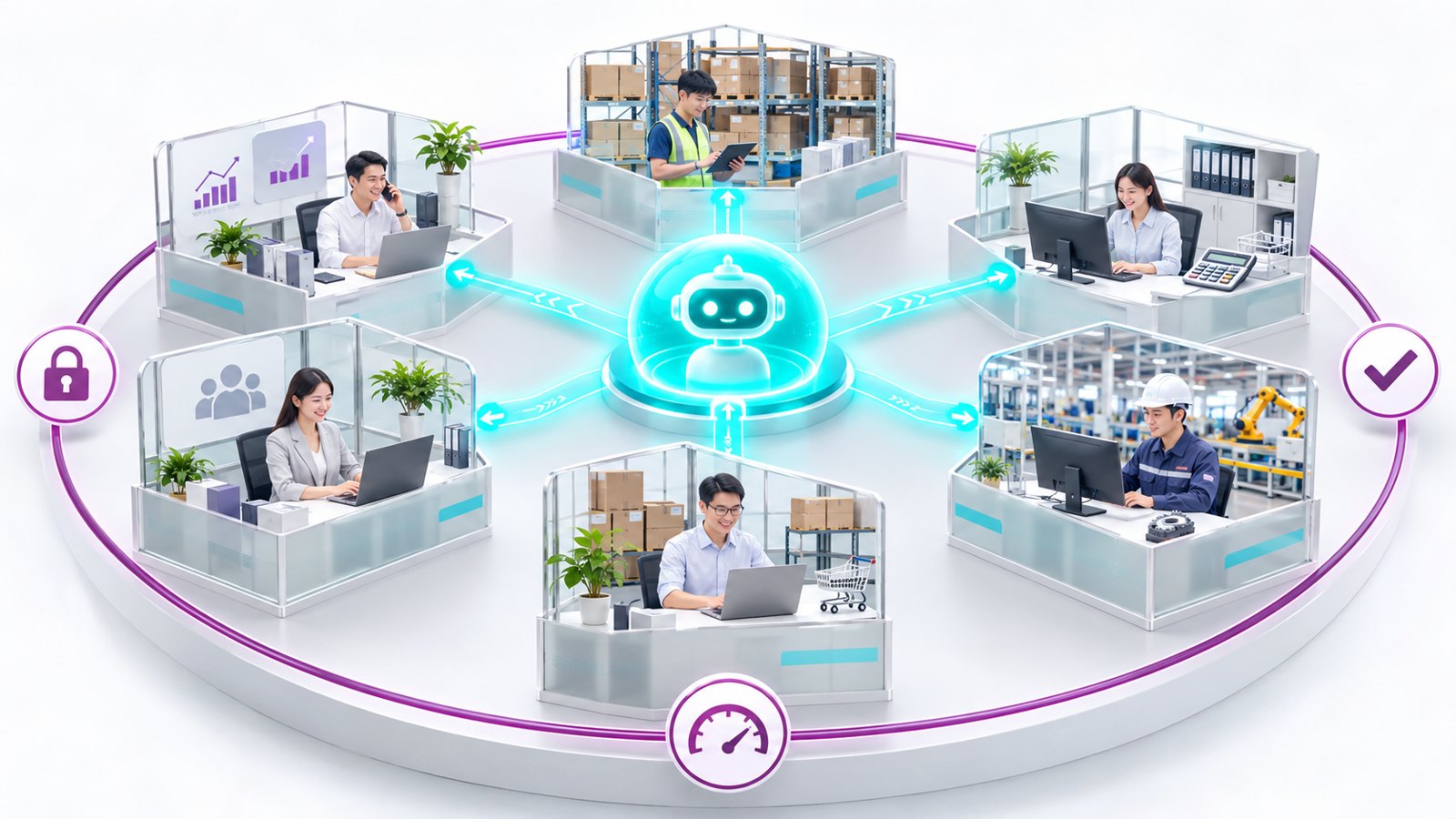
How many AIs does your company have?
Everyone has their own chatbot. Figures have to be copied out of the system just to ask a question. The answers sound good, but no one is sure they are right.
Why companies are eager to use AI, but struggle with effectiveness and safety
Companies are eager to use AI, but when it sits outside their systems, it is neither effective nor safe.

AI sits outside your systems
After getting an answer, you still have to copy it into your software. To ask about your numbers, you first have to copy them out.
- You have to explain everything from scratch each time.
- The answers sound fluent, but you still have to check every figure.
Everyone does it differently
Scattered tools with no shared process. Some teams build their own apps, but no one maintains them.
- Everyone has their own tool, and every department works differently.
- After a few months of experimentation, with nothing measured, the effort is abandoned.
No one is in control
The AI does not know who can see what, acts without approval, and leaves no audit trail.
- Contracts, payroll and customer details get pasted into personal chatbots.
- No one knows where the data goes or how much it costs.
Business management software with AI built in, on one platform
AI can only be trusted when it works with real data. Viindoo puts AI back where that data lives.
- Your company's real data already lives in its management system.
- Sales, purchasing, inventory, manufacturing, accounting and HR run on one platform and share one AI.
- Switch it on and start using it. There is no need to build your own app or second brain.
One limitation: Data outside Viindoo, such as a separate Excel file, is invisible to the AI unless it is added as a knowledge source.
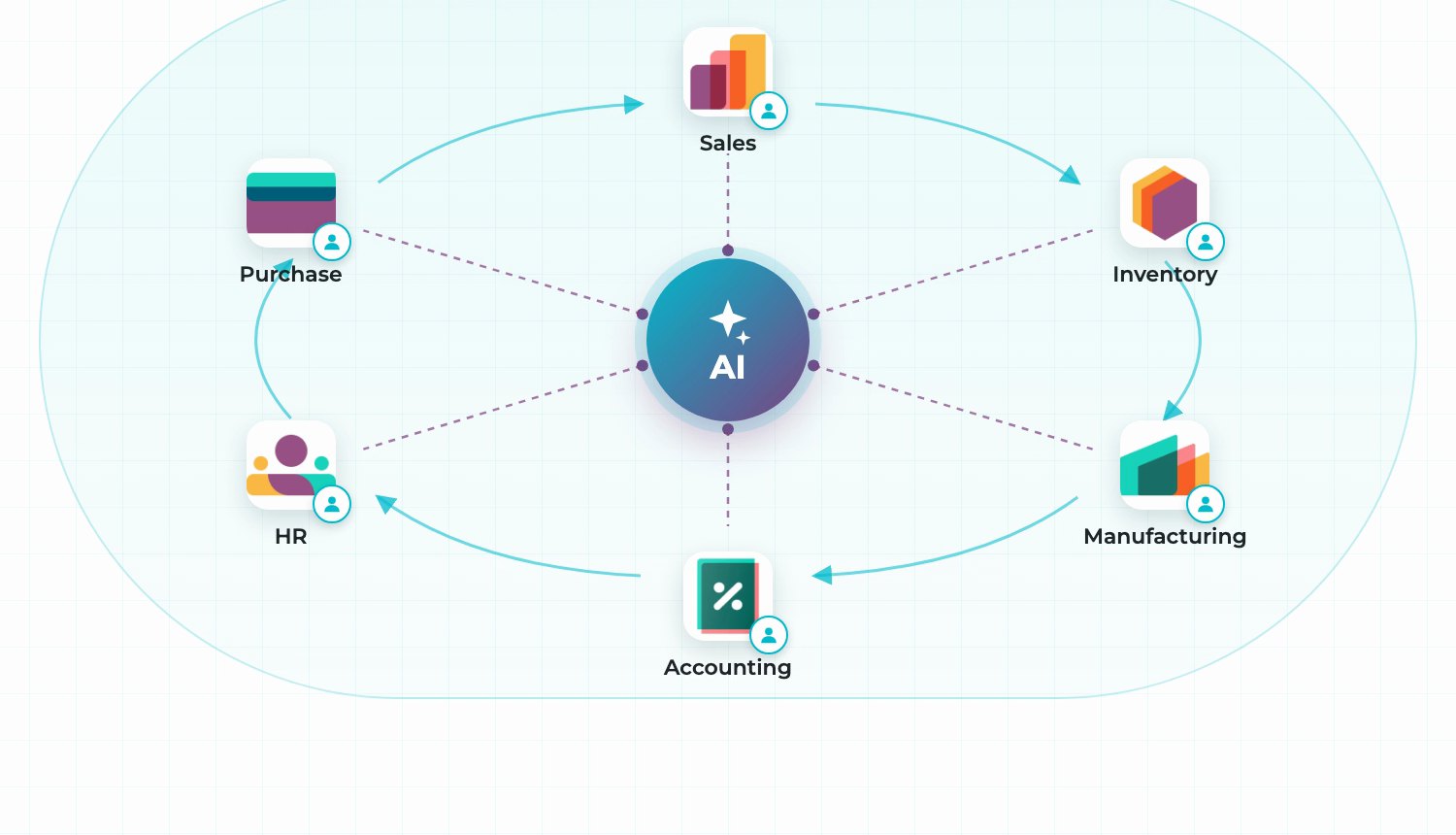
Five tests for AI in a business
Viindoo AI was put through five tests on test data: real numbers, you approve, right permissions, right process, and under your control.
1Real numbers, real decisions
AI that answers using your company's real numbers
Viindoo AI calculates its answers from the data already recorded in the system, not from figures copied out of it.
Ask in everyday language or by voice. The AI calculates using recorded data, shows its calculations, and prioritizes the work.
How it usually works today: When you need a figure to make a decision, you ask someone to compile it or wait for the weekly or monthly report.
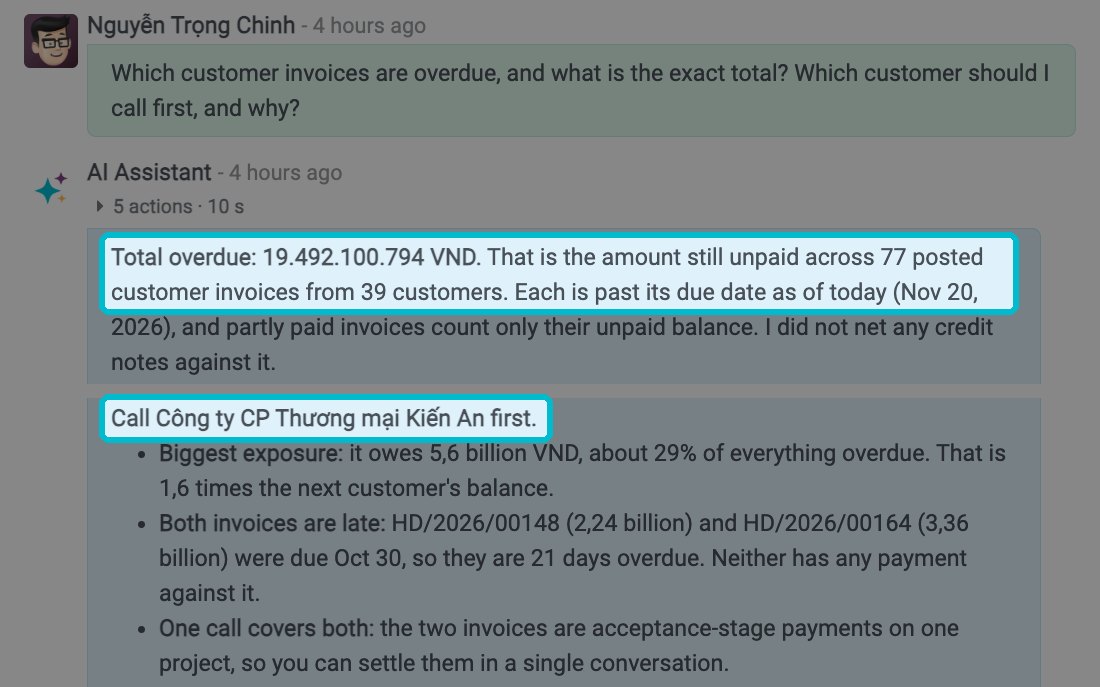
- The AI calculates using posted invoices, shows its calculations, and lists the sources directly below the answer.
- It goes beyond the numbers, ranking customers to call and explaining why.
- The same approach works for manufacturing and sales: which components to buy first and which opportunities deserve your effort.
"Which invoices are overdue, and who should I call first?" The AI returned a total of 19,492,100,794 VND across 77 invoices, matching the books.
One limitation: All nine figures checked against the test data matched. The AI can still make mistakes, so review the calculations and sources before using the results.
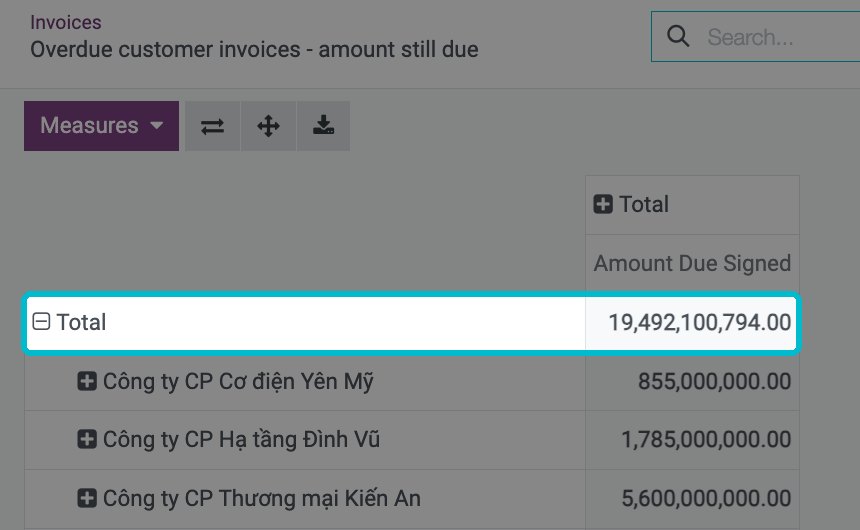
The overdue invoice report in the software shows the same amount.
2You approve
The AI drafts, you approve
Viindoo AI does the work for you but waits for your approval before writing or sending anything.
Tell the AI what needs to be done, and it finds the customer, price list, and products. Before writing or sending anything, it shows exactly what it is about to do and waits for your approval.
How it usually works today: When AI sends emails or changes data without approval, its mistakes go straight into your data.
- Just tell the AI what needs to be done. If information is missing, it asks instead of guessing.
- The AI opens a quotation prefilled with the correct customer, price, and products, but leaves it unsaved. You review it and click Save.
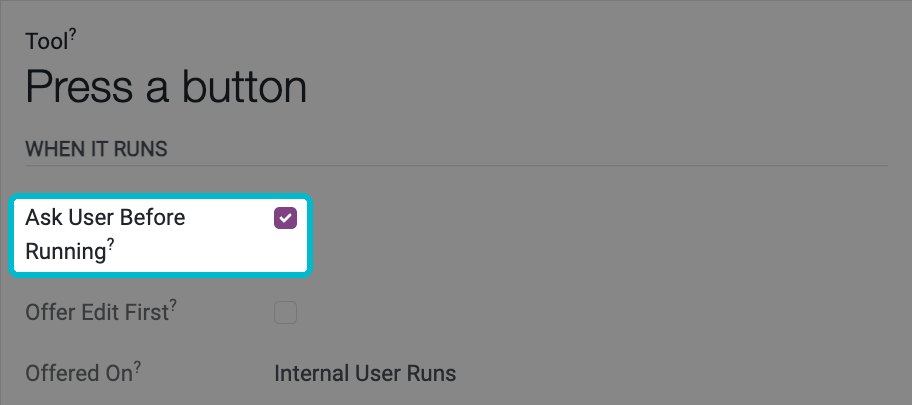
- Notes, reminders and emails all stop at an approval card where you approve or reject; for some actions the card also offers Edit first.
The sales order count does not change until the user clicks Approve.
One limitation: The AI cannot know which discounts exceed someone's authority unless the company has defined that rule in the system.
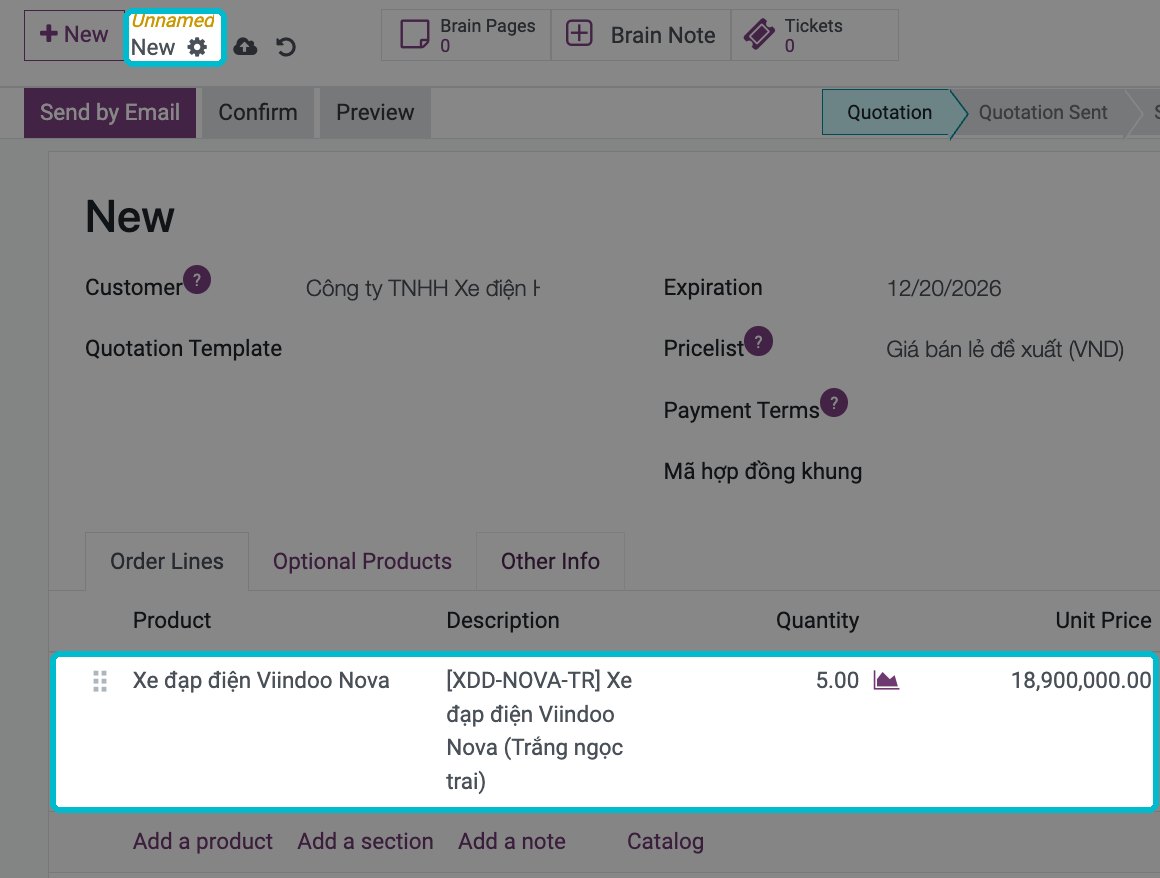
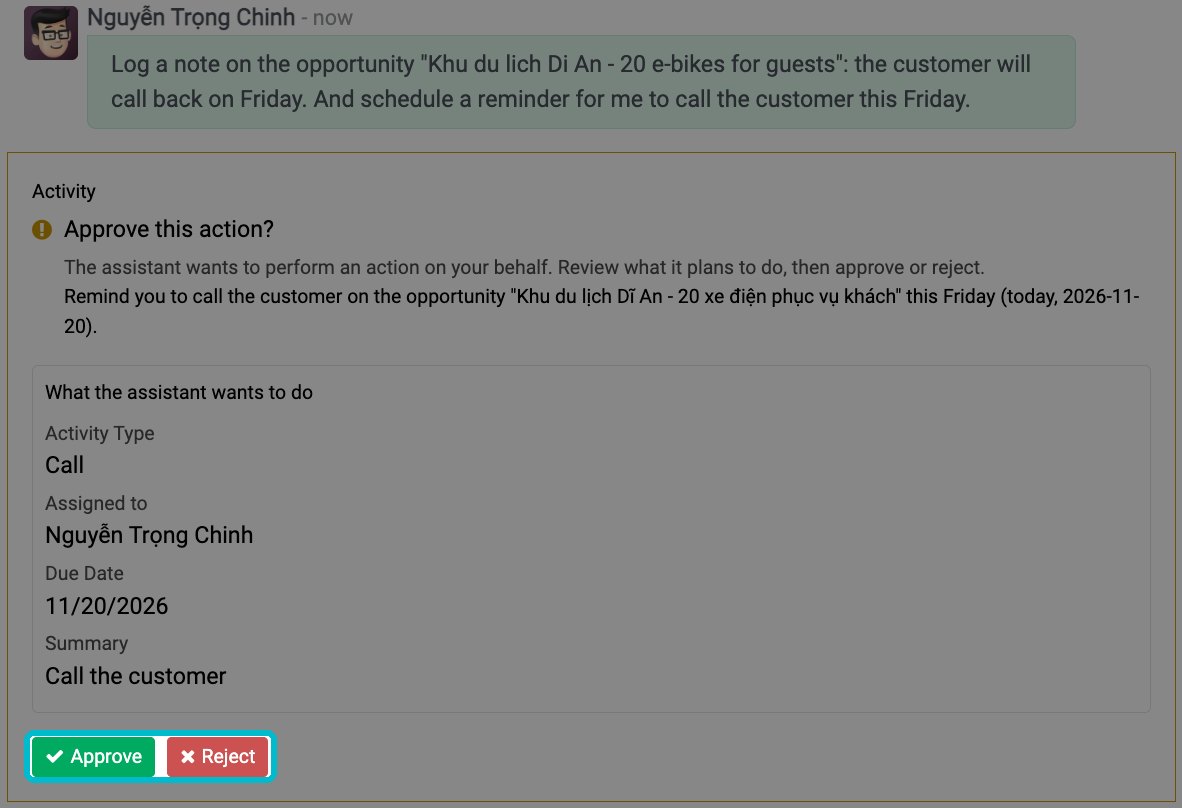
The approval card displayed before scheduling a reminder: Approve or Reject.
3Right permissions
AI permissions: one AI, the right access for each person
The whole company shares one Viindoo AI, but each person sees only the data they are permitted to access.
The whole company shares one AI. It has no permissions of its own: it uses exactly the same permissions as the person asking.
How it usually works today: Anyone who asks can access everything because the AI does not know who is allowed to see what.
- No separate AI permission setup is needed: it uses the permissions already configured in Viindoo.
- A salesperson asking about their work sees only their own quotations.
- The company can add a rule so the AI says it found nothing in the data you are allowed to see, rather than claiming nothing exists in the system.
The same question about total payroll gets different results: the director sees the figure, but the salesperson cannot.
One limitation: The AI exposes exactly what your permissions leave open. That is why permissions must be set correctly before you switch the AI on.
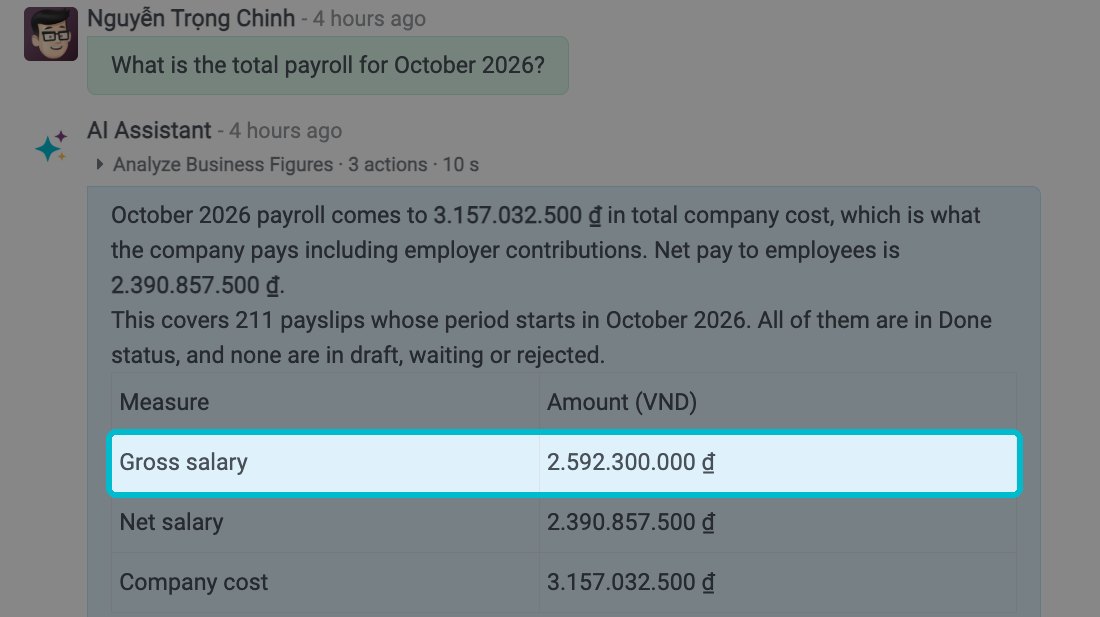
The director asks about payroll: the AI answers with the figure.
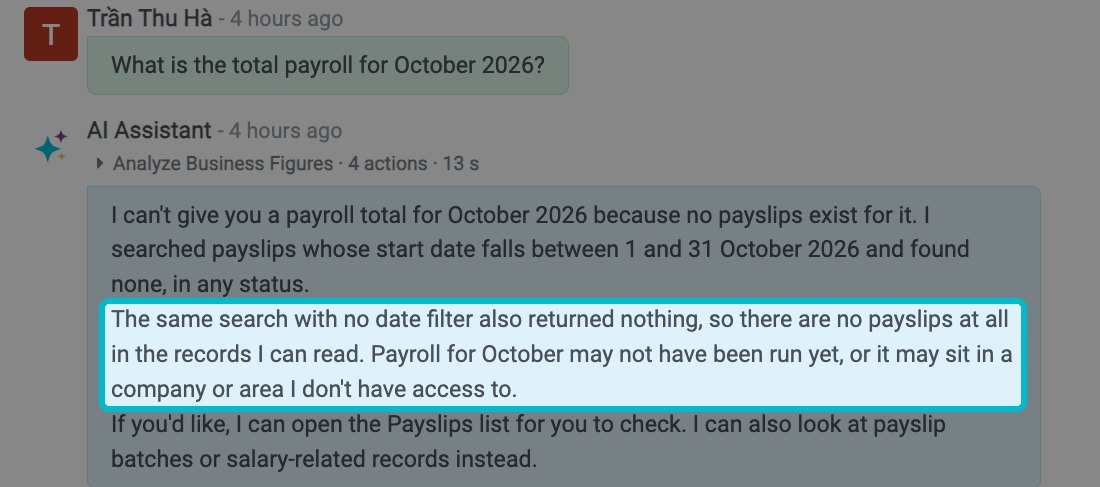
The salesperson asks the same question: the AI cannot see the payslips.
4Right process
AI that checks work against your process
Viindoo AI works within the company's standardized processes, guides new employees step by step, and stops before taking risky actions.
Document your company's process in the knowledge base once. The AI checks each document against it and guides new employees through it step by step.
How it usually works today: Without guidance, everyone works differently, and the company's shared rules go unfollowed.
- Document the process in the knowledge base once, including who must approve each discount level.
- Ask about an order, and the AI lists what has been done, what remains, and where the process was not followed.
- When a new employee asks how to complete a task, the AI provides step-by-step guidance using the exact menu and field names shown on screen.
- When requests conflict, the AI identifies the conflict, offers options, and waits for confirmation before taking action.
The AI flagged a 22% discount that had not been approved under the company's own process.
One limitation: If a process has not been documented in the knowledge base, the AI clearly states that it could not find one.
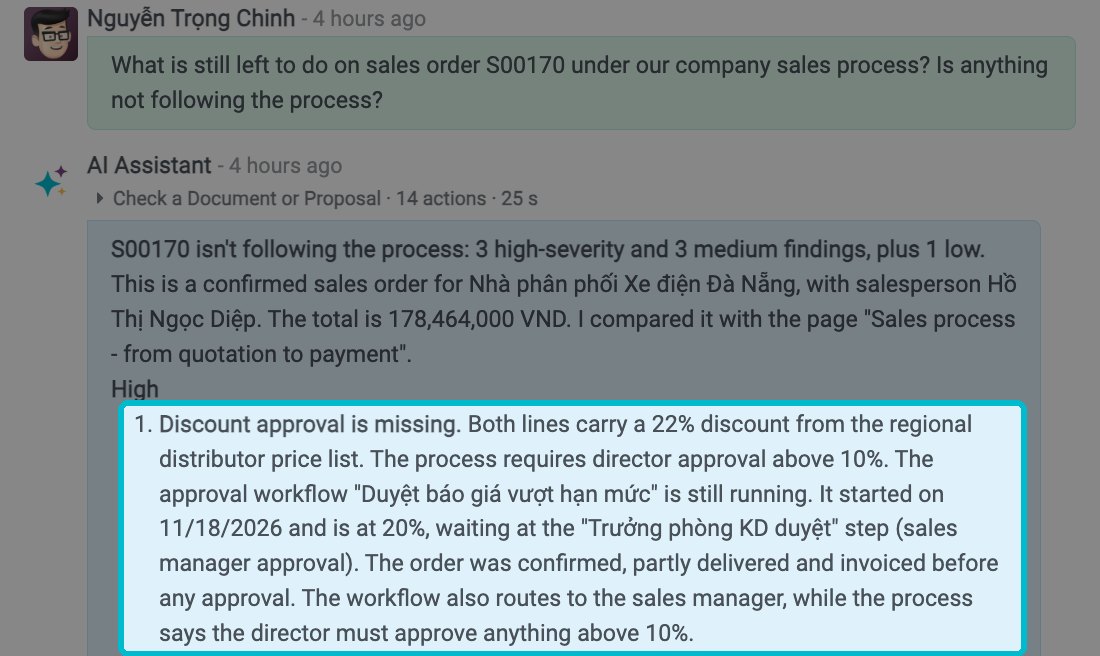
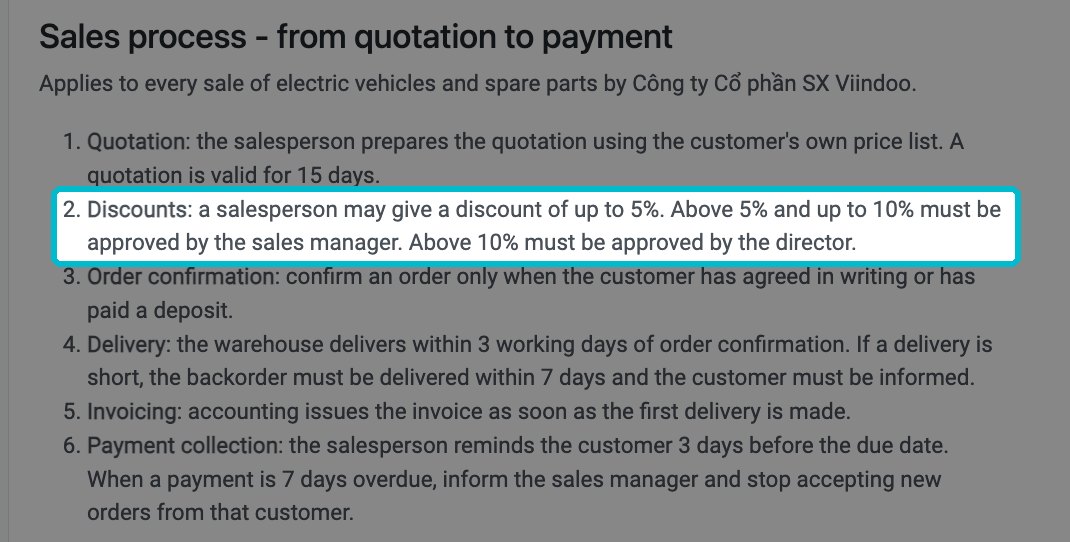
The sales process page in the knowledge base: discounts above 10% need the director's approval.
5Under your control
AI control: provider, data region, cost limits
With Viindoo AI, your company chooses the AI provider, controls where data may go, sets cost limits, and keeps a record of every question.
You choose the AI provider, use your company's own account, set cost limits, and review every question asked.
How it usually works today: No one knows who asked what, where the data went, or how much it cost.
- Choose an AI provider from the available integrations and use your company's own account and API key.
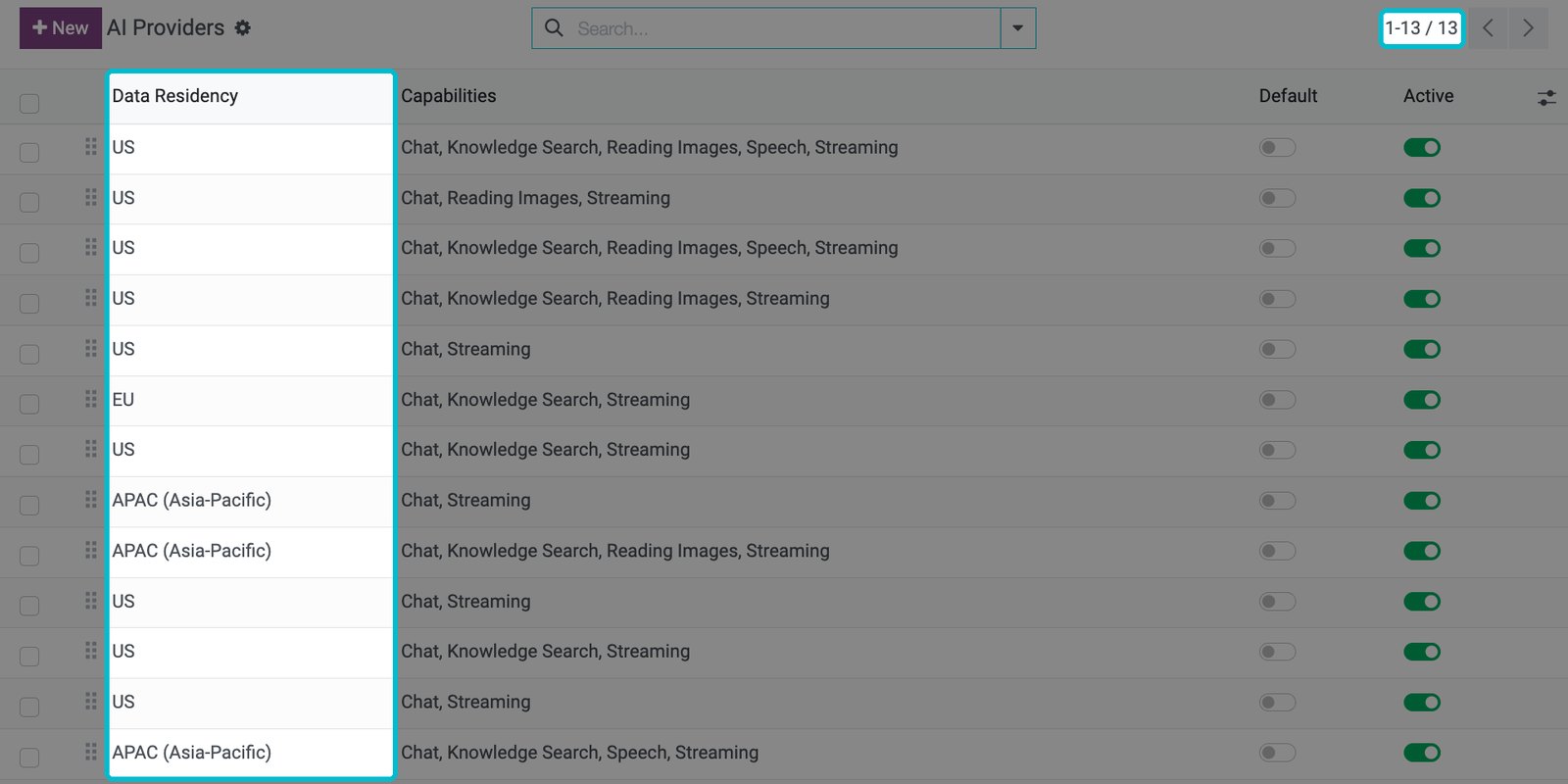
- Each connection displays its data storage region: the US, Europe, or Asia-Pacific.
- Set cost limits per person, per company, and per question, along with a warning threshold.
- Every question has a record showing the date, user, provider, model, request type, token count, cost, and status.
Choose from 13 available AI providers.
One limitation: Questions are sent to the AI provider your company chooses.
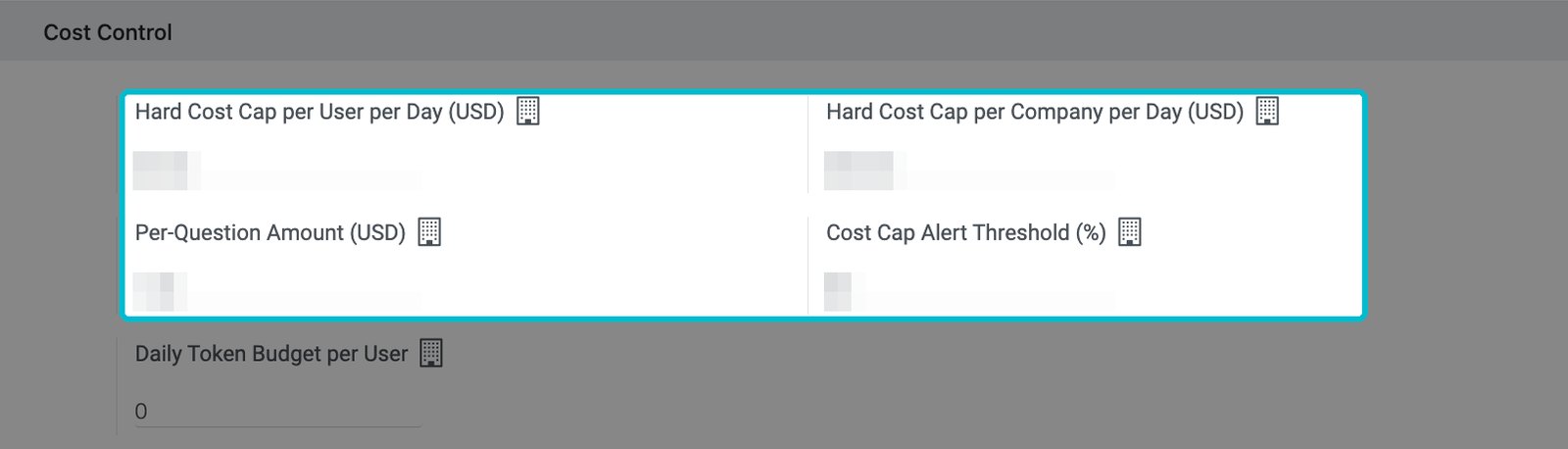
Cost limits per person, per company and per question
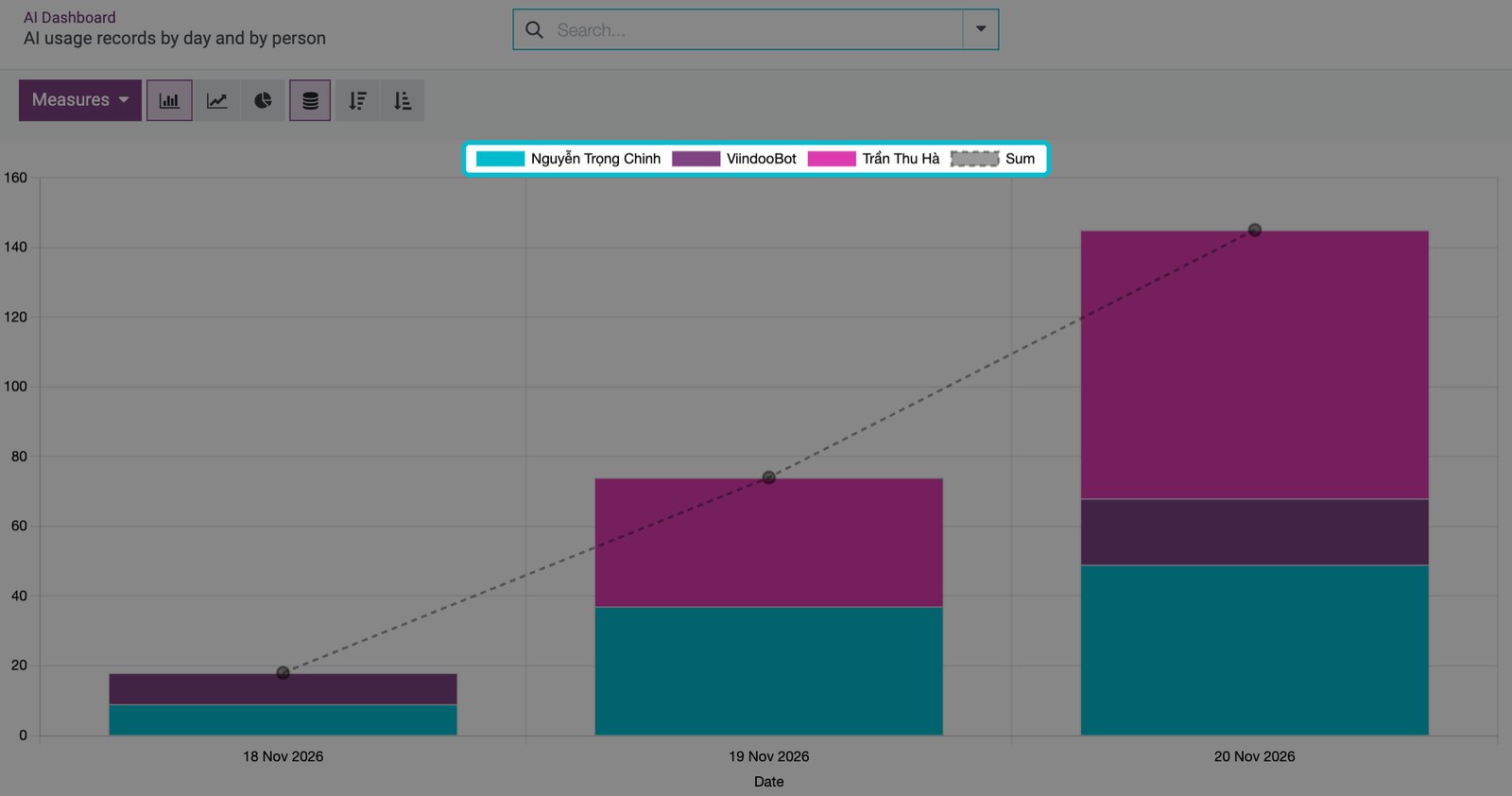
AI usage records by day and by person
What Viindoo AI can do in your company
Viindoo AI works immediately across all your installed applications, with no separate module needed for each one.
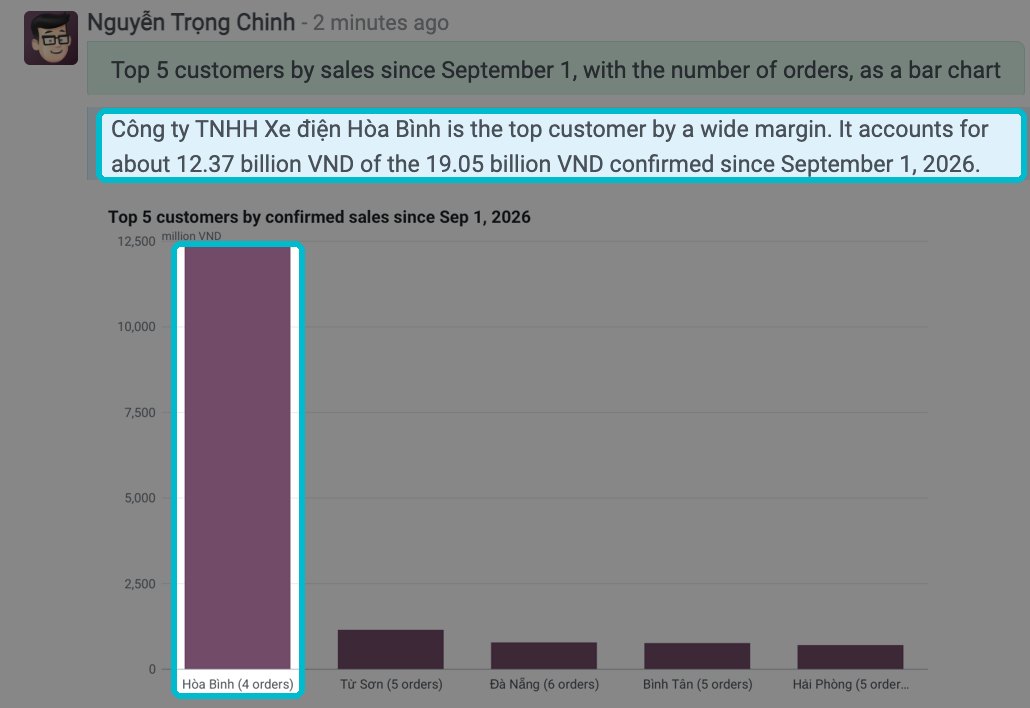
Reports and figures
"How do this month's sales compare with last month?" / "How much stock is in each warehouse?" / "Who are our top 5 customers?"
The AI returns: The change, the customer group responsible for it, and a ranking showing each customer's share.
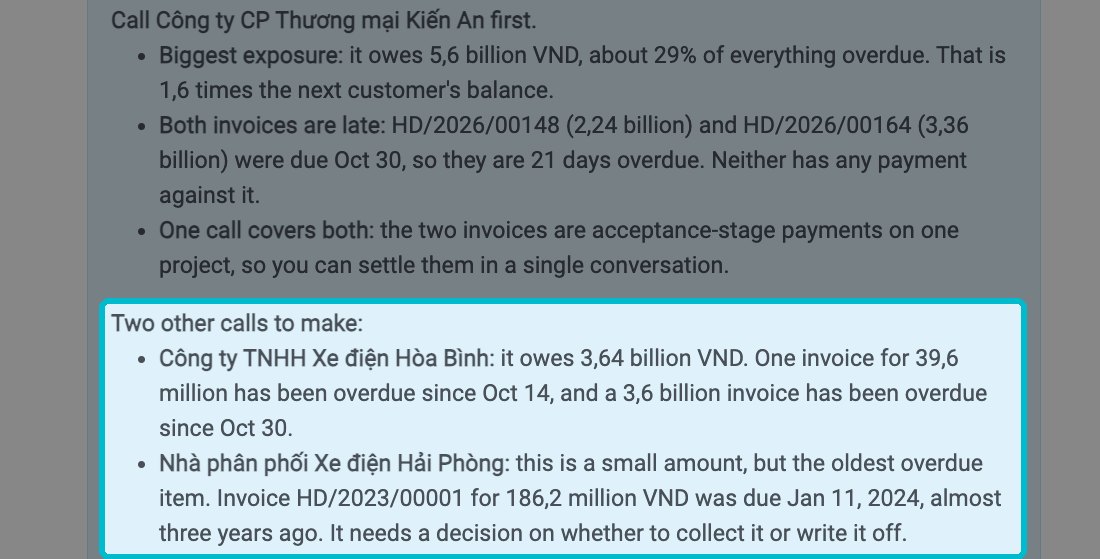
Decisions
"Which customer with overdue invoices should I call first?" / "Which components should I buy first?" / "Which opportunities deserve our effort this week?"
The AI returns: A ranked list with reasons, not just a number.
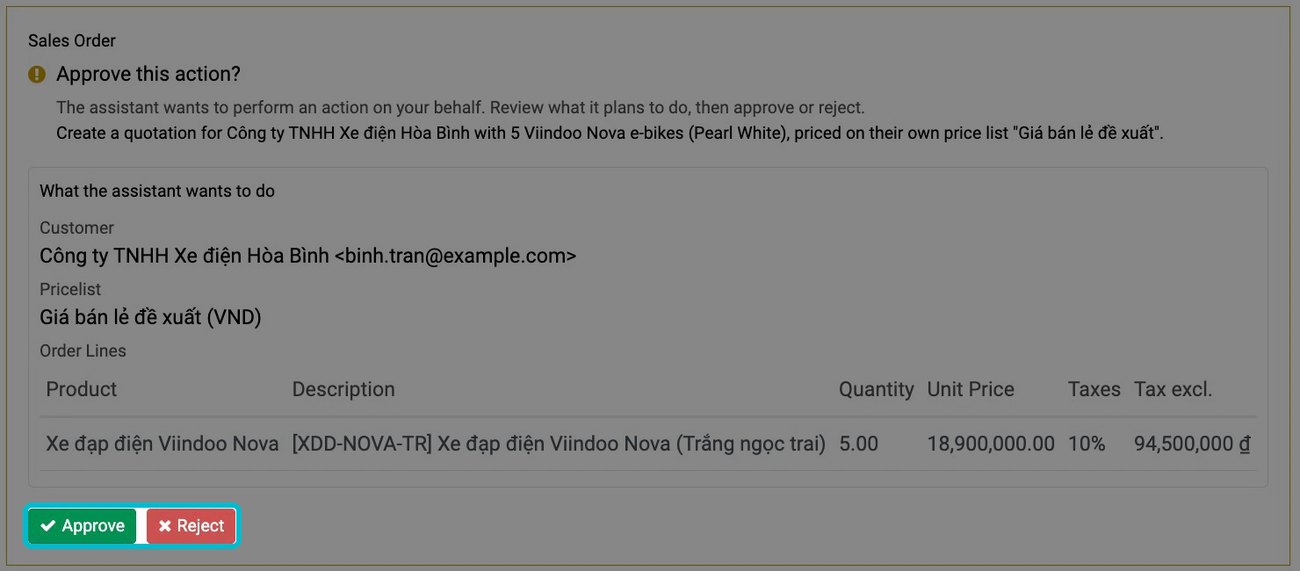
Getting work done for you, with approval
"Create a quotation for..." / "Draft a payment reminder email" / "Create a PDF summary with a chart"
The AI returns: Drafted quotations, emails, notes, and reminders, ready for your approval.
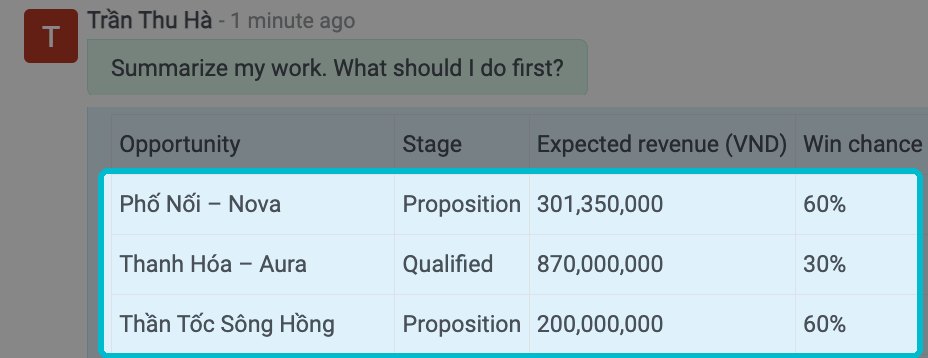
My work today
"Summarize my work" / "Which quotations are still open?" / "What should I do first today?"
The AI returns: The user's own tasks, within their permissions, prioritized by what to do first.
Process and knowledge
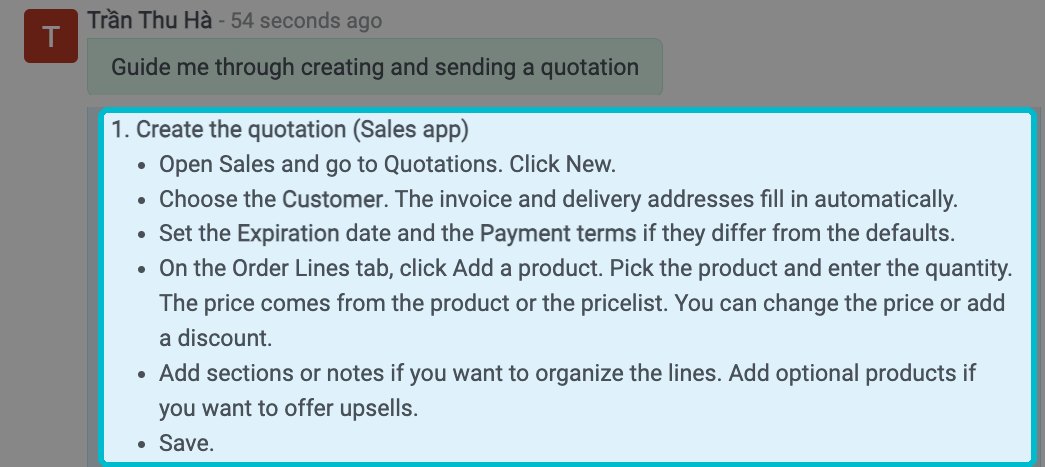
"What remains to be done on this order?" / "What is the discount policy?" / "Guide me through creating a quotation"
The AI returns: The remaining steps for a document, with step-by-step guidance using the exact names shown on screen.
Ask by voice
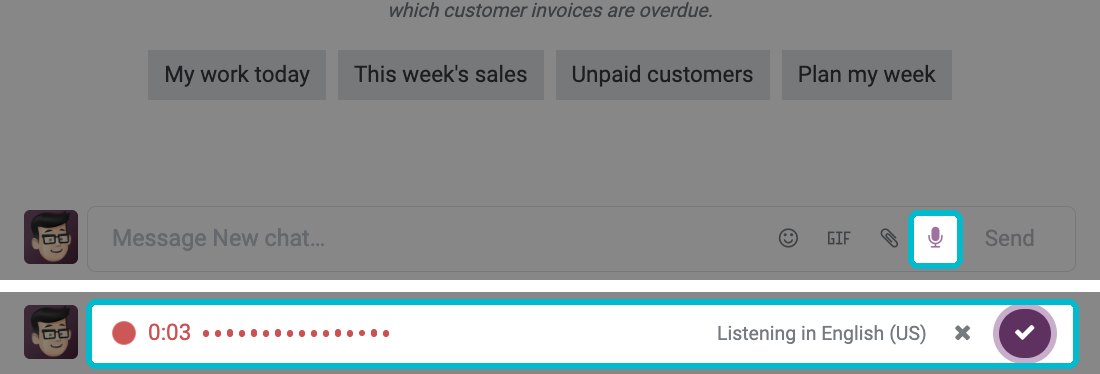
Tap the microphone in the message box and ask your question aloud instead of typing. Useful on the shop floor, in the warehouse, or on the move.
The AI returns: Your spoken question appears as text in the conversation. The AI reads the beginning of its answer aloud, while tables and figures remain on screen.
Administration and control
Cost limits, a record of every question, and actions that require approval
The AI returns: One AI across all applications, following the rules your company sets.
How to start using AI in Viindoo and what it costs
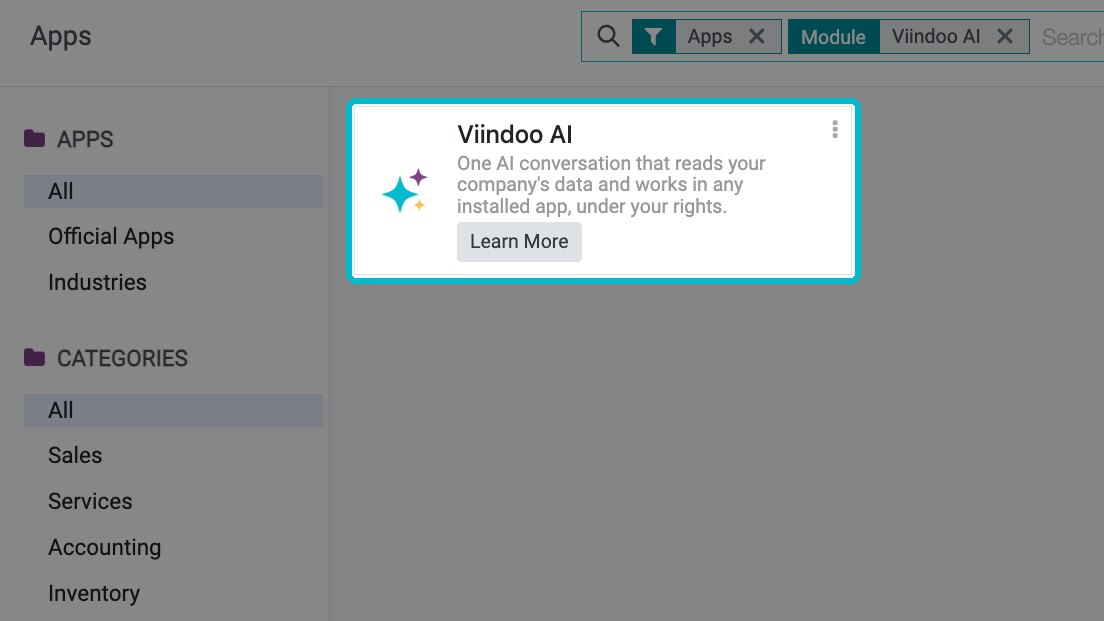
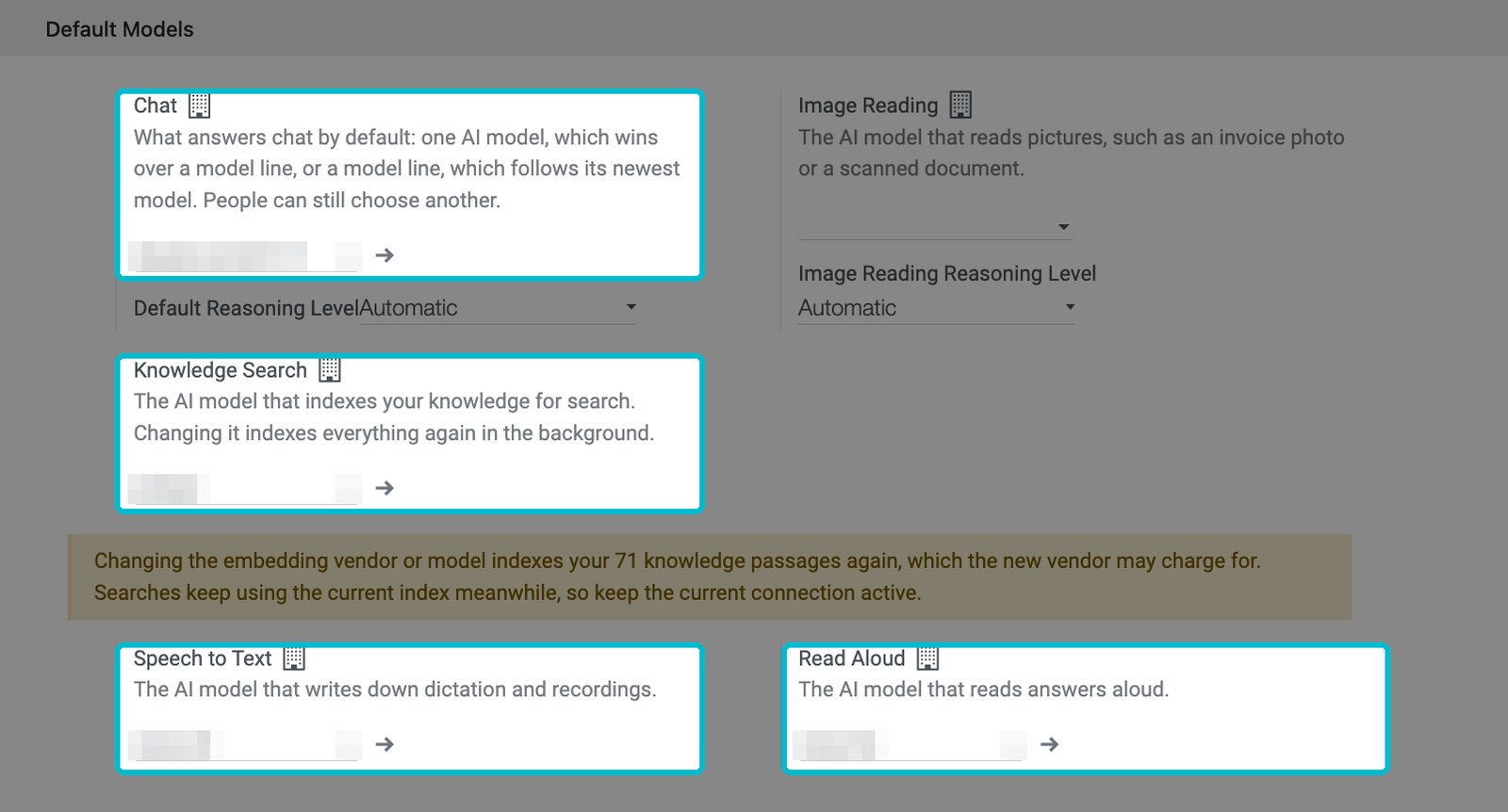
Viindoo AI is ready to use once activated: install the application, select your AI provider and default model, then use it across your existing applications.
3
Choose the default model.
4
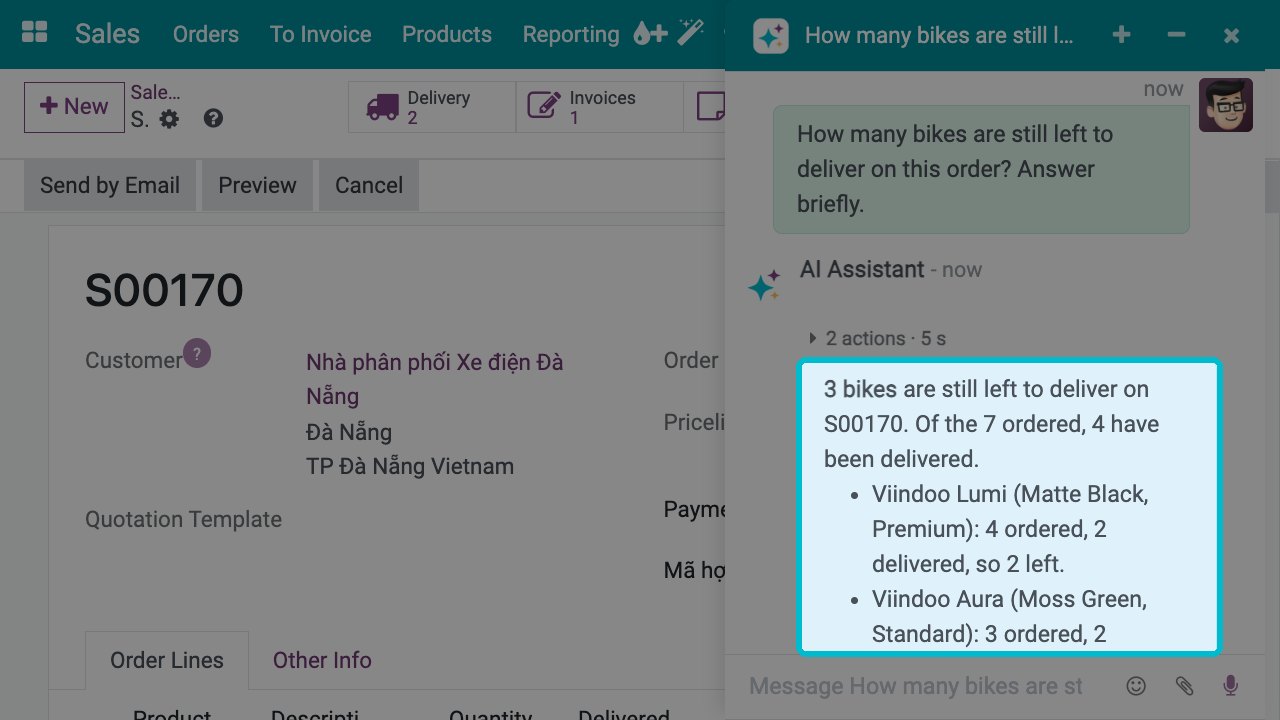
Start using it immediately across all your existing applications.
Tested across sales, inventory, manufacturing, accounting, payroll, maintenance, and CRM.
- Your company pays the AI provider you choose directly. Viindoo does not resell AI.
- You can set cost limits per person, per company and per question.
- Every question is logged, including who asked, what was sent, and how much it cost.
Self-assessment
Ten questions, two minutes. Find out how effective and safe AI is in your company today, and what to do first.
You ask the question. The AI answers. We record it in one take, without cuts.
Send us your toughest management question (submissions open until 3 December 2026).
Viindoo AI user guides
Step-by-step guides to setting up, using, and managing Viindoo AI and the Viindoo Brain knowledge base.
Viindoo AI
Viindoo Brain (knowledge base)
- Overview
- Find your way around Brain
- Search the wiki
- Read, create and edit pages
- Print and use Markdown files
- Submit and approve page changes
- Own and verify a page
- Delete, restore and archive pages
- Share a page with people inside and outside
- Set up Spaces, templates and access
- Watch the health of the wiki
- Use the AI assistant in Brain
Quick answers about AI in business management software
Viindoo is an Agentic Business Management Platform for small and mid-sized companies in Vietnam. Sales, inventory, manufacturing, accounting, and HR run on one platform, with AI working alongside your team.
Agentic AI does more than answer questions: it reads your figures, drafts documents, and checks them against your processes. Viindoo AI performs these tasks inside your management system, and every data change requires user approval.
In Viindoo, the AI has no permissions of its own: it uses exactly the same permissions as the person asking. A salesperson can ask about their own sales but cannot access payroll information. That is why you should set permissions correctly before you switch the AI on.
No, they don't need to. With Viindoo AI, employees ask questions inside the system, where the AI reads recorded data directly. There is no need to copy figures out.
No. Sending, scheduling, creating, and editing all require your approval. The administrator determines which actions must request approval first.
Yes. That is why every answer shows how it was calculated and where the information came from, so you can verify it.
You choose from the available providers and use your company's own account.
No. The AI automatically recognizes your installed applications.
No. The knowledge base is ready to use, organized by department, and each page has an owner and a review date.
Your company pays its chosen AI provider directly. Viindoo does not resell AI. You can set cost limits per person, per company, and per question, with a cost record for every question.
Questions go to your company's chosen AI provider. Each connection displays its data storage region, and every question is logged with the user and the data sent.
Viindoo AI can only access data inside Viindoo and the knowledge sources you have added. A separate Excel file or external document must be added as a knowledge source before the AI can read it.
Yes. In an AI conversation, press the microphone in the message box and ask your question aloud. Your spoken question appears as text in the conversation. The AI displays its answer on screen and reads the beginning aloud. The administrator selects the speech-to-text and read-aloud models in Viindoo AI settings. The spoken language is selected in each conversation's AI settings.
Not one more AI. One AI for the whole company.
Your whole business on one platform. AI working alongside your team. You set the rules.