Stock Move & Account Move Links
| Lines of Code | 990 |
| Technical name | to_stock_account_moves_link |
| License | OPL-1 |
| Website | https://viindoo.com/apps/modules/18.0/to_stock_account_moves_link |
| Read description for | v 10.0 v 11.0 v 12.0 v 13.0 v 14.0 v 15.0 v 16.0 v 17.0 |
| Required Apps | Invoicing (account) Discuss (mail) Inventory (stock) |
| Extensions | Multi Warehouse Access Control Purchase and Track Landed Costs Vietnam Receipt/Delivery Order Templates Stock Asset |

From the transfer to the journal entry, and back
Every stock journal entry knows which picking and which stock move produced it - and every picking has a button to the entries it produced.
Stock Move & Account Move Links (technical name to_stock_account_moves_link) is an Odoo 18.0 app for Odoo Community and Odoo Enterprise and Viindoo Cloud, built for accountant, inventory manager, auditor, controller.
At a Glance
The facts of Stock Move & Account Move Links, version 0.2.1, in one place. Published by Viindoo.
How It Works
Two directions of the same link.
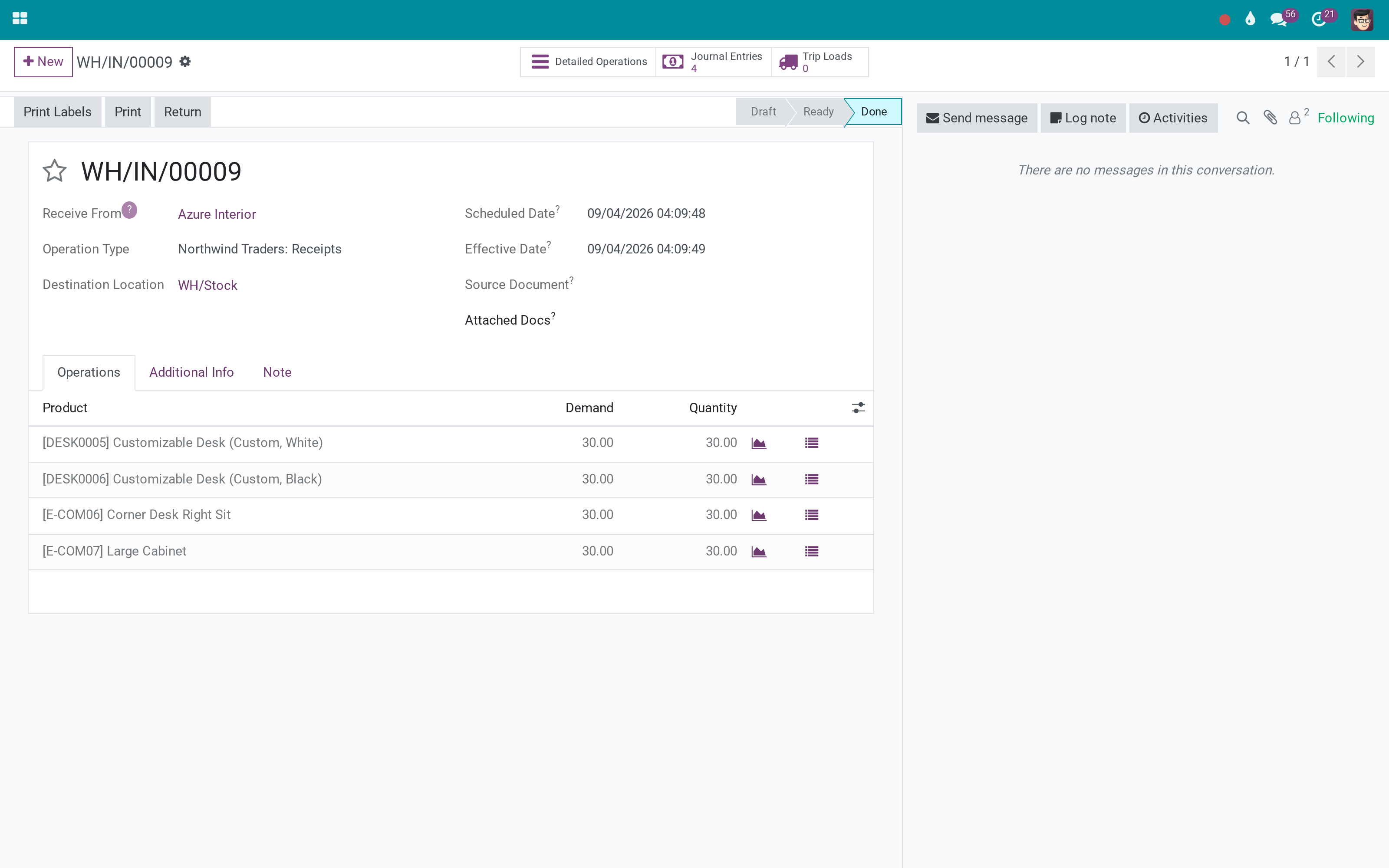
From the transfer
The button counts the entries the transfer posted, and only accounting users see it.
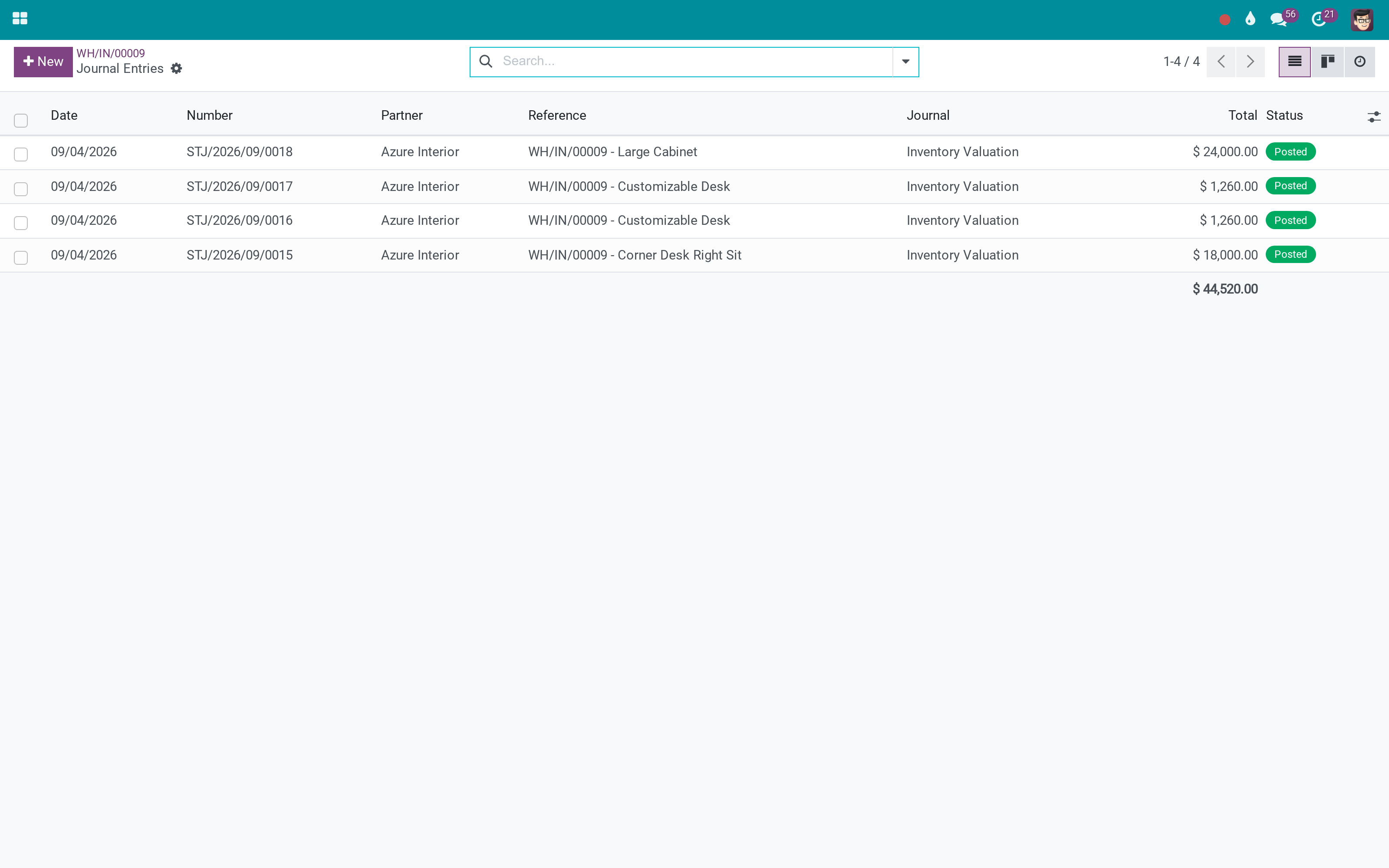
To the entries it posted
Exactly the entries this picking produced - the interim and valuation postings, together.
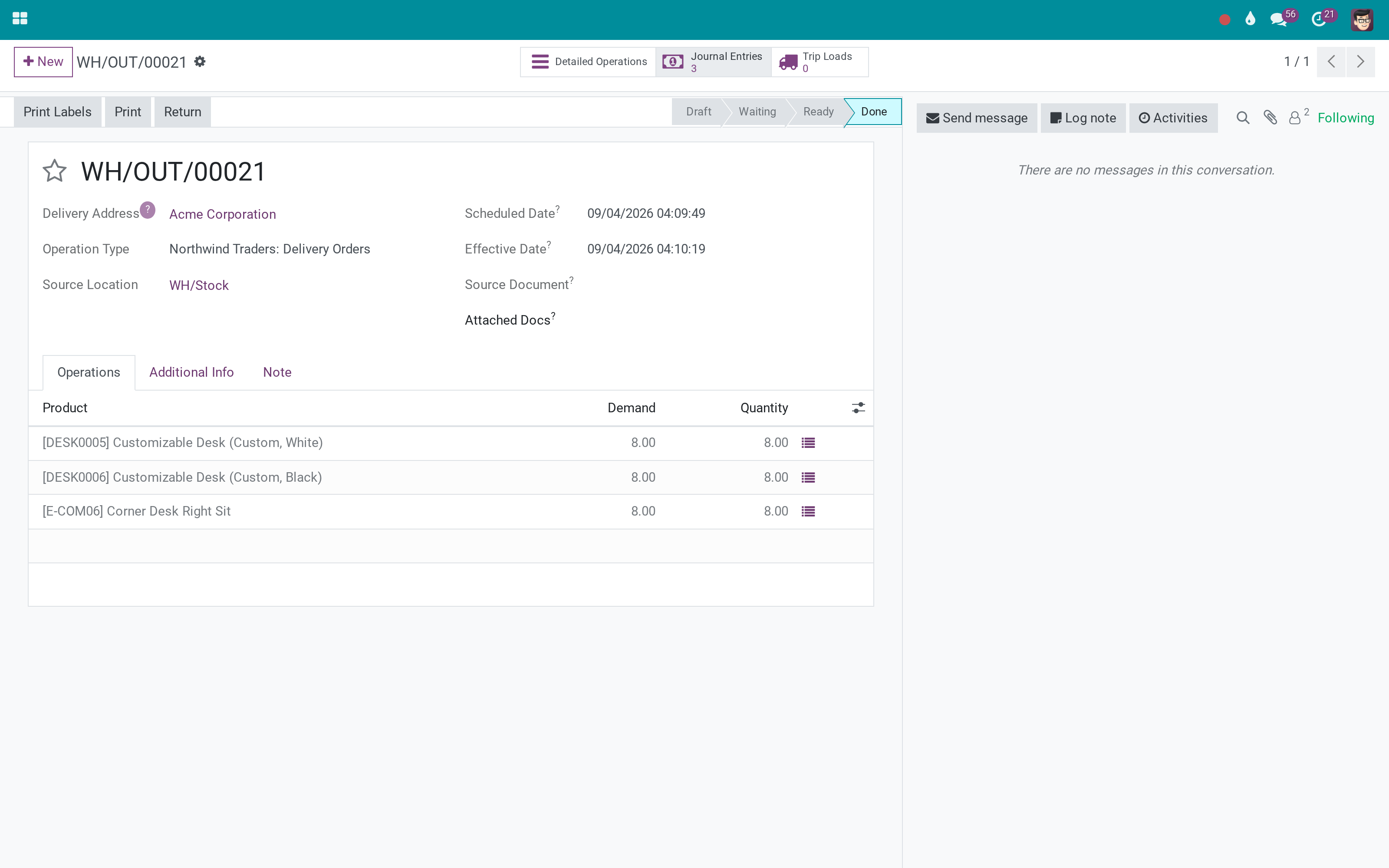
And on a delivery too
Outgoing movements post the cost of goods side; the same link keeps them findable.
What You Get
Stock Picking on the journal entry, and on every journal item
Stock Move on the journal item, so a line traces back to one movement
A Journal Entries stat button on the picking, restricted to accounting users
Both fields are stored and indexed - group and filter journal items by transfer
Optional columns in the Journal Items list for stock move and picking
Nothing changes in how valuation posts; only the trail is kept
More Screens
Everything below was taken on a database seeded with real business data, on this series - not a mock-up and not a screenshot from an older version.
Entries from one transfer
What This App Does Not Do
Read this before you buy. Everything below is something the app deliberately leaves to another app or to you.
With manual (periodic) valuation there are no entries to link - this app does not create them.
Costing method, accounts and postings stay exactly as Odoo computes them.
A warehouse-only user does not see the accounting figures, which is usually the intent.
Switch them on from the column selector; they are hidden by default so the list stays readable.
Works Well With
Apps from the same stack, built to fit this one:
Who Should Use Stock Move & Account Move Links?
Accountant
Opens the entry and sees the transfer that caused it.
Inventory manager
Opens the transfer and sees what it cost the books.
Auditor
Follows a valuation figure to the movement behind it without a spreadsheet.
Controller
Groups journal items by picking when a period's stock accounts do not tie out.
Frequently Asked Questions
What does Stock Move & Account Move Links do?
Every stock journal entry knows which picking and which stock move produced it - and every picking has a button to the entries it produced.
What does Stock Move & Account Move Links not do?
It needs automated valuation. With manual (periodic) valuation there are no entries to link - this app does not create them. It does not change valuation itself. Costing method, accounts and postings stay exactly as Odoo computes them. The picking button is for accounting users. A warehouse-only user does not see the accounting figures, which is usually the intent. Stock move and picking are optional columns in the Journal Items list. Switch them on from the column selector; they are hidden by default so the list stays readable.
Who is Stock Move & Account Move Links for?
Accountant: Opens the entry and sees the transfer that caused it. Inventory manager: Opens the transfer and sees what it cost the books. Auditor: Follows a valuation figure to the movement behind it without a spreadsheet. Controller: Groups journal items by picking when a period's stock accounts do not tie out.
Which Odoo version and editions does it support?
Odoo 18.0 - Odoo Community, Odoo Enterprise, Viindoo Cloud. Upgrades to a newer Odoo series are a separate purchase for that series.
What does it depend on?
It installs on top of: stock_account. Odoo installs them with it.
How do I set it up?
Two directions of the same link.
What works well with it?
Accounting Foundation (viin_account): The rest of the Viindoo accounting layer. Stock Age Report (to_stock_age_report): What the valuation is made of, by age. Account Counterparts (to_account_counterpart): Which accounts each entry faced.
Can I try it before buying?
Yes - the Live Preview button at the top of this page opens the module's own screen on a working database.
How do I get support?
Write to apps.support@viindoo.com with your Odoo version and the technical name to_stock_account_moves_link; pre-sales questions go to sales@viindoo.com.
See Stock Move & Account Move Links in Action
Live demo: v18demo-int.viindoo.com/web#action=stock.action_picking_tree_all
Need help with Stock Move & Account Move Links?
For questions, implementation support or a custom feature, contact Viindoo.
Pre-Sales & Partnership
sales@viindoo.comUpgrades to a newer Odoo series are a separate purchase for that series.
All Viindoo apps: apps.odoo.com/apps/modules/browse?author=Viindoo
Technical Requirement
Changes log
0.2.1 - Latest on the 17.0 line
- Stock picking and stock move are stored and indexed on journal entries and journal items.
- The picking carries a Journal Entries stat button for accounting users.
Installation
- Navigate to Apps.
- Search with keyword to_stock_account_moves_link.
- Press Install.
How to use
Instruction video: Stock Move & Account Move Links
Access rights
Users need to have the Accountant access right of the Accounting app to see the journal entries on the inventory transfer view.
Create transfer
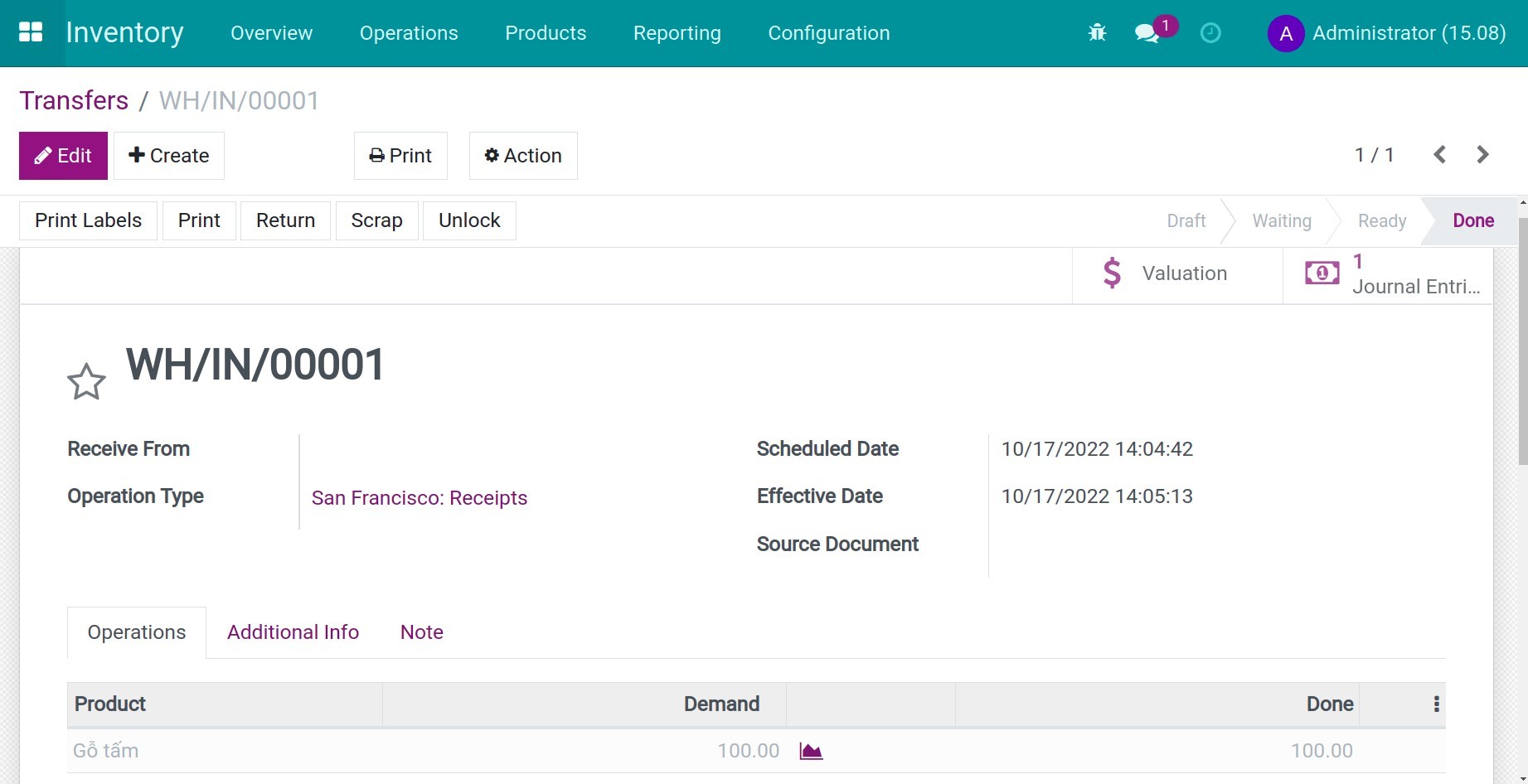
Create a product transfer (receipt, delivery, etc.) or inventory adjustment and validate.
Check journal entries and journal items
Journal Entry
On the stock transfer view, you will see the Journal Entries button:
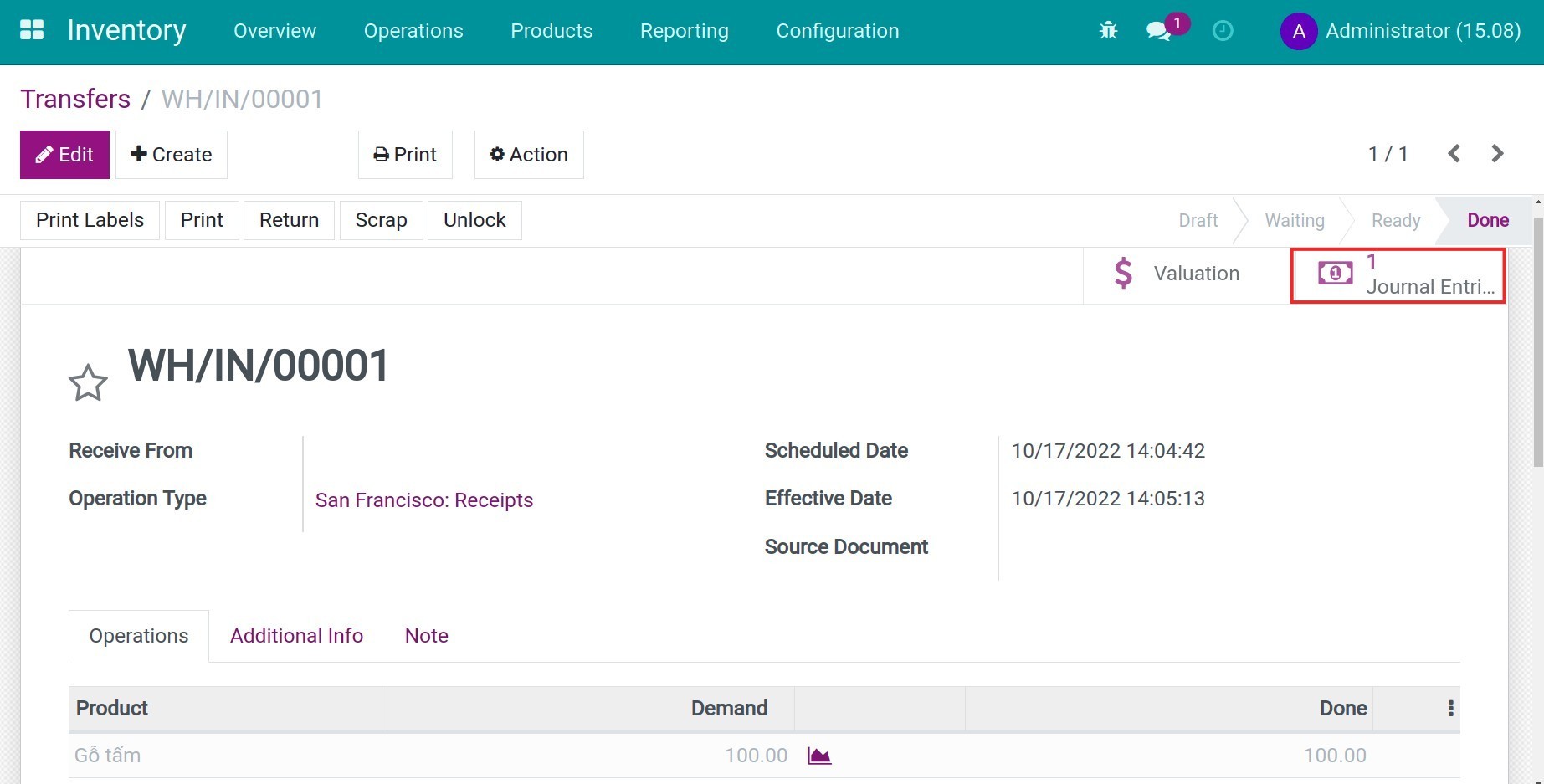
Press this button to see the related entry: the Stick Picking field will show the related transfer.

Journal Items
Navigate to Accounting > Accounting > Journal Items, and find the item you need to check. Here you will see the following fields:
- Stock Move: show the originated inventory transfer of this journal item.
- Stock Picking: the related transfer sheet.

Note: With inventory adjustment, you will only see the Stock move information.
This software and associated files (the "Software") may only be used (executed, modified, executed after modifications) if you have purchased a valid license from the authors, typically via Odoo Apps, or if you have received a written agreement from the authors of the Software (see the COPYRIGHT file).
You may develop Odoo modules that use the Software as a library (typically by depending on it, importing it and using its resources), but without copying any source code or material from the Software. You may distribute those modules under the license of your choice, provided that this license is compatible with the terms of the Odoo Proprietary License (For example: LGPL, MIT, or proprietary licenses similar to this one).
It is forbidden to publish, distribute, sublicense, or sell copies of the Software or modified copies of the Software.
The above copyright notice and this permission notice must be included in all copies or substantial portions of the Software.
THE SOFTWARE IS PROVIDED "AS IS", WITHOUT WARRANTY OF ANY KIND, EXPRESS OR IMPLIED, INCLUDING BUT NOT LIMITED TO THE WARRANTIES OF MERCHANTABILITY, FITNESS FOR A PARTICULAR PURPOSE AND NONINFRINGEMENT. IN NO EVENT SHALL THE AUTHORS OR COPYRIGHT HOLDERS BE LIABLE FOR ANY CLAIM, DAMAGES OR OTHER LIABILITY, WHETHER IN AN ACTION OF CONTRACT, TORT OR OTHERWISE, ARISING FROM, OUT OF OR IN CONNECTION WITH THE SOFTWARE OR THE USE OR OTHER DEALINGS IN THE SOFTWARE.