Zalo OA Integration for Accounting
by Viindoo
| Lines of Code | 568 |
| Technical name | viin_zalo_account |
| License | OPL-1 |
| Website | https://viindoo.com/apps/app/18.0/viin_zalo_account |
| Read description for | v 17.0 |
| Required Apps | Invoicing (account) Discuss (mail) |
| Included Dependencies | Integration with Zalo OA Zalo OA Templates (ZBS) API Request Logger |

Zalo OA Integration for Accounting
Send payment requests to your customers on Zalo - straight from the invoice.
Clear amounts, the right reference and a portal link, delivered where your customers already chat - filled in automatically from the invoice.
Key Features
Built natively on Odoo/Viindoo to collect payments faster over Zalo Official Account:
One-click send on Zalo
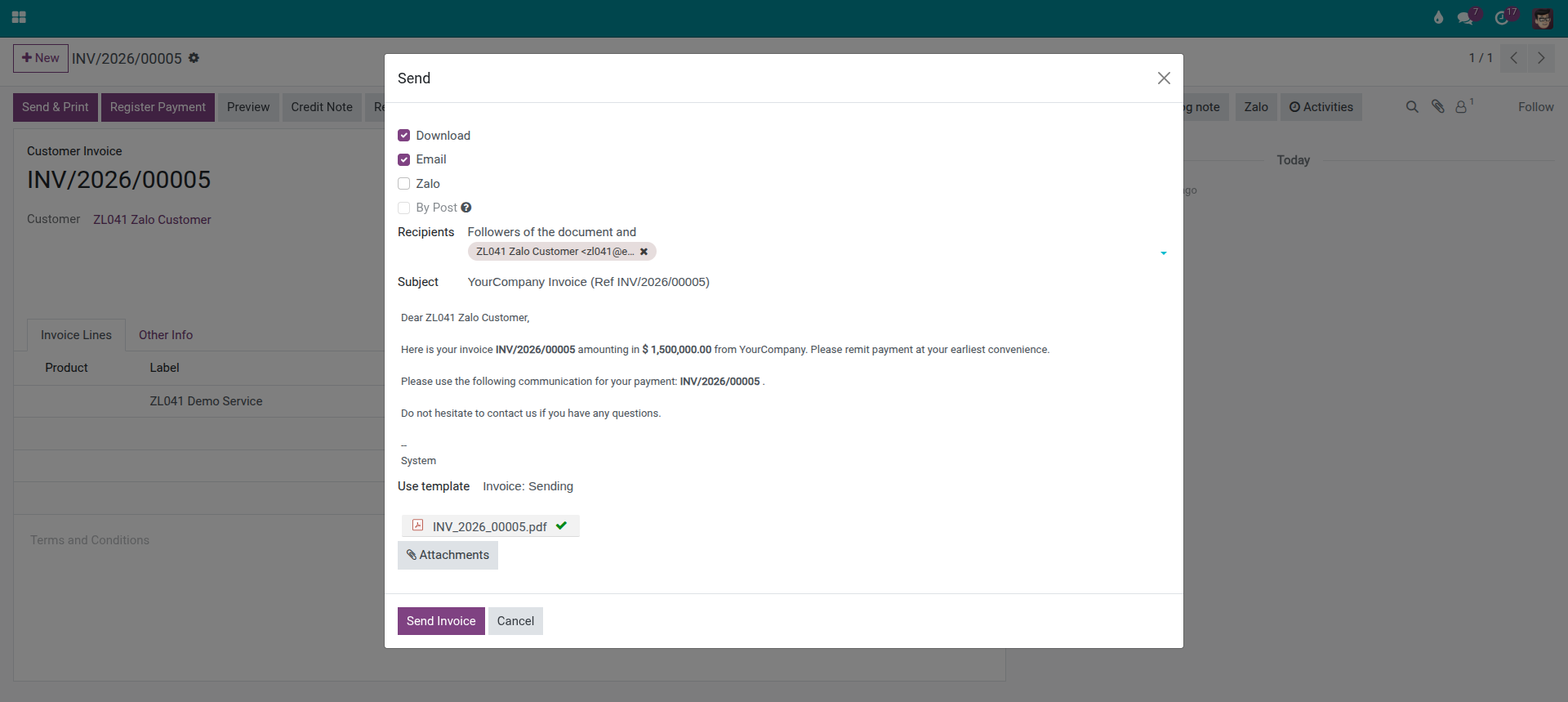
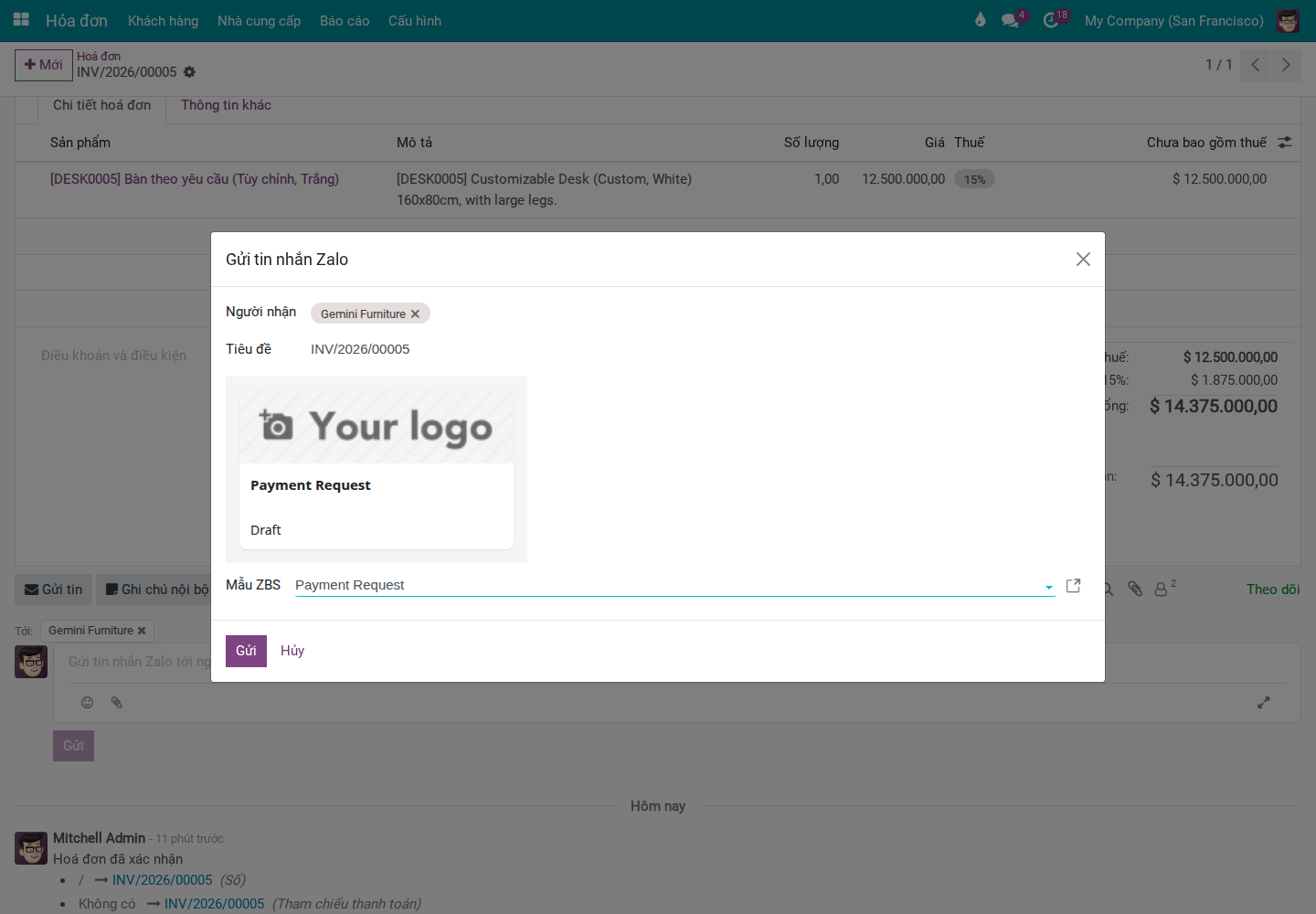
A Zalo option in the standard invoice Send dialog, next to Email and Post.
A request customers read
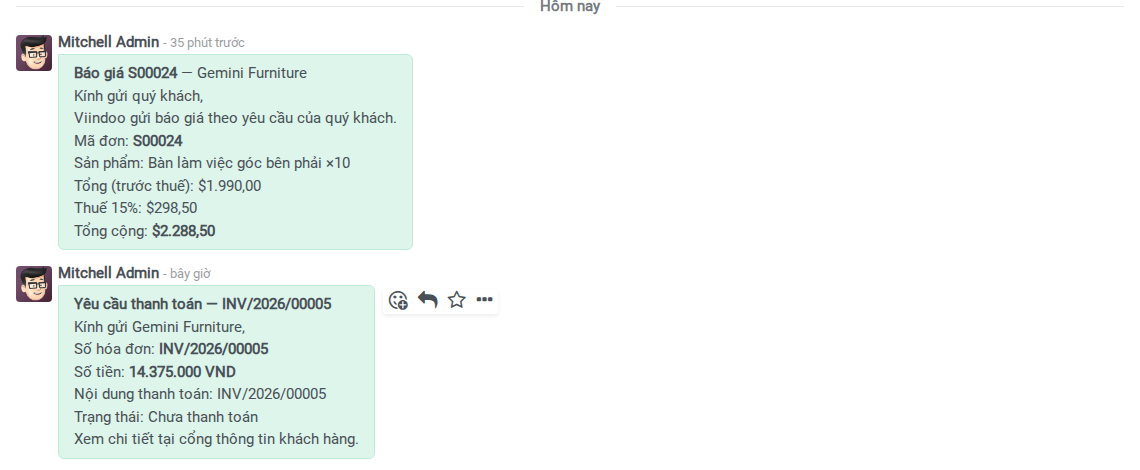
Invoice number, amount, payment reference, status and a portal link - built from the invoice.
Pre-built ZBS template
A Zalo-approved Payment Request template with every field resolved automatically.
No new screen to learn
Everything happens on the standard customer invoice your team already uses.
Benefits
Send on Zalo, right from Print & Send
- A new Zalo option in the invoice Send dialog, alongside Email and Post.
- Shown when the customer is linked to a connected Zalo OA.
A payment request customers actually read
- Invoice number, total amount and payment status.
- Payment reference for easy bank-statement matching.
- A portal link to view the invoice and pay.
Pre-built payment request template
- Pick the ready-to-use Payment Request template when composing.
- Customer, invoice number, total and reference filled in for you.
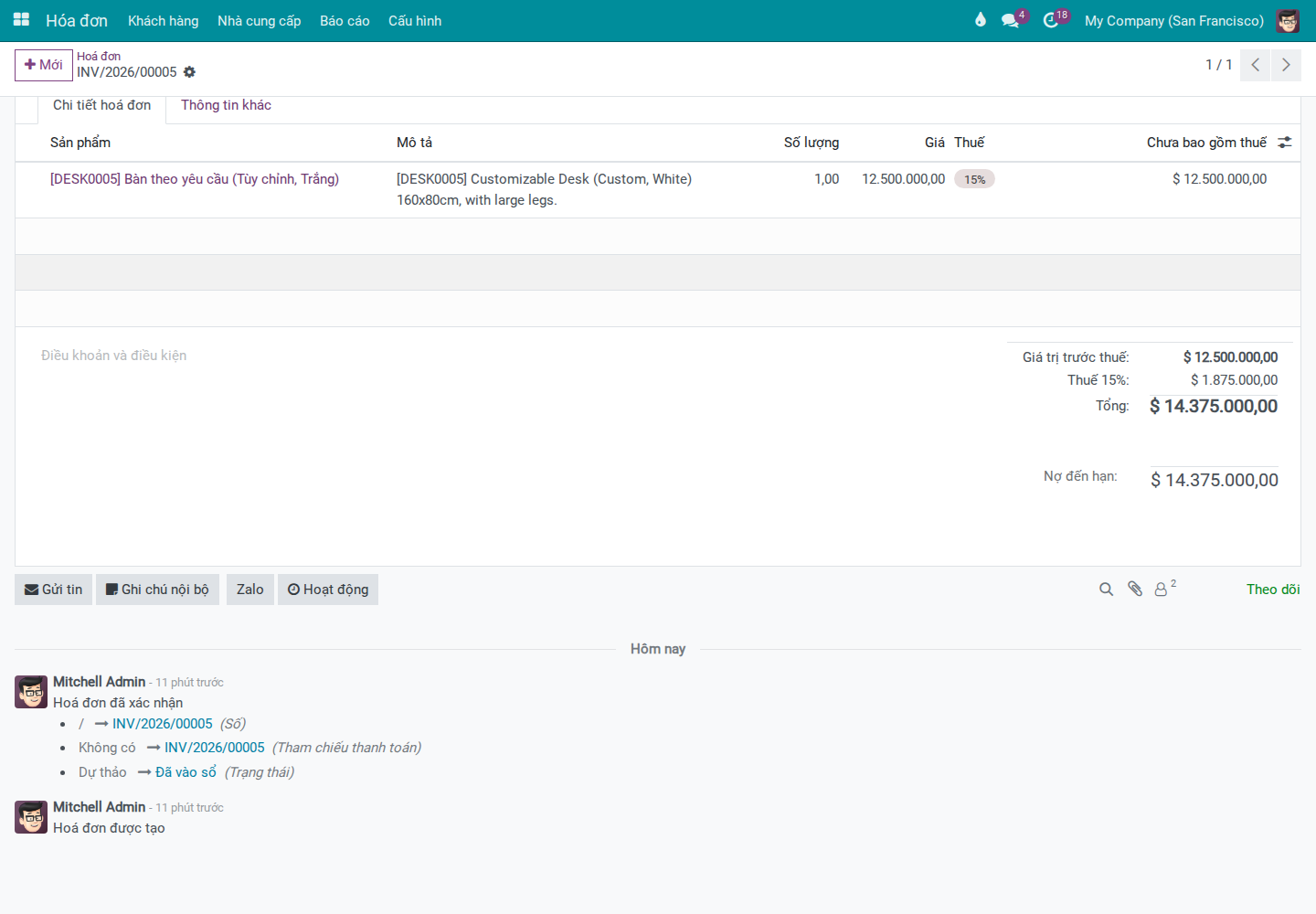
It lives inside the invoice you already use
- No separate module to navigate.
- The flow stays where your accountants work every day.
Need a hand?
This module is published and maintained by Viindoo. For setup help or questions, reach Viindoo support at support@viindoo.com or visit viindoo.com.
Technical Requirement
- Runs on Odoo/Viindoo 18.0 (Community, Enterprise or Viindoo Cloud).
- Builds on the Zalo OA Integration apps (viin_zalo, viin_zalo_zbs) and Accounting (account).
- A connected Zalo Official Account is required for messages to be sent.
Who Should Use This Module?
Accounting teams
Collecting payments by bank transfer and chasing them today.
Zalo-first businesses
Already talking to customers about invoices on Zalo.
Teams cutting follow-up
Looking to reduce manual chasing of outstanding payments.
This software and associated files (the "Software") may only be used (executed, modified, executed after modifications) if you have purchased a valid license from the authors, typically via Odoo Apps, or if you have received a written agreement from the authors of the Software (see the COPYRIGHT file).
You may develop Odoo modules that use the Software as a library (typically by depending on it, importing it and using its resources), but without copying any source code or material from the Software. You may distribute those modules under the license of your choice, provided that this license is compatible with the terms of the Odoo Proprietary License (For example: LGPL, MIT, or proprietary licenses similar to this one).
It is forbidden to publish, distribute, sublicense, or sell copies of the Software or modified copies of the Software.
The above copyright notice and this permission notice must be included in all copies or substantial portions of the Software.
THE SOFTWARE IS PROVIDED "AS IS", WITHOUT WARRANTY OF ANY KIND, EXPRESS OR IMPLIED, INCLUDING BUT NOT LIMITED TO THE WARRANTIES OF MERCHANTABILITY, FITNESS FOR A PARTICULAR PURPOSE AND NONINFRINGEMENT. IN NO EVENT SHALL THE AUTHORS OR COPYRIGHT HOLDERS BE LIABLE FOR ANY CLAIM, DAMAGES OR OTHER LIABILITY, WHETHER IN AN ACTION OF CONTRACT, TORT OR OTHERWISE, ARISING FROM, OUT OF OR IN CONNECTION WITH THE SOFTWARE OR THE USE OR OTHER DEALINGS IN THE SOFTWARE.