Meeting Room Management
by Viindoo
| Lines of Code | 707 |
| Technical name | viin_meeting_room |
| License | OPL-1 |
| Website | https://viindoo.com/apps/app/17.0/viin_meeting_room |
| Read description for | v 13.0 v 14.0 v 15.0 v 16.0 |
| Required Apps | Discuss (mail) Employees (hr) Calendar (calendar) |
| Included Dependencies | Viindoo Base |

Meeting Room Management
Manage and allow booking meeting rooms
Key Features
Built natively on Odoo/Viindoo to streamline real business operations:
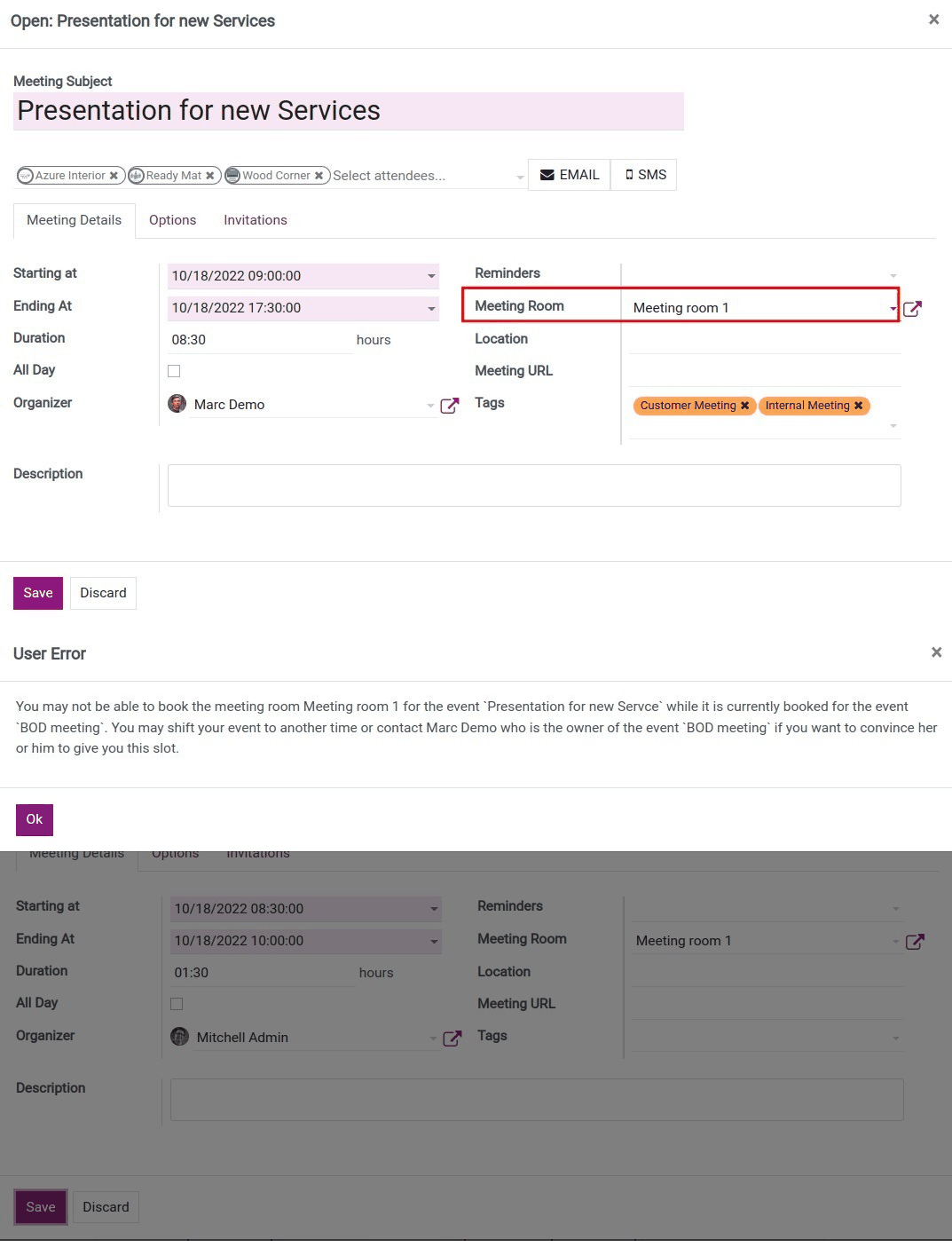
This module allows Admin to set up Meeting rooms from the Calendar app
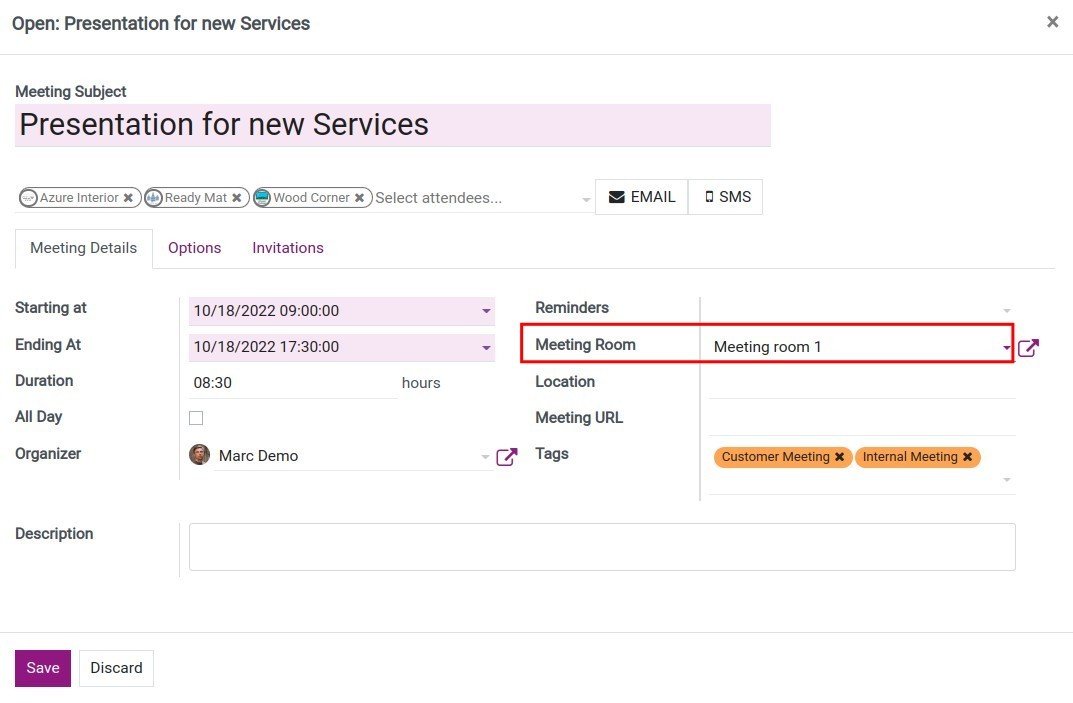
When you create a meeting in the Calendar app, users can select a meeting room from the pre-set meeting rooms
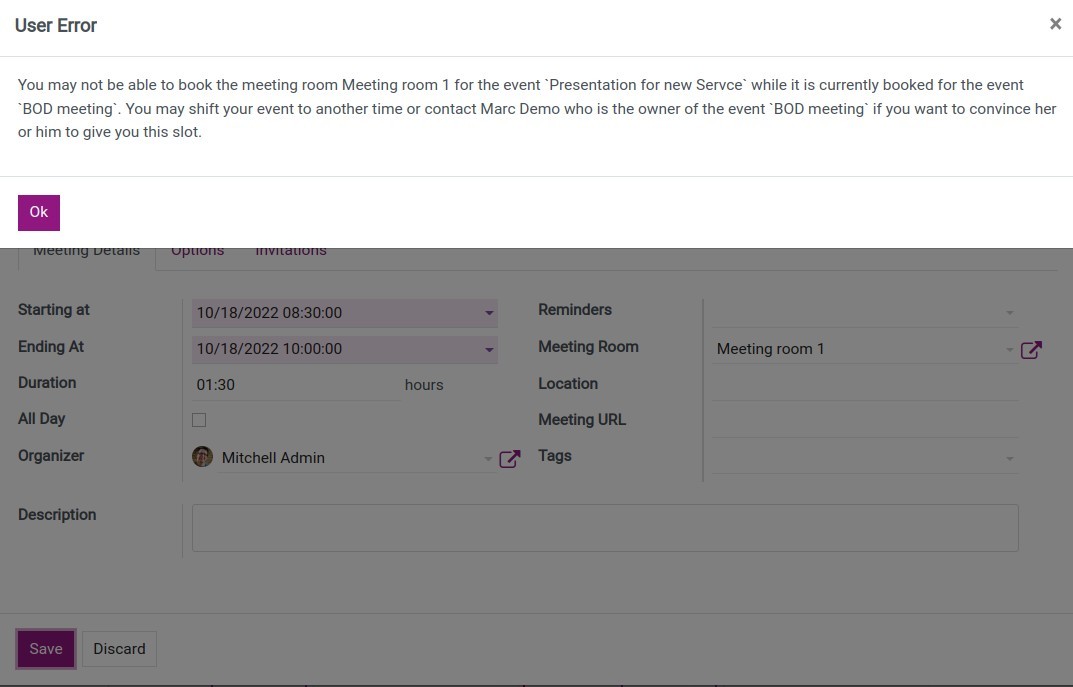
If the chosen room is occupied, the system will require you to select a different room or change to a different time
In addition, the system will also show who is in charge of the meeting that is in the same room as you so you can contact that person if needed
Select a meeting room
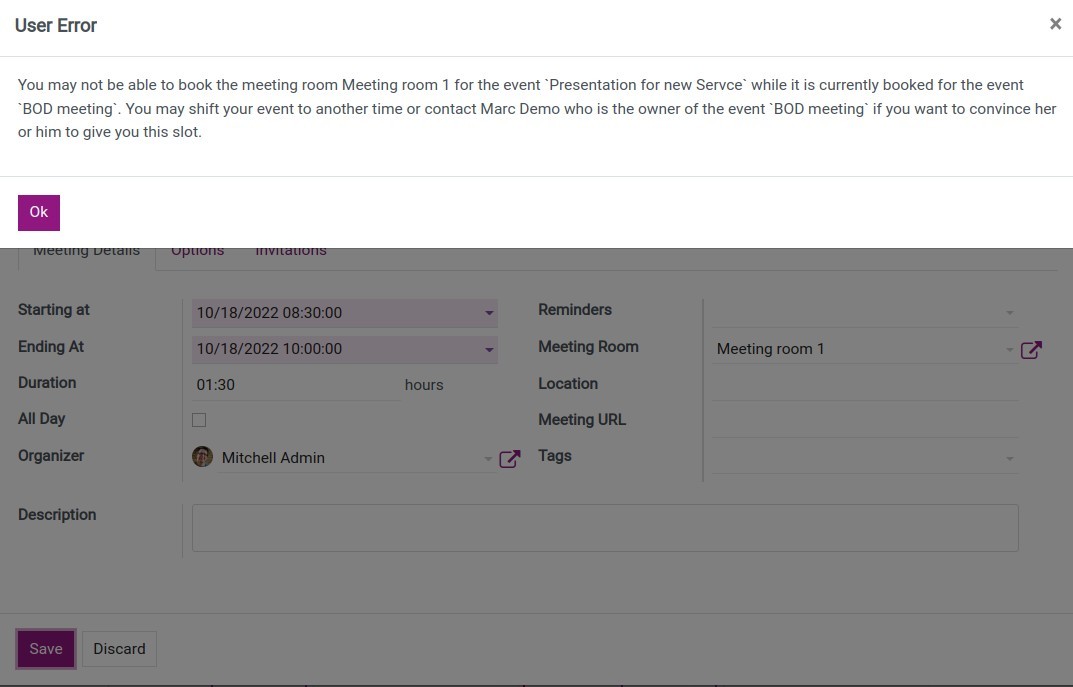
Warning pop-up
See Meeting Room Management in Action
See how this module solves real business problems in a working Viindoo environment.
Need help with Meeting Room Management?
For questions, implementation support, or consulting services, contact Viindoo.
Pre-Sales & Partnership
When contacting us, please include:
- Odoo/Viindoo version (CE/EE).
- Number of users and business scope.
- Other modules currently in use.
Technical Support
For faster troubleshooting, please provide:
- Order number or app reference.
- Odoo/Viindoo version & edition.
- Steps to reproduce the issue.
- Screenshots/logs if available.
Technical Requirement
Who Should Use This Module?
Built for teams that need this capability fully integrated into their Odoo/Viindoo stack.
Executives & Business Owners
Need clear visibility into operations and a stack that scales without bespoke development.
Operations / Department Leaders
Want to streamline daily workflows, remove manual handoffs, and keep data consistent across teams.
Implementers & Odoo Partners
Looking for production-ready Viindoo modules to deliver projects faster and at lower risk.
Installation
- Navigate to Apps.
- Search with the keyword viin_meeting_room.
- Press Install.
How it works
Instruction video: Meeting Room Management
Set up meeting rooms
Go to the Calendar app and follow the guide on how to create meeting rooms. .
Select a meeting room for your meeting
Create a new meeting, and on the meeting detail, you will see the Meeting Room field appear, which allows you to select a meeting room.
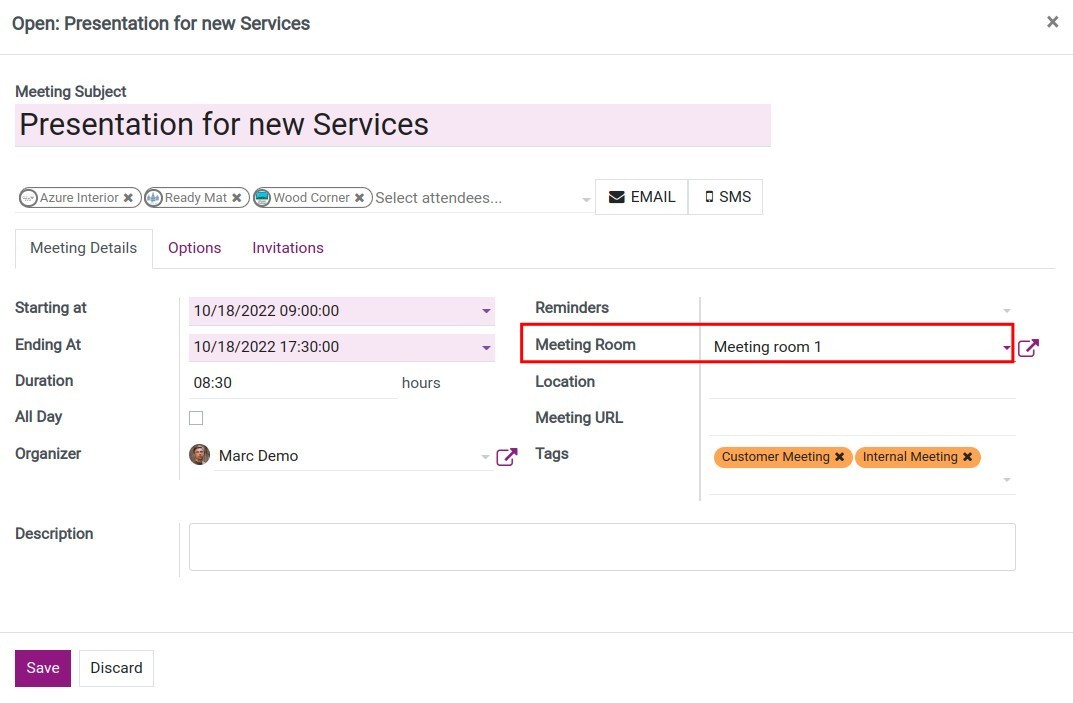
If the room is already occupied, you will see a pop-up appear.
This feature will save you time to find a meeting room for daily meetings, and optimize your meeting/appointment planning.
This software and associated files (the "Software") may only be used (executed, modified, executed after modifications) if you have purchased a valid license from the authors, typically via Odoo Apps, or if you have received a written agreement from the authors of the Software (see the COPYRIGHT file).
You may develop Odoo modules that use the Software as a library (typically by depending on it, importing it and using its resources), but without copying any source code or material from the Software. You may distribute those modules under the license of your choice, provided that this license is compatible with the terms of the Odoo Proprietary License (For example: LGPL, MIT, or proprietary licenses similar to this one).
It is forbidden to publish, distribute, sublicense, or sell copies of the Software or modified copies of the Software.
The above copyright notice and this permission notice must be included in all copies or substantial portions of the Software.
THE SOFTWARE IS PROVIDED "AS IS", WITHOUT WARRANTY OF ANY KIND, EXPRESS OR IMPLIED, INCLUDING BUT NOT LIMITED TO THE WARRANTIES OF MERCHANTABILITY, FITNESS FOR A PARTICULAR PURPOSE AND NONINFRINGEMENT. IN NO EVENT SHALL THE AUTHORS OR COPYRIGHT HOLDERS BE LIABLE FOR ANY CLAIM, DAMAGES OR OTHER LIABILITY, WHETHER IN AN ACTION OF CONTRACT, TORT OR OTHERWISE, ARISING FROM, OUT OF OR IN CONNECTION WITH THE SOFTWARE OR THE USE OR OTHER DEALINGS IN THE SOFTWARE.