Viindoo Brain - Accounting
by Viindoo
| Lines of Code | 466 |
| Technical name | viin_brain_account |
| License | OPL-1 |
| Website | https://viindoo.com/apps/modules/17.0/viin_brain_account |
| Read description for | |
| Required Apps | Invoicing (account) Discuss (mail) |
| Included Dependencies | Viindoo Brain |
| Extensions | Viindoo Brain - Knowledge Suite |

Close the month the same way every time, with the notes one click from each invoice
For finance teams that keep their procedures and notes in Brain
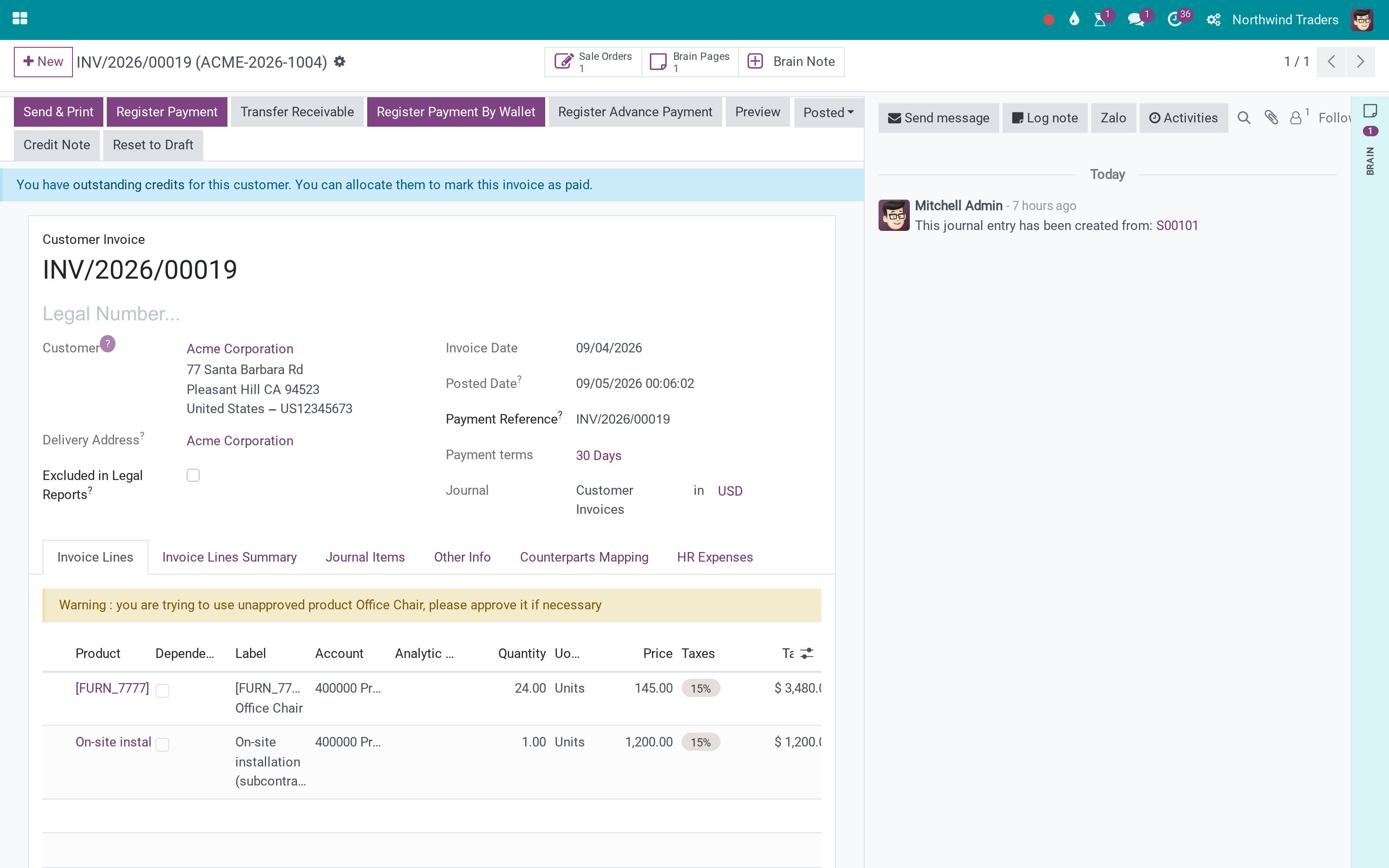
A ready Accounting Knowledge Space in Brain, and Brain Note on the journal entry and invoice form
17.0 · Community, Viindoo Cloud · OPL-1
Extends Viindoo Brain.
What changes for your team
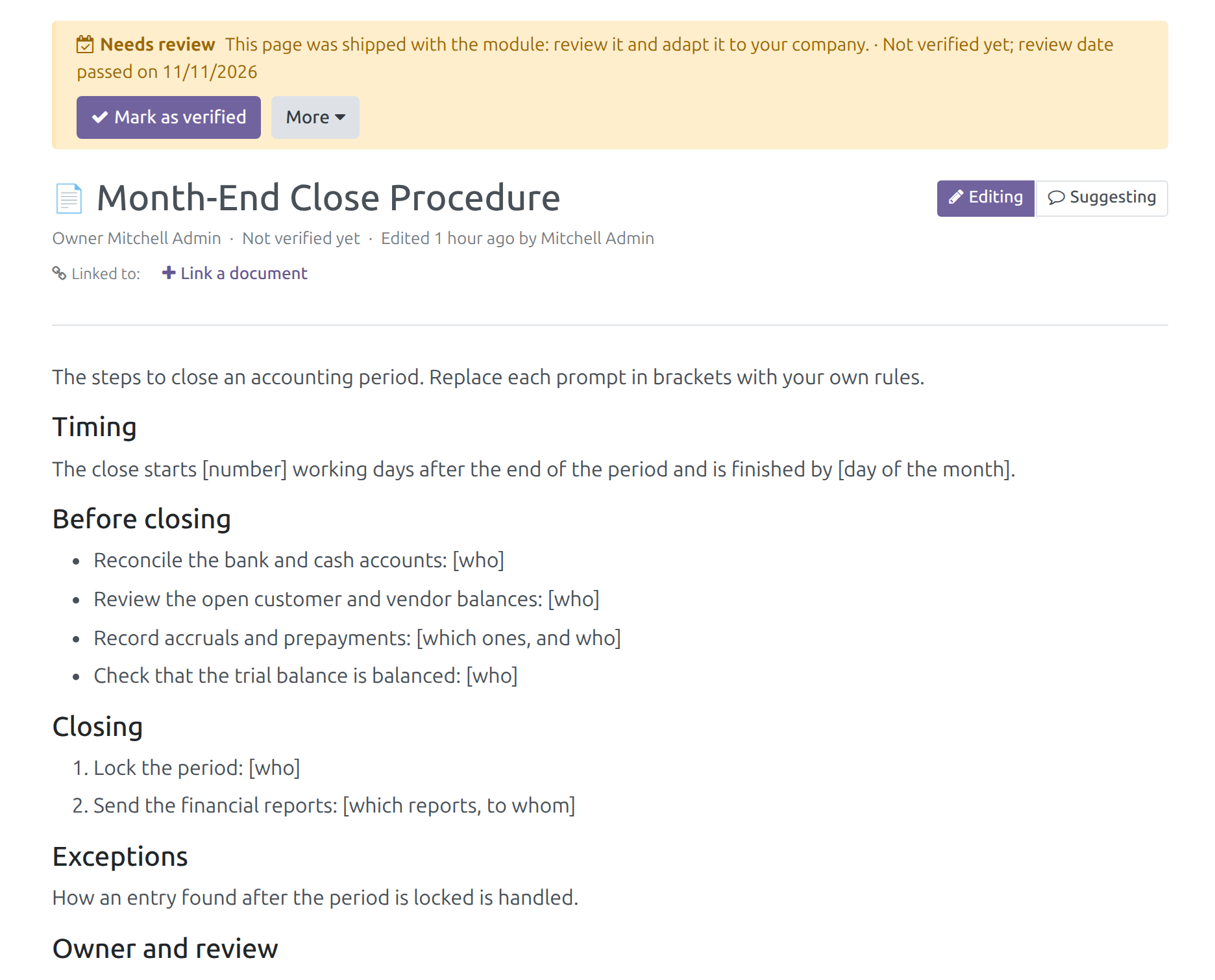
The close procedure starts from an outline, not a blank page
How entries are reviewed and how the month is closed lives in spreadsheets, inboxes and one senior accountant's memory.
→ The Accounting Knowledge Space opens with two starting pages, Accounting Playbook and Month-End Close Procedure: headings and bracketed prompts your team replaces with its own rules.
Adjustment notes share one shape
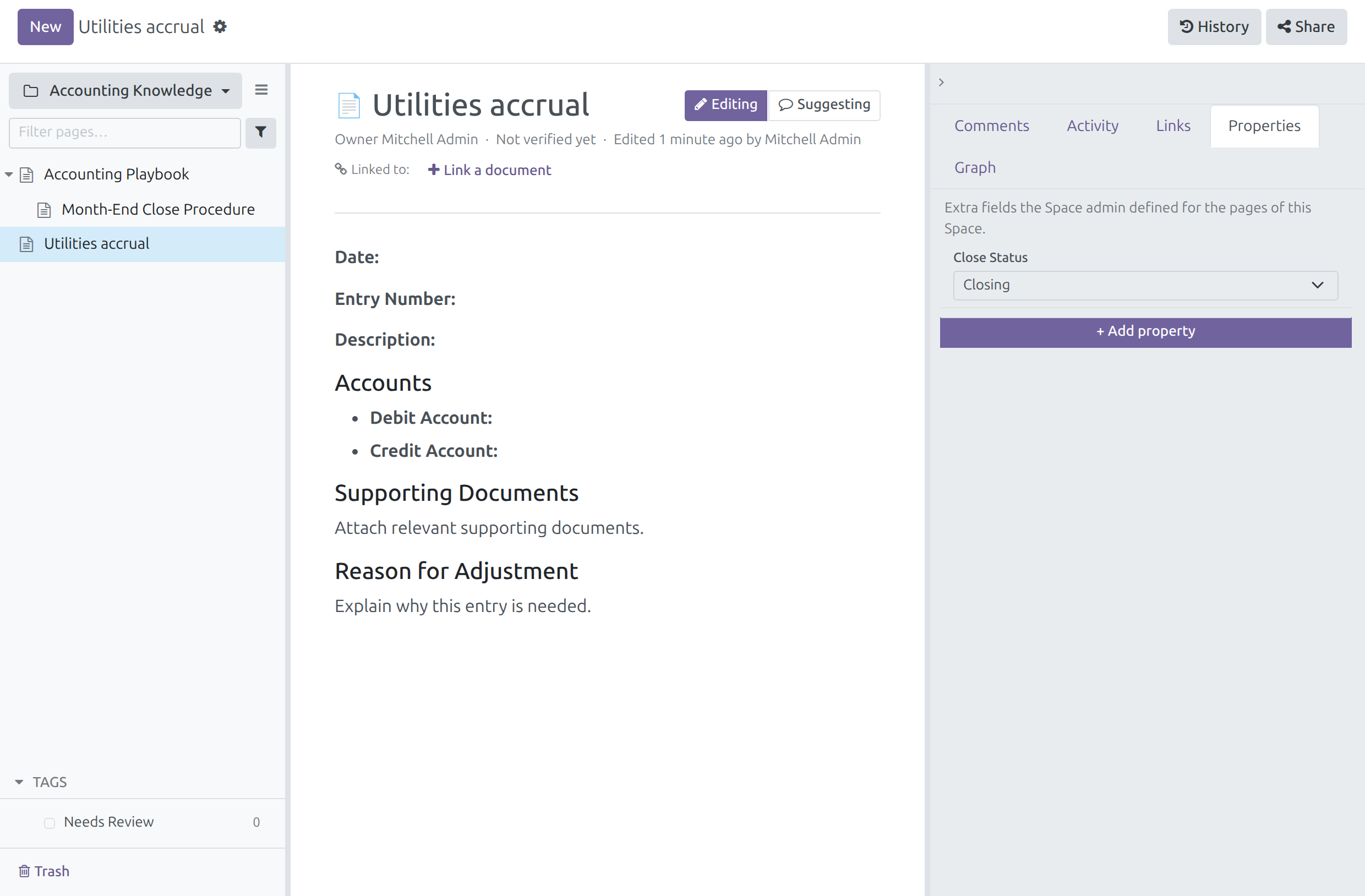
Each adjustment is explained differently, if at all, and later nobody knows which close it belonged to.
→ The Space carries a Journal Entry Note template (date, entry number, accounts, supporting documents, reason), a Close Status property (Open, Closing, Closed) and a Needs Review tag.
A note about an invoice starts on the invoice
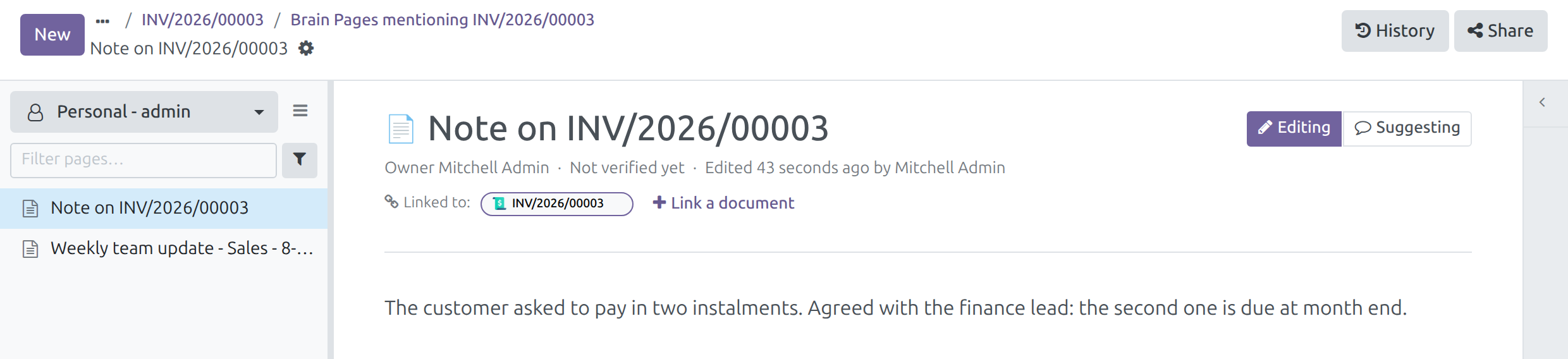
What was agreed about a payment stays in a chat thread, away from the invoice.
→ Brain Note on the journal entry and invoice form opens a new page titled after the document and linked to it, in your personal Space; the breadcrumb leads back. Brain Pages beside it counts the pages you can read that mention or link the document.
Ready on day one
Installs by itself
When Brain and Invoicing are both installed. There is nothing to configure.
In every company
Each company gets its own Accounting Knowledge Space, companies created later included.
Your first step
Replace the bracketed prompts with your own rules, and add the people who will edit the Space as Editors.
What is included
The Accounting Knowledge Space with its two starting pages, template, property and tag, and the Brain Note button on the journal entry and invoice form. The pages themselves, the Brain Pages count and the side panel come with Brain.
Also available
Viindoo Brain - Knowledge Suite
Brain with every app bridge, this one included, and the AI co-author, in one install.
Before you decide
Doesn't Brain already show pages on every form?
Yes. Brain shows a Brain Pages count and a side panel on any form with a chatter. This module adds the Accounting Knowledge Space and puts a Brain Note button on the journal entry and invoice form, beside Brain Pages.
Who can read the Accounting Knowledge Space?
Everyone with the Billing right reads it, and so do Billing Administrators and accountants, whose rights include Billing. People you add to the Space with the Editor or Space admin role can edit it.
Who sees a note made from an invoice?
It starts in the author's personal Space. Colleagues see it once it is moved to a shared Space or shared with them, and Brain Pages counts only the pages each person can read.
Will an update overwrite our pages?
No. The Space, its pages, template, property and tag are created once; later updates leave them as your team made them.
Which languages are included?
English and Vietnamese. Each company's starting pages are written in the company's language when its Space is created; the property and tag names are in English.
Talk to us
Questions before you buy go to pre-sales; questions once it runs go to support.
Pre-sales & partnership
viindoo.com/contactusTechnical support
viindoo.com/ticketTechnical requirements
- Version: 17.0
- Editions: Community, Viindoo Cloud
- Required modules: Viindoo Brain, Invoicing
- License: OPL-1
- Languages: English, Vietnamese
This software and associated files (the "Software") may only be used (executed, modified, executed after modifications) if you have purchased a valid license from the authors, typically via Odoo Apps, or if you have received a written agreement from the authors of the Software (see the COPYRIGHT file).
You may develop Odoo modules that use the Software as a library (typically by depending on it, importing it and using its resources), but without copying any source code or material from the Software. You may distribute those modules under the license of your choice, provided that this license is compatible with the terms of the Odoo Proprietary License (For example: LGPL, MIT, or proprietary licenses similar to this one).
It is forbidden to publish, distribute, sublicense, or sell copies of the Software or modified copies of the Software.
The above copyright notice and this permission notice must be included in all copies or substantial portions of the Software.
THE SOFTWARE IS PROVIDED "AS IS", WITHOUT WARRANTY OF ANY KIND, EXPRESS OR IMPLIED, INCLUDING BUT NOT LIMITED TO THE WARRANTIES OF MERCHANTABILITY, FITNESS FOR A PARTICULAR PURPOSE AND NONINFRINGEMENT. IN NO EVENT SHALL THE AUTHORS OR COPYRIGHT HOLDERS BE LIABLE FOR ANY CLAIM, DAMAGES OR OTHER LIABILITY, WHETHER IN AN ACTION OF CONTRACT, TORT OR OTHERWISE, ARISING FROM, OUT OF OR IN CONNECTION WITH THE SOFTWARE OR THE USE OR OTHER DEALINGS IN THE SOFTWARE.