Kế toán & Tài chính
| Số dòng Code | 1668 |
| Tên kỹ thuật | to_account_accountant |
| Giấy phép | OPL-1 |
| Website | https://viindoo.com/apps/modules/18.0/to_account_accountant |
| Đọc mô tả cho | v 11.0 v 12.0 v 13.0 v 14.0 v 15.0 v 16.0 v 17.0 v 19.0 |
| Yêu cầu các App | Invoicing (account) Discuss (mail) |
| Các mở rộng | Dashboard phân tích tài chính WoWship – Bộ giải pháp quản lý giao nhận và vận tải |

The accountant menu, fiscal years and lock dates on Community
Accounting > Accounting with journal entries and items, fiscal years, lock dates for non-advisers, all users and taxes, a posted-date stamp on every entry, a manual-entry flag and a bank & cash digest KPI.
Accounting & Finance (technical name to_account_accountant) is an Odoo 18.0 app for Odoo Community and Odoo Enterprise and Viindoo Cloud, built for accountant, cfo, auditor.
At a Glance
The facts of Accounting & Finance, version 1.1.6, in one place. Published by Viindoo.
How It Works
Install; Accounting > Accounting; set fiscal years and lock dates.
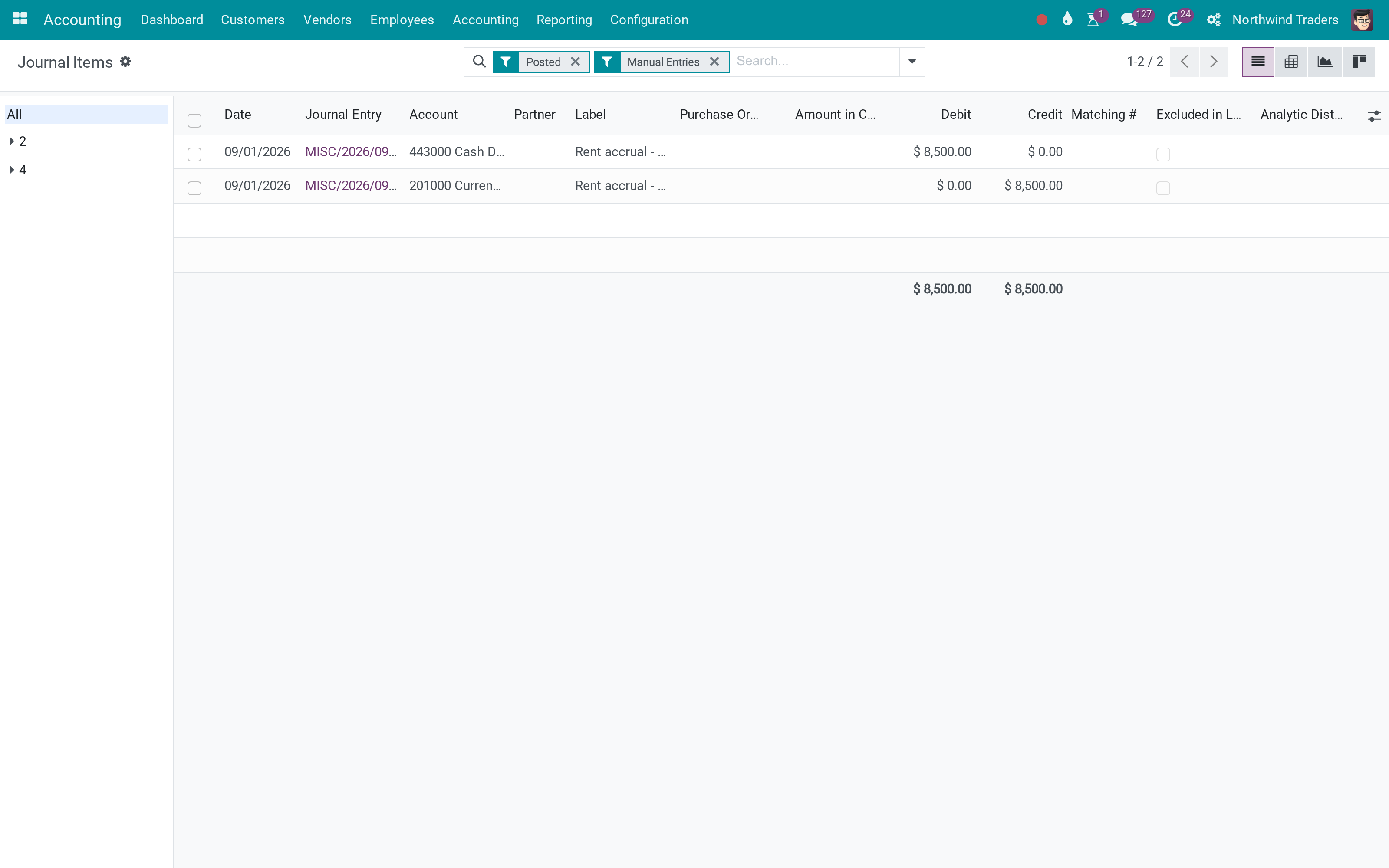
Journal items
The accrual typed by hand.
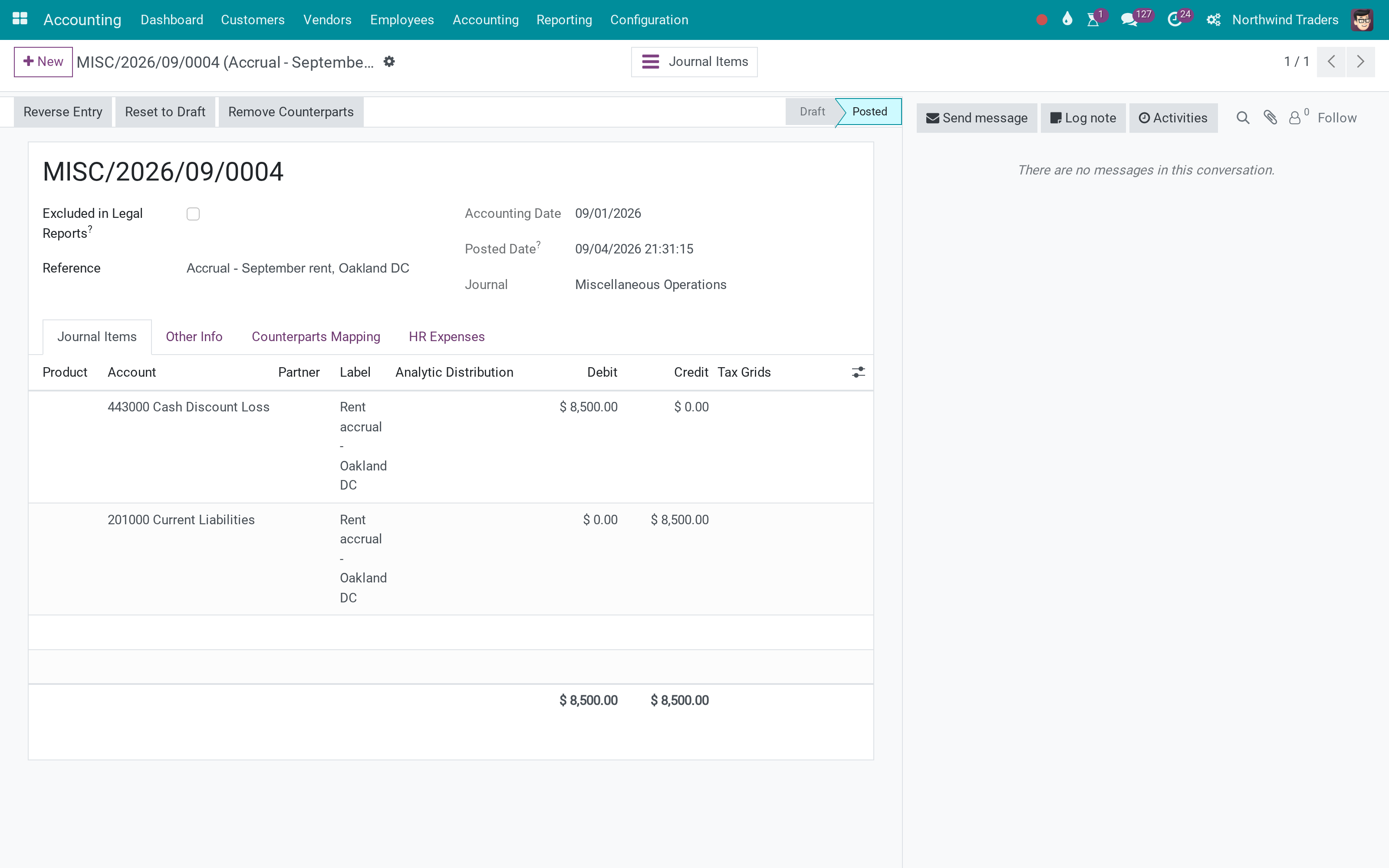
The entry
Posted date and Manual Direct Entry.
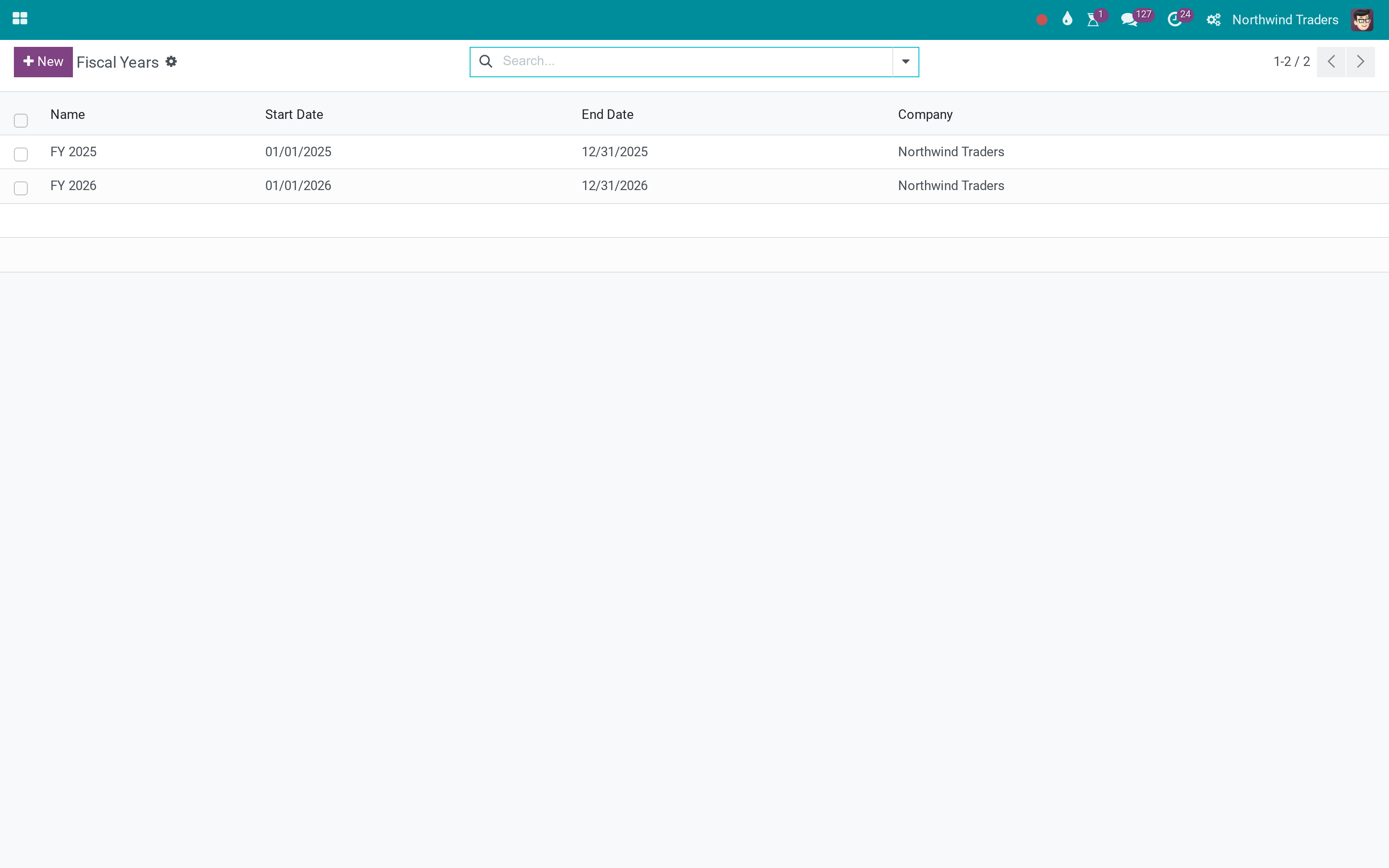
Fiscal years
FY 2025 and FY 2026.
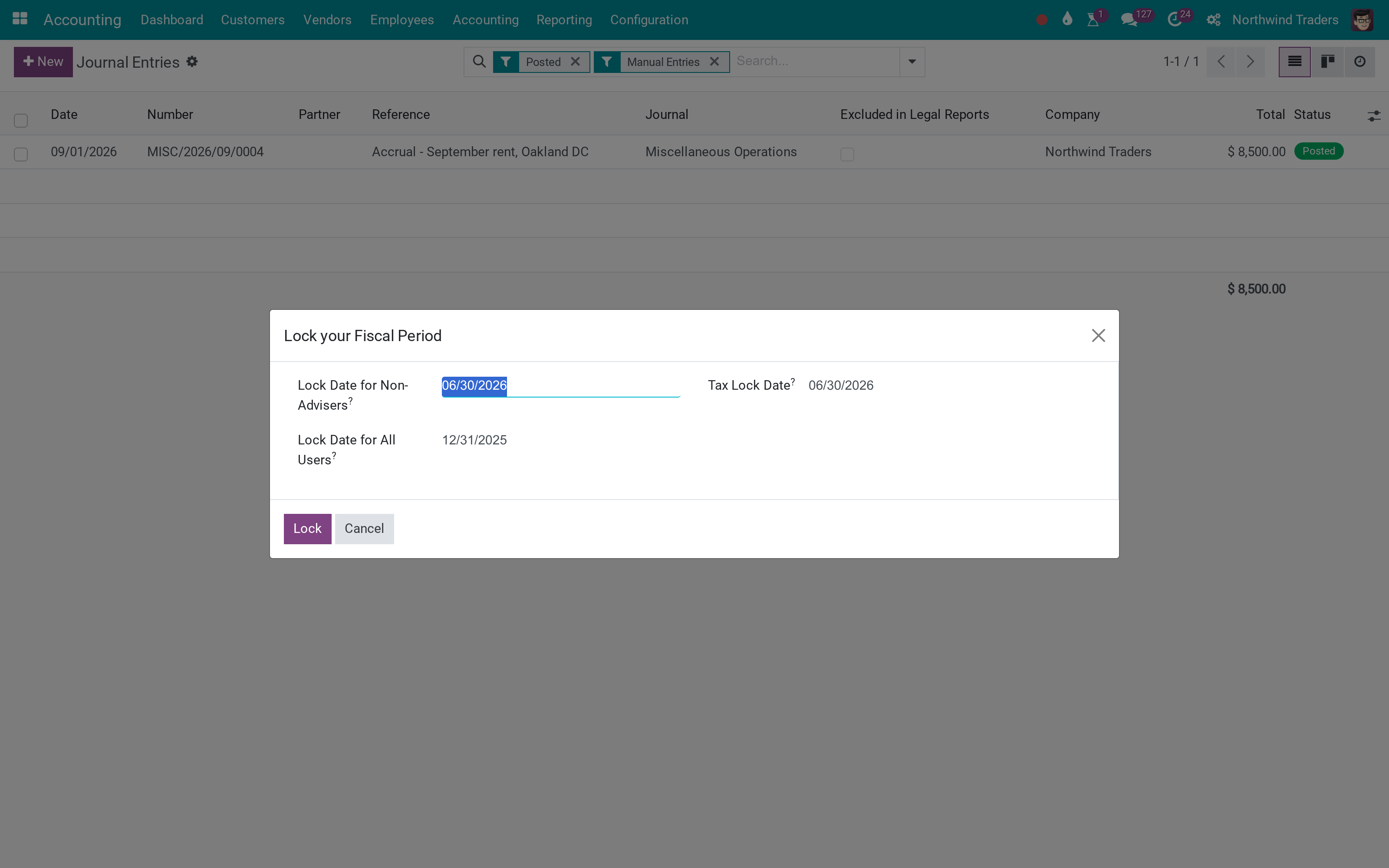
Lock dates
Non-advisers, everyone, taxes.
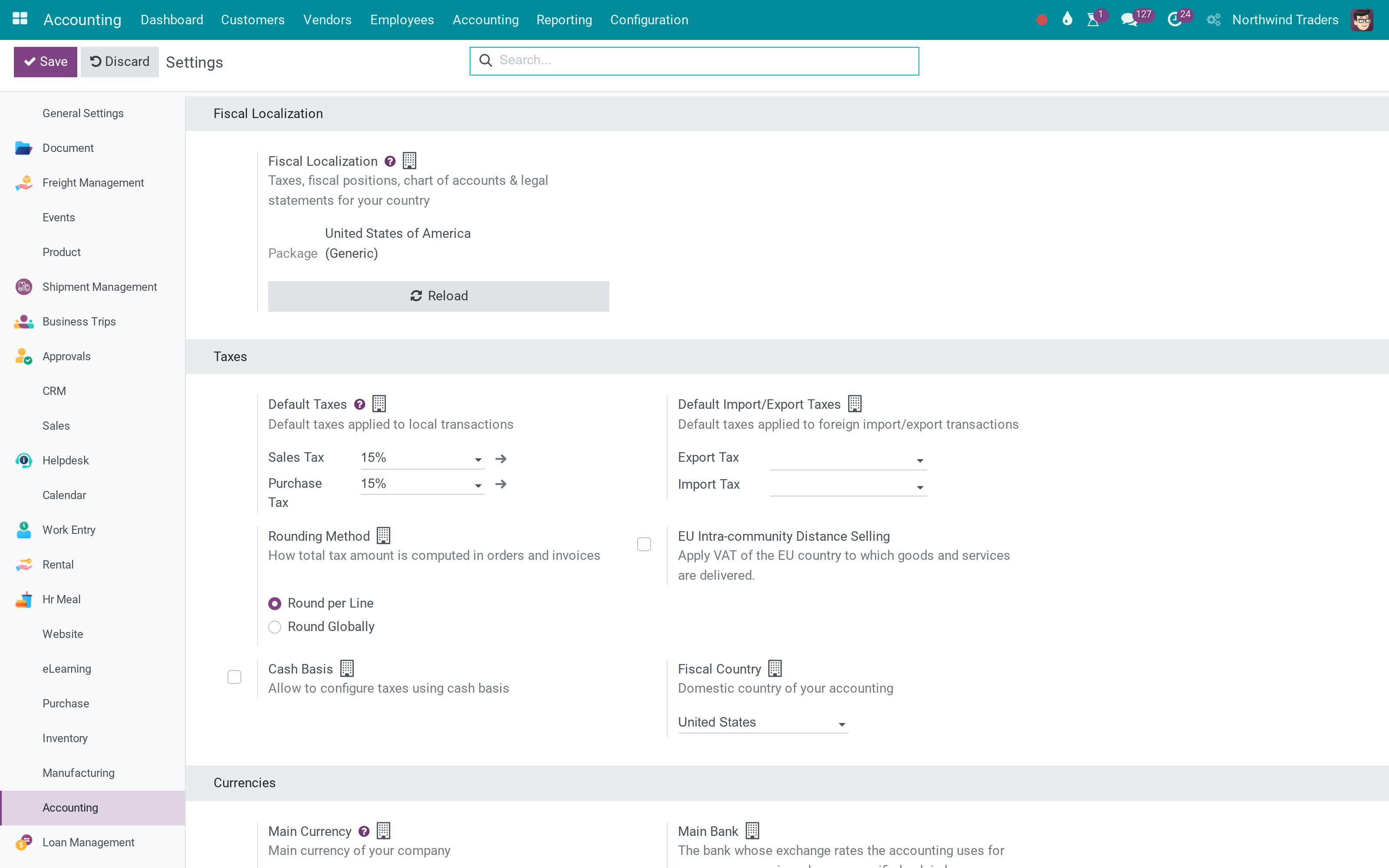
Settings
Year end and anglo-saxon.
What You Get
Journal Entries and Journal Items menus with accountant filters
Fiscal years
Lock dates wizard - period, fiscal year, tax
Posted Date on every entry
Manual Direct Entry flag
Bank & Cash digest KPI
More Screens
Everything below was taken on a database seeded with real business data, on this series - not a mock-up and not a screenshot from an older version.
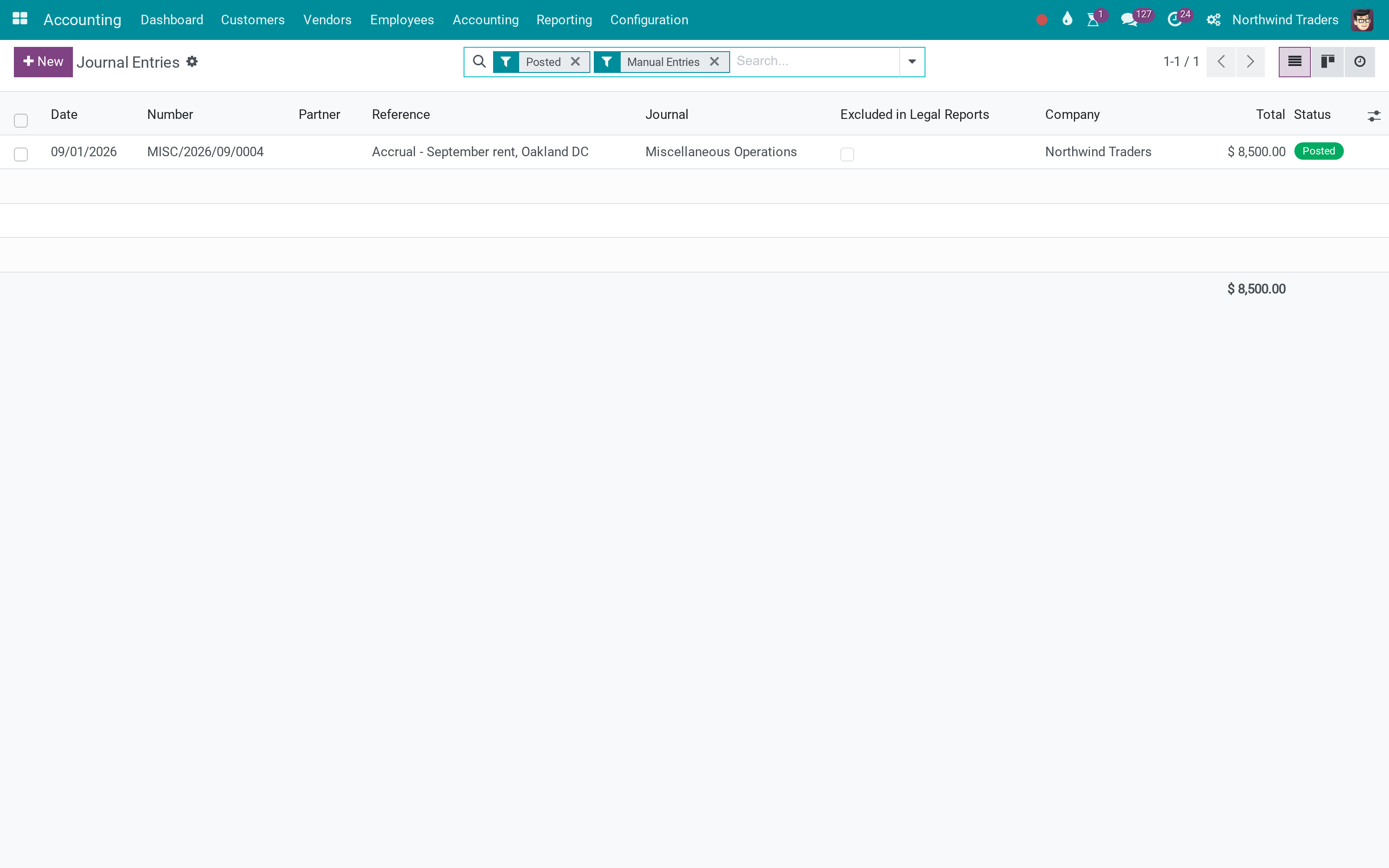
Journal entries
What This App Does Not Do
Read this before you buy. Everything below is something the app deliberately leaves to another app or to you.
Accounting Reports adds them.
Automated entries stay unflagged.
Run the wizard in each.
Works Well With
Apps from the same stack, built to fit this one:
Who Should Use Accounting & Finance?
Accountant
The screens Enterprise has, on Community.
CFO
Locks the closed periods.
Auditor
Manual entries in one filter.
Frequently Asked Questions
What does Accounting & Finance do?
Accounting > Accounting with journal entries and items, fiscal years, lock dates for non-advisers, all users and taxes, a posted-date stamp on every entry, a manual-entry flag and a bank & cash digest KPI.
What does Accounting & Finance not do?
No financial reports. Accounting Reports adds them. Manual flag is set on entries typed from the entries menu. Automated entries stay unflagged. Lock dates apply per company. Run the wizard in each.
Who is Accounting & Finance for?
Accountant: The screens Enterprise has, on Community. CFO: Locks the closed periods. Auditor: Manual entries in one filter.
Which Odoo version and editions does it support?
Odoo 18.0 - Odoo Community, Odoo Enterprise, Viindoo Cloud. Upgrades to a newer Odoo series are a separate purchase for that series.
What does it depend on?
It installs on top of: account. Odoo installs them with it.
How do I set it up?
Install; Accounting > Accounting; set fiscal years and lock dates.
What works well with it?
Accounting Reports (to_account_reports): P&L, balance sheet, ledgers. Finance Dashboards (viin_spreadsheet_dashboard_finance): Ratios and trends.
Can I try it before buying?
Yes - the Live Preview button at the top of this page opens the module's own screen on a working database.
How do I get support?
Write to apps.support@viindoo.com with your Odoo version and the technical name to_account_accountant; pre-sales questions go to sales@viindoo.com.
See Accounting & Finance in Action
or use the Live Preview button at the top of this page
Need help with Accounting & Finance?
For questions, implementation support or a custom feature, contact Viindoo.
Pre-Sales & Partnership
sales@viindoo.comUpgrades to a newer Odoo series are a separate purchase for that series.
All Viindoo apps: apps.odoo.com/apps/modules/browse?author=Viindoo
Technical Requirement
Changes log
1.1.6 - Latest on the 18.0 line
- Consolidate start/end date pairs onto the daterange widget.
- Un-store the predictor sentinel field.
- Harden the invoice-history predictor.
- Gate bill prediction on the company setting.
- Invoice-history predictor for vendor-bill import.
Cài đặt
- Truy cập Ứng dụng.
- Tìm từ khóa to_account_accountant.
- Ấn Cài đặt.
Hướng dẫn sử dụng
Video hướng dẫn: Kế toán & Tài chính
Phân quyền hệ thống
Bổ sung phạm vi phân quyền kế toán tương ứng với các vai trò quản trị kế toán trong doanh nghiệp:
- Kiểm toán viên - Chỉ đọc;
- Kế toán viên;
- Quản trị viên.
Luồng hoạt động
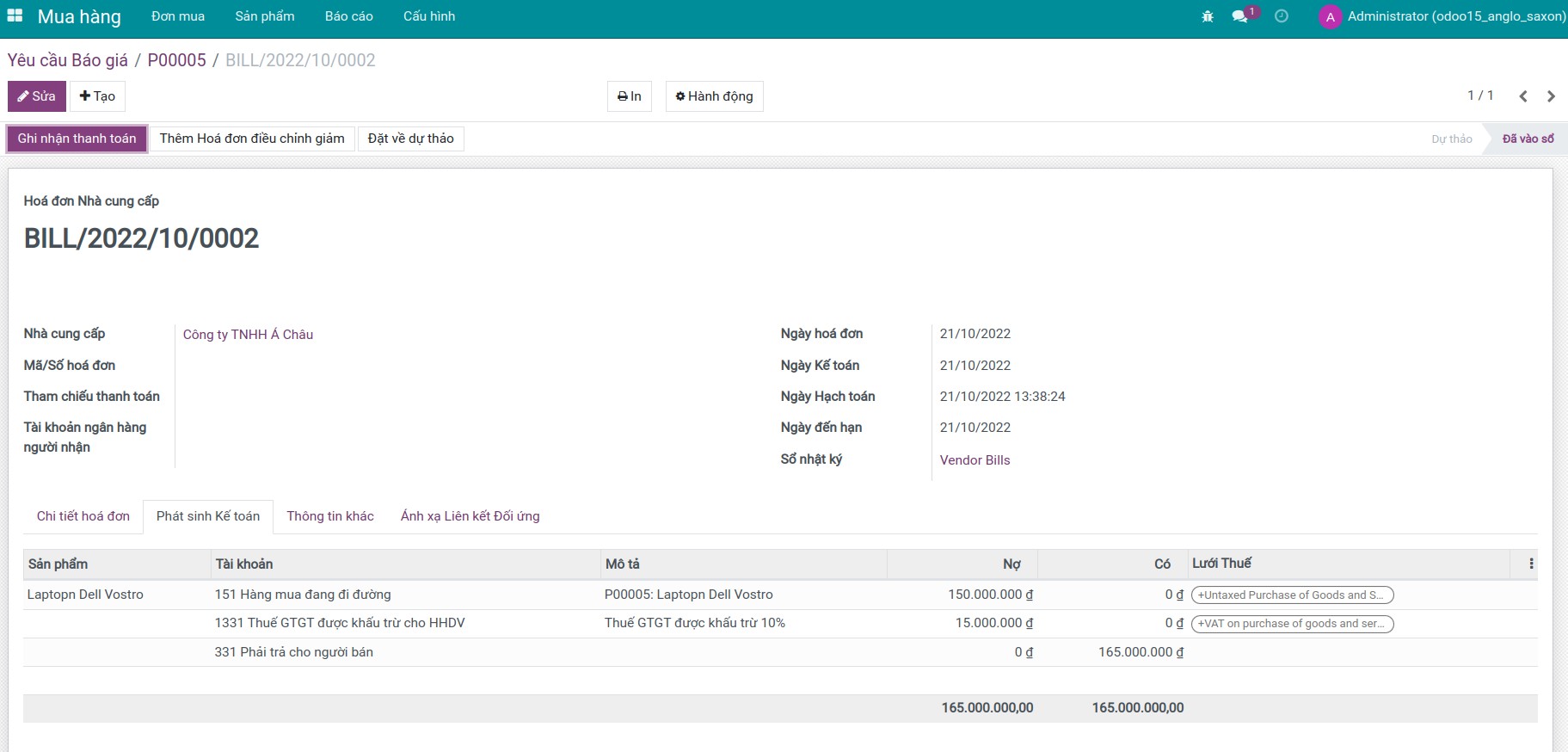
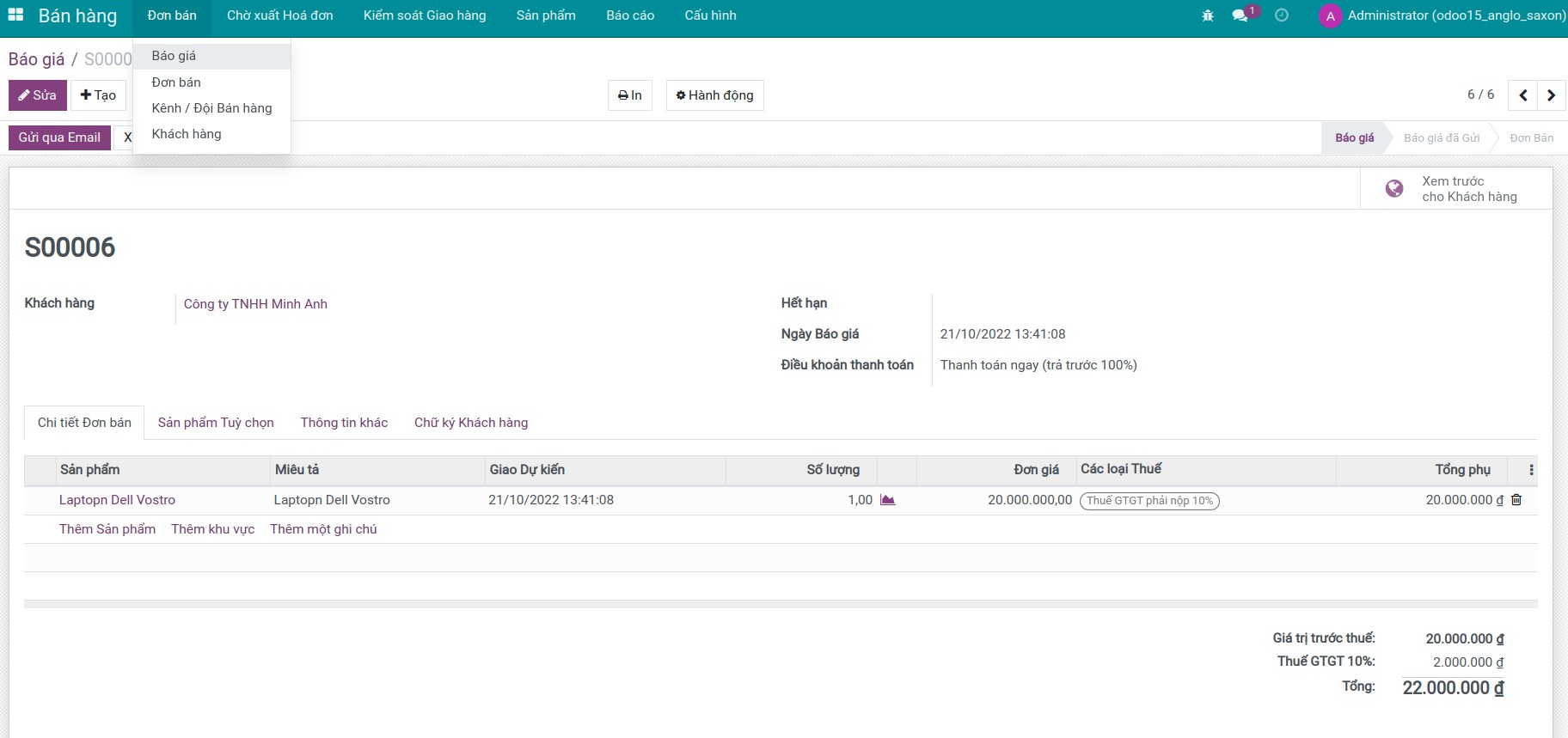
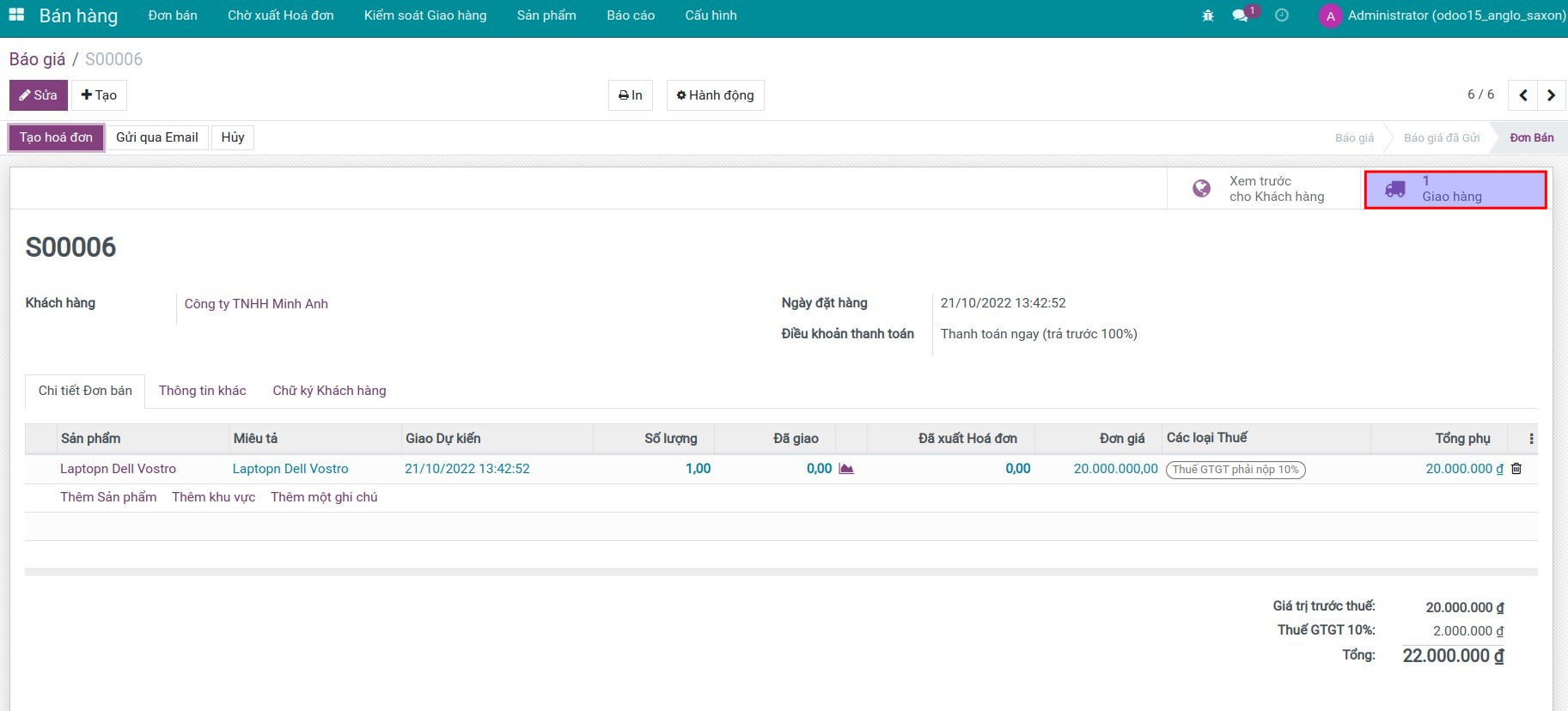
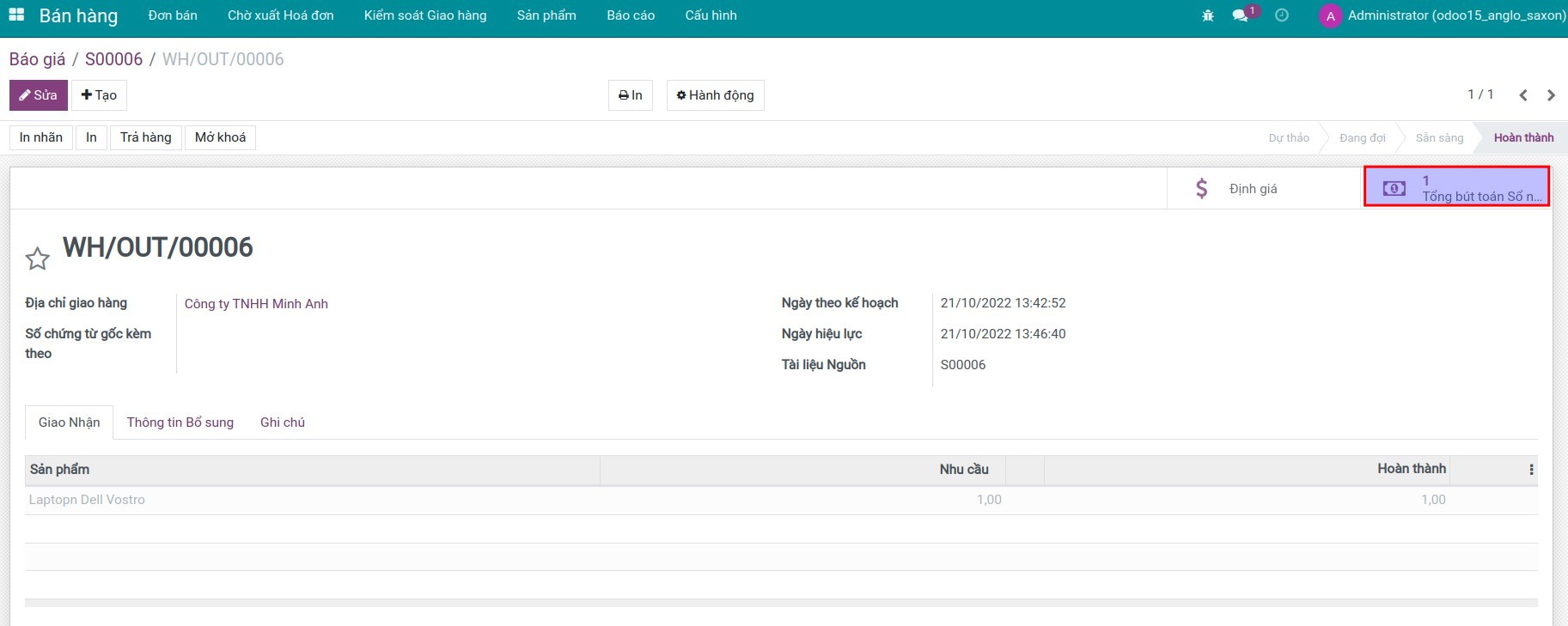
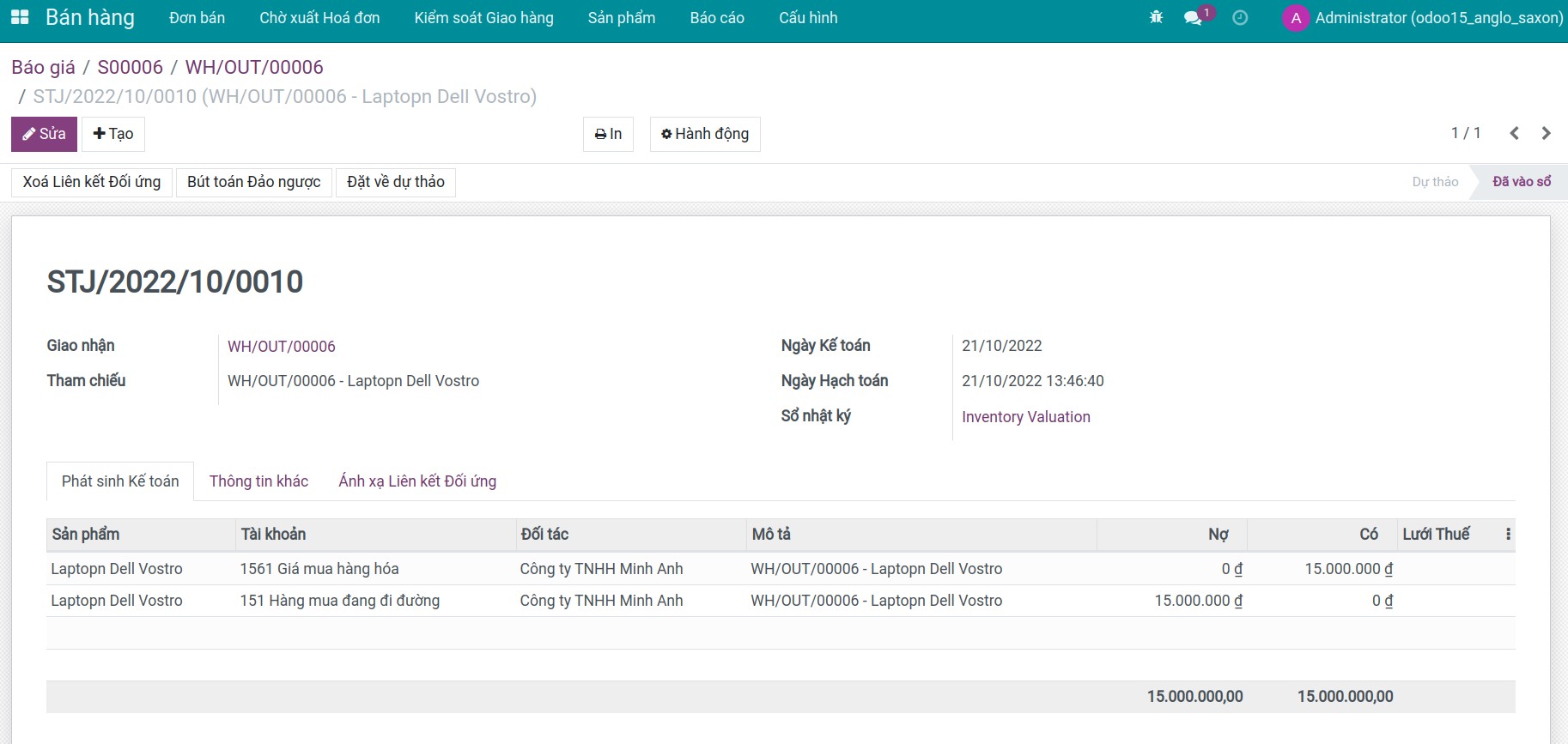
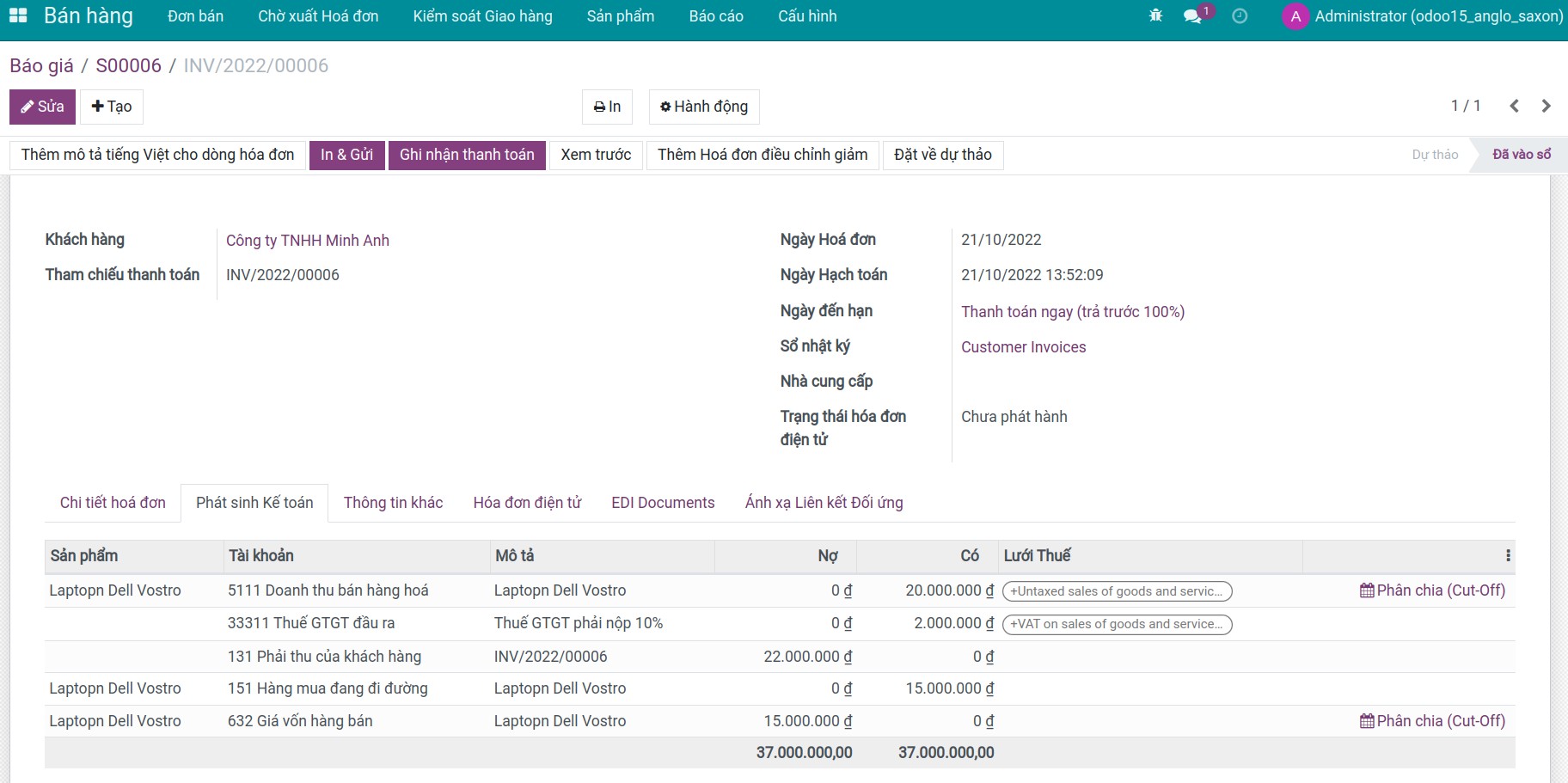
Ví dụ: Thực hiện quy trình mua hàng hóa > nhập kho > bán hàng hóa (xuất kho và xuất hóa đơn), kiểm tra các bút toán phát sinh khi áp dụng kế toán Anglo-Saxon.
- Bước 1: Để chạy được luồng hoạt động này, ngoài module to_account_accountant, bạn cần cài đặt các ứng dụng:
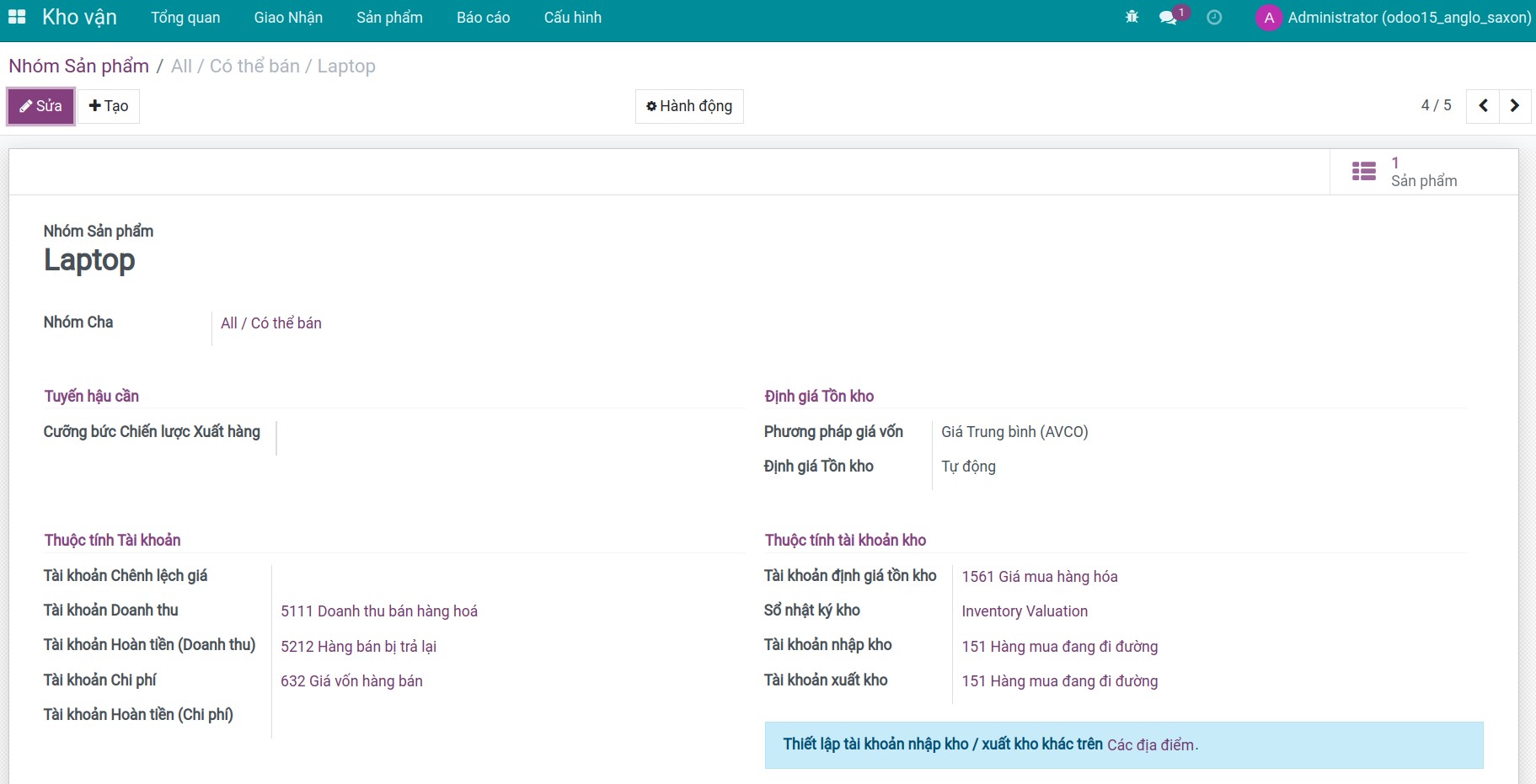
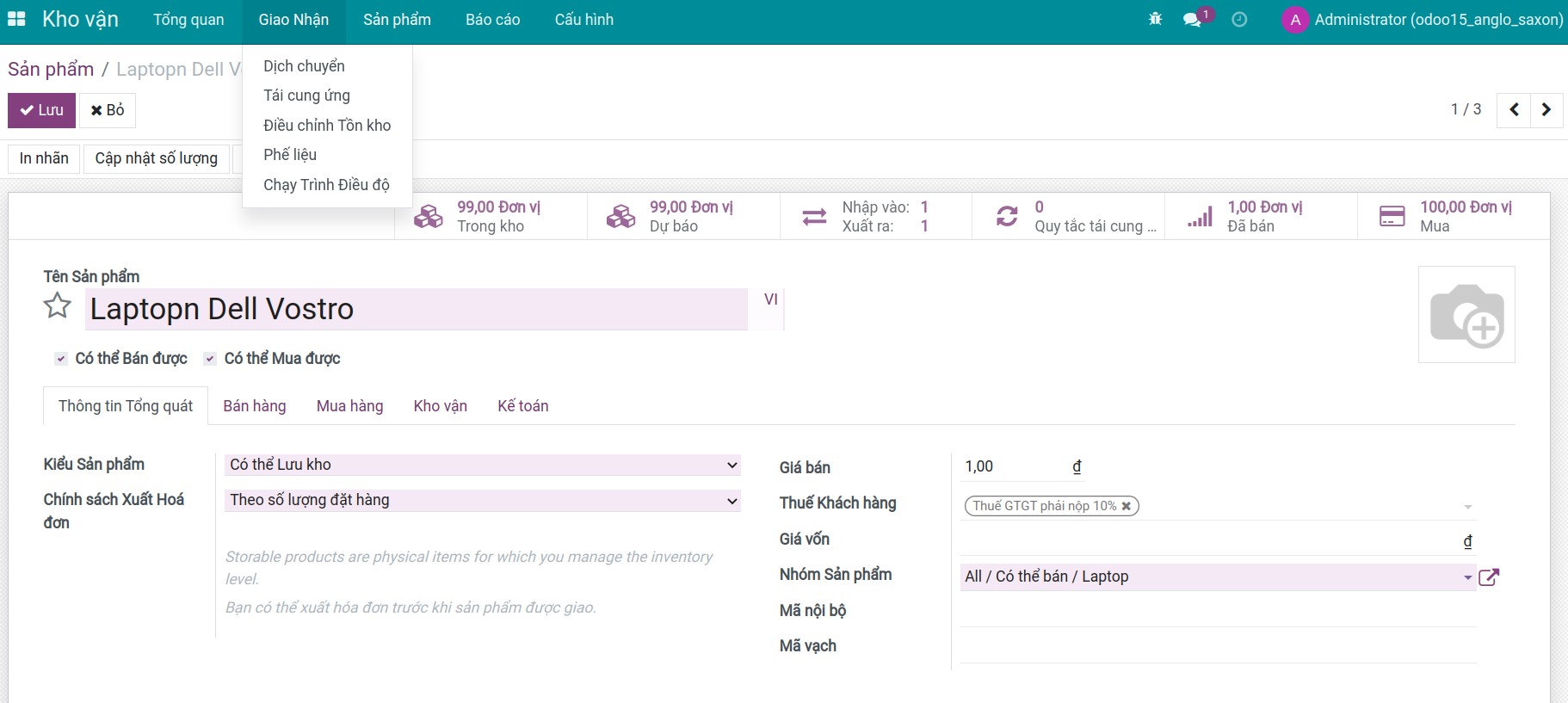
- Bước 2: Cấu hình nhóm sản phẩm và tạo sản phẩm.
- Bước 3: Tạo đơn mua và nhập kho hàng hóa.
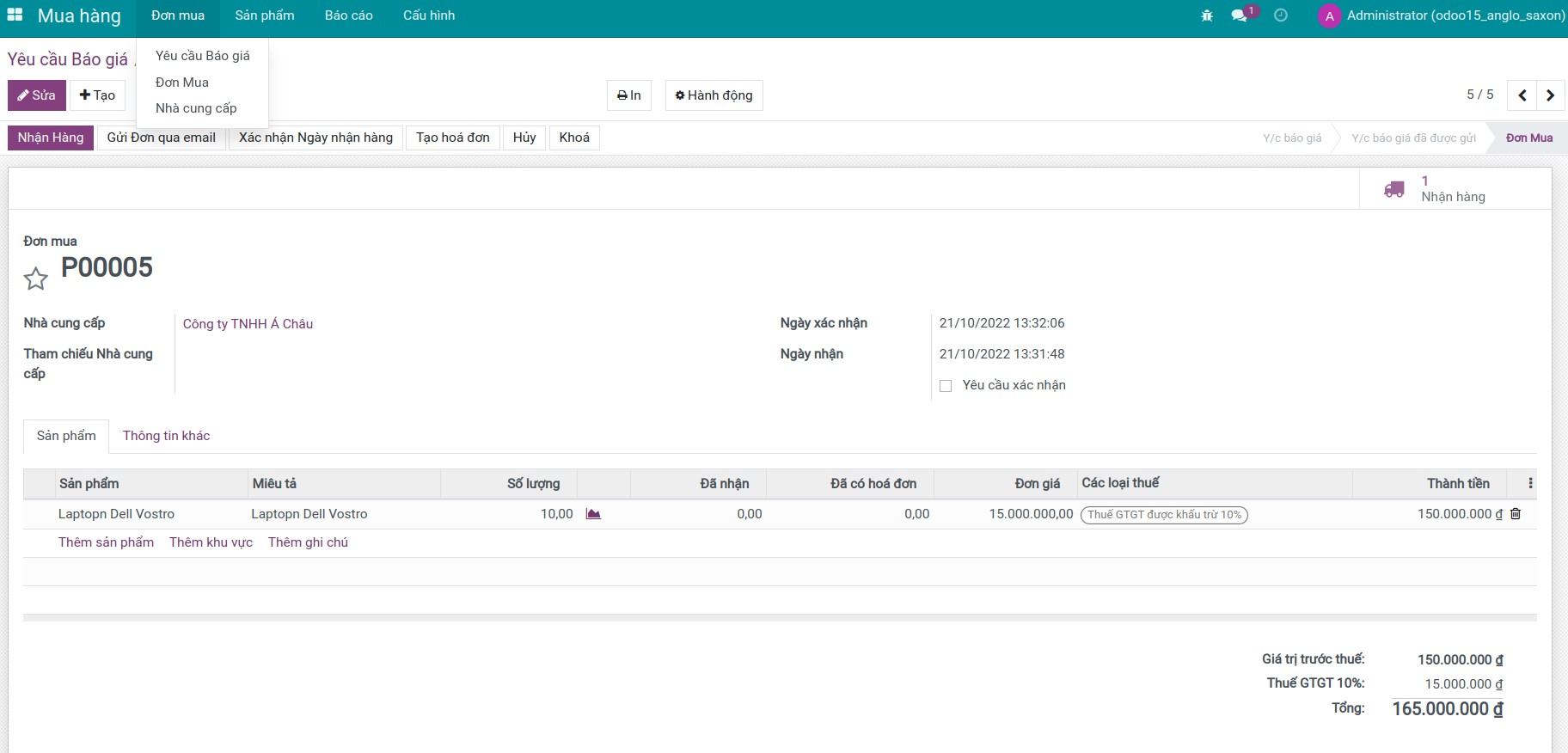
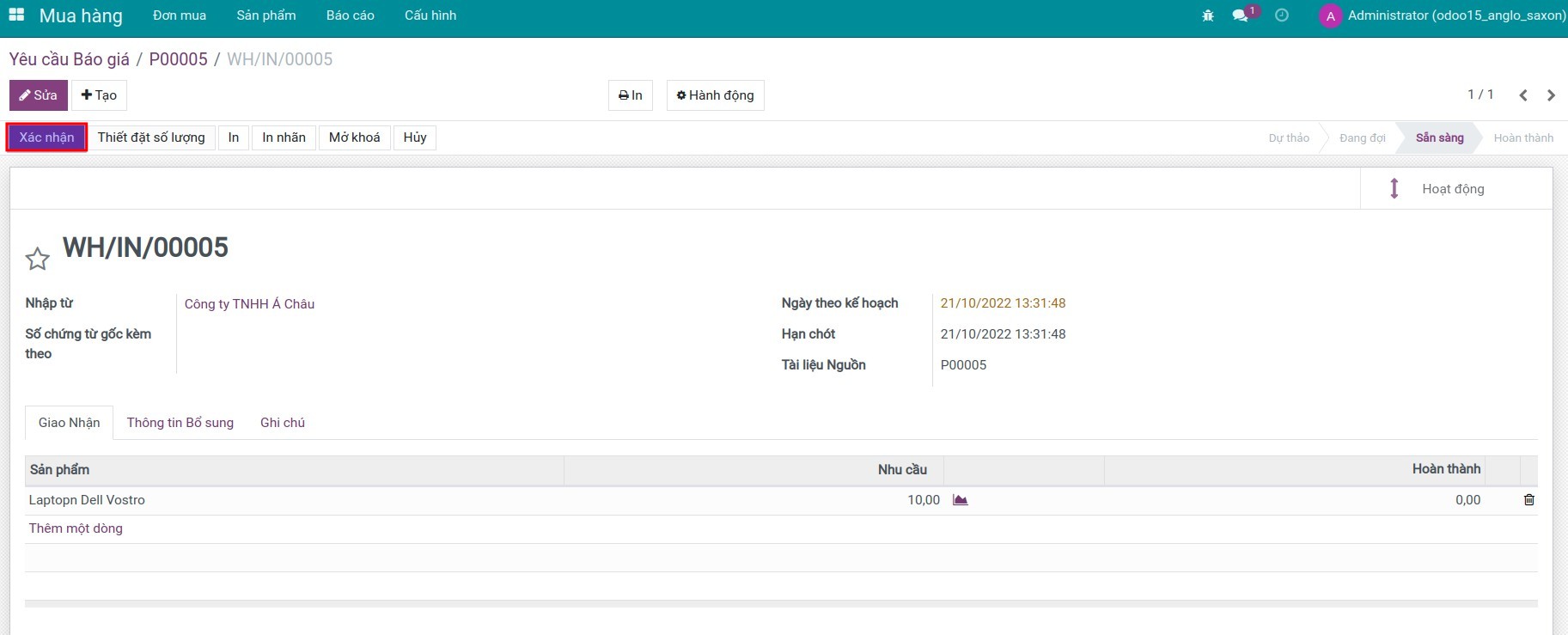
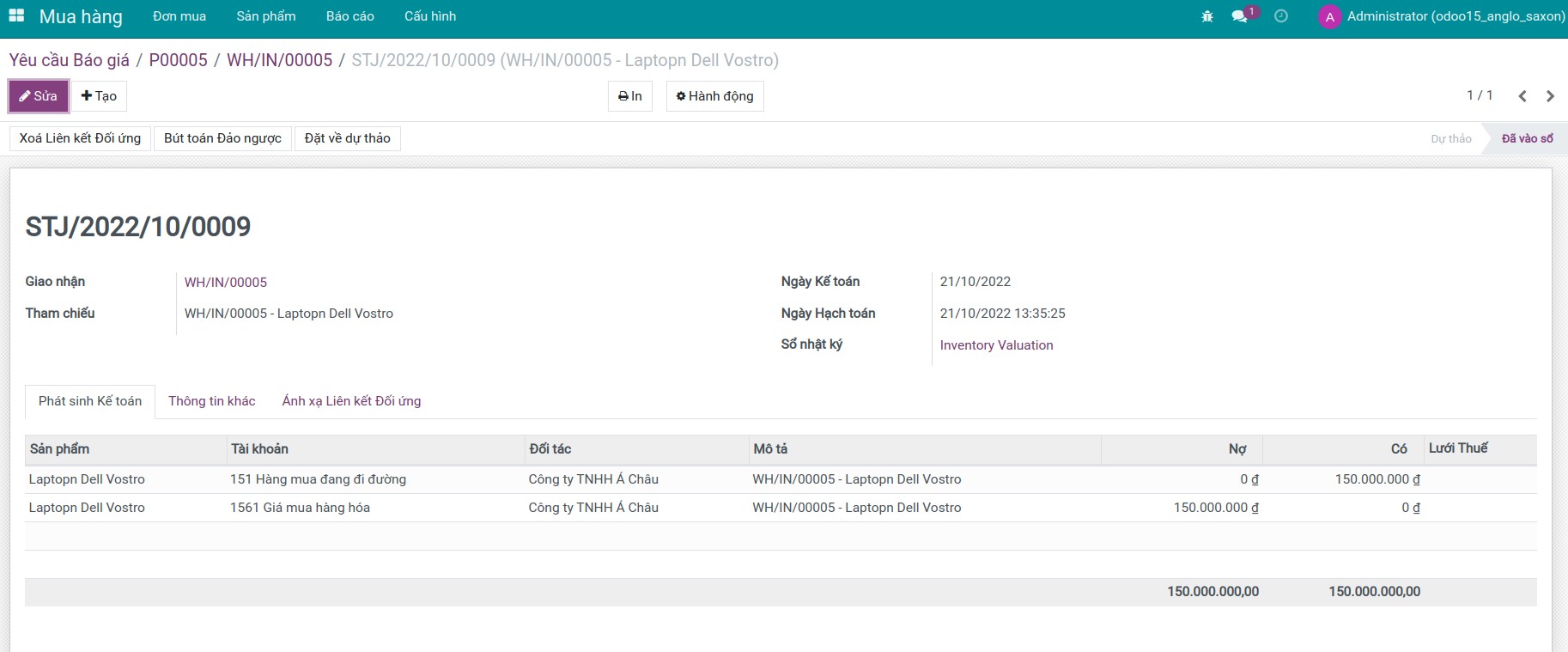
- Bước 4: Ghi nhận hóa đơn và kiểm tra hạch toán.
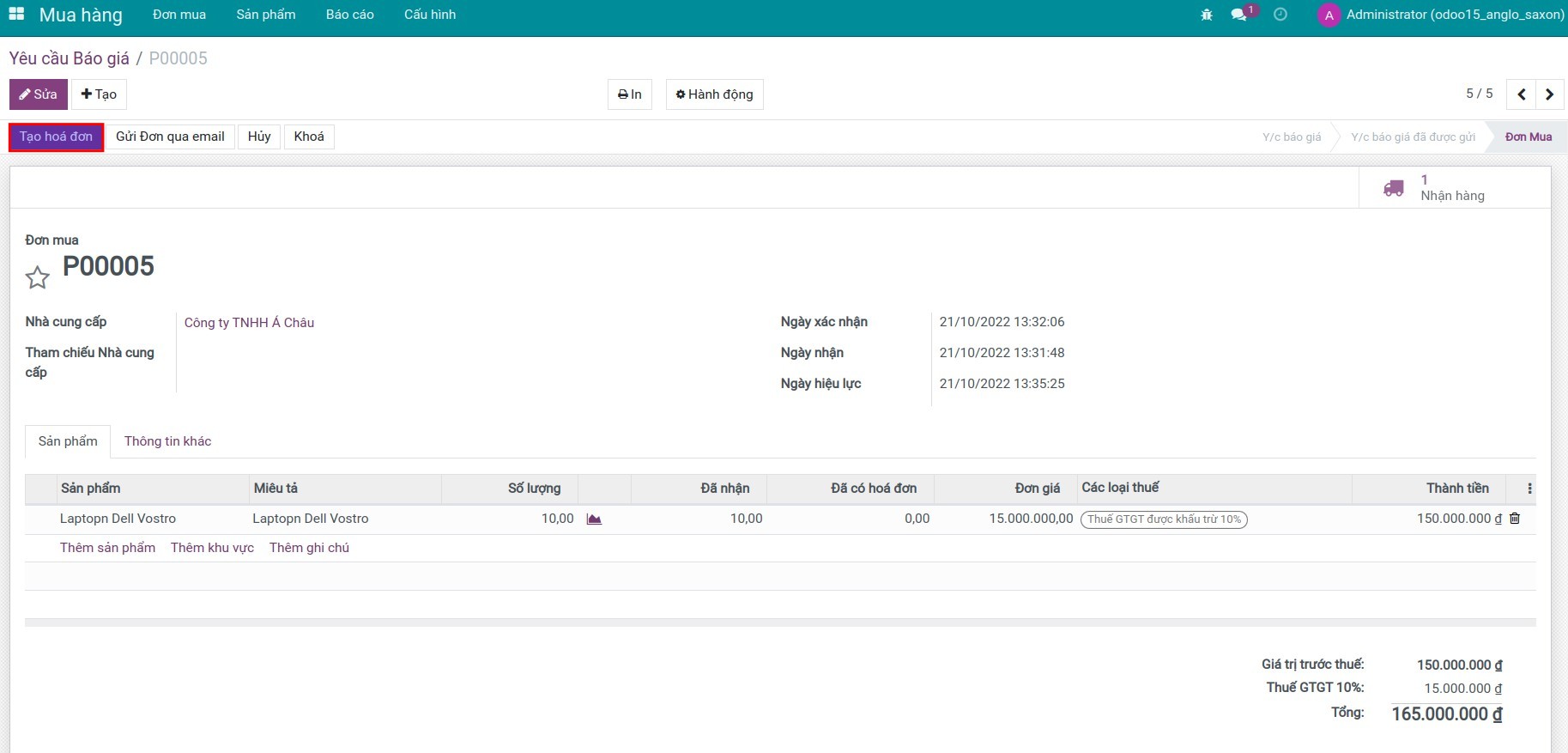
- Bước 5: Tạo báo giá, đơn bán và xuất kho hàng hóa.
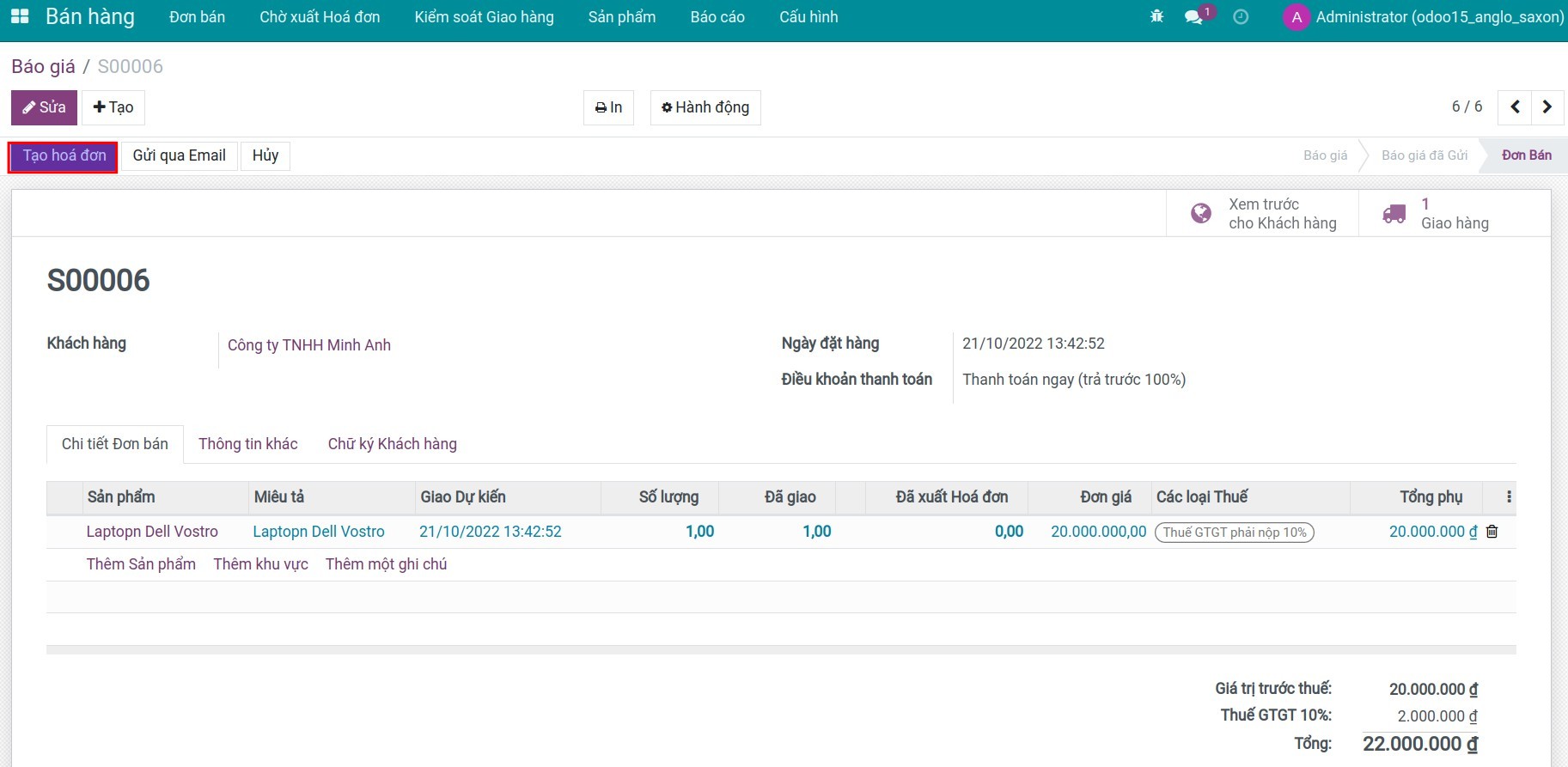
- Bước 6: Xuất hóa đơn cho khách hàng và kiểm tra hạch toán.
Một số tính năng khác
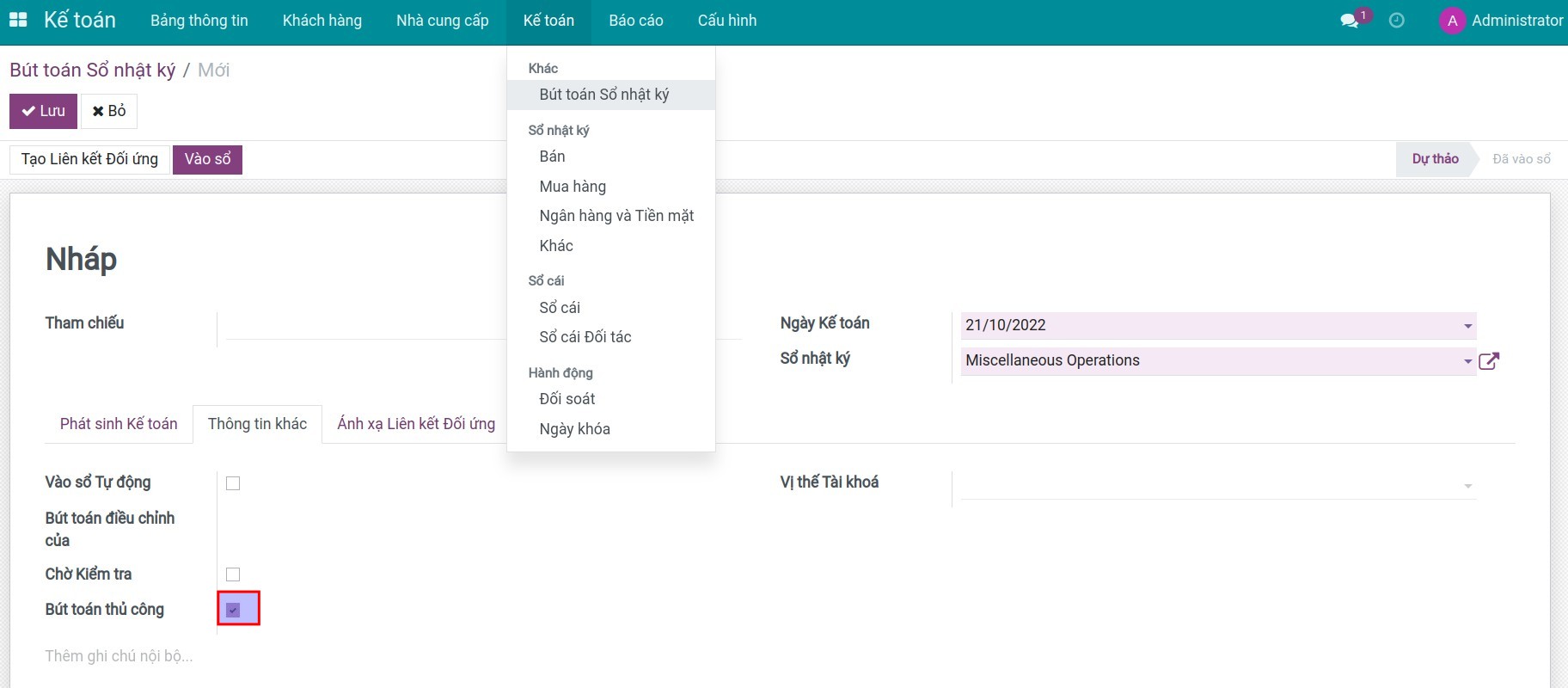
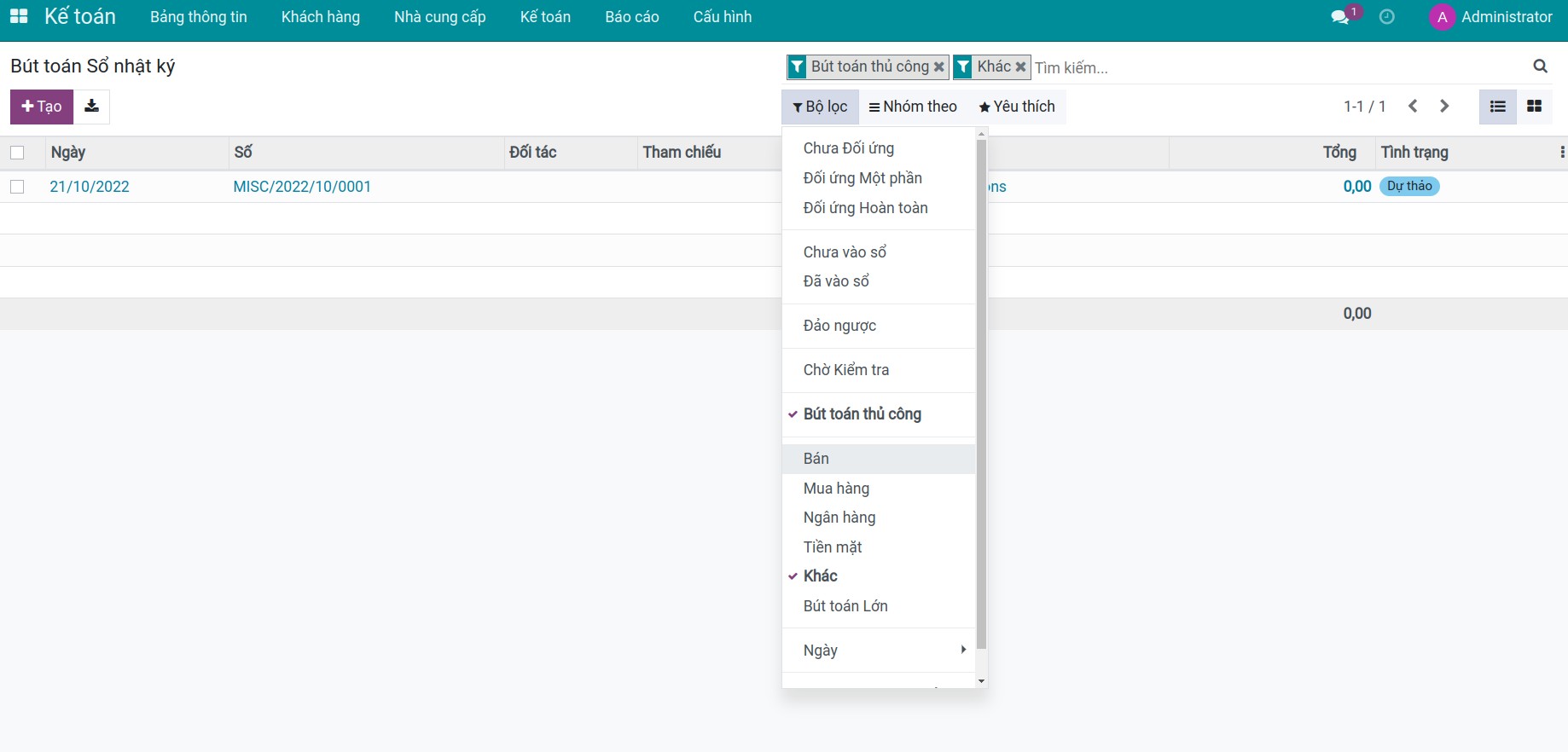
- Nhận diện bút toán thủ công.
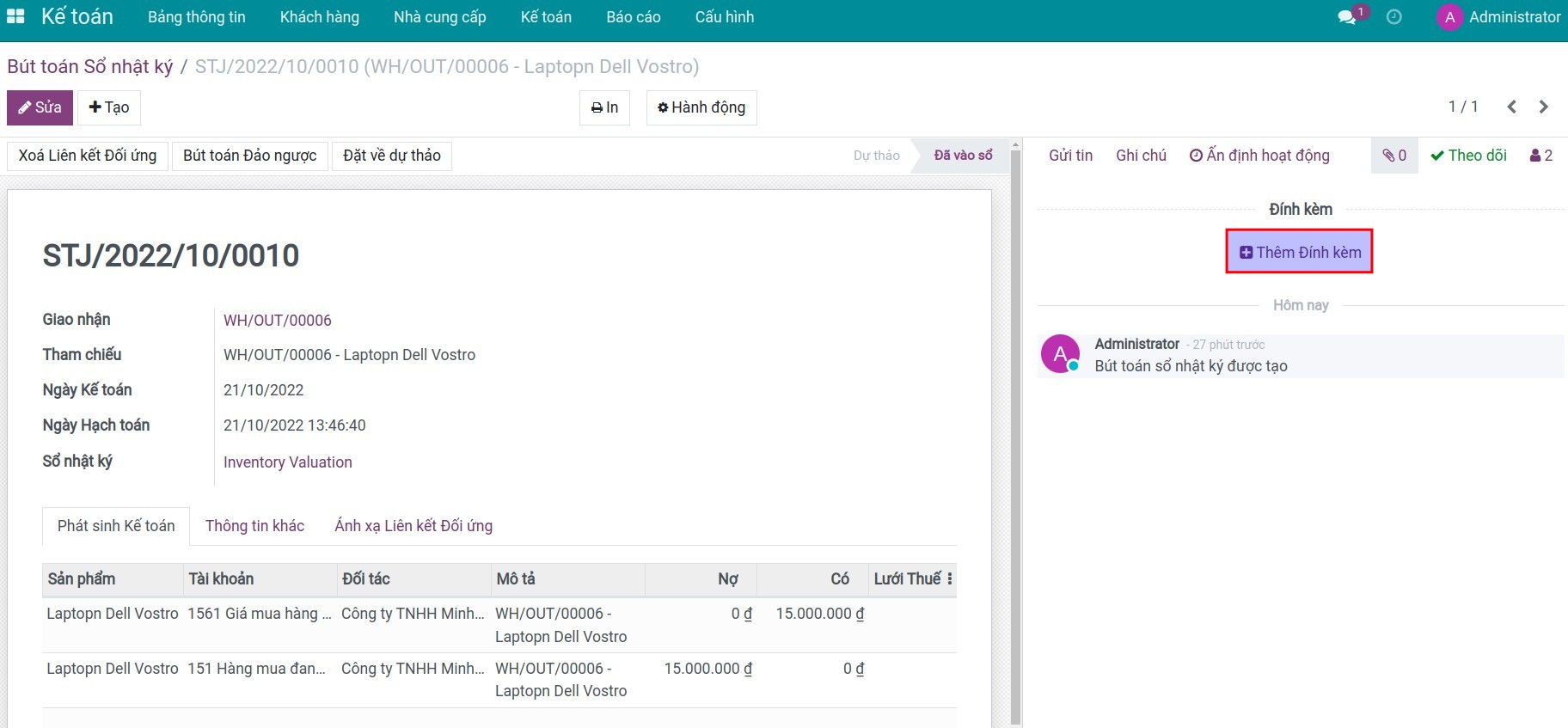
- Đính kèm tài liệu trên từng bản ghi của sao kê ngân hàng, thanh toán, bút toán sổ nhật ký trong hệ thống.
Phần mềm này và các tệp liên kết ("Phần mềm") được sử dụng (chạy, tuỳ biến, chạy sau khi được tuỳ biến) chỉ khi bạn mua được giấy phép có hiệu lực từ tác giả, điển hình như qua các Ứng dụng Odoo, hoặc trong trường hợp bạn nhận được thoả thuận bằng văn bản từ tác giả của Phần mềm (chi tiết tại tệp COPYRIGHT).
Bạn có thể phát triển các phân hệ Odoo có sử dụng Phần mềm như một Thư viện (thường là phụ thuộc vào, nhập vào và sử dụng nguồn của nó) nhưng không sao chéo bất kỳ mã nguồn hay tài liệu nào thuộc Phần mềm. Bạn có thể phân phối những phân hệ này theo giấy phép mà bạn lựa chọn, miễn sao nội dung giấy phép đó tương tích với điều khoản của Giấy phép Phần mềm Độc quyền Odoo (ví dụ: LGPL, MIT hay bất kỳ loại giấy phép phần mềm độc quyền nào tương tự vậy).
Nghiêm cấm phát hành, phân phối, cấp phép lại hoặc bán bản sao của Phần mềm hoặc bản sao Phần mềm đã được sửa đổi.
Thông báo bản quyền và chấp thuận nêu trên buộc phải được bao gồm trong tất cả các bản sao hoặc các phần quan trọng của Phần mềm.
PHẦN MỀM ĐƯỢC CUNG CẤP "NGUYÊN TRẠNG", KHÔNG BẢO ĐẢM DƯỚI BẤT KỲ HÌNH THỨC NÀO, ĐƯỢC THỂ HIỆN RÕ RÀNG HOẶC NGỤ Ý, KHÔNG GIỚI HẠN ĐẢM BẢO VỀ CÁC BẢO ĐẢM NGỤ Ý VỀ KHẢ NĂNG THƯƠNG MẠI, PHÙ HỢP VỚI MỤC ĐÍCH CỤ THỂ VÀ KHÔNG VI PHẠM. TRONG MỌI TRƯỜNG HỢP SẼ KHÔNG CÓ TÁC GIẢ HOẶC CHỦ SỞ HỮU BẢN QUYỀN NÀO CHỊU TRÁCH NHIỆM VỀ BẤT KỲ KHIẾU NẠI, THIỆT HẠI HOẶC TRÁCH NHIỆM PHÁP LÝ KHÁC NÀO TRONG PHẠM VI HỢP ĐỒNG, CÁC THIỆT HẠI HOẶC CÁCH KHÁC, PHÁT SINH TỪ, NGOÀI HOẶC CÓ LIÊN KẾT VỚI PHẦN MỀM HOẶC VIỆC SỬ DỤNG HOẶC KINH DOANH KHÁC TẠI PHẦN MỀM.